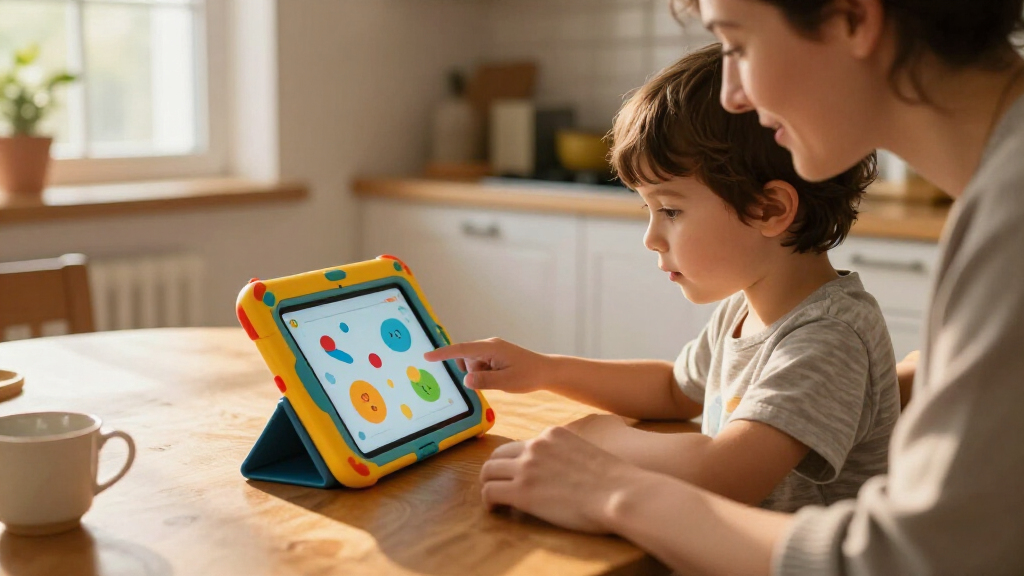

Choosing among educational tablets for kids mostly comes down to three questions: how old your child is, how much curated learning content you want built in, and how much durability matters. The Amazon Fire HD 8 Kids Tablet (2024) is the strongest all-around pick because it pairs a sharper display and faster hardware with a rugged case, robust parental controls, and a curated library of age-appropriate books, games, and apps. For preschoolers, the LeapFrog LeapPad Ultimate Ready for School stands out as a closed-system device where every piece of content is teacher-reviewed, while the Evermyth 10-Inch makes sense for older kids who need a big screen and included stylus for drawing and schoolwork. The main tradeoff in this category is flexibility versus safety: open Android tablets offer more room to grow but demand more setup time from parents, while closed learning tablets are safer out of the box but get outgrown faster. Continue reading for the full breakdown of all 13 tablets and which buyer each one suits best.

Prime made for students and young adults
- Fast, free delivery for dorm and study essentials
- Prime Video and Amazon Music included
- Member-only deals
Key Takeaways
- The amazon.com/dp/B0D38GBHCS?tag=curiousminds.info-20&ascsubtag=dc-1116658″ target=”_blank” rel=”nofollow sponsored noopener”>amazon.com/dp/B0BLBLRLJB?tag=curiousminds.info-20&ascsubtag=dc-1116658″ target=”_blank” rel=”nofollow sponsored noopener”>Amazon Fire HD 8 Kids (2024) took the top spot because it is the only tablet in this lineup that balances a quality display, a two-year worry-free replacement policy, and a genuinely curated kids’ content library in one package.
- Closed-system LeapFrog devices (LeapPad Ultimate and LeapPad Academy) are the safest picks for ages 3-7, but parents of kids 8 and up should expect children to outgrow the locked content library within a year or two.
- Generic 10-inch Android tablets from aiprotablet, ApoloSignage, Plimpton, and COLORROOM are nearly identical on specs, so the deciding factors are the included accessories, case quality, and how well Google Family Link parental controls work after setup.
- The 7-inch options (PEICHENG and Fire 7 Kids) are best reserved for very young children or tight budgets — their lower-resolution screens feel dated fast once kids hit reading-heavy schoolwork.
- The Evermyth 10-inch was the only mid-range Android pick to include a stylus, which meaningfully changes how kids use the tablet for tracing letters, drawing, and early handwriting practice.
| PEICHENG Kids Tablet, 7-Inch Android 12, 32GB, Blue |  | Best Budget Compact Pick | Operating system: Android 12 | Processor: Quad-core | Display: 7-inch IPS, 1024 × 600 | VIEW LATEST PRICE | See Our Full Breakdown |
| LeapFrog LeapPad Ultimate Ready for School Tablet, Green |  | Best for Preschool Prep | Brand: LeapFrog | Model: LeapPad Ultimate, 1st Generation (80-602070) | Screen size: 7 inches | VIEW LATEST PRICE | See Our Full Breakdown |
| Evermyth 10-Inch Android 16 Kids Tablet with Case and Stylus, 64GB, Pink |  | Best Big-Screen Bundle | Operating system: Android 16 | Display: 10 inches (resolution unspecified) | Processor: A333, up to 1.8GHz | VIEW LATEST PRICE | See Our Full Breakdown |
| Amazon Fire 7 Kids Tablet, 16 GB, Blue |  | Best Content Ecosystem | Display: 7-inch touchscreen, 1024 × 600 | Processor: Quad-core 2.0 GHz | RAM: 2 GB | VIEW LATEST PRICE | See Our Full Breakdown |
| aiprotablet A30 Kids Tablet, 10-Inch, Android 16, 64GB, Purple |  | Best Big-Screen Value | Operating system: Android 16 | Display: 10-inch IPS, 1280 × 800 | Processor: Unisoc T7280 octa-core, up to 2.2 GHz | VIEW LATEST PRICE | See Our Full Breakdown |
| LeapFrog 2-in-1 LeapTop Touch |  | Best Screen-Free Starter | Product type: 2-in-1 laptop and touch tablet toy | Learning modes: ABCs, numbers, games, music, and messages | Keyboard: Letters A–Z and numbers 1–10 | VIEW LATEST PRICE | See Our Full Breakdown |
| Amazon Fire HD 8 Kids Pro Tablet (2024), 64GB, Hello Teal |  | Best for Elementary Schoolers | Screen: 8-inch HD | Recommended age: 6–12 years | Storage: 64GB internal; expandable up to 1TB (card sold separately) | VIEW LATEST PRICE | See Our Full Breakdown |
| ApoloSignage 10-Inch Android 16 Kids Tablet, 64GB, Blue |  | Best Big-Screen Budget Pick | Operating system: Android 16 | Processor: Octa-core | Display: 10-inch IPS touchscreen, 1280 × 800 | VIEW LATEST PRICE | See Our Full Breakdown |
| Amazon Fire HD 8 Kids Tablet (2024), 64GB, Blue |  | Best Protected Tablet for Little Kids | Release year: 2024 | Recommended age: 3–7 years | Display: 8-inch HD, 1280 × 800, 189 ppi | VIEW LATEST PRICE | See Our Full Breakdown |
| Plimpton Kids 20 10.1-Inch Android 15 Tablet, 4GB RAM, 64GB Storage, Blue |  | Best Case Design for Creative Kids | Operating system: Android 15 | Display: 10.1-inch HD IPS, 1280 × 800 | Processor: 2.0 GHz octa-core | VIEW LATEST PRICE | See Our Full Breakdown |
| COLORROOM 10.1-Inch Kids Android 15 Tablet, 4GB RAM, 64GB Storage, Pink |  | Best Warranty Backing | Operating system: Android 15 | Screen: 10.1 inches, 1280 × 800 | Processor: Unisoc T606 octa-core, 2 GHz | VIEW LATEST PRICE | See Our Full Breakdown |
| Aiprotablet Kids Tablet, 10-Inch Android 16, 64GB Storage, Parental Controls, Protective Case and Accessories, Pink |  | Best Accessory Bundle | Operating system: Android 16 | Display: 10-inch IPS, 1280 × 800 | Processor: T7280 octa-core, up to 2.2GHz | VIEW LATEST PRICE | See Our Full Breakdown |
| LeapFrog LeapPad Academy Kids’ Learning Tablet, Green |  | Best for Preschool Learning | Brand: LeapFrog | Operating system: Android 10 (closed LeapFrog interface) | Screen: 7 inches, shatter-safe | VIEW LATEST PRICE | See Our Full Breakdown |
| educational tablets for kid | Processor | Storage | Operating system | Display |
|---|---|---|---|---|
| PEICHENG Kids Tablet | Quad-core | 32GB, expandable to 512GB via microSD | Android 12 | 7-inch IPS, 1024 × 600 |
| LeapFrog LeapPad Ultimate Read | 1.0 GHz quad-core Allwinner A33 | — | — | — |
| Evermyth 10-Inch Android 16 Ki | A333, up to 1.8GHz | 64GB, expandable up to 1TB via TF card | Android 16 | 10 inches (resolution unspecified) |
| Amazon Fire 7 Kids Tablet | Quad-core 2.0 GHz | 16 GB, expandable up to 1TB via microSD | — | 7-inch touchscreen, 1024 × 600 |
| aiprotablet A30 Kids Tablet | Unisoc T7280 octa-core, up to 2.2 GHz | 64 GB, expandable up to 2TB via microSD | Android 16 | 10-inch IPS, 1280 × 800 |
| LeapFrog 2-in-1 LeapTop Touch | — | — | — | — |
| Amazon Fire HD 8 Kids Pro Tabl | Hexa-core | 64GB internal; expandable up to 1TB (card sold separately) | — | — |
| ApoloSignage 10-Inch Android 1 | Octa-core | 64GB, expandable up to 1TB | Android 16 | 10-inch IPS touchscreen, 1280 × 800 |
| Amazon Fire HD 8 Kids Tablet | Hexa-core 2.0 GHz | 64GB; expandable up to 1TB via microSD | — | 8-inch HD, 1280 × 800, 189 ppi |
| Plimpton Kids 20 10.1-Inch And | 2.0 GHz octa-core | 64GB, expandable up to 1TB | Android 15 | 10.1-inch HD IPS, 1280 × 800 |
| COLORROOM 10.1-Inch Kids Andro | Unisoc T606 octa-core, 2 GHz | 64GB, expandable to 1TB via MicroSD (sold separately) | Android 15 | — |
| Aiprotablet Kids Tablet | T7280 octa-core, up to 2.2GHz | 64GB, expandable to 2TB via microSD (sold separately) | Android 16 | 10-inch IPS, 1280 × 800 |
| LeapFrog LeapPad Academy Kids’ | — | — | Android 10 (closed LeapFrog interface) | — |
More Details on Our Top Picks
PEICHENG Kids Tablet, 7-Inch Android 12, 32GB, Blue
Not every family wants to spend big on a first tablet, and this PEICHENG 7-incher is the cheapest credible entry point in this lineup. Unlike the LeapFrog LeapPad Ultimate, which locks you into a closed app store, this runs full Android 12 with Google Play access, so the library grows with your child instead of capping out at age six. The 512GB microSD ceiling means storage is never a real constraint. The tradeoff is basic hardware: the 1024 × 600 screen is noticeably softer than the 1280 × 800 panel on the aiprotablet A30, and the quad-core chip is fine for learning apps but sluggish for video-heavy content. Parents should also change the default kids-mode password (0000) on day one — it’s a small step, but skipping it undermines the whole parental-control system.
Pros:- Full Google Play access with Widevine L1 support, unlike closed learning tablets
- Robust parental controls with screen-time limits, profiles, and web filtering
- Storage expandable up to 512GB via microSD
- Shockproof case with an adjustable stand included
Cons:- 1024 × 600 display resolution looks dated next to 10-inch rivals
- Quad-core processor struggles with demanding apps
- Default kids-mode password of 0000 is a security gap if left unchanged
Best for: Parents buying a first tablet for a young child who want Google Play flexibility without a big spend
Not ideal for: Kids who watch a lot of video — the low-resolution 7-inch screen and modest processor make streaming a mediocre experience
- Operating system:Android 12
- Processor:Quad-core
- Display:7-inch IPS, 1024 × 600
- RAM:4GB (2GB + 2GB expansion)
- Storage:32GB, expandable to 512GB via microSD
- Cameras:2MP front, 5MP rear
- Connectivity:Wi-Fi, Bluetooth
- Audio:Dual speakers, 3.5mm headphone jack
Our verdict“A sensible low-cost first tablet for light learning use, provided you accept a soft screen and change the default password immediately.”
LeapFrog LeapPad Ultimate Ready for School Tablet, Green
The LeapPad Ultimate takes the opposite philosophy from Android tablets like the PEICHENG: instead of an open platform with parental filters, it’s a walled garden built entirely around school readiness. For ages 3–6, that focus is a strength — adaptive learning games adjust difficulty to your child’s actual progress, and the kid-safe browser only reaches pre-selected websites, so there’s nothing to configure or police. The shatter-safe screen and bumper feel genuinely toddler-proof in a way generic cases don’t. The catch is the ceiling: while the Amazon Fire 7 Kids keeps serving content for years through Kids+, the LeapPad is largely outgrown by age seven, and its 5-hour battery is the shortest in this batch. You’re paying for curated safety and educational depth, not longevity or versatility.
Pros:- Adaptive learning games that adjust to a child’s progress
- Bundled educational, reading, music, and creative apps with nothing extra to buy
- Kid-friendly browser limited to pre-selected websites
- Shatter-safe screen and built-in bumper designed for rough handling
Cons:- Limited 3–6 year age range makes it a short-lived purchase
- 5-hour battery life is the weakest in this lineup
- No access to Google Play or broader app ecosystems
Best for: Parents of 3-to-6-year-olds who want a curated, screen-time-limited learning device with zero setup friction
Not ideal for: Families hoping for one tablet that lasts through elementary school — the closed content library and age range run out quickly
- Brand:LeapFrog
- Model:LeapPad Ultimate, 1st Generation (80-602070)
- Screen size:7 inches
- Processor:1.0 GHz quad-core Allwinner A33
- Battery life:5 hours
- Recommended age:3–6 years
- Audio:3.5mm headphone jack; MP3, AAC, WAV support
Our verdict“The right pick if you want a safe, curriculum-aligned tablet for the preschool years and nothing beyond.”
Evermyth 10-Inch Android 16 Kids Tablet with Case and Stylus, 64GB, Pink
Of the three 10-inch Android 16 tablets in this roundup, the Evermyth stands out for what’s in the box: a protective case, an included stylus, and a 6000mAh battery, the largest capacity here. That stylus matters more than it sounds — it turns tracing letters and drawing apps into real fine-motor practice, something the aiprotablet A30 and ApoloSignage don’t include. With Wi-Fi 6 and Bluetooth 5.4, it’s also the most future-proof on connectivity, outclassing the Amazon Fire 7 Kids, which still lacks Wi-Fi 6. The weaknesses are transparency issues rather than performance ones: the listing never specifies display resolution, and the microSD expansion that could offload its modest 64GB of storage requires a card you must buy separately. For drawing-inclined kids aged 3–12, though, the bundle is hard to match.
Pros:- Stylus included, supporting drawing and handwriting apps out of the box
- 6000mAh battery — the largest capacity in this lineup
- Wi-Fi 6 and Bluetooth 5.4 for current-gen connectivity
- Storage expandable up to 1TB via TF card
Cons:- Display resolution is not specified in the product listing
- TF card required for expansion is not included
- 64GB base storage fills quickly with large learning apps and videos
Best for: Families with kids who love drawing and writing practice, where an included stylus and big screen add real value
Not ideal for: Spec-conscious buyers who need to know exactly what resolution and panel quality they’re getting before purchasing
- Operating system:Android 16
- Display:10 inches (resolution unspecified)
- Processor:A333, up to 1.8GHz
- RAM:24GB (as listed)
- Storage:64GB, expandable up to 1TB via TF card
- Battery:6000mAh
- Cameras:5MP front, 8MP autofocus rear
- Connectivity:Wi-Fi 6, Bluetooth 5.4
- Warranty:1 year
Our verdict“The best-equipped bundle for creative kids, as long as you’re comfortable buying blind on screen quality.”
Amazon Fire 7 Kids Tablet, 16 GB, Blue
Hardware alone doesn’t make a kids tablet — content does, and that’s where the Fire 7 Kids beats every Android rival here. The bundled one-year Amazon Kids+ subscription delivers thousands of vetted books, games, and videos on day one, while the PEICHENG and Evermyth tablets hand you an empty store and expect you to curate everything yourself. Add the two-year worry-free guarantee — Amazon replaces a broken tablet, no questions asked — and the 10-hour battery, and this is the lowest-hassle ownership experience in the batch. The compromises are real, though: 16GB of storage is the smallest here (you’ll want a microSD card), the 1024 × 600 screen trails the aiprotablet A30’s sharper panel, and Kids+ auto-renews monthly after year one unless you cancel — the real cost lives in that subscription tail.
Pros:- One-year Amazon Kids+ subscription with curated books, apps, and videos included
- Two-year worry-free guarantee covering accidental damage
- Up to 10 hours of battery life — among the best in this lineup
- Expandable storage up to 1TB via microSD
Cons:- 16GB internal storage is the smallest in this roundup
- 1024 × 600 display resolution lags behind 10-inch competitors
- Amazon Kids+ renews monthly after the included year unless canceled
Best for: Parents who want a tablet that arrives fully loaded with age-appropriate content and a no-questions replacement policy if it breaks
Not ideal for: Budget-conscious families unwilling to manage a recurring Kids+ subscription after the first free year
- Display:7-inch touchscreen, 1024 × 600
- Processor:Quad-core 2.0 GHz
- RAM:2 GB
- Storage:16 GB, expandable up to 1TB via microSD
- Battery life:Up to 10 hours
- Cameras:2 MP front and rear
- Weight:15.1 ounces (429 g)
- Included:Kid-proof case, one-year Amazon Kids+ subscription
Our verdict“If you value ready-made content and breakage protection over raw specs, this is the most hassle-free choice — just remember to cancel or budget for Kids+ after year one.”
aiprotablet A30 Kids Tablet, 10-Inch, Android 16, 64GB, Purple
The aiprotablet A30 splits the difference between the Evermyth and the ApoloSignage-style Android 16 tablets by getting the fundamentals right: a 10-inch IPS display at 1280 × 800 — the sharpest confirmed resolution in this batch — paired with a Unisoc T7280 octa-core chip that outmuscles the quad-core PEICHENG and Fire 7 Kids for smoother app switching. Google Kids Space provides curated educational content without the subscription trap of Amazon Kids+, and the listing emphasizes an eye-protection-focused screen, a real consideration for long reading sessions. Expansion runs to 2TB, the highest ceiling here. Two things give me pause: the microSD card is sold separately, and the listing’s conflicting RAM figures (30GB vs 24GB, likely virtual memory blending) make exact performance claims hard to verify. It’s still the most balanced big-screen package for the price.
Pros:- 1280 × 800 IPS display — the best confirmed resolution in this lineup
- Octa-core Unisoc T7280 processor for smoother multitasking than quad-core rivals
- Google Kids Space with curated content and no subscription required
- Storage expandable up to 2TB via microSD
Cons:- MicroSD card for expansion is sold separately
- Listing gives conflicting RAM figures (30GB vs 24GB)
- Battery life is a listing claim of ‘over 8 hours’ rather than a verified figure
Best for: Families who want a sharp 10-inch screen and modern software for homework and reading apps without a content subscription
Not ideal for: Buyers who need precise, verifiable specs — the conflicting RAM listing makes exact performance claims unreliable
- Operating system:Android 16
- Display:10-inch IPS, 1280 × 800
- Processor:Unisoc T7280 octa-core, up to 2.2 GHz
- RAM:As listed: 30GB / 24GB (conflicting figures)
- Storage:64 GB, expandable up to 2TB via microSD
- Battery life:Over 8 hours (as listed)
- Connectivity:Wi-Fi, Bluetooth 5.4
- Warranty:1 year
Our verdict“The sharpest all-around 10-inch pick for subscription-averse families, provided you buy a microSD card and take the RAM claims with a grain of salt.”
LeapFrog 2-in-1 LeapTop Touch
Before handing a preschooler a real tablet, this flipping laptop-to-tablet toy teaches the mechanics of learning tech without any actual screen time. The A–Z keyboard and five modes — letters, numbers, games, music, and messages — build early literacy through touch and role-play, and the customizable name feature makes it feel personal. Compared with the LeapFrog LeapPad Ultimate, this option skips apps and Wi-Fi entirely, which is either its biggest strength or its biggest limitation depending on your philosophy. Compared with the Amazon Fire HD 8 Kids, there’s no subscription, no content management, and nothing to break — but also far less content depth. It runs on 3 AA batteries, so factor in replacements; the included cells are demo-only.
Pros:- Two form factors in one toy: keyboard mode for typing play, tablet mode for touch play
- Five distinct learning modes covering letters, numbers, music, and role-play
- No screens, Wi-Fi, subscriptions, or content filtering to manage
- Name customization adds a personal touch that keeps kids engaged
Cons:- Runs on 3 AA batteries, with included cells meant only for demo purposes
- Learning content is finite — kids can outgrow it within a year or two
Best for: Parents of 2–5 year olds who want a first ‘device’ that mimics grown-up tech without real screens or internet access
Not ideal for: Families whose kids are ready for actual educational apps, reading libraries, or video content — this tops out quickly in learning depth
- Product type:2-in-1 laptop and touch tablet toy
- Learning modes:ABCs, numbers, games, music, and messages
- Keyboard:Letters A–Z and numbers 1–10
- Recommended age:2–5 years
- Power:3 AA batteries
- Batteries:Demo batteries included; new batteries recommended
Our verdict“Buy this if you want a screen-free tech toy that bridges toddler play and kindergarten readiness; skip it if your child is already app-ready.”
Amazon Fire HD 8 Kids Pro Tablet (2024), 64GB, Hello Teal
The Kids Pro line exists because older children reject babyish gear — and this model delivers a slim case, curated content, and independence-friendly parental controls for the 6–12 crowd. Compared with the standard Amazon Fire HD 8 Kids (ages 3–7), the Pro version gives kids a web browser with filters and more grown-up app access, while parents still get activity reviews and content management. The 13-hour battery and 1TB expandable storage make it a genuine long-haul device for road trips and downloaded content. The tradeoff is ecosystem lock-in: after six months, Amazon Kids+ renews automatically at $7.99 per month unless canceled — a recurring cost the ApoloSignage tablet avoids entirely with free Google Kids Space.
Pros:- Parental controls scale up with the child: activity reviews, content filters, and time management
- Up to 13 hours of battery life outlasts most competitors in this roundup
- Two-year worry-free replacement guarantee removes breakage anxiety
- Storage expands to 1TB for years of downloaded books and videos
Cons:- Amazon Kids+ auto-renews at $7.99/month plus tax after six months unless canceled
- MicroSD expansion and full app freedom both cost extra or require workarounds
- Voice and video calls only work over Wi-Fi to pre-approved contacts
Best for: Parents of 6–12 year olds who want strong parental oversight with an age-appropriate step up in independence and content
Not ideal for: Budget-conscious families unwilling to track and cancel an auto-renewing subscription, or anyone wanting the full Google Play store out of the box
- Screen:8-inch HD
- Recommended age:6–12 years
- Storage:64GB internal; expandable up to 1TB (card sold separately)
- Processor:Hexa-core
- Battery life:Up to 13 hours
- Included subscription:6 months of Amazon Kids+
- Guarantee:2-year worry-free replacement
- Connectivity:Wi-Fi voice and video calls to approved contacts
Our verdict“This is the pick for school-age kids who’ve outgrown toddler tablets but still need guardrails — just set a reminder about that subscription.”
ApoloSignage 10-Inch Android 16 Kids Tablet, 64GB, Blue
For buyers who want a larger 10-inch display without Amazon’s subscription treadmill, this option stands out. Google Kids Space comes free and pre-configured, which is a real advantage over the Fire HD 8 Kids Pro — no recurring fee, no renewal surprise. The adjustable stand built into the included case makes it better than the Plimpton Kids 20 for hands-free video watching or drawing, and the 5000mAh battery plus blue-light reduction suit longer sessions. Two honest caveats: the ‘8GB RAM’ figure is really 3GB physical plus 5GB virtual, which is a spec worth knowing before comparing, and the 1280 × 800 resolution is fine but not sharp for a screen this size.
Pros:- Google Kids Space and parental controls included with no ongoing subscription
- 10-inch screen gives younger kids more room for drawing and early-learning apps
- Protective case with adjustable stand enables hands-free use
- Storage expands up to 1TB for downloaded videos and apps
Cons:- Only 3GB of the advertised 8GB RAM is physical memory — virtual RAM isn’t a true substitute
- 1280 × 800 resolution looks soft on a 10-inch panel
Best for: Families who want a 10-inch screen, free Google Kids Space, and no subscription obligations on a tight budget
Not ideal for: Spec-conscious buyers who need honest, higher RAM for smoother multitasking, or anyone wanting a sharper display for reading small text
- Operating system:Android 16
- Processor:Octa-core
- Display:10-inch IPS touchscreen, 1280 × 800
- RAM:8GB (3GB physical + 5GB virtual)
- Storage:64GB, expandable up to 1TB
- Battery:5000mAh
- Included:Google Kids Space, parental controls, protective case, adjustable stand
Our verdict“A sensible big-screen choice if you prioritize free kids software and a stand over raw performance and display sharpness.”
Amazon Fire HD 8 Kids Tablet (2024), 64GB, Blue
This is the version built to survive the 3–7 age range: a chunky kid-proof case, a two-year no-questions replacement guarantee, and parental controls tuned for younger users. Compared with the Fire HD 8 Kids Pro, it drops the slimmer case and the older-kid web features in exchange for tougher construction and simpler content management. Against budget 10-inch options like the Plimpton Kids 20, its advantages are the polished Amazon Kids+ library and that guarantee — its disadvantages are the smaller 8-inch screen and a 5W charger that takes nearly five hours for a full charge. One frustration: the listing shows conflicting Kids+ durations (6 months vs. 1 year), so confirm at purchase.
Pros:- Kid-proof case plus 2-year replacement guarantee is the strongest protection story in this lineup
- Parental controls include activity reviews and per-child time limits
- Up to 13 hours of battery life handles long days and travel
- Storage grows to 1TB via microSD
Cons:- Amazon Kids+ subscription length is listed inconsistently (6 months vs. 1 year)
- Included 5W adapter needs nearly 5 hours for a full charge
- No Wi-Fi 6 support and only a 2 MP camera
Best for: Parents of rough-and-tumble 3–7 year olds who value breakage protection and curated content over screen size
Not ideal for: Anyone wanting fast charging, Wi-Fi 6 speeds, or certainty about the included subscription length before buying
- Release year:2024
- Recommended age:3–7 years
- Display:8-inch HD, 1280 × 800, 189 ppi
- Processor:Hexa-core 2.0 GHz
- Storage:64GB; expandable up to 1TB via microSD
- Battery life:Up to 13 hours
- Ports:USB-C 2.0, microSD slot, 3.5 mm stereo jack
- Guarantee:2-year worry-free guarantee
Our verdict“If durability and content curation for a young child top your list, this earns its spot — just verify the subscription terms before checkout.”
Plimpton Kids 20 10.1-Inch Android 15 Tablet, 4GB RAM, 64GB Storage, Blue
The standout detail here is the EVA case with a 360° rotatable stand — unlike the fixed-angle stand on the ApoloSignage tablet, this one flips fully around for landscape movies, portrait drawing, or flat tabletop use. That flexibility suits creative kids who switch between watching, typing, and sketching. Google Kids Space comes included with no subscription attached, and eye-protection mode with automatic brightness is a thoughtful touch for evening use. Honest RAM of 4GB (nothing virtual inflated) is refreshing compared with the ApoloSignage’s marketing math, though the 8-hour battery falls well short of the Fire HD 8 Kids’ 13-hour claim, and the 1280 × 800 resolution is the same soft spot.
Pros:- 360° rotatable EVA case stand adapts to any viewing or drawing angle
- Straightforward 4GB RAM spec with no virtual-memory inflation
- Eye-protection mode and automatic brightness for comfortable viewing
- 2-year manufacturer warranty backs the purchase
Cons:- 8-hour battery rating trails the Fire HD 8 Kids by about 5 hours
- 1280 × 800 resolution is modest for a 10.1-inch display
Best for: Families with kids who draw, watch, and type in different positions and want an honest-spec Android tablet with a real warranty
Not ideal for: Long-trip travelers or heavy video users — 8 hours of rated battery life won’t match Amazon’s Fire tablets
- Operating system:Android 15
- Display:10.1-inch HD IPS, 1280 × 800
- Processor:2.0 GHz octa-core
- Memory:4GB RAM
- Storage:64GB, expandable up to 1TB
- Connectivity:Wi-Fi, Bluetooth 5.3
- Battery life:8 hours
- Warranty:2 years
Our verdict“Pick this for the versatile case and no-strings kids software; choose a Fire tablet instead if battery life is your deciding factor.”
COLORROOM 10.1-Inch Kids Android 15 Tablet, 4GB RAM, 64GB Storage, Pink
Among the 10-inch Android options in this roundup, this COLORROOM model stands apart for its 5-year protection plan and 180-day money-back guarantee, which outlasts the standard coverage you get with the Aiprotablet or Plimpton entries. That matters for a device handed to a five-year-old. It ships with Google Kids Space and parental controls, so content curation is handled out of the box, and the EVA case adds drop protection similar to the Evermyth’s bundled shell. The 6000mAh battery is generous for the size, though the listed 8 hours and the description’s 8–12 hours don’t agree — plan around the lower figure. Compared with the Aiprotablet’s accessory bundle, you get less in the box here: no keyboard, mouse, or stylus, and the MicroSD card for that 1TB expansion is sold separately.
Pros:- 5-year protection and 180-day money-back guarantee — the longest coverage in this lineup
- Google Kids Space and parental controls included for curated, age-appropriate content
- 6000mAh battery comfortably outlasts smaller 7-inch options like the Fire 7 Kids
- EVA protective case included in the box
Cons:- Battery-life claims are inconsistent between the spec sheet (8 hours) and description (8–12 hours)
- MicroSD card needed for storage expansion is sold separately
- 1280 × 800 resolution is modest for a 10.1-inch screen compared with sharper general-purpose tablets
Best for: Parents who prioritize long-term coverage and want a large-screen Android tablet that can survive years of kid handling
Not ideal for: Buyers expecting a complete starter kit — there’s no stylus or keyboard, and storage expansion requires an extra purchase
- Operating system:Android 15
- Screen:10.1 inches, 1280 × 800
- Processor:Unisoc T606 octa-core, 2 GHz
- Memory:4GB RAM + 6GB virtual RAM
- Storage:64GB, expandable to 1TB via MicroSD (sold separately)
- Battery:6000mAh, up to 8 hours
- Warranty:180-day money-back guarantee, 5-year protection
Our verdict“This pick makes the most sense for families who value warranty depth over accessory bundles on a big-screen kids tablet.”
Aiprotablet Kids Tablet, 10-Inch Android 16, 64GB Storage, Parental Controls, Protective Case and Accessories, Pink
No other tablet in this roundup arrives with as much in the box. The case, keyboard, mouse, and stylus turn this from a passive video device into something a child can use for typing practice, drawing, and early productivity skills — a genuine advantage over the COLORROOM, which includes only a case, or the Evermyth, which adds a stylus but no input accessories. Running Android 16 on a 2.2GHz octa-core chip, it’s also the most current software platform here, and the 2TB microSD ceiling doubles the COLORROOM’s already roomy limit. The tradeoff is the 1280 × 800 IPS display, which is fine for cartoons but no sharper than cheaper 10-inch rivals, and the clever-sounding “30GB RAM” figure is really 6GB physical plus 24GB of storage-based virtual memory, which behaves slower than real RAM. If your child is school-age and ready for a keyboard, this is the stronger choice over the LeapPad Academy’s app-locked ecosystem.
Pros:- Keyboard, mouse, stylus, and case all included — the most complete bundle in this lineup
- Android 16 with Google Kids Space and parental controls
- Storage expandable up to 2TB, double the COLORROOM’s ceiling
- Advertised battery life of over 8 hours with up to 7 days standby
Cons:- 1280 × 800 display resolution is unremarkable for the price tier
- Most of the “30GB RAM” is slow storage-based virtual memory, not true RAM
- MicroSD card for expansion is sold separately
Best for: School-age kids (6–10) who are ready to type, draw, and do more than watch videos on a tablet
Not ideal for: Toddlers and preschoolers — the keyboard and mouse will go unused, and a simpler locked-down tablet like the LeapPad Academy suits younger users better
- Operating system:Android 16
- Display:10-inch IPS, 1280 × 800
- Processor:T7280 octa-core, up to 2.2GHz
- Memory:6GB RAM + 24GB virtual RAM
- Storage:64GB, expandable to 2TB via microSD (sold separately)
- Battery:Over 8 hours use; up to 7 days standby
- Included accessories:Protective case, keyboard, mouse, stylus
Our verdict“The strongest pick for parents who want a tablet that grows with a child into typing and creative work, not just screen time.”
LeapFrog LeapPad Academy Kids’ Learning Tablet, Green
Where the Aiprotablet and COLORROOM are general Android tablets with kid modes layered on top, the LeapPad Academy takes the opposite approach: a closed, education-first environment built around more than 20 educator-approved apps covering reading, math, writing, coding, and creativity. For a 3-to-8-year-old, that focus is the point — there’s no YouTube rabbit hole to wander into, and the shatter-safe 7-inch screen, bumper with kickstand, and included stylus are designed for small hands rather than adapted from an adult device. Compared with the LeapPad Ultimate, this model adds the stylus and a broader app slate. The tradeoffs are real, though: the hardware is dated (a 2019 model on Android 10 with a 7-inch screen), extra games and eBooks cost money on top of the purchase, and the three-month LeapFrog Academy trial converts into a paid subscription. Families who want a self-contained learning toy will accept that; families who want one device to last into the tween years should choose an Android option instead.
Pros:- Over 20 educator-approved apps spanning reading, math, writing, coding, and creativity
- Closed ecosystem keeps young children away from open internet content
- Shatter-safe screen, removable bumper with kickstand, and stylus built for preschoolers
- Parental controls for time limits and app management
Cons:- Additional games, videos, music, and eBooks are sold separately
- LeapFrog Academy access requires a paid subscription after the three-month trial
- Dated 2019 hardware — a 7-inch Android 10 tablet lagging far behind the 10-inch Android 15/16 rivals here
Best for: Parents of 3-to-8-year-olds who want a curated, educator-designed learning experience with no open internet access
Not ideal for: Budget-conscious families or those wanting longevity — content beyond the included apps requires purchases and an ongoing Academy subscription
- Brand:LeapFrog
- Operating system:Android 10 (closed LeapFrog interface)
- Screen:7 inches, shatter-safe
- Age range:3–8 years
- Included components:Silicone bumper with kickstand, stylus, USB-C cable, wall adapter
- Content:20+ preloaded apps; 3-month LeapFrog Academy trial
- Warranty:2-year limited warranty
Our verdict“This model is better suited to parents who want a purpose-built learning device for young children rather than a do-everything Android tablet.”
How We Picked
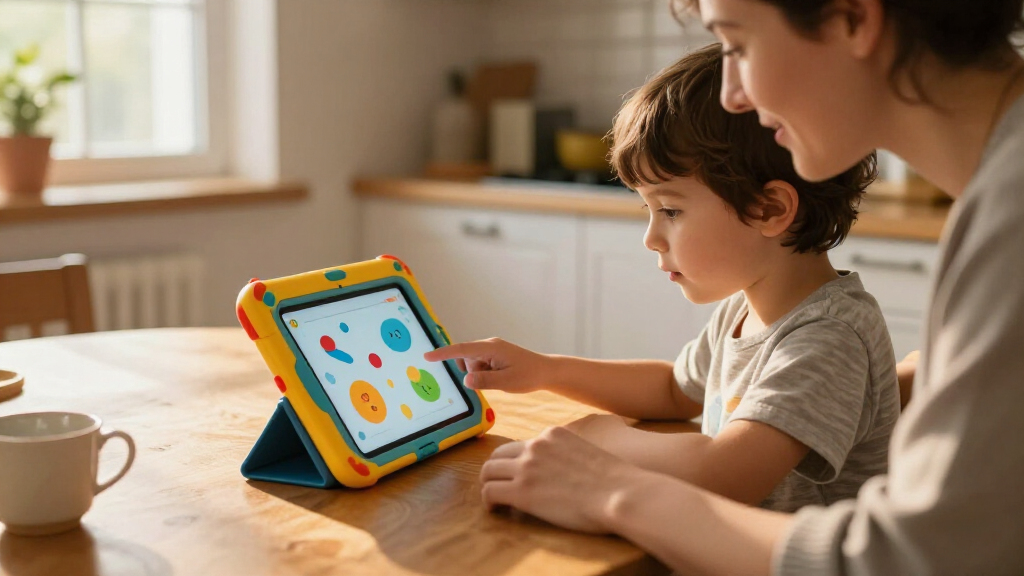
My ranking logic starts with age fit and content curation, because those two factors separate educational tablets from ordinary tablets with a kids’ case bolted on. Devices like the LeapPad line earn points for teacher-approved, ad-free learning content, while open Android tablets earn points for longevity and flexibility — but lose points for requiring parents to build the safety net themselves through Google Family Link or third-party apps. I then weighed hardware headroom: display resolution, RAM, and storage, since a sluggish tablet frustrates kids and gets abandoned.
Beyond the internals, I scored each pick on durability and parental controls. A shockproof bumper is table stakes, but the quality of time limits, content filters, and activity reports is what actually protects a child day to day — Amazon’s suite is the most polished here. Finally, I factored in total cost of ownership: some tablets are cheap upfront but push subscription content, while others include everything with no recurring fees. Products are ordered from the most complete all-around packages down to niche and budget picks, so the ranking reflects overall value rather than raw specifications alone.
| educational tablets for kid | Operating system |
|---|---|
| PEICHENG Kids Tablet | Android 12 |
| LeapFrog LeapPad Ultimate Read | — |
| Evermyth 10-Inch Android 16 Ki | Android 16 |
| Amazon Fire 7 Kids Tablet | — |
| aiprotablet A30 Kids Tablet | Android 16 |
| LeapFrog 2-in-1 LeapTop Touch | — |
| Amazon Fire HD 8 Kids Pro Tabl | — |
| ApoloSignage 10-Inch Android 1 | Android 16 |
| Amazon Fire HD 8 Kids Tablet | — |
| Plimpton Kids 20 10.1-Inch And | Android 15 |
| COLORROOM 10.1-Inch Kids Andro | Android 15 |
| Aiprotablet Kids Tablet | Android 16 |
| LeapFrog LeapPad Academy Kids’ | Android 10 (closed LeapFrog interface) |
Factors to Consider When Choosing Educational Tablets For Kids
Before settling on a specific tablet, it helps to understand the bigger forces at play in this category — the mistakes parents commonly make and the tradeoffs that no spec sheet will surface.Closed Learning Systems vs. Open Android
The single biggest decision is between a closed ecosystem like LeapFrog and an open Android tablet. Closed systems ship with vetted, ad-free educational content and no browser, which makes them nearly effortless to supervise — but your child can only use what the manufacturer approves, and the library ages out quickly. Open Android tablets grow with your child for years, support real apps like Khan Academy Kids and YouTube Kids, and cost less per year of ownership. The catch is that safety depends entirely on the parental controls you configure, and a rushed setup leaves gaps kids will find within days. Parents who want zero maintenance should lean closed; parents willing to spend an hour on configuration get far more longevity from Android.
Age Appropriateness Drives Everything
A tablet that is perfect for a four-year-old is usually wrong for a nine-year-old. Young children need large icons, speech-driven navigation, and physical durability, and they cannot tell the difference between a 720p and a 1080p screen. School-age kids notice sluggish performance immediately, need sharper displays for reading, and often require a stylus or keyboard-compatible device for homework. A common mistake is buying an advanced tablet “to grow into” for a preschooler — the interface overwhelms them and the parental controls get loosened out of frustration. Match the device to the child’s current age, then plan to upgrade in two to three years rather than five.
Screen Quality Matters More Than You Think
Resolution and panel quality affect learning, not just entertainment. Low-resolution text on a 7-inch 1024×600 display forces young readers to strain, which matters when the tablet’s whole purpose is literacy practice. A 1080p display at 8 or 10 inches renders books and tracing apps crisply and reduces eye fatigue during longer sessions. Brightness matters too — dim screens become unusable in a car seat or by a sunny window, which is exactly where kids actually use these devices. Do not let a big storage number distract you from a weak panel, because the screen is the product.
Storage, RAM, and the Subscription Trap
Thirty-two gigabytes fills up fast once you download offline videos and learning apps, so 64GB is the practical floor for a tablet you plan to keep for a few years; expandable microSD support is a genuine lifeline on budget models. RAM affects whether the tablet still runs smoothly after a year of updates — 4GB is comfortable, and anything less will feel slow with more than a few apps installed. Beyond hardware, watch for recurring content costs. Some cheap tablets are gateways to subscription services, while Amazon’s kids ecosystem bundles content into one predictable fee. Always calculate the two-year cost, not just the sticker price.
Durability and Case Design
Kids’ tablets live hard lives: dropped off couches, carried in backpacks, and fought over by siblings. A good bump case with raised edges protecting the screen is the minimum, but case quality varies widely between brands even at the same price. Look for fold-out stands if your child watches video or follows along with lessons hands-free, and check whether the charging port is recessed — frayed cables and broken ports are the most common failure point. Also consider weight: a 10-inch tablet in a thick case can be too heavy for a four-year-old to hold comfortably, which leads to propped-up, passive use instead of interactive learning.
Parental Controls You Will Actually Use
The best parental control system is the one you will configure properly, and that varies by parent. Amazon’s parental dashboard is the most refined: time limits per category, age filters, web browser toggles, and activity reports all live in one app. Google Family Link on Android tablets is free and powerful but requires more digging, and it loosens automatically when a child turns thirteen. LeapFrog’s closed system needs almost no configuration but offers little flexibility for exceptions. Before buying, ask yourself honestly how much setup time you will invest — an unconfigured open tablet is a worse choice than a locked-down one, every time.
Frequently Asked Questions
At what age should I skip a LeapFrog tablet and buy a real Android tablet instead?
Around age seven or eight, most children hit the ceiling of a closed learning system. LeapFrog tablets like the LeapPad Ultimate and LeapPad Academy are built for roughly ages three to seven, and their locked app stores cannot add mainstream apps your child will start wanting — video calling with grandparents, school-required apps, or streaming services. An Android or Fire tablet with strict parental controls gives you that same level of restriction at first, then lets you gradually open things up as the child matures. The tradeoff is that you lose the guarantee that every piece of content was teacher-reviewed, so you take on the job of vetting apps yourself.
Is 32GB of storage really too small for a kids tablet?
For a preschooler using a handful of learning apps, 32GB is workable, but it becomes a real constraint once offline videos enter the picture. Downloaded episodes for car rides and flights consume several gigabytes each, and a year of accumulated apps, photos, and cached data will fill the drive. The Amazon Fire 7 Kids at 16GB is the tightest squeeze in this lineup and depends heavily on cloud streaming, while the 64GB Android options have comfortable headroom. If you travel often or have limited Wi-Fi at home, treat 64GB (or at least a microSD slot) as the baseline rather than a luxury.
Are the no-name Android kids tablets safe, or should I stick with Amazon and LeapFrog?
Safety on generic Android tablets depends almost entirely on setup rather than the hardware itself. Brands like aiprotablet, ApoloSignage, and Plimpton run stock Android with Google Family Link, which provides solid app approval, time limits, and content filtering — but only if a parent takes the time to enable them. Amazon and LeapFrog devices are safer by default because the restrictions ship pre-configured. Another consideration is long-term support: Amazon regularly updates its kids software, while generic brands may never issue a security patch, so plan to replace them sooner. Generic tablets are a reasonable choice for a second household device or an older, supervised child — riskier as the sole device for a young one.
Do I need the Kids Pro version of the Fire HD 8, or is the regular Kids edition enough?
The Fire HD 8 Kids Pro is designed for ages six to twelve and includes a slimmer case, a web browser, and hand-picked apps like Roblox that older kids expect. The standard Fire HD 8 Kids targets ages three to seven with no browser, simpler content, and a chunkier protective case. If your child is under seven, the regular Kids edition is the better fit — the Pro’s browser access is something you would just have to restrict anyway. If your child is eight or older and chafing at the “baby tablet,” the Pro version prevents the device from being rejected outright. The hardware is identical, so this is purely a software and case decision.
Is a stylus worth paying extra for on a kids tablet?
A stylus changes how a tablet is used more than most parents expect. Tracing letters, early handwriting practice, and drawing apps all work dramatically better with a pen than with a finger, and fine-motor practice is a genuine educational benefit for ages four to eight. The Evermyth 10-inch is the only tablet in this lineup that includes one in the box, which saves you buying a separate kids’ stylus. The caveats: cheap resistive-style styli can scratch budget screens over time, and toddlers tend to lose or chew them within weeks. For a child in preschool or early elementary who shows interest in drawing, a stylus earns its cost; for a child who mostly watches videos, skip it.
Conclusion
After comparing all 13 options, the right choice depends on your child’s age and how much setup work you are willing to do. For the best overall pick, the Amazon Fire HD 8 Kids Tablet (2024) wins on hardware quality, durability, and the most refined parental control system in the lineup — the Pro version is the smarter variant for kids eight and up. For the best value, the Amazon Fire 7 Kids delivers the full kids’ ecosystem at the lowest entry point, as long as you accept the small, low-resolution screen. For beginners and preschoolers, the LeapFrog LeapPad Ultimate Ready for School is the safest first tablet, with the LeapPad Academy as the slightly more advanced sibling and the LeapTop Touch a fun laptop-style alternative for the youngest learners. For a premium open-Android experience, the aiprotablet A30 and Evermyth 10-inch with stylus offer big screens and modern software for older kids, with the Plimpton Kids 20 and COLORROOM as closely matched alternatives if one is unavailable. Whichever route you take, configure the parental controls before handing the tablet over — the best educational tablet is the one that is set up properly on day one.
Fall Picks
fall essentials
As an affiliate, we earn on qualifying purchases.