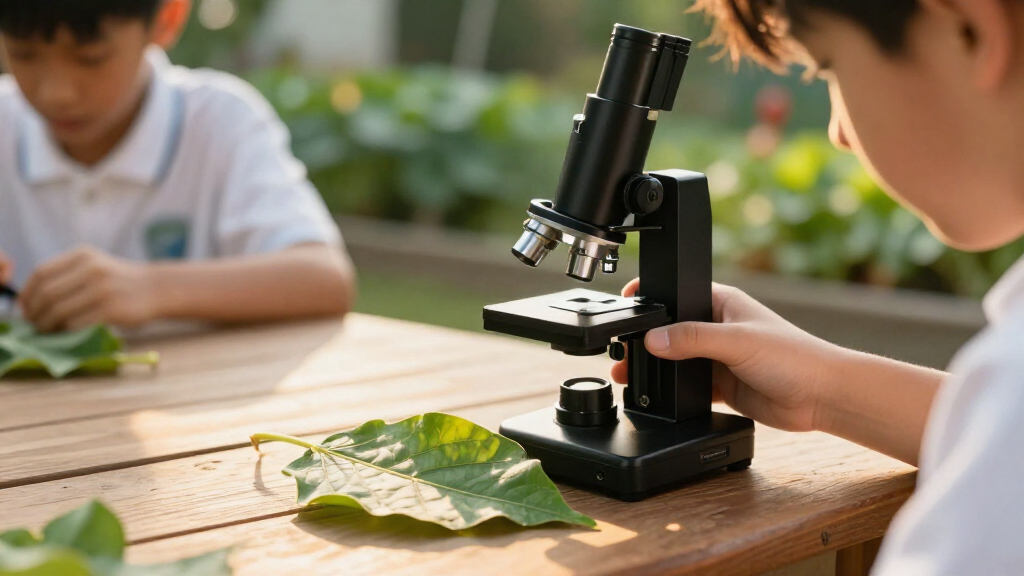
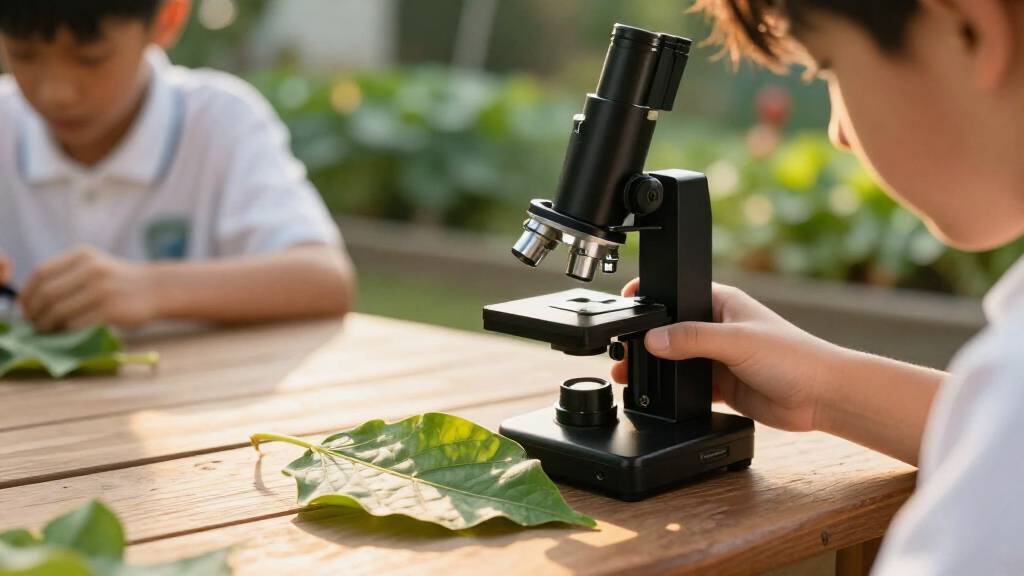
For students who want to inspect leaves, fabric, and small specimens without a full-size lab setup, portable digital microscopes make viewing and sharing easier. My best overall pick is the Jiusion 4K WiFi USB Digital Handheld Microscope with Metal Stand, which pairs flexible connections with a stand for steadier viewing. The M&G 4.3-inch LCD model is a strong choice for students who want a built-in screen, while the Teslong USB-C microscope suits learners who prefer a compact wired tool for close-up observation. The main tradeoffs are screen size versus portability, and higher magnification claims versus practical focusing and stable images. Read on for the full comparison and guidance on choosing a microscope that fits the student, device, and classroom.

Prime made for students and young adults
- Fast, free delivery for dorm and study essentials
- Prime Video and Amazon Music included
- Member-only deals
Key Takeaways
- The Jiusion stands apart for connection flexibility: its WiFi and USB options and included metal stand make it a more adaptable pick than the screen-only handheld models, though it depends more on a compatible viewing device.
- Built-in screens are the simplest route to shared viewing: options such as the M&G and Elikliv let students inspect a sample without first pairing a phone or computer.
- Screen size changes the portability tradeoff: the M&G and Elikliv have 4.3-inch displays, while several TOMLOV, Odatay, and compact kids’ models use smaller screens that are easier to carry.
- High magnification claims do not settle the choice: focusing control, lighting, and a steady sample matter more to classroom use than the largest advertised number.
- The Carson MicroBrite Plus is the outlier: it is a pocket optical microscope rather than a digital screen model, so it suits students who value minimal bulk over capturing or sharing images.
| Jiusion 4K WiFi USB Digital Handheld Microscope with Metal Stand |  | Best for Phone-Based Sharing | Resolution: 3840 × 2160 | Magnification: 50–1000× | Connectivity: WiFi and USB | VIEW LATEST PRICE | See Our Full Breakdown |
| M&G Handheld Digital Microscope for Kids with 4.3-Inch LCD Screen |  | Best for Beginners | Model: APK959CG | Display: 4.3-inch LCD | Magnification: Description lists 100x–1000x; specifications list a 400x maximum | VIEW LATEST PRICE | See Our Full Breakdown |
| BEBANG PM1000 Digital Microscope Kit for Kids |  | Best Ready-to-Go Kit | Model: PM1000 | Magnification: 200x–1000x across five levels | Memory card: 32GB included | VIEW LATEST PRICE | See Our Full Breakdown |
| Odatay 4K 1000X Digital Microscope for Kids with 32GB Card, 2.4″ Screen – Blue |  | Best for Compact Field Trips | Magnification: 200x–1000x | Camera: 4K HD | Display: 2.4 inches | VIEW LATEST PRICE | See Our Full Breakdown |
| BEAVERLAB 4-Inch Handheld Digital Microscope for Kids, 100X–1600X |  | Best for Larger-Screen Magnification | Display: 4-inch IPS | Magnification: 100X–1600X | Imaging: 1080p photos and video | VIEW LATEST PRICE | See Our Full Breakdown |
| 4K Handheld Digital Microscope for Kids with 2.0″ IPS Screen (Blue) |  | Best for Young Beginners | Magnification range: 200–1000× | Camera: 4K HD | Display: 2.0-inch IPS | VIEW LATEST PRICE | See Our Full Breakdown |
| TOMLOV P50 Handheld Digital Microscope with Adjustable Focus and 2.4-Inch IPS Screen |  | Best for Portable Classwork | Display: 2.4-inch IPS | Weight: 3 oz | Photo resolution: 3MP | VIEW LATEST PRICE | See Our Full Breakdown |
| Teslong USB-C Digital Microscope, 10X–200X |  | Best for Phone-Based Inspection | Model: MS100-C | Magnification: 10–200× | Focus: Manual | VIEW LATEST PRICE | See Our Full Breakdown |
| Digital Autofocus Microscope with 2.8″ IPS Screen and Photo Capture |  | Best for Easy Shared Viewing | Model: MS200US | Display: 2.8-inch IPS LCD | Focus range: 0.43–0.63 in | VIEW LATEST PRICE | See Our Full Breakdown |
| TOMLOV P10 Handheld Digital Microscope with 2-Inch Screen |  | Best for Self-Contained Photo Capture | Magnification: 100× fixed with 4× zoom | Display: 2-inch LCD | Camera: 16MP | VIEW LATEST PRICE | See Our Full Breakdown |
| Elikliv EDM4 4.3-Inch Digital LCD Microscope with 8 Adjustable LED Lights |  | Best for Comfortable Desk-Based Viewing | Display: 4.3-inch LCD | Display resolution: 720p HD | Magnification: Up to 1000x; actual magnification varies | VIEW LATEST PRICE | See Our Full Breakdown |
| BMDSAE 1000X Handheld Digital Microscope for Kids with 2.0-Inch IPS Screen |  | Best for Independent Beginners | Screen: 2.0-inch IPS | Magnification: Up to 1000X | Camera: 2MP | VIEW LATEST PRICE | See Our Full Breakdown |
| Carson MicroBrite Plus 60x-120x LED Lighted Pocket Microscope (MM-300) |  | Best for Fieldwork and Pocket Carry | Magnification: 60x–120x | Light source: LED | Power source: Battery powered; 1.5 volts | VIEW LATEST PRICE | See Our Full Breakdown |
| SKYBASIC Wireless Digital Microscope, 50X–1000X Magnification |  | Best for Phone-Based Sharing | Magnification: 50X–1000X | Connectivity: WiFi for Android and iOS; USB for Windows and Mac | Sensor: 2 MP HD CMOS | VIEW LATEST PRICE | See Our Full Breakdown |
| portable digital microscopes for student | Magnification | Lighting | Warranty | Display |
|---|---|---|---|---|
| Jiusion 4K WiFi USB Digital Ha | 50–1000× | 8 LED lights | — | — |
| M&G Handheld Digital Microscop | Description lists 100x–1000x; specifications list a 400x maximum | LED | — | 4.3-inch LCD |
| BEBANG PM1000 Digital Microsco | 200x–1000x across five levels | — | 1 year | — |
| Odatay 4K 1000X Digital Micros | 200x–1000x | 8 built-in LEDs | 5 years | 2.4 inches |
| BEAVERLAB 4-Inch Handheld Digi | 100X–1600X | 8 adjustable lights | — | 4-inch IPS |
| 4K Handheld Digital Microscope | — | 8 LEDs; 3 brightness levels | 2 years | 2.0-inch IPS |
| TOMLOV P50 Handheld Digital Mi | — | 6 LEDs; 4 brightness levels | — | 2.4-inch IPS |
| Teslong USB-C Digital Microsco | 10–200× | 8 adjustable LEDs; 3 brightness levels | 12 months | — |
| Digital Autofocus Microscope w | — | — | 12 months | 2.8-inch IPS LCD |
| TOMLOV P10 Handheld Digital Mi | 100× fixed with 4× zoom | 4 dimmable white LEDs and 4 UV LEDs | — | 2-inch LCD |
| Elikliv EDM4 4.3-Inch Digital | Up to 1000x; actual magnification varies | 8 adjustable LED lights | 1 year | 4.3-inch LCD |
| BMDSAE 1000X Handheld Digital | Up to 1000X | 8 adjustable LEDs with 3 brightness modes | 1 year | — |
| Carson MicroBrite Plus 60x-120 | 60x–120x | — | Limited lifetime warranty | — |
| SKYBASIC Wireless Digital Micr | 50X–1000X | 8 adjustable LED lights | One-year replacement service for quality problems | — |
More Details on Our Top Picks
Jiusion 4K WiFi USB Digital Handheld Microscope with Metal Stand
For students who want to view specimens on a phone or tablet, the Jiusion 4K WiFi USB offers more flexible connections than the screen-based BEBANG PM1000. Its wireless mobile connection makes it easier to share a live view with classmates, while USB lets students connect it to a computer. The 4K video capture and eight LEDs give students useful tools for documenting observations and lighting samples. Its included adjustable stand can help keep the image steady during close-up work, unlike a purely handheld setup. The tradeoff is that the zoom controls work only on phones and tablets; computer users need a USB connection and cannot use those controls. It also lacks a built-in display, so students need a compatible device nearby.
Pros:- Connects wirelessly to phones and tablets and by USB to computers
- Captures 3840 × 2160 video
- Eight LED lights and an adjustable stand support close-up viewing
- Compatible with a broad range of mobile and desktop operating systems
Cons:- Zoom buttons do not work with computers
- Computer use requires a USB connection
- No built-in screen; viewing depends on a separate compatible device
Best for: Students who already have a compatible phone or tablet and want to share live views or record high-resolution observations.
Not ideal for: Students who need a self-contained microscope with its own screen or want zoom controls while using a computer.
- Resolution:3840 × 2160
- Magnification:50–1000×
- Connectivity:WiFi and USB
- Lighting:8 LED lights
- Real angle of view:120 degrees
- Power:Battery powered; 5 volts
- Compatible devices:iPhone, iPad, Android phones and tablets, Mac, Windows, Linux, Chrome OS
- Included items:Microscope, stand, USB cable, instruction manual
Our verdict“Choose the Jiusion if your student wants 4K capture and phone-based sharing, but skip it if a standalone screen is a priority.”
M&G Handheld Digital Microscope for Kids with 4.3-Inch LCD Screen
The M&G APK959CG is a straightforward pick for students who would rather look at a built-in display than set up a phone or computer. Its 4.3-inch LCD is larger than the Odatay’s 2.4-inch screen, making group viewing and basic specimen checks more comfortable. Students can capture photos and videos, and a Type-C cable connects the microscope to Windows and Mac computers. That makes it a practical choice for home or classroom exploration without relying on a separate viewing device. The main caveat is the unclear magnification specification: the description says up to 1000x, while the listed maximum is 400x. A TF card is also required for saving media but is not included, so it is less ready for recording than the BEBANG PM1000.
Pros:- Large 4.3-inch built-in screen
- Portable, rechargeable design for indoor and outdoor use
- Captures photos and videos
- Connects to Windows and Mac computers with the included Type-C cable
Cons:- Magnification information conflicts between the description and specifications
- TF card for media storage is not included
- No stated battery runtime
Best for: Young students and families who want an easy-to-view built-in screen for guided specimen exploration at home or outdoors.
Not ideal for: Students who need a clearly specified high magnification level or want to save photos and videos without buying a separate TF card.
- Model:APK959CG
- Display:4.3-inch LCD
- Magnification:Description lists 100x–1000x; specifications list a 400x maximum
- Lighting:LED
- Connectivity:Computer connection via included Type-C data cable
- Media capture:Photos and videos; TF card not included
- Power:Battery powered
- Dimensions:4.9 × 3.4 × 5.7 inches
Our verdict“Pick the M&G for its roomy built-in screen and simple setup, provided its uncertain magnification and separate card requirement suit your needs.”
BEBANG PM1000 Digital Microscope Kit for Kids
The BEBANG PM1000 earns its place for students who need more than a microscope: its 32GB memory card, five glass slides, and fitted EVA case make it a practical kit to carry between home, school, and outdoor activities. That bundle gives it a more complete starting point than the M&G, which needs a separately purchased TF card for saving photos and videos. Five magnification levels from 200x to 1000x offer a defined range for exploring prepared specimens and small objects, while its 0.34-pound weight keeps it easy to carry. The compromise is runtime: its battery lasts about 2.5 hours per charge. Beginners may also need patience to adjust focus, distance, and lighting before an image comes into view clearly.
Pros:- Includes a 32GB memory card for storing photos and videos
- Comes with five glass slides and a fitted EVA carrying case
- Lightweight at 0.34 lb
- Rechargeable by Type-C
Cons:- Battery life is approximately 2.5 hours per charge
- Getting a clear image can require adjusting focus, distance, and lighting
Best for: Students who want a portable kit with storage, prepared slides, and a carrying case for class or outdoor observation.
Not ideal for: Students planning long sessions away from charging or those who want a microscope that requires little focus and lighting adjustment.
- Model:PM1000
- Magnification:200x–1000x across five levels
- Memory card:32GB included
- Battery life:Approximately 2.5 hours
- Charging:Type-C
- Weight:0.34 lb
- Included slides:5 glass specimens
- Warranty:1 year
Our verdict“Choose the BEBANG for a portable student kit with storage and slides included, but plan around its limited battery runtime.”
Odatay 4K 1000X Digital Microscope for Kids with 32GB Card, 2.4″ Screen – Blue
For students who want a lightweight microscope with its own display and the basics for recording observations, the Odatay 4K is a tidy field-trip option. At 0.5 lb, it is easy to carry, and its neck strap and tripod hole offer more ways to steady it than the handheld BEAVERLAB. The 32GB TF card, prepared slides, and silicone case also mean students can start exploring without assembling the separate accessories the BEAVERLAB kit lists. Its 2.4-inch screen is the key compromise: it is noticeably smaller than the M&G’s 4.3-inch LCD and can make fine details harder to inspect. The listing also gives no battery runtime, so I would not choose it for extended outings without a charging plan.
Pros:- Lightweight at 0.5 lb, with a neck strap and tripod hole
- Includes a 32GB TF card and prepared slides
- Built-in 2.4-inch screen supports viewing without a separate device
- Eight LEDs and a protective silicone case are included
Cons:- The 2.4-inch screen is small for inspecting fine detail
- Battery runtime is not listed
- The listed 4K camera resolution does not specify a video frame rate or other capture details
Best for: Students who want a light, self-contained microscope with included storage and accessories for short outdoor activities or classroom use.
Not ideal for: Students who need a large display for close inspection or dependable information about how long the battery will last.
- Magnification:200x–1000x
- Camera:4K HD
- Display:2.4 inches
- Weight:0.5 lb
- Memory card:32GB TF card included
- Lighting:8 built-in LEDs
- Included accessories:Prepared slides, silicone case, neck strap
- Warranty:5 years
Our verdict“Choose the Odatay for a lightweight, accessory-ready microscope on short outings, but pick a larger-screen model for extended viewing.”
BEAVERLAB 4-Inch Handheld Digital Microscope for Kids, 100X–1600X
The BEAVERLAB pairs a generous 4-inch IPS display with a listed 100X–1600X range, making it a strong match for students who want to inspect specimens directly on the device. Its adjustable eight-light setup helps adapt illumination to different samples, while 1080p photo and video capture lets students document what they see. Compared with the Odatay, it offers a much larger screen and a broader stated magnification range, though the Odatay includes prepared slides and a case in its listed kit. The BEAVERLAB includes an 8GB TF card and a built-in hotspot for sharing, but its listing specifies manual operation. A charging adapter is not included, so families will need a suitable power adapter separately.
Pros:- 4-inch IPS display is larger than the Odatay’s 2.4-inch screen
- Listed magnification range of 100X–1600X
- Eight adjustable lights support different specimen lighting needs
- Captures 1080p photos and videos and includes a sharing hotspot
Cons:- Charging adapter is not included
- Manual operation may take more adjustment than a simpler viewing setup
- Included 8GB TF card offers less storage than the 32GB cards supplied with BEBANG and Odatay
Best for: Students who want a larger built-in screen, adjustable lighting, and a broad magnification range for hands-on exploration.
Not ideal for: Families who need a complete charging setup in the box or students who want automatic operation and a larger included storage card.
- Display:4-inch IPS
- Magnification:100X–1600X
- Imaging:1080p photos and video
- Sensor:2MP CMOS
- Lighting:8 adjustable lights
- Connectivity:Built-in hotspot
- Included memory card:8GB TF card
- Power:Battery powered; 1 lithium-ion battery included
Our verdict“Choose the BEAVERLAB if display size and a broad magnification range matter most, and you can supply a charging adapter.”
4K Handheld Digital Microscope for Kids with 2.0″ IPS Screen (Blue)
For younger students who want a self-contained way to inspect leaves, fabric, or classroom finds, the ASPOVEN handheld is an approachable pick: its screen and camera work without a separate phone or computer. The 0.5-pound body and neck strap also make it easier to carry outdoors than a desk-style microscope. Its stated 200–1000× range and eight LEDs offer room to explore different subjects, while three brightness settings help adjust the view. Compared with the TOMLOV P50, it emphasizes kid-friendly, on-device exploration rather than PC connections and a longer stated runtime. The tradeoff is the 2.0-inch display, which is cramped for group viewing or inspecting fine details, and no battery runtime is provided. The 4K camera claim also does not specify photo or video storage capacity.
Pros:- Built-in 2.0-inch IPS screen and camera allow viewing without a separate device.
- Lightweight 0.5-pound design and neck strap suit portable exploration.
- Eight LEDs with three brightness levels give students some control over illumination.
- Stated 200–1000× magnification range supports varied close-up subjects.
Cons:- The small screen limits comfortable group viewing and fine-detail inspection.
- Battery runtime and image-storage details are not provided.
- Its kid-focused feature set offers less clarity about computer viewing and recording workflow than the TOMLOV P50.
Best for: Younger students who want a lightweight, screen-equipped microscope for guided indoor or outdoor exploration without connecting a phone.
Not ideal for: Students who need a large display for shared classroom viewing, documented battery runtime, or clearly specified image storage.
- Magnification range:200–1000×
- Camera:4K HD
- Display:2.0-inch IPS
- Lighting:8 LEDs; 3 brightness levels
- Weight:0.5 lb
- Charging:USB-C
- Objective lens:Achromatic
- Warranty:2 years
Our verdict“Choose the ASPOVEN for young students who value a portable, self-contained screen over larger viewing space and documented recording details.”
TOMLOV P50 Handheld Digital Microscope with Adjustable Focus and 2.4-Inch IPS Screen
The TOMLOV P50 balances handheld convenience with useful classroom connections: students can inspect an object on its 2.4-inch IPS screen, then connect to a Windows PC or Mac for a larger view. At just 3 ounces, it is easier to carry between home, school, and field activities than the heavier ASPOVEN, though the ASPOVEN offers a stated higher magnification range and 4K camera. The P50 instead gives buyers clearer recording details: it captures 3MP photos and 1080p video, with up to 120 minutes of runtime. Its adjustable focus and four brightness levels help students refine the view rather than rely on a fixed setup. The catch is that video requires a microSD card sold separately, and this model’s smaller screen remains less suited to sharing than larger-display options in the wider roundup.
Pros:- Very light 3-ounce body with an included case and lanyard.
- Adjustable focus and four LED brightness levels give students control over the view.
- Captures 3MP photos and 1080p video, with up to 120 minutes of stated runtime.
- Windows and macOS compatibility enables larger-screen viewing.
Cons:- A microSD card is required for video recording and is not included.
- The 2.4-inch screen is modest for group viewing.
- Its 3MP photos offer less stated resolution than the TOMLOV P10’s 16MP camera.
Best for: Students who need a light microscope for field notes and classroom assignments, especially those who can connect it to a Windows PC or Mac.
Not ideal for: Buyers who want recording to work out of the box, or students who need a large screen for group demonstrations.
- Display:2.4-inch IPS
- Weight:3 oz
- Photo resolution:3MP
- Video resolution:1080p
- Lighting:6 LEDs; 4 brightness levels
- Battery runtime:Up to 120 minutes
- PC compatibility:Windows and macOS
- Video storage:MicroSD card required; not included
- Included accessories:USB cable, EVA case, lanyard, user manual
Our verdict“Pick the P50 for lightweight school use and computer viewing, provided you are willing to supply a microSD card for video.”
Teslong USB-C Digital Microscope, 10X–200X
The Teslong MS100-C takes a different approach from screen-equipped handheld models: it connects to a compatible phone or computer, making the device you already own the display. Its 10–200× magnification is a more modest stated range than the ASPOVEN’s 200–1000×, but it suits students examining larger surface details such as coins, electronics, and jewelry without leaning on extreme magnification figures. The manual focus and adjustable LEDs give learners hands-on control, while the rotating metal stand can steady the microscope for less shaky viewing. Its included side-view mirror and ear specula add options for awkward angles, though they may be less relevant for typical school projects. Unlike the TOMLOV P50, it has no built-in screen, so compatibility and a connected device are prerequisites. This is a compact accessory, not an all-in-one classroom viewer.
Pros:- Compatible phones and computers provide a larger viewing display than a small built-in screen.
- Manual focus and three LED brightness levels give students direct control over the image.
- Rotating metal stand supports steadier hands-free inspection.
- Includes a side-view mirror, protective cover, and ear specula for varied viewing angles.
Cons:- Requires a compatible phone or computer for basic viewing.
- Manual focus takes more adjustment than the autofocus ScopeAround MS200.
- Its 10–200× range is lower than the stated ranges of several kid-focused handheld options.
Best for: Students who already have a compatible iPhone 15 or newer, Android device, or computer and want a stand-supported tool for surface inspection.
Not ideal for: Younger learners who need a self-contained screen, or students who want autofocus and minimal setup.
- Model:MS100-C
- Magnification:10–200×
- Focus:Manual
- Lighting:8 adjustable LEDs; 3 brightness levels
- Angle of view:70° real angle of view
- Enclosure material:Metal
- Compatibility:iPhone 15+, Android, PC
- Included accessories:2 ear specula, protective cover, side-view mirror
- Warranty:12 months
Our verdict“Choose the Teslong if a compatible device is already part of the student’s setup and manual, stand-supported inspection is preferred.”
Digital Autofocus Microscope with 2.8″ IPS Screen and Photo Capture
For students who want to spend less time adjusting focus, the ScopeAround MS200 pairs smart autofocus with a 2.8-inch IPS screen, the largest built-in display among the five products in this batch. That makes it easier to show a specimen to a classmate than on the ASPOVEN or TOMLOV P10 screens. Its dual illumination—white and ultraviolet LEDs—also gives students options for examining different surface features, while the 0.25-pound body stays easy to carry. Compared with the manual-focus Teslong, the MS200 favors quick setup over hands-on focusing practice; its stated focus range is narrow, at 0.43–0.63 inches. Recording is another limitation: a memory card is not included, and the description says storage is limited to about 35 photos without one. Students who need frequent image capture should budget for external media as part of the setup.
Pros:- Smart autofocus reduces setup adjustments for students.
- The 2.8-inch IPS display is larger than the built-in screens on the other batch models.
- White and ultraviolet LEDs provide two illumination options.
- At 0.25 lb, it is easy to carry between classroom activities.
Cons:- A memory card is not included, and photo storage is limited to about 35 images without one.
- Video recording requires a memory card.
- The 0.43–0.63-inch focus range is narrow compared with models that state broader magnification ranges.
Best for: Students who prioritize quick autofocus and a larger built-in screen for showing specimens to a partner or small group.
Not ideal for: Learners who want to practice manual focusing, record many images without extra media, or use a microscope with a stated broad magnification range.
- Model:MS200US
- Display:2.8-inch IPS LCD
- Focus range:0.43–0.63 in
- LED illumination:8 white and 8 ultraviolet LEDs
- Weight:0.25 lb
- Computer compatibility:Mac and Windows via USB
- Photo storage without memory card:About 35 photos
- Included items:USB cable, user manual
- Warranty:12 months
Our verdict“Choose the MS200 for autofocus and a roomier on-device view, but plan on a memory card if saving many images or recording video matters.”
TOMLOV P10 Handheld Digital Microscope with 2-Inch Screen
The TOMLOV P10 suits students who want to save pictures without first buying a memory card: its built-in storage holds up to 300 photos, and its listed 16MP camera gives image capture a stronger role than on the P50. It also has its own 2-inch screen and can connect to Windows or Mac computers, so students can review work on-device or move to a larger display. Unlike the autofocus ScopeAround MS200, however, the P10 uses fixed 100× magnification with 4× zoom, limiting how much its view can be adapted to different specimens. White and UV LEDs add lighting choices, but the stated battery life is only up to 50 minutes—well below the P50’s 120-minute runtime. This is a practical capture-focused choice for shorter activities, not the best fit for long field sessions or flexible magnification.
Pros:- Built-in storage holds up to 300 photos without a separate memory card.
- Listed 16MP camera supports high-resolution photo capture.
- Built-in screen and Windows/Mac computer viewing offer two ways to review specimens.
- White and UV LEDs provide more than one illumination option.
Cons:- Fixed 100× magnification with 4× zoom is less flexible than the P50’s adjustable-focus setup.
- Up to 50 minutes of battery life is shorter than the P50’s stated runtime.
- Its 2-inch screen is small for showing images to a group.
Best for: Students who want an on-device screen and built-in photo storage for documenting short classroom or home investigations.
Not ideal for: Students who need a long runtime, adjustable magnification, or sustained outdoor use between charges.
- Magnification:100× fixed with 4× zoom
- Display:2-inch LCD
- Camera:16MP
- Built-in photo storage:Up to 300 photos
- Lighting:4 dimmable white LEDs and 4 UV LEDs
- Weight:3.9 oz
- Battery life:Up to 50 minutes
- Computer compatibility:Windows and Mac
- Object distance:0.3 in
Our verdict“Pick the P10 for self-contained photo storage and short investigations, not for long sessions or adaptable magnification.”
Elikliv EDM4 4.3-Inch Digital LCD Microscope with 8 Adjustable LED Lights
The 4.3-inch 720p display makes the Elikliv EDM4 easier for students to share and inspect than pocket models with smaller screens, such as the BMDSAE 382. Its adjustable stand keeps the viewing setup steadier for classroom activities involving coins, leaves, or circuit boards, while eight adjustable LEDs help illuminate objects with different surfaces. Students can also connect it to a Windows or Mac computer for a larger view. The tradeoff is that this is less pocket-friendly than the Carson MicroBrite Plus, and the listed up-to-1000x magnification varies with viewing distance, so the number alone does not promise a consistent view. It runs for up to three hours, but capturing photos or videos requires a separate memory card, which is not included.
Pros:- 4.3-inch screen gives students a more comfortable shared view than smaller-screen handheld models.
- Adjustable stand and eight LED lights support steadier, better-lit inspection.
- Connects to Windows and Mac computers for a larger display.
- Rechargeable battery provides up to three hours of use.
Cons:- Memory card for saving photos and videos is not included.
- Actual magnification varies with viewing distance and screen size.
- Larger display and stand are less pocketable than the Carson MicroBrite Plus.
Best for: Students who usually work at a desk and want a built-in screen large enough for shared observation and computer viewing.
Not ideal for: Students who need a ready-to-save photo and video setup, since a memory card must be purchased separately, or those prioritizing a pocket-sized microscope.
- Display:4.3-inch LCD
- Display resolution:720p HD
- Magnification:Up to 1000x; actual magnification varies
- Lighting:8 adjustable LED lights
- Battery life:Up to 3 hours
- Computer compatibility:Windows or Mac
- Included accessories:Adjustable bracket, microscope base, USB cable, and user manual
- Memory card:Not included
- Warranty:1 year
Our verdict“Choose the Elikliv EDM4 for desk-based student work where a generous built-in screen matters more than pocket portability or included image storage.”
BMDSAE 1000X Handheld Digital Microscope for Kids with 2.0-Inch IPS Screen
The BMDSAE 382 suits students who want a self-contained handheld microscope with basic image storage, without needing to add a separate card as they would with the Elikliv EDM4. Its 2.0-inch IPS screen, 2MP camera, and built-in 32M storage give beginners a straightforward way to view and save observations, then transfer files to a computer over USB-C. Eight LEDs with three brightness modes help adapt illumination, while the 200g body and included lanyard support carrying it between home, class, and outdoor activities. The tradeoffs are its up-to-two-hour battery life and a manual focus system that can take practice. Compared with the larger-screen Elikliv, it is easier to carry but less comfortable for group viewing; the up-to-1000X figure also does not remove the need to focus carefully.
Pros:- Built-in storage supports saving photos and AVI videos without a separate memory card.
- USB-C connection supports file transfer and Windows or Mac computer use.
- Eight adjustable LEDs offer three brightness modes.
- Lightweight 200g design includes a lanyard for carrying.
Cons:- Battery is listed for up to two hours of use.
- Manual focus may take practice for students new to microscopy.
- The 2.0-inch screen is less comfortable for shared viewing than the Elikliv EDM4’s 4.3-inch display.
Best for: Younger students who want a lightweight handheld microscope that can save basic photos and videos without a separate memory card.
Not ideal for: Students who need long sessions between charges, a large screen for group viewing, or a microscope that does not require manual focusing practice.
- Screen:2.0-inch IPS
- Magnification:Up to 1000X
- Camera:2MP
- Lighting:8 adjustable LEDs with 3 brightness modes
- Battery:600mAh; up to 2 hours
- Storage:32M; supports 200+ photos or AVI videos
- Connectivity:USB-C
- Weight:200g
- Warranty:1 year
Our verdict“Pick the BMDSAE 382 for a portable beginner setup with built-in storage, provided its short battery run time and manual focus suit the student.”
Carson MicroBrite Plus 60x-120x LED Lighted Pocket Microscope (MM-300)
Unlike the screen-based Elikliv EDM4 and BMDSAE 382, the Carson MicroBrite Plus is a compact optical microscope built for students who want to carry magnification into the field. At just 2.08 ounces and about 3.5 inches tall, it takes up little room in a field kit and runs on battery power, with LED lighting for viewing slides or everyday finds. Its 60x–120x range is more limited than the digital models’ advertised magnification, but that makes its role clear: portable close observation rather than high-magnification digital capture. It is listed as smartphone-compatible, though the supplied details do not describe a built-in digital screen or photo storage. Students who need saved images or a large group display should choose a digital alternative; the small field of view at higher magnification can also make scanning specimens less convenient.
Pros:- Compact body weighs just 2.08 ounces, making it easy to carry in a field kit.
- 60x–120x magnification suits close inspection of slides and everyday objects.
- LED illumination supports viewing in varied settings.
- Limited lifetime warranty.
Cons:- Maximum magnification is 120x, far below the advertised ranges of digital handheld alternatives.
- Small field of view at higher magnifications can make specimens harder to scan.
- Requires a 1.5V battery and does not list a built-in digital display or image storage.
Best for: Students who carry a microscope outdoors for STEM activities and value low weight and simple optical viewing over digital image capture.
Not ideal for: Students who need a built-in screen, computer connection, photo or video storage, or magnification beyond 120x.
- Magnification:60x–120x
- Light source:LED
- Power source:Battery powered; 1.5 volts
- Dimensions:2.25 x 1.2 x 3.5 inches
- Weight:2.08 ounces
- Angle of view:45°
- Objective lens:Achromatic
- Compatible device:Smartphone
- Warranty:Limited lifetime warranty
Our verdict“Choose the Carson MicroBrite Plus for lightweight field observation, not for students who need digital capture or a screen-based classroom view.”
SKYBASIC Wireless Digital Microscope, 50X–1000X Magnification
The SKYBASIC RM stands out for students who want to use a phone or tablet as the viewing screen: it connects to Android and iOS over WiFi, while USB provides a route to Windows and Mac computers. That flexible setup differs from the Elikliv EDM4, which has its own larger 4.3-inch display but does not list wireless phone viewing. Eight adjustable LEDs and photo and video capture make the SKYBASIC useful for casual specimen observations, and smartphone image resolution is listed up to 1920×1080. On computers, the listed resolution drops to 720p. Its 3–60 mm focal range is suited to casual learning rather than professional microscopy, and USB use may require software or camera-setting adjustments. A power adapter is not included, so students should plan around the stated connections and available power.
Pros:- WiFi connection supports Android and iOS devices, with USB connectivity for Windows and Mac.
- Smartphone image resolution is listed up to 1920×1080.
- Eight adjustable LED lights support varied specimen illumination.
- Supports photo and video capture for documenting observations.
Cons:- Not designed for professional microscopy.
- USB use may require software or camera-setting adjustments.
- Power adapter is not included, and computer image resolution is listed at 720p.
Best for: Students who already have a compatible phone or tablet and want wireless viewing and image capture for casual learning.
Not ideal for: Students who need a self-contained screen, professional microscopy, or a plug-and-play computer setup without possible software adjustments.
- Magnification:50X–1000X
- Connectivity:WiFi for Android and iOS; USB for Windows and Mac
- Sensor:2 MP HD CMOS
- Image resolution:Up to 1920×1080 on smartphones; 720p on computers
- Lighting:8 adjustable LED lights
- Focal length range:3–60 mm
- Included accessories:USB cable, bracket, base, and user manual
- Warranty:One-year replacement service for quality problems
Our verdict“Choose the SKYBASIC RM if phone-based wireless viewing is more useful than the Elikliv EDM4’s built-in screen and steadier stand.”
How We Picked
I ranked these portable digital microscopes for student use by how well their stated design and features support everyday observation: ease of focusing, screen or device connection, portability, lighting, and the stability of the viewing setup. I also weighed practical classroom needs, including whether a student can share a view, capture an image, or use the microscope without relying on a separate phone or computer. A large magnification figure alone did not earn a higher place; usable controls and a workable viewing method matter more for learning.
The order reflects versatility and ease of use first, then specialized fit. The Jiusion leads for its combination of connection choices and stand, while built-in-screen models rank well for independent, group-friendly viewing. Compact wired and pocket options serve narrower needs and rank lower as all-purpose student picks. Product descriptions do not establish classroom durability or image quality under every condition, so I treat those as points for buyers to verify rather than assumed strengths.
Factors to Consider When Choosing Portable Digital Microscopes For Students
Before choosing a model, I would match the microscope to the student’s actual observation routine—not just the most impressive specification. These broader factors help prevent common mismatches, such as buying a screen that is too small for group work or a connection-dependent model that cannot pair with the available device.
Choose the Viewing Setup Before Magnification
Decide whether the student will view samples on the microscope’s own screen, a phone, or a computer. A built-in display reduces setup steps and makes sharing a view around a desk easier, while a connected model can offer a larger viewing surface if the student already has a compatible device. Check the required operating system, connector, and app before buying; a USB-C plug alone does not guarantee compatibility with every tablet or computer. For a classroom where devices are shared or restricted, an onboard screen can be more reliable day to day. Avoid choosing by advertised magnification before confirming how the image will actually be viewed.
Prioritize Focusing and Stability for Real Samples
Students often begin with uneven, moving, or awkwardly positioned objects rather than prepared slides. A stand can help hold the microscope steady, while adjustable focus gives the learner more control as the distance to a sample changes. Handheld viewing is useful for large objects, but small movements can make close-up details hard to keep in frame. Think about whether the student will inspect coins and leaves on a desk or examine specimens that need a stable position. A steady image and manageable controls can teach more than a higher magnification figure that is difficult to use.
Match Screen Size to Solo or Group Learning
A small display keeps a handheld microscope compact, which can suit field trips and individual exploration. Larger built-in screens are easier for a student to view without bringing a separate device and can help classmates look at the same specimen. They also add bulk, so check how the microscope will be carried and stored between lessons. If the student needs to discuss observations with a group, consider whether the screen can be angled or whether images can be shared elsewhere. Do not assume that a larger display automatically means a sharper image; display size and image detail are different traits.
Treat Lighting as Part of the Learning Setup
Built-in LEDs can make observation less dependent on room lighting, but lighting control matters because shiny or translucent objects may look different under direct illumination. Adjustable brightness or multiple lights can give students more ways to reveal surface detail without changing the sample. For outdoor use, compare how the device is powered and whether ambient light will make the display hard to read. A student who studies opaque objects may need a different lighting arrangement from one who focuses on thin leaves or prepared slides. If the product listing gives little detail about light adjustment, plan to check that before purchase.
Balance Portability Against Image Capture and Sharing
Portable models vary from pocket-sized optical tools to handheld digital units with screens, storage, or wireless connections. Ask whether the assignment requires saved photos or video, or whether live observation is enough. Capture features can help students document changes over time, but they may add steps for transferring files and organizing them. A basic pocket microscope can be easier to carry and use quickly, though it will not provide the same digital sharing workflow. Choose the least complicated setup that supports the student’s classwork rather than paying for features that will remain unused.
Check What the Kit Requires Outside the Box
Before ordering, confirm what is included and what the student must supply, such as a memory card, charging cable, compatible device, or specimen slides. Product names that mention a card or kit can signal a more ready-to-start setup, but included accessories still need to match the planned activity. Consider who will manage charging, file transfer, and small accessories at home or school. For younger students, fewer separate components can reduce lost parts and adult setup time. A slightly simpler microscope may be the better classroom choice if it works with the equipment already available.
Frequently Asked Questions
Should I choose a microscope with its own screen or one that connects to a phone?
Choose a built-in screen when the student needs a quick, self-contained setup or expects to share observations with classmates. A phone- or computer-connected model can suit students who already have a compatible device and want a larger display or a familiar way to save images. Check device compatibility and any app requirements before buying, since connection type alone does not confirm that a specific device will work. For school use, also check whether students are allowed to connect personal devices. The better choice is the one that fits the viewing routine with the fewest setup barriers.
Is a 1000X microscope a better choice for a student than a lower-magnification model?
Not automatically. A high advertised magnification figure does not tell you how easy it is to focus, how stable the image will be, or whether the student can see useful detail on the samples they plan to study. For many classroom observations, dependable focus, lighting, and a steady setup matter more than the largest number on the box. Think about the objects and assignments first, then compare the controls and viewing method. If possible, look for clear information about the usable magnification range rather than relying on a maximum figure alone.
Do students need a stand, or is a handheld microscope enough?
A handheld microscope is convenient for inspecting larger objects or moving around outdoors, but holding it steady can be difficult when examining small details. A stand can reduce hand movement and make repeat observations easier, which helps when students are drawing, photographing, or comparing samples. It may add parts to carry and can limit how easily the microscope reaches an object. Consider whether lessons will happen mostly at a desk or in the field. A hybrid setup offers flexibility, while a pocket optical model favors speed and minimal bulk.
Can these portable microscopes replace a classroom compound microscope?
They can support hands-on observation, image capture, and informal exploration, but they should not be treated as automatic replacements for a classroom compound microscope. Portable digital models vary in focusing control, sample handling, and the way images are displayed. A traditional lab microscope may remain a better fit for structured slide work or lessons that require a particular optical setup. Check the teacher’s requirements before buying for a course or lab assignment. For supplementary study at home or in the field, portability and ease of sharing may matter more than matching lab equipment.
What should I check before buying a microscope for school assignments?
Start with the assignment requirements: confirm whether students need live viewing, saved images, video, or a particular type of specimen observation. Then verify device compatibility, included storage, charging needs, and whether the microscope has a stand or lighting controls that fit the work. Ask how files will be transferred and where the student will use the device, since school policies can limit phone or WiFi connections. For younger learners, account for setup complexity and the number of small accessories. These checks can prevent buying a feature-rich model that does not fit the class workflow.
Conclusion
For the broadest mix of student use, I recommend the Jiusion 4K WiFi USB Digital Handheld Microscope as best overall, especially when a stand and multiple connection options are useful. The best value depends on the required setup: the Teslong USB-C is a focused choice for students with a compatible device, while a built-in-screen model avoids needing one. For a premium-style, self-contained viewing experience, compare the larger-screen M&G and Elikliv options. The M&G is my beginner-friendly pick for students who want a built-in display and straightforward viewing; for minimal carry weight and simple optical use, choose the Carson MicroBrite Plus. If image sharing, a steady desk setup, or field portability is the priority, let that specific need decide between the Jiusion, screen-based handhelds, and compact alternatives.
Fall Picks
fall essentials
As an affiliate, we earn on qualifying purchases.