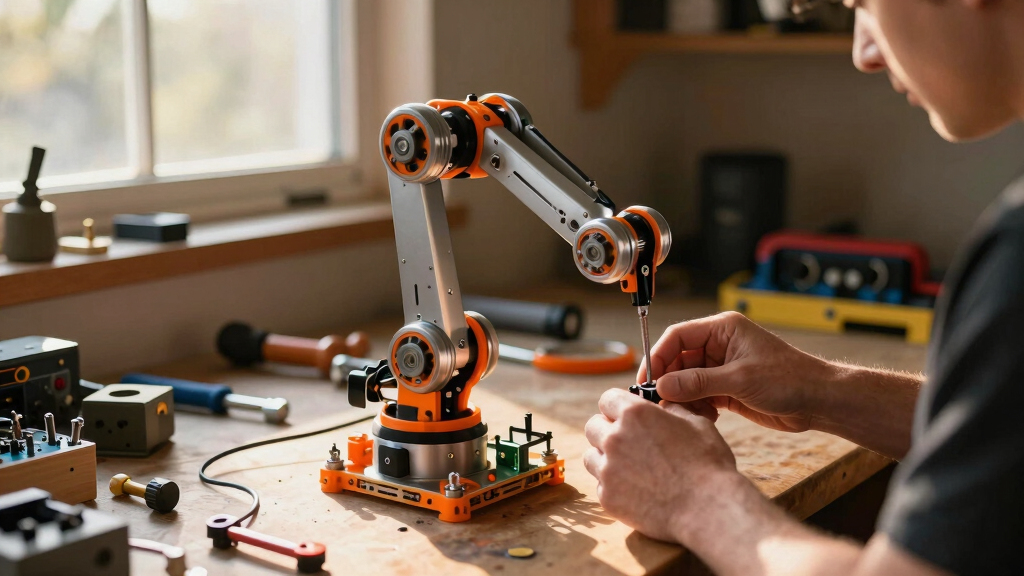

If you’re searching for the best robotic arm kits for adults, you’re likely balancing performance, ease of use, and price. The Hiwonder AI Robotic Arm Kit stands out as the best overall pick thanks to its advanced AI features and versatility. For a more budget-friendly yet capable option, the LewanSoul MaxArm offers excellent value for hobbyists, while the reBot B601-DM appeals to those seeking open-source flexibility. These choices highlight the main tradeoffs in this category: high-end features versus affordability, and complexity versus simplicity. Keep reading to explore the full lineup and find the best fit for your needs.
Key Takeaways
- The most capable kits combine AI and open-source features for advanced experimentation.
- Budget options often sacrifice some precision or features but still support core robotics learning.
- Ease of setup and programming varies widely, impacting suitability for beginners versus experienced users.
- Compatibility with popular platforms like Arduino, Python, and ROS is crucial for integration.
- Higher-priced kits tend to offer better build quality, precision, and extensibility, but some affordable options still deliver solid performance.


More Details on Our Top Picks
Hiwonder AI Robotic Arm Kit with VLA Model Development and Embodied AI
This model stands out for its industrial-grade metal construction, high-precision magnetic encoder servos, and advanced AI capabilities, making it ideal for those seeking a comprehensive platform for AI-driven robotics. Compared with the Hiwonder-xArm1S, it offers superior AI integration and multimodal learning, but at the cost of increased complexity and setup time. This kit excels for users who want to experiment with AI vision, voice control, and end-to-end imitation learning, though it’s less suitable for beginners due to its technical demands. The open-source code and extensive tutorials support deep customization, but the limited payload capacity means heavy-duty tasks are not feasible. Overall, this pick makes the most sense for experienced developers and researchers aiming for sophisticated AI projects.
Pros:- Industrial-grade, full metal 6DOF design for durability and precision
- Integrated AI vision, voice control, and multimodal capabilities
- Supports complex AI models and imitation learning workflows
- Open-source code with comprehensive tutorials for in-depth customization
Cons:- Requires substantial technical knowledge for setup and programming
- Higher complexity may overwhelm newcomers
- Limited payload capacity restricts heavy or forceful tasks
Best for: Experienced robotics developers and AI researchers interested in multimodal AI integration
Not ideal for: Beginners or hobbyists seeking straightforward, plug-and-play kits for basic projects
- Reach:500mm
- Payload:500g
- Repeatability:±2mm
- Control Architecture:ESP32 + AT32 dual-chip
- AI Vision Module:K230
- Included Components:K230 AI Vision Module & Speaker, NexArm robot arm
- Age Range:15 years and up
Our verdict“This kit is perfect for advanced users aiming to build AI-rich robotic systems, despite its steep learning curve.”
Robotic Arm for Arduino Coding Programming 6DOF Hiwonder-xArm1S STEM Educational Building Robot Arm Kit
This pick makes the most sense for learners and hobbyists who want a versatile, programmable robotic arm without the complexity of AI integration. Its 6 high-precision servos and durable aluminum alloy build provide solid control, especially when compared to simpler kits like the LEWAN SO-ARM101. While it offers multiple control options, including wireless and app control, the setup can be challenging for those unfamiliar with programming, and its grasping weight limit of 500g restricts heavy-duty applications. Designed for users over 14, it’s well-suited for school projects or creative exploration, but less ideal for industrial or heavy lifting tasks. Overall, this arm balances affordability with functionality, making it a strong choice for learners eager to dive into programmable robotics.
Pros:- High-precision 6-servo system ensures accurate movements
- Multiple control options including app, wireless, and PC control
- Durable aluminum alloy construction for stability and longevity
- Supports custom programming and action editing for learning
Cons:- Setup complexity may challenge beginners
- Limited payload restricts handling of heavier objects
- Designed for ages 14 and above, not suitable for younger users
Best for: Students and hobbyists seeking a versatile, programmable robotic arm for STEM learning
Not ideal for: Young children or those wanting a simple, ready-to-use robotic arm with minimal setup
- Number of Servos:6
- Max Grasping Weight:500g
- Material:Aluminum alloy
- Control Methods:PC, phone app, mouse, wireless PS2 controller
- Age Range:Over 14 years old
- Model Number:Hiwonder-xArm1S
Our verdict“This arm is ideal for learners and hobbyists ready to program and experiment with robotic control systems.”
Smart Robot Arm for Arduino & MicroPython ESP32 4DOF Programmable Robotic Arm Building Kit with Joystick/Web App Control
This compact, 4DOF robotic arm supports multiple control modes, including joystick and web app, making it a flexible choice for those new to robotics or coding. Compared with more advanced kits like the Hiwonder SO-ARM101, it offers easier control via web and joystick, but with fewer degrees of freedom, limiting complex motion. While ideal for STEM projects and coding practice, it requires additional batteries and some technical setup, which could be a hurdle for absolute beginners. Its expandable, open-source platform encourages experimentation, yet the limited number of servos and lack of included batteries mean extra purchases are necessary. Overall, this kit suits educators and hobbyists seeking an accessible entry point into programmable robotics.
Pros:- Supports multiple control modes including joystick and web app
- Expandable and open-source for customization
- Compact size suitable for desktop use
- Great for learning coding and basic robotics
Cons:- Batteries not included, adding to setup complexity
- Limited to 4 degrees of freedom, restricting complex motions
- Requires some technical knowledge for programming
Best for: STEM students and educators wanting an affordable, flexible platform for coding and basic robotic tasks
Not ideal for: Users seeking high-precision, industrial-grade control or heavy payload capacity
- Degrees of Freedom:4
- Servos:4 MG90S
- Control Board:ESP32-C3
- Control Modes:Joystick and Web App
- Includes:Joystick, Web App interface, tutorials
- Batteries:Not included
Our verdict“This kit offers a user-friendly, adaptable platform for learners exploring robotics and coding fundamentals.”
Robotic Arm with Arduino 5DOF/Axis AI Smart Robot Arm Open Source STEM Educational Building Robotics & Engineering Kits, miniArm Standard Kit
This open-source, Arduino-compatible robot arm makes a compelling choice for educators and hobbyists interested in sensor integration and customization. Its 5 degrees of freedom and high-performance hardware support a variety of projects, from sensor expansion to real-time programming. Compared with the Hiwonder SO-ARM101, it offers more sensor expansion options and manual control via knobs, but its payload capacity and size are less detailed, which could limit heavier or precise tasks. The platform’s open-source nature encourages experimentation, though users need some technical skills to fully leverage expansion ports and programming options. This kit suits those who want to learn about robotics hardware and software integration in a flexible, DIY environment.
Pros:- Arduino-compatible and open-source for easy customization
- Supports multiple sensors and expansion options
- Includes app control and manual knob interface
- High-performance hardware for diverse projects
Cons:- Requires technical knowledge for full utilization
- Limited details on payload and size specifications
- Primarily suited for educational or hobbyist use
Best for: Hobbyists and educators seeking a highly customizable, open-source robotics platform
Not ideal for: Beginners or users who prefer ready-to-use kits without programming or expansion complexity
- Degrees of Freedom:5
- Platform:Atmega328
- Control Methods:App, knob potentiometers
- Sensor Expansion Ports:Multiple including ESP32 Cam, accelerometer, touch sensor, ultrasonic sensor
- Hardware Features:High-precision digital servos, Bluetooth, 6-channel knob
Our verdict“This kit is well-suited for those eager to explore open-source robotics and sensor integration, despite its learning curve.”
Hiwonder SO-ARM101 6-Axis Robotic Arm Kit with AI Vision and Open Source Compatibility
This kit excels for advanced robotics development with its 6 axes, high-torque servo motors, and integrated dual-camera AI vision system. It supports imitation learning and opens the door for sophisticated research projects, especially compared to simpler 4DOF kits like the Smart Robot Arm for Arduino. The dual-camera setup allows for environmental awareness, but the complex setup and calibration process require significant technical expertise, limiting accessibility for casual users. The included 3D printed parts and debugging tools ease assembly and calibration, yet the assembly nature might restrict full customization for some hobbyists. Overall, it’s tailored for developers and researchers focused on AI and environmental interaction, despite its setup challenges.
Pros:- Supports advanced AI imitation learning with dual-camera vision
- High-torque servo motors ensure precise, stable motion
- Open-source framework for customization and development
- Includes professional debugging tools for calibration
Cons:- Complex setup requiring technical expertise
- Assembly may limit some customization options
- Higher cost compared to basic robotic arms
Best for: Researchers and advanced developers working on AI, imitation learning, and environmental perception
Not ideal for: Beginners or hobbyists seeking simple, plug-and-play robotic arms
- Number of Axes:6
- Servo Motors:12 high-torque bus
- Camera System:Dual-camera
- Compatibility:Open-source Lerobot framework
- Included Parts:3D printed parts, assembled components
- Control System:Hiwonder BusLinker V3.0 debugging board
Our verdict“This arm is best suited for dedicated researchers and developers pursuing AI and vision integration, despite its complex setup process.”
AI Robotic Arm Kit with Servo Motors – LeRobot SO-ARM101 Pro Low-Cost, 6-DOF, Open-Source, Compatible with NVIDIA Jetson
This open-source kit stands out for its strong focus on AI integration and compatibility with NVIDIA Jetson, making it ideal for robotics research and AI training. Compared with the reBot B601-DM, it offers more flexibility for AI applications but lacks pre-assembled parts, requiring technical assembly and calibration. Its open-source design and real-time tracking support make it a favorite for advanced users aiming to experiment with AI robotics. The main tradeoff is the need for additional 3D-printed parts and a higher learning curve. Overall, this kit is best suited for developers and AI researchers who want a customizable, low-cost platform for AI robotics projects.
Pros:- Open-source design with extensive learning resources
- Compatible with Nvidia Jetson edge devices for AI applications
- Supports real-time leader-follower tracking for AI research
- Improved wiring and smoother operation over previous models
Cons:- 3D-printed parts are not included, requiring additional effort
- Assembly and calibration demand technical skills
- Limited detailed specifications on motor performance
Best for: AI developers and robotics researchers seeking an affordable, flexible platform for AI training and experimentation
Not ideal for: Beginners with limited technical experience who prefer ready-to-use, plug-and-play solutions
- Degrees of Freedom:6-DOF
- Compatibility:Nvidia Jetson, LeRobot, Hugging Face
- Includes:Servo motors
- Open-Source:Yes
- 3D-Printed Parts:Not included
Our verdict“This kit is perfect for technically inclined users focused on AI integration and customization in robotics.”
reBot B601-DM Assembled Robotic Arm Kit with Gripper, 6+1 DoF, Open-Source, Compatible with Python SDK and ROS1/ROS2
This fully assembled robotic arm offers high precision and versatility, making it well-suited for robotics development and educational purposes. Unlike the LewanSoul arm, which is more beginner-friendly and straightforward, the reBot B601-DM provides a higher payload capacity and supports advanced frameworks like ROS and Python SDK. Its pre-assembled nature speeds up deployment, but it may be less flexible for hobbyists who prefer DIY assembly. Its 6+1 degrees of freedom and 0.2mm repeatability make it a strong choice for precise experimentation and iterative testing. However, its complexity can be overwhelming for complete novices. For those seeking a research-grade tool with open-source customization, this model delivers excellent value.
Pros:- Pre-assembled for quick setup and use
- Supports popular frameworks like ROS and Python SDK
- High payload capacity and precise movement
- Open-source hardware for extensive customization
Cons:- May be complex for users without robotics experience
- Limited payload for heavy-duty tasks
- Requires some technical knowledge for advanced customization
Best for: Researchers, robotics educators, and advanced hobbyists aiming for precise, customizable robotic arms
Not ideal for: Beginners looking for simple, plug-and-play kits without a technical background
- Degrees of Freedom:6+1
- Payload:1.5 kg
- Reach:767 mm
- Repeatability:0.2 mm
- Compatibility:Python SDK, ROS1/ROS2
Our verdict“This arm is best suited for users seeking a high-precision, research-ready platform with open-source flexibility.”
LewanSoul Robotic Arm Kit 6DOF with 5 Servos, PC Software & APP Control
This sturdy metal-built arm offers multiple control options, including PC, app, and wireless handle, making it ideal for educational and hobbyist settings. Compared with the more advanced reBot B601-DM, it’s easier to operate and better suited for beginners or casual users. However, its 6 degrees of freedom and only 5 servos limit the complexity and precision of movements. The straightforward setup and control methods make it accessible, but the basic tutorial may not satisfy more experienced users seeking deeper customization. Its durable construction and flexible control make it a reliable choice for those new to robotics, but it’s less suitable for advanced research or industrial applications.
Pros:- Supports multiple control methods including PC, app, and wireless handle
- Sturdy metal construction for durability
- Easy to operate and suitable for educational settings
- Flexible control options for varied user preferences
Cons:- Requires assembly and some programming knowledge
- Limited to 6 degrees of freedom with only 5 servos
- Basic tutorials may not cover advanced customization
Best for: Beginners and hobbyists interested in learning robotics and building creative projects
Not ideal for: Advanced users or researchers needing high precision and extensive customization
- Degrees of Freedom:6DOF
- Servos:5 digital servos
- Control Methods:PC, app, wireless handle
- Material:Metal
- Protection:Anti-stall with gear clutches
Our verdict“This arm is a solid choice for beginners and educators seeking a durable, easy-to-control robotic kit.”
ACEBOTT 5DOF Smart Robot Arm Car Kit, 4WD Remote Control Car Compatible with Arduino, Python, Blockly Programming, STEM Education
This kit combines a 4WD obstacle-avoiding car with a 5 DOF robotic arm, making it an engaging educational platform for beginners and teens. Its compatibility with Arduino, Python, and Blockly opens doors for learning coding, mechanics, and electronics. Unlike the more advanced reBot B601-DM, it emphasizes fun and basic control, ideal for STEM classrooms or hobbyists just starting out. The omnidirectional wheels allow complex navigation, but the assembly can be tricky for newcomers, and the limited payload restricts heavy tasks. Its simple control schemes and included tutorials make it accessible, but those seeking high precision or industrial-grade performance should look elsewhere.
Pros:- Educational focus with hands-on assembly and programming
- Flexible 5 DOF arm with precise movements
- Mecanum omnidirectional wheels for complex navigation
- Supports multiple programming platforms
Cons:- Batteries not included, requiring additional purchase
- Assembly may be challenging for complete beginners
- Limited payload and advanced features
Best for: Beginners, teens, and educators interested in STEM projects and coding fundamentals
Not ideal for: Experienced hobbyists or researchers needing precise, heavy-duty robotic arms
- Controller:ESP32
- Wheels:Mecanum omnidirectional
- Number of DOF:5
- Arm Range:Clamp 260°, Wrist 180°, Elbow 180°, Base 180°
- Sensors:Ultrasonic and infrared
Our verdict“This kit excels for STEM learning and beginner robotics projects, providing a fun way to grasp coding and mechanical concepts.”
Robot Arm for Arduino – DIY Building Kit with Memorize and Repeat Functions
This compact 4-axis robot arm offers a straightforward way to learn programming, electronics, and mechanical design. Compared with the LewanSoul kit, it emphasizes the memorization and repetition of actions, making it particularly appealing for those interested in automation and simple task programming. Its 170-action memory capacity adds a unique feature, but the assembly process can be challenging for newcomers, and the limited axes restrict complex movements. Its simple design and tutorials make it accessible for beginners, but users seeking high precision or advanced customization may find it limiting. Overall, it’s an effective starter kit for learning fundamental robotics concepts in a hands-on way.
Pros:- Detailed assembly and programming tutorials
- Flexible 4-axis design for basic automation
- Can memorize and repeat up to 170 actions
- Suitable for educational purposes and basic projects
Cons:- Batteries are not included, requiring extra purchase
- Assembly may be difficult for complete novices
- Limited to simple, repetitive tasks
Best for: Beginners, teens, and hobbyists interested in learning basic electronics and programming
Not ideal for: Advanced users or those needing precise control and complex motion capabilities
- Number of axes:4
- Rotation of clip:260°
- Wrist rotation:180°
- Elbow rotation:180°
- Base rotation:180°
- Memory capacity:170 actions
Our verdict“This kit is ideal for beginners wanting a hands-on introduction to robotics and automation fundamentals.”
Adeept 5DOF Robotic Arm Kit for Arduino IDE, Programmable DIY Coding Kits
This Adeept 5DOF kit is an excellent choice for those interested in learning robotics and programming. Its compatibility with Arduino IDE allows for flexible coding options, making it accessible for hobbyists eager to experiment with self-learning and drawing functionalities. Unlike the LewanSoul MaxArm, which emphasizes precise movement and expansion capabilities, this kit leans toward educational use with detailed digital manuals and multiple control modes, including manual and remote operation. However, the absence of printed tutorials means new users may find assembly and operation more challenging without digital support. The self-learning and drawing features add a creative edge, but some technical knowledge is necessary to fully utilize these capabilities. This makes it ideal for learners who enjoy coding, but less so for those seeking a plug-and-play experience.
Pros:- Compatible with Arduino IDE for flexible programming
- Includes comprehensive digital manuals and tutorials
- Multiple control options including manual and remote operation
- Features like self-learning and drawing enhance creative applications
Cons:- No printed tutorials, only digital PDFs, which may be less accessible for some
- Requires technical skills for assembly and operation, not ideal for complete beginners
Best for: Beginners and students wanting to explore robotics programming with detailed instructions and versatile control options
Not ideal for: Advanced users seeking high-precision motion or expansion for AI projects, due to limited hardware expansion options and digital-only tutorials
- Number of Degrees of Freedom:5
- Compatibility:Arduino IDE
- Control Methods:Manual (potentiometer), Remote (PC software)
- Features:Self-learning, drawing, imitating
Our verdict“This kit is perfect for learners and hobbyists eager to program and experiment with robotics in a flexible, educational environment.”
LewanSoul MaxArm Robotic Arm Kit for Arduino and Python Programming
The LewanSoul MaxArm stands out for its high precision and robust expansion capabilities, making it suited for more complex robotics projects. Its inverse kinematics and support for Python and Arduino allow for precise control along x, y, and z axes, surpassing the basic movement of the Adeept kit. Compared to the Adeept, which is more educational, the MaxArm targets users ready to dive into AI applications, sensor integration, and heavy payload handling. The setup can be intricate, especially for newcomers, as it demands programming knowledge and familiarity with open-source hardware, which might be a barrier for beginners. Its WiFi and Bluetooth connectivity open the door for wireless control, but this complexity can slow down initial progress. This kit makes the most sense for experienced hobbyists or developers seeking advanced customization and expansion options.
Pros:- Supports multiple control methods including wireless options
- Expandable with sensors and electronic modules for advanced projects
- High-precision servos enable accurate and heavy payload handling
- Compatible with open-source platforms like ESP32 for customization
Cons:- Complex setup requiring programming skills and technical knowledge
- Limited guidance on assembly and initial configuration, which can be daunting for novices
Best for: Experienced hobbyists and developers interested in AI, sensor integration, and high-precision robotic control
Not ideal for: Beginners or casual hobbyists who prefer straightforward, pre-assembled kits, due to the complex setup and programming requirements
- Control Methods:Python, Arduino, app, PC, wireless controllers
- Connectivity:WiFi, Bluetooth
- Servo Type:Smart bus servos
- Expansion Ports:Sensor ports, buzzer, LED, USB interfaces
- Supported Platforms:ESP32, open source controller
- Payload Capacity:High
Our verdict“This kit is ideal for experienced users aiming to develop sophisticated robotics with AI and sensor integration capabilities.”
How We Picked
These products were evaluated based on several criteria: build quality, ease of assembly, programming flexibility, features like AI or vision capabilities, expandability, and value for price. We prioritized kits that offer a balance of performance and accessibility, ensuring they cater to both beginners and advanced users. The ranking considers user reviews, technical specs, and versatility to identify which kits stand out for different types of adult learners and hobbyists. We aimed to highlight options that excel in real-world use, not just marketing claims, and that represent a range of budgets and skill levels.Factors to Consider When Choosing Best Robotic Arm Kits For Adults
Choosing the best robotic arm kit for adults requires considering several key factors that influence usability, performance, and value. Beyond just specs, understanding how a kit fits your experience level and intended use can save time and money. The following sections outline the most important considerations to keep in mind before making a purchase.Performance and Precision
Look for kits with sufficient degrees of freedom (DoF) and sturdy construction for accurate movements. Higher DoF generally means more flexibility and complex tasks, but it can also increase complexity. Precision is especially important if you’re aiming to use the arm for detailed work or automation. Balance these needs with your skill level to select a kit that delivers reliable performance without overwhelming you.
Ease of Assembly and Programming
Some kits come pre-assembled or with straightforward instructions, making them better suited for beginners. Others require more technical skill but offer greater customization. Compatibility with familiar programming environments like Arduino or Python can significantly reduce the learning curve. Consider whether you prefer a plug-and-play experience or want to dive into coding and customization from scratch.
Build Quality and Material
Robotic arms made from durable materials like aluminum tend to last longer and perform more precisely, but they also cost more. Cheaper plastic models might be suitable for light use or learning basic concepts but could break or wear faster during intensive projects. Evaluate your expected use case and budget to find a balance between durability and affordability.
Features and Expandability
Advanced features like AI vision, open-source software, or remote control options can expand what you can do with your robotic arm. However, these features often come with increased complexity. If you plan to experiment or scale your projects, look for kits that support additional modules or software upgrades. Beginners might prioritize simplicity over extensive features, while experienced users should seek flexible platforms.
Price and Value
While a higher price often indicates better build quality or more features, it’s important to match your investment with your goals. A beginner might not need all the bells and whistles and could save money with a simpler kit. Conversely, serious hobbyists or professionals should consider spending more for precision, expandability, and advanced capabilities. Avoid overpaying for features you won’t use, but don’t compromise on quality if you plan to use the arm extensively.
Frequently Asked Questions
Are robotic arm kits suitable for someone new to robotics?
Yes, many robotic arm kits are designed with beginners in mind, offering simplified assembly and user-friendly programming interfaces. Kits with detailed instructions, pre-assembled parts, or compatibility with beginner-friendly platforms like Arduino or Blockly make it easier to learn the basics of robotics. Starting with a simpler kit can build foundational knowledge before moving on to more advanced, feature-rich options.
What should I prioritize if I want to use the robotic arm for automation tasks?
If automation is your goal, focus on kits with high precision, good repeatability, and compatibility with programming languages like Python or ROS. Features like AI vision or sensor integration can also enhance automation capabilities. Durability and stability become more critical here, so choose a kit with sturdy materials and reliable motor control to ensure consistent performance over time.
Can I upgrade or expand a robotic arm kit later?
Many kits support upgrades through additional modules, software updates, or compatible hardware. Open-source platforms in particular facilitate customization, allowing you to add sensors, cameras, or new control systems. However, check compatibility before purchasing—some kits are more modular than others. Planning for future expansion can save money and effort if you anticipate evolving your projects.
How important is the programming environment in choosing a robotic arm kit?
The programming environment determines how easily you can customize and control your robotic arm. Kits that support popular platforms like Arduino, Python, or ROS tend to offer broader community support and more resources for troubleshooting. If you’re new to coding, look for kits with visual programming options or extensive tutorials. For experienced users, open-source and flexible environments provide more control and integration options.
Is it worth paying extra for advanced features like AI or vision systems?
Investing in advanced features can significantly expand what your robotic arm can do, such as object recognition or autonomous operation. However, these features also add complexity and often require additional hardware or software expertise. If your primary goal is learning or basic automation, simpler kits may be more suitable. For those interested in cutting-edge applications, paying more for AI or vision capabilities can be a worthwhile investment.