Finding the best desktop video magnifiers for low vision can significantly enhance daily reading and viewing tasks. The Eschenbach Vario Digital FHD stands out as the overall top choice thanks to its large screen and high resolution, offering a comfortable viewing experience. For portability, the Zoomax Snow 12 Inch provides foldability and OCR features, perfect for on-the-go use. Meanwhile, the Magnifying Dome Lighted offers an affordable, simple solution for quick, bright magnification. Buyers often face tradeoffs between screen size, portability, and advanced features—continue reading for a detailed breakdown of each option’s strengths and limitations.
Key Takeaways
- Large screens generally improve comfort but may reduce portability, so choose based on your primary use case.
- Opt for models with OCR and text-to-speech if reading printed material is frequent and speed matters.
- Price correlates strongly with features; premium options offer more advanced tech but come at a higher cost.
- Portability features like foldable designs are ideal for users who need to carry their magnifier regularly.
- Brightness and contrast controls are essential for customizing visibility in different lighting conditions.


More Details on Our Top Picks
Luna 6 Portable Video Magnifier by Zoomax
The Luna 6 stands out as a highly portable digital magnifier that offers clear, sharp visuals on a compact 6-inch HD screen, making it ideal for users who need high-quality magnification on the go. Compared with larger models like the Eschenbach Vario, Luna 6 prioritizes lightweight design and wireless charging, though its smaller screen limits detailed viewing for complex tasks. Its long battery life and high-contrast buttons make it easy to operate for low vision users, but the limited screen size may frustrate those needing larger displays. This pick makes the most sense for individuals who want a portable, easy-to-carry device without sacrificing visual clarity, but it might not suit those requiring extensive reading or viewing on larger screens.
Pros:- Compact and lightweight for easy portability
- High-definition screen provides sharp, clear text
- Long battery life with wireless charging support
Cons:- Limited to 6-inch screen size, which may be too small for some tasks
- Battery life can vary with usage, potentially limiting extended use
Best for: Low vision users who need a lightweight, portable magnifier for frequent travel or quick reading tasks
Not ideal for: Users needing large, detailed views for extensive reading or viewing at a desk, as its small screen may be restrictive
- Screen Size:6 inches
- Display:HD
- Battery Life:Up to 5 hours
- Weight:0.46 lb
- Charging:Wireless charging
- Features:Foldable stand, built-in handle, high-contrast buttons
Bottom line: This device is perfect for low vision users seeking a portable, high-quality magnifier for everyday use on the go.
Eyoyo Digital Magnifier Portable Electronic Video Magnifier with 3.5-Inch LCD Screen and 2x-25x Zoom
The Eyoyo offers impressive versatility with a 3.5-inch LCD screen and a broad magnification range of 2x to 25x, making it suitable for quick, on-the-spot reading. While its small screen restricts detailed viewing compared to larger models like the Eschenbach Vario, this device excels in portability and adjustable color modes that enhance readability for users with different visual needs. Its foldable, compact design makes it easy to carry, but the small display can be limiting for in-depth reading or detailed viewing. This is an excellent choice for low vision users seeking an affordable, flexible, and portable magnifier for short-term use or quick tasks, though it may not satisfy those requiring large, detailed images.
Pros:- Adjustable magnification from 2x to 25x for flexibility
- Multiple color modes improve visibility of various text types
- Foldable and highly portable design
Cons:- Small 3.5-inch screen may limit detailed viewing
- TF card not included, requiring additional purchase
Best for: Budget-conscious low vision users who need a portable device for quick reading or on-the-go use
Not ideal for: Users who need larger screens for detailed reading, as the 3.5-inch display may be too small for sustained use
- Magnification:2x-25x
- Screen Size:3.5 inches
- Color Modes:7 adjustable modes
- Storage Support:TF cards up to 32GB
- Connectivity:AV output
- Design:Foldable, portable
Bottom line: This device offers a cost-effective, portable solution for quick reading needs, but may fall short for detailed or prolonged viewing.
Zoomax Snow 12 Inch Foldable Portable Video Magnifier with OCR and Text-to-Speech
The Snow 12 offers a generous 12-inch HD display combined with advanced OCR and text-to-speech features, making it suitable for users who need both magnification and auditory assistance. Its foldable design allows easy transport, and the high-quality camera ensures clear visuals, outperforming smaller, simpler devices like the Luna 6 in viewing comfort. The inclusion of multilingual TTS expands accessibility for diverse users, but its moderate customer rating suggests some concerns about durability or overall reliability. This device is best for low vision users who want a versatile, accessible reading aid with speech features, but those seeking a highly durable or budget-friendly option may want to consider other models.
Pros:- Large 12-inch HD display for comfortable viewing
- Supports OCR and multilingual text-to-speech
- Foldable and lightweight for portability
Cons:- Moderate customer ratings indicate some concerns about durability
- Limited information on battery life and long-term reliability
Best for: Low vision users needing a portable, accessible device with OCR and speech capabilities, especially in multi-language environments
Not ideal for: Users on a very tight budget or those requiring a highly durable, long-lasting device without advanced features
- Display:HD
- Magnification:19x
- Size:12 inches
- Features:Foldable stand, OCR, Text-to-Speech, Multi-language support
- Weight:Lightweight
Bottom line: This model is well-suited for low vision users seeking a large, feature-rich device with speech assistance, but its mixed reviews suggest careful consideration for durability.
5 Inch Low Vision Aids Electronic Auto Focus Reading Aid Digital Video Magnifier for the Visually Impaired
This 5-inch digital magnifier provides an impressive zoom range of 2x to 32x, making it suitable for detailed viewing in a portable form factor. Its simplified controls are ideal for elderly users or children, and the high-resolution display reduces eye fatigue. Compared with larger desktop models like the Eschenbach Vario, this device prioritizes ease of use and portability, but the small screen size could be limiting for users needing larger images for extended reading. Moderate customer satisfaction suggests it works well for quick tasks but may not be the best choice for intensive reading sessions. It makes sense for those who want a highly portable, easy-to-operate magnifier for short-term or casual use.
Pros:- High magnification range up to 32x for detailed viewing
- Simplified, easy-to-operate buttons perfect for seniors and kids
- High-resolution display reduces eye strain
Cons:- Limited to 5-inch screen, which may be too small for some users
- Customer reviews indicate moderate satisfaction; not ideal for intensive use
Best for: Elderly or children with low vision who need a portable, easy-to-use magnifier for short reading sessions
Not ideal for: Users needing large, detailed views for prolonged reading or complex tasks, as the small screen may be restrictive
- Magnification Range:2x-32x
- Screen Size:5 inches
- Display Resolution:800×480
- Color Modes:Multiple
- Connectivity:TV and computer
- Design:Foldable, ergonomic handle
Bottom line: This compact magnifier is ideal for quick, casual reading for low vision users who prioritize portability and ease of use.
Eschenbach Vario Digital FHD Desktop Video Magnifier – Portable for Low Vision with Microfiber Cloth
The Vario Digital FHD stands out for its large 15.6-inch full HD screen and extensive 1.3x to 45x magnification, making it highly suitable for reading large documents, maps, or detailed images at a desk. Its bright, adjustable LED illumination enhances visibility, and the inclusion of image capture adds convenience. Compared to smaller, portable options like the Luna 6, the Vario prioritizes image quality and magnification range, but its size and cost make it less suited for frequent travel or casual use. The setup and operation may require some familiarity, especially for users new to digital magnifiers. This device makes the most sense for low vision users who need a dedicated desktop solution with high magnification and image clarity, although it is less versatile for on-the-go needs.
Pros:- Large 15.6-inch full HD display for comfortable reading
- Extensive magnification range up to 45x
- Bright, adjustable LED illumination for shadow-free viewing
- Includes image capture and 8GB SD card for storage
Cons:- Relatively expensive, especially for casual users
- Limited portability makes it unsuitable for on-the-go reading
Best for: Low vision users who primarily need a large, high-quality desktop device for detailed reading and document viewing
Not ideal for: Those seeking a portable, lightweight magnifier for frequent travel or casual, short-term use
- Display Size:15.6 inches
- Magnification:1.3x – 45x
- Camera Resolution:Full HD
- Illumination:Bright LED, adjustable
- Includes:Microfiber cloth, 8GB SD card
- Connectivity:Type C USB
Bottom line: This is an excellent desktop magnifier for users who prioritize large screen size, high magnification, and image clarity over portability.
Portable Digital Video Magnifier with 5.0 Inch Screen and 2X-32X Zoom
This compact model offers a broad magnification range from 2X to 32X, making it a flexible choice for those needing both quick adjustments and high detail. Compared with the Vario Digital 22-inch monitor, it prioritizes portability and ease of use over a larger display, but this means sacrificing the immersive viewing experience and detailed image quality of larger screens. The high-resolution 800×480 display coupled with 26 color modes provides a customized viewing experience, though some users may find the controls initially complex. Its foldable ergonomic handle enhances convenience for users who need a device they can carry easily or use in different locations. The main tradeoff is its relatively high price for a 5-inch screen—best suited for users who value mobility over a large viewing area.
Pros:- Wide magnification range from 2X to 32X for versatile use
- Multiple color modes for customized viewing experiences
- Compact, ergonomic, foldable design for portability
Cons:- Relatively high price for a small device
- Limited to a 5-inch screen, less immersive than larger displays
- Controls may be complex for some first-time users
Best for: Low vision users who need a portable, adjustable magnifier for reading or close-up tasks on the go.
Not ideal for: Users seeking a large, fixed desktop setup or those with very limited hand mobility who might find the foldable handle cumbersome.
- Screen Size:5.0 inches
- Magnification:2X-32X
- Color Modes:26
- Resolution:800*480
- Connectivity:Can connect to TV via cable
- Design:Foldable handle, ergonomic
Bottom line: This model is ideal for low vision users who need a portable, adaptable magnifier for varied tasks and frequent mobility.
20 Inch Screen Magnifier for Smartphone, 3D HD Screen Expander for Movies, Videos, and Gaming, Adjustable Angle Desktop Magnifier for Seniors Reading
This 20-inch screen magnifier excels at transforming smartphone content into a large, clear display, making it perfect for watching videos, gaming, or casual reading. Its large HD display provides an immersive experience that the smaller screens of devices like the Portable Digital Magnifier cannot match, but it’s less suited for detailed close-up reading of fine print. The adjustable height and foldable design make it portable and adaptable to different environments, although clarity depends heavily on ambient lighting—best used in well-lit areas. Its 3-5X magnification is sufficient for most multimedia needs, but not for detailed reading or close inspection of tiny objects. Compared to the Vario Digital 22-inch monitor, it sacrifices some resolution and image precision for portability and ease of sharing content on a large screen.
Pros:- Enlarges smartphone screens to 20 inches for immersive viewing
- Reduces eye strain and blue light exposure
- Foldable, adjustable, and portable for travel
Cons:- Requires good lighting for best clarity
- Magnification may cause slight distortion if not positioned properly
- Not suitable for direct sunlight or bright outdoor environments
Best for: Seniors or casual users who want an easy way to enlarge smartphone screens for entertainment or light reading.
Not ideal for: People needing high-resolution, precise viewing for detailed tasks or professional use, as it may introduce slight distortion and requires good lighting.
- Screen Size:20 inches
- Magnification:3-5 times
- Lens Technology:Fresnel lens
- Compatibility:Most smartphones including iPhone and Android
- Adjustable Height:Yes
- Foldable:Yes
Bottom line: This magnifier makes the most sense for casual viewers and seniors wanting large-screen entertainment from their smartphones.
Vario Digital 22-inch Full HD Monitor with Magnification for Low Vision
The Vario Digital 22-inch monitor offers a substantial 21.5-inch high-definition display, making it an excellent choice for users who need detailed viewing and high magnification flexibility. Its adjustable magnification from 1.6X to 100X surpasses smaller portable options like the Portable Digital Magnifier, providing both broad overview and fine detail. Its bright LED illumination and 14 contrast modes support various visual needs, but the device’s weight of nearly 20 pounds and lack of a battery option make it less suitable for frequent movement. The image quality and large screen make it ideal for dedicated desktop use, though the higher price reflects its advanced features. This model balances power and usability for those who prioritize detailed viewing over portability.
Pros:- Large 21.5-inch high-definition display for detailed viewing
- Extensive magnification range up to 100X
- Bright LED illumination with multiple contrast modes
- Ability to capture and store images
Cons:- Heavy at nearly 20 pounds, less portable
- No built-in battery, reliant on AC power
- Higher price point for advanced features
Best for: Low vision users seeking a large, high-quality desktop solution for reading, viewing, and detailed tasks.
Not ideal for: Individuals who need a lightweight, portable device or require mobility in their viewing setup, due to its weight and reliance on AC power.
- Magnification:1.6x to 100x
- Screen Size:21.5 inches
- Display Resolution:1920 x 1080
- Illumination:LED with 4 brightness settings
- Viewing Modes:14 color contrast modes
- Weight:19.6 lbs
Bottom line: This model is best for users who need a powerful, fixed desktop solution with versatile magnification and image capture capabilities.
Magnifying Dome Lighted Desktop Magnifier with Bright LED
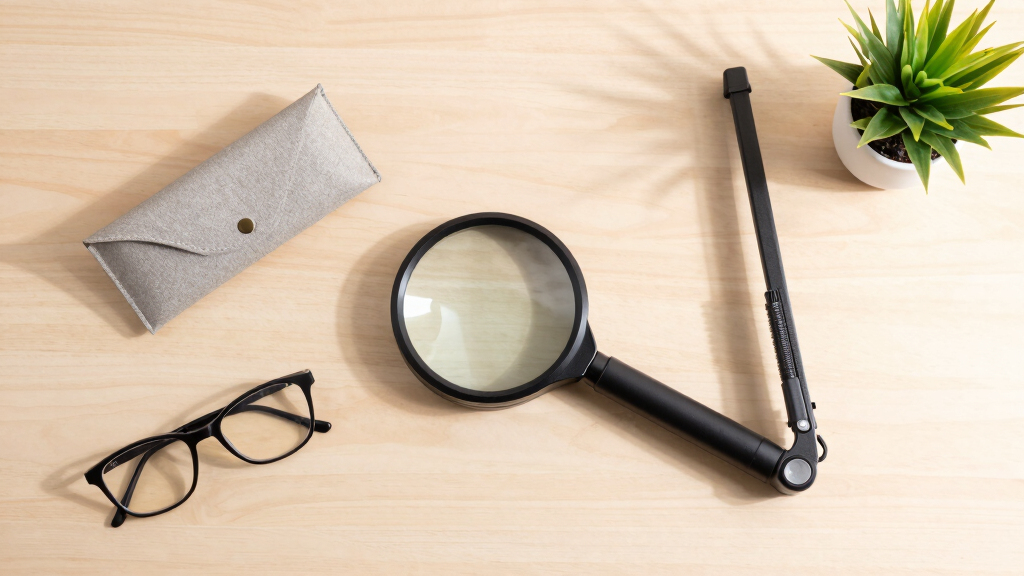
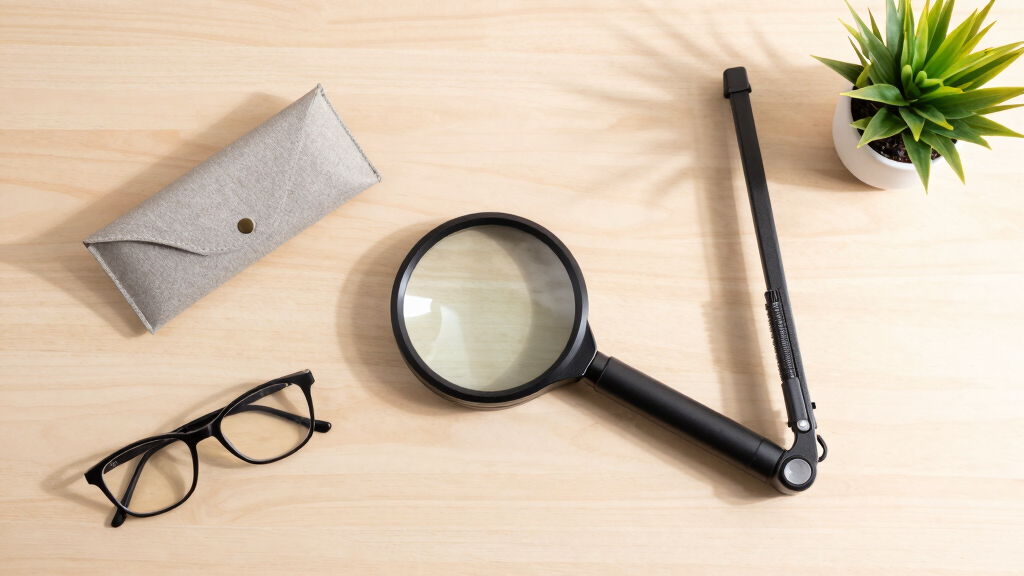
This simple yet effective desktop magnifier provides 5X magnification with bright LED illumination, making it an excellent choice for those who need a straightforward, hands-free device for reading small print or inspecting objects. Its self-standing design eliminates the need for holding or adjusting, unlike portable options such as the Portable Digital Magnifier, which requires manual handling. The magnifier’s bright LED light ensures clear, shadow-free viewing, ideal for reading or detailed inspection in well-lit environments. However, its fixed 5X magnification limits uses to small objects and text, and reliance on batteries could be inconvenient for some users. This device is perfect for users who want a simple, dedicated aid for specific tasks rather than a versatile, adjustable solution.
Pros:- Bright LED illumination for clear viewing
- Hands-free, self-standing design for ease of use
- Magnifies text by 5X, suitable for small objects and fine print
Cons:- Requires batteries, not rechargeable
- Limited to small objects and fixed magnification
- Battery life may vary, affecting convenience
Best for: Users who need a dedicated, hands-free magnifier for reading small print or inspecting objects at a fixed magnification.
Not ideal for: Those requiring variable magnification or a device capable of larger viewing areas, as the 5X magnification is fixed and limited.
- Magnification:5x
- Lighting:LED backlight
- Power Source:2x C2016 batteries (included)
- Features:Self-standing, portable, includes storage pouch
Bottom line: This magnifier suits users needing a simple, dedicated tool for reading or inspecting small items without adjustable features.
How We Picked
These products were evaluated based on performance, ease of use, build quality, and value for low vision users. Priority was given to screen size, magnification range, image clarity, and accessibility features like OCR or adjustable lighting. We also considered portability, durability, and user feedback to rank the options effectively. The goal was to identify models that deliver consistent, reliable magnification tailored to various needs, whether for reading, viewing videos, or on-the-go use.Factors to Consider When Choosing Best Desktop Video Magnifiers For Low Vision
When choosing a desktop video magnifier for low vision, several factors influence how well a device will meet your needs. Understanding these considerations helps avoid common pitfalls, such as overspending on features you don’t need or choosing a model that’s too complex for your comfort. A balanced approach ensures you find a device that enhances your vision without unnecessary frustration or expense.Screen Size and Resolution
Large screens, typically 12 inches or more, provide a more natural viewing experience and reduce eye strain. Higher resolution screens—Full HD or better—offer sharper images, which is vital for detailed reading or viewing fine print. However, larger screens tend to increase the device’s weight and cost, so consider your mobility needs and budget when selecting size and resolution.
Magnification Range and Image Clarity
The range of magnification (such as 2x to 32x) determines how flexible the device is for different tasks. Higher magnification is useful for tiny print, but may introduce image distortion or flicker if quality isn’t high. Look for models with stable image rendering and the ability to fine-tune magnification while maintaining clarity, especially for prolonged use.
Ease of Use and Accessibility Features
Intuitive controls, adjustable brightness, and contrast are essential for customizing your view comfortably. Features like auto-focus, OCR, and text-to-speech can streamline reading tasks and improve efficiency. Avoid overly complex interfaces if you prefer simplicity, but prioritize models that include accessibility enhancements if you rely on them daily.
Portability and Design
Some magnifiers are designed for stationary use, while others offer foldable or lightweight options for mobility. Consider whether you’ll use your device primarily at a desk or need to carry it. Portability features often come with tradeoffs in screen size or added cost, so align your choice with your activity patterns.
Price and Value
Budget constraints influence your options, but spending more often yields better image quality, larger screens, and advanced features. Balance your needs against the cost—sometimes a mid-range device offers the best compromise. Remember, investing in a more durable, feature-rich model can pay off through longer-lasting performance and ease of use.
Frequently Asked Questions
How do I choose the right magnification level for my needs?
The ideal magnification depends on your typical reading material and comfort. For small print or detailed tasks, higher magnification like 20x or more may be necessary. For general reading, lower magnification around 2x to 10x often suffices. It’s best to select a model with adjustable magnification so you can customize as your needs change, ensuring comfort and reducing eye strain over time.
Are OCR and text-to-speech features worth paying extra for?
Yes, these features can significantly improve efficiency, especially if you read a lot of printed material. OCR allows you to convert printed text into digital format, which can be read aloud or stored for later reference. Text-to-speech offers immediate audio feedback, reducing the need to strain your eyes. However, they add to the cost, so consider how often you’ll use these functions before investing in a model with advanced tech.
Is a larger screen always better for low vision?
Larger screens do improve comfort by providing a bigger viewing area, but they also tend to add weight and reduce portability. If you mainly work at a desk and need maximum clarity, a bigger screen makes sense. For users who need mobility, a smaller, foldable model might serve better, even if it means sacrificing some visual comfort.
How important is image clarity compared to magnification range?
Both are critical, but clarity often has a greater impact on usability. Higher magnification is only helpful if the image remains sharp and stable. A device with excellent resolution and image processing can deliver more usable magnification than one with a higher range but poor image quality. Prioritize models that balance both for the best experience.
Should I prioritize portability or screen size?
This decision hinges on your primary usage. If you need a device mainly for fixed use at home or in an office, a larger screen with a sturdy build is preferable. If you travel frequently or need to carry the magnifier between locations, look for a compact, foldable model. Balancing size with comfort and functionality is key to choosing the right device.