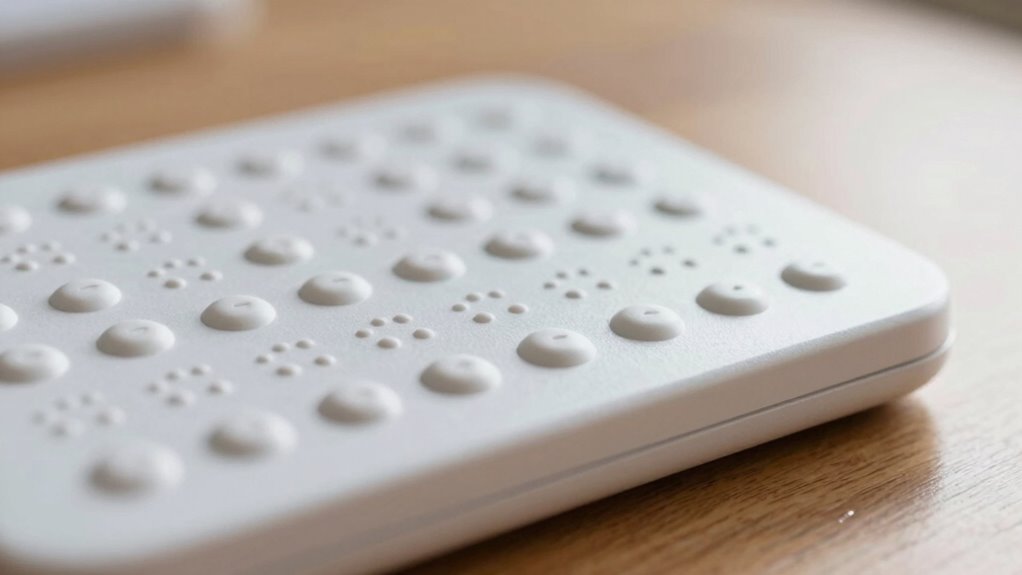

A Braille display is a device that helps you access digital content through touch. It connects to computers or smartphones and uses small, movable pins to create Braille characters you can feel with your fingertips. As the digital content updates, the pins shift to show new text in real time. It’s designed to be easy to use, comfortable, and versatile. Keep going to discover more about how these devices can transform your digital experience.

Prime made for students and young adults
- Fast, free delivery for dorm and study essentials
- Prime Video and Amazon Music included
- Member-only deals
Key Takeaways
- Braille displays are devices that convert digital text into tactile Braille using small, movable pins for fingertip reading.
- They connect to computers or smartphones via Bluetooth or USB, updating in real-time as content scrolls.
- Users feel the raised pins forming Braille characters, allowing them to read digital information through touch.
- The devices are customizable, offering adjustable sensitivity, refresh rates, and navigation features for a personalized experience.
- Braille displays enhance digital accessibility, enabling people who are blind or visually impaired to read, navigate, and interact with digital content independently.

Braille displays are innovative devices that allow visually impaired users to read digital content through tactile feedback. When you connect a Braille display to your computer, smartphone, or tablet, you gain access to a world of information that was once difficult to navigate without sight. Instead of looking at a screen, you feel the data on the display’s series of small, movable pins that rise and fall to form Braille characters. This tactile feedback is what makes these devices truly effective, as it provides a natural way for you to interpret digital text through touch.
The core strength of Braille displays lies in their ability to offer real-time digital integration. As you scroll through a document or web page, the display updates instantly, presenting fresh Braille characters in response to the digital content on your device. This seamless connection means you don’t have to wait or switch between different tools to access information. Whether you’re reading an email, browsing the internet, or working on a document, the display reacts instantly, making your digital experience smooth and efficient.
Tactile feedback is essential here because it transforms abstract data into a physical form that you can interpret through touch. The pins inside the display move precisely to form each character, allowing you to read with your fingertips just as you would with traditional Braille books. The clarity and responsiveness of this tactile feedback are *vital* for quick comprehension and comfortable reading. High-quality Braille displays are designed to minimize lag and provide consistent tactile cues, which reduces fatigue during extended use. Additionally, digital integration allows for a broader range of functions, such as navigation and customization, further enhancing usability. Incorporating features like connectivity options ensures that users can effortlessly switch between devices, increasing their overall productivity.
Because of digital integration, Braille displays can connect to multiple devices, giving you versatility in how you access information. Some models support Bluetooth or USB connections, allowing you to switch easily between your smartphone, computer, or other compatible devices. This interoperability means you can stay productive and connected without needing separate tools for different tasks. Plus, many displays come with customizable settings, so you can adjust the refresh rate or tactile sensitivity to match your preferences, enhancing your overall experience. Furthermore, user-friendly interfaces are often included to make setup and navigation straightforward for new users.
Braille display for visually impaired
As an affiliate, we earn on qualifying purchases.
As an affiliate, we earn on qualifying purchases.
Frequently Asked Questions
Can Braille Displays Be Used With Smartphones?
Yes, you can use braille displays with smartphones. They provide tactile feedback by translating on-screen text into braille characters, allowing you to read content privately. Most modern braille displays are compatible with smartphones, thanks to screen compatibility features like Bluetooth or USB connections. This integration makes it easier for visually impaired users to navigate apps, read messages, and access information seamlessly, enhancing independence and overall user experience.
How Much Do Braille Displays Typically Cost?
Imagine opening a world of words—Braille technology makes that possible for many. Typically, Braille displays cost between $1,500 and $10,000, depending on features and size. These devices incorporate advanced accessibility features, offering a tactile reading experience. While the price may seem steep, the value lies in independence and access, bridging gaps in communication and education for those who rely on tactile reading.
Are Braille Displays Portable or Meant for Stationary Use?
Braille displays are designed to be portable, so you can carry them easily wherever you go. They use tactile feedback to let you read digital content through raised dots, making information accessible on the move. Many models include accessibility features like adjustable settings and compact designs, ensuring you can use them comfortably in various environments. This portability helps you stay connected and independent, whether at home, work, or on the go.
How Long Do the Batteries Last on a Braille Display?
Battery life on a braille display varies, but most last between 8 to 20 hours of use. To optimize your device’s lifespan, focus on battery maintenance by charging it regularly and avoiding complete discharges. Power conservation strategies, like turning off the display when not in use and reducing brightness or backlight, help extend usage time. Proper care ensures your braille display stays reliable and ready whenever you need it.
Can Visually Impaired Children Use Braille Displays?
Yes, visually impaired children can use braille displays, and they often find tactile feedback engaging and empowering. This technology enhances literacy development by providing real-time access to digital content, fostering independence. The key is choosing age-appropriate devices with user-friendly interfaces, ensuring children can explore and learn comfortably. As they master tactile feedback, these displays become essential tools, enabling opportunities and opening new worlds of knowledge for young learners.
As an affiliate, we earn on qualifying purchases.
Conclusion
While using a braille display might seem intimidating at first, you’ll quickly discover it’s a powerful tool that opens up a world of information. Don’t worry if it feels unfamiliar — with a little practice, you’ll be steering digital content comfortably. Remember, many have been in your shoes and now rely on these devices daily. Embrace the learning curve; soon, you’ll find yourself communicating and exploring just like everyone else.
As an affiliate, we earn on qualifying purchases.
digital Braille device for blind users
As an affiliate, we earn on qualifying purchases.
As an affiliate, we earn on qualifying purchases.
Fall Picks
fall essentials
As an affiliate, we earn on qualifying purchases.