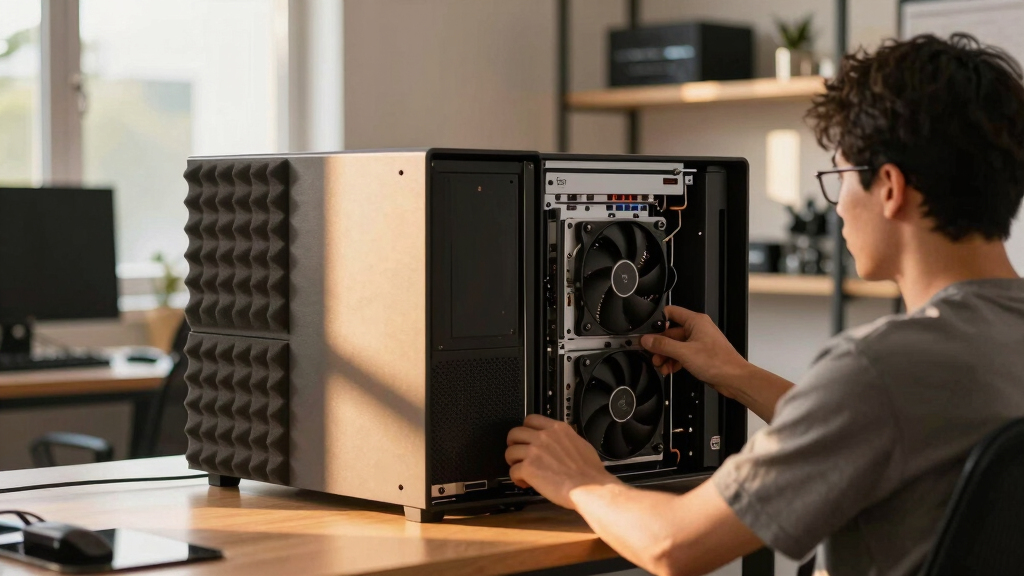

📊 Full opportunity report: How to Reduce Heat and Noise in a High-Power AI Workstation on ThorstenMeyerAI.com — validation score, market gap, and execution plan.

Prime made for students and young adults
- Fast, free delivery for dorm and study essentials
- Prime Video and Amazon Music included
- Member-only deals
TL;DR
High-power AI workstations generate excessive heat and noise due to continuous GPU load. Strategies like undervolting, optimizing cooling, and case airflow can significantly reduce both issues. This guide explains proven methods and what remains uncertain.
High-power AI workstations produce significant heat and noise due to continuous GPU load, often turning a quiet office into a noisy, warm environment. Experts confirm that targeted cooling adjustments, undervolting, and improved airflow are effective measures to address these issues, which matter for both comfort and hardware longevity.
Unlike gaming PCs, AI workstations operate under sustained loads, with GPUs often running at or near full capacity for hours, generating excessive heat and fan noise. The primary sources of heat and noise are the GPU, CPU, power supply, VRMs, and case airflow, with the GPU being the dominant contributor. Experts recommend starting with undervolting the GPU, which can reduce power consumption and heat without sacrificing performance. Additionally, optimizing case airflow by improving intake and exhaust can prevent recirculation of hot air, lowering overall temperatures and reducing fan speeds. Upgrading cooling components—such as high-quality fans, liquid cooling, or better heatsinks—further diminishes noise and thermal buildup. It is important to note that some fixes, like undervolting, require careful tuning and testing to avoid stability issues. The effectiveness of these strategies varies depending on the specific hardware and workload intensity.
An AI workstation isn’t a gaming PC —
and that’s why it runs hot.
Local inference is a sustained load: the GPU sits near full power for hours with no loading screens, so the heat never dissipates and the fans never get a break. Here’s where the heat comes from — and the five levers that reduce it.
Impact of Heat and Noise Reduction on AI Workstation Performance
Reducing heat and noise in high-power AI workstations enhances user comfort, prolongs hardware lifespan, and maintains optimal performance during prolonged inference tasks. Effective cooling also prevents thermal throttling, which can slow down AI processing speeds. These improvements are crucial for organizations relying on continuous, intensive AI workloads, where hardware stability and quiet operation directly impact productivity and operational costs.
Popular right now

Vitamix 5200 Professional-Grade Blender, 64 oz. Container, Black
Dyson Car+Boat Cordless Handheld Vacuum

Dyson Ball Animal 3 Extra Upright Vacuum
As an affiliate, we earn on qualifying purchases.
Background on Heat and Noise Challenges in AI Workstations
AI workstations differ from gaming PCs because they operate under sustained loads, often for hours, with GPUs running near maximum capacity. This continuous operation leads to higher thermal output and fan noise. Cooling solutions designed for gaming systems are often inadequate for AI workloads, necessitating specialized cooling strategies. Recent advances include improved undervolting techniques and airflow management, but many users still face challenges balancing performance, noise, and heat management. As AI models become more complex and hardware more powerful, targeted cooling and power management remain critical areas of focus.
“Undervolting your GPU can drastically reduce heat and noise without impacting inference speed, making it one of the most cost-effective solutions.”
— Thorsten Meyer, AI hardware expert
Unresolved Questions on Long-Term Stability and Efficiency Gains
While undervolting and airflow improvements are effective in reducing heat and noise, the long-term stability of aggressive undervolting settings varies across hardware models. The impact on hardware lifespan and the applicability of these methods to different GPU brands and configurations are still under investigation. Additionally, the optimal cooling configurations for diverse workloads and environments continue to be refined through ongoing research.
Next Steps for Optimizing AI Workstation Cooling Strategies
Users should customize undervolting settings based on their specific GPU models, consulting manufacturer guidelines and community resources. Advances in cooling technology, such as quieter fans and liquid cooling solutions, are becoming more accessible. Future developments may include adaptive cooling systems that respond dynamically to workload demands, further reducing noise and thermal output. Monitoring tools and firmware updates will assist in fine-tuning performance and thermal management.
Key Questions
What is the most cost-effective way to reduce heat in my AI workstation?
The most cost-effective method is undervolting your GPU, which can lower power consumption, heat, and noise without sacrificing performance. Improving case airflow with better fans also provides significant benefits at low cost.
Can I use liquid cooling to make my AI workstation quieter?
Yes, liquid cooling can reduce fan noise and improve thermal performance, but it involves higher initial costs and maintenance. Proper installation and quality components are essential for effectiveness.
Does undervolting affect the performance of my AI workloads?
In most cases, undervolting reduces heat and noise without impacting inference speed, especially for memory-bound tasks. However, it requires careful tuning to maintain stability, and results may vary depending on hardware.
Are there specific cooling solutions recommended for multi-GPU setups?
High-quality fans, larger heatsinks, and liquid cooling are recommended for multi-GPU systems to manage the increased thermal load. Proper case airflow is particularly important to prevent hot air recirculation between GPUs.
What should I monitor to ensure my cooling modifications are effective?
Use hardware monitoring tools to track GPU and CPU temperatures, fan speeds, and system stability. Adjust cooling settings based on real-time data to optimize performance and noise levels.
Source: ThorstenMeyerAI.com