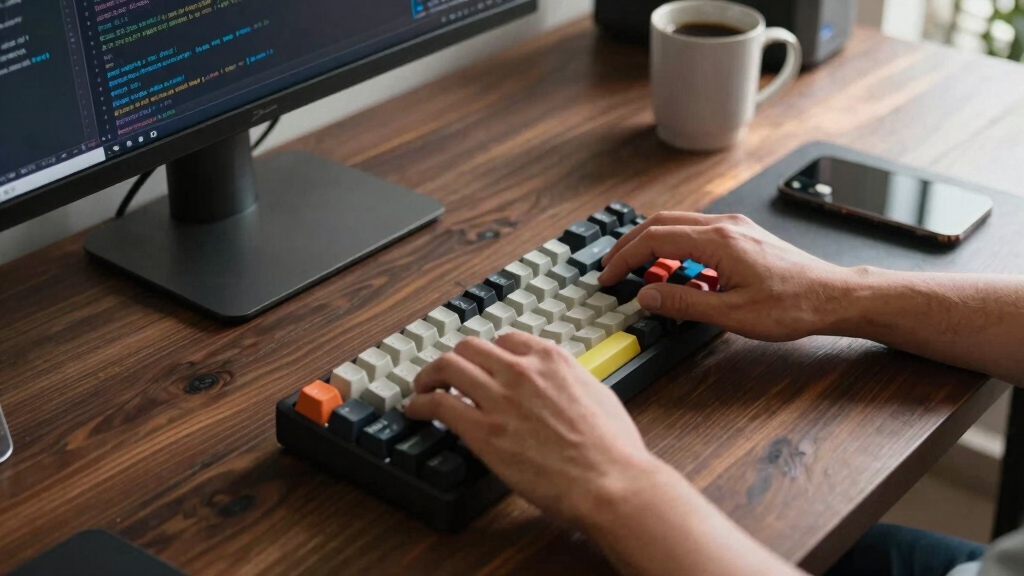

Choosing the best mechanical keyboard for programming involves balancing comfort, reliability, and features tailored for long coding sessions. The RK Royal Kludge RK98 stands out as the best overall pick for its versatile layout and hot-swappable switches, offering a seamless typing experience. For those prioritizing portability, the Keychron K3 Version 2 provides a compact, wireless solution with quiet switches. Meanwhile, the Logitech MX Mechanical offers a premium, quiet typing experience suitable for professional environments. This category presents tradeoffs between switch types, connectivity options, and build quality—read on for a detailed breakdown of what matters most when selecting a keyboard for programming.
Key Takeaways
- Hot-swappable switches provide customization flexibility, a key feature for programmers who want to tailor feel and sound.
- Wireless options like Bluetooth are increasingly reliable, but wired keyboards often offer lower latency, which can matter during intense coding sessions.
- Layout choice (full-size vs. compact) impacts workspace efficiency; full-size offers dedicated number pads, while compact saves space but may sacrifice some functionality.
- Build quality and switch type influence comfort and durability; premium switches reduce fatigue during long typing sessions.
- Additional features like OLED displays or programmable keys add convenience but can drive up costs and complexity.







More Details on Our Top Picks
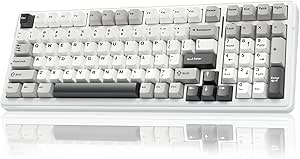
RK Royal Kludge RK98 Wireless Mechanical Keyboard, 98% Layout, Hot-Swappable Custom Switches, Tri-Mode Bluetooth/2.4G/USB-C, RGB Backlit, Brown Switches
The RK Royal Kludge RK98 stands out for combining a compact 98% layout with comprehensive connectivity options, making it ideal for programmers who need a space-saving yet full-featured keyboard. Its hot-swappable switches allow easy customization, unlike the fixed switch options on some models like the Keychron K10 Pro. The tri-mode connectivity ensures seamless pairing with multiple devices, a major advantage over wired-only options. However, the limited color palette and focus on white may not suit everyone’s aesthetic preferences, and RGB backlighting can impact battery life. Compared to the RK Royal Kludge M75, this model offers more connectivity flexibility but less switch variety. It’s best suited for programmers who value versatility and long battery life in a tidy, ergonomic design.
Pros:- Hot-swappable switches enable easy customization without soldering.
- Tri-mode connectivity supports Bluetooth, 2.4GHz, and USB-C for maximum device compatibility.
- Compact 98% layout retains essential keys while saving desk space.
- Long battery life with up to 168 hours Bluetooth off.
Cons:- Limited color options, primarily available in white.
- Battery life may decrease with extensive RGB lighting use.
- Switch options are limited to tactile brown switches in this model.
Best for: Programmers who need a flexible, space-efficient keyboard with long battery life and switch customization.
Not ideal for: Users preferring a variety of color options or who dislike white-heavy designs, or those seeking purely wired setups.
- Number of Keys:100
- Connectivity:Bluetooth 5.1, 2.4GHz, USB-C
- Switch Type:Brown, Tactile
- Battery Capacity:3750mAh
- Battery Life:Up to 168 hours Bluetooth off
- Backlighting:RGB
- Layout:98% compact with numpad and arrow keys
- Build:Hot-swappable PCB, ergonomic adjustable feet
- Color:White
Bottom line: This keyboard provides a versatile, ergonomic solution for programmers who need a full-featured, space-saving device with customizable switches.
RK Royal Kludge S98 Mechanical Keyboard with Smart Display & Knob, 96% Wireless, Hot Swappable, RGB Backlit, Top Mount, 98 Keys
The RK Royal Kludge S98 offers a compact 96% layout packed with innovative features like a smart display and a customizable knob, making it ideal for programmers who appreciate quick access to controls. Its sound-absorbing design provides a quieter typing experience compared to traditional models like the Keychron K10 Pro, which focuses more on size and key count. The hot-swappable switches allow easy personalization, but the learning curve for the smart display may deter some users. Unlike the RK98, this model emphasizes additional controls over connectivity options, supporting Bluetooth, 2.4G, and USB-C. It’s best suited for tech enthusiasts who want a sleek, feature-rich keyboard that integrates smart functions into their workflow.
Pros:- Smart display and adjustable knob provide quick access to controls and settings.
- Compact 96% layout saves space without sacrificing essential keys.
- Hot-swappable switches enable easy customization.
- Sound-absorbing design reduces typing noise.
Cons:- Learning curve for users unfamiliar with smart display features.
- Limited to 98 keys, which might restrict some workflows.
- Sound absorption may slightly dull typing feedback for some users.
Best for: Tech-savvy programmers who value extra control features and quiet, customizable typing.
Not ideal for: Users who prefer simple, plug-and-play keyboards without smart display features or those with limited space for extra controls.
- Product Type:KEYBOARDS
- Compatible Devices:Laptop, PC, Smartphone, Tablet
- Connectivity Technology:Bluetooth, RF, USB-C
- Number of Keys:98
- Backlit:Yes
- Hot-Swappable:Yes
Bottom line: Ideal for programmers who want a compact, quiet keyboard with advanced control features integrated into their workflow.
KN85 Wireless Mechanical Gaming Keyboard, 75% Layout with RGB Backlit, Custom Hot Swappable, Bluetooth/2.4GHz/USB-C Compatible
The KN85 delivers a 75% layout, making it a strong choice for programmers who prioritize desk space and portability. Its hot-swappable linear switches and RGB backlighting support personalized aesthetics and quiet, smooth typing, a contrast to bulkier full-size options like the Keychron K10 Pro. The triple connectivity—wired and wireless—supports various devices, but the smaller layout omits dedicated function keys, which may hinder efficiency for some users. The driver support is limited to Windows, unlike the Mac-compatible Keychron. Compared to the RK98, the KN85’s compact size sacrifices some dedicated keys, but it excels in portability and minimalist design. It’s best for programmers who need a small, customizable keyboard that’s easy to carry around.
Pros:- Compact 75% layout saves desk space and enhances portability.
- Supports wired, Bluetooth, and 2.4GHz wireless connections.
- Hot-swappable linear switches enable personalized, quiet typing.
- RGB backlighting with customizable effects.
Cons:- Lacks dedicated function keys, which may slow workflow.
- Driver software is limited to Windows, reducing customization for Mac users.
- Smaller size may take time to adapt for users accustomed to full layouts.
Best for: Programmers seeking a portable, space-efficient keyboard with customizable switches for a minimalist workspace.
Not ideal for: Users who rely heavily on dedicated F-keys or prefer a full-sized layout for extensive coding tasks.
- Product Type:KEYBOARDS
- Connectivity:Bluetooth, RF, USB-C
- Number of Keys:85
- Backlighting:RGB
- Keycap Material:PBT
- Hot Swappable:Yes
Bottom line: Perfect for programmers who want a minimal, portable keyboard without sacrificing connectivity and switch customization.
Keychron K10 Pro Wireless Mechanical Keyboard with RGB Backlight, Hot-Swappable, 108 Keys, Programmable, Bluetooth & USB-C Wired, Red Switch
The Keychron K10 Pro offers a classic full-size layout with 108 keys, making it an excellent choice for programmers who need a comprehensive keyboard with extensive customization options. Its support for QMK and VIA firmware makes remapping and macro creation straightforward, unlike some compact models with limited programmability. The hot-swappable Red switches provide smooth, quiet typing, suitable for long coding sessions. While larger than the RK98 or KN85, this model’s size might not be ideal for small desks. Compared to the more minimalist Keychron K3, the K10 Pro emphasizes functionality over space-saving design. It’s best for programmers who want a feature-rich, customizable keyboard that can handle complex workflows across multiple operating systems.
Pros:- Supports QMK and VIA firmware for advanced key remapping and macros.
- Hot-swappable switches allow easy customization.
- Wireless multi-device pairing via Bluetooth 5.1.
- Full-size layout with 108 keys for complex workflows.
Cons:- Remapping is only available in wired mode, limiting flexibility during wireless use.
- Large size may not suit small desks or portable needs.
- Battery life varies with RGB brightness and usage.
Best for: Programmers who need a full-scale keyboard with extensive customization and macro capabilities.
Not ideal for: Users with limited desk space or those seeking a more portable, minimalist setup.
- Product Type:Keyboard
- Connectivity:Bluetooth, USB-C
- Number of Keys:108
- Backlight:RGB
- Switch Type:Red (or Brown)
- Hot Swappable:Yes
Bottom line: Ideal for programmers who prioritize deep customization and macro support in a full-size, versatile keyboard.
Keychron K10 HE Hall Effect Wireless Mechanical Keyboard with Magnetic Switches, Hot Swappable, Adjustable Actuation, Aluminum and Wood Frame, Full-Size RGB for Mac, Windows, Linux
The Keychron K10 HE distinguishes itself with Hall Effect magnetic switches, offering unmatched durability and a highly responsive feel compared to traditional mechanical switches. Its tri-mode wireless connectivity and full-size 104-key layout make it suitable for users who demand reliability and versatility, especially across multiple operating systems. The aluminum and wood frame elevate its aesthetic and build quality, unlike typical plastic chassis. The adjustable actuation allows precise control over keystroke sensitivity, appealing to serious programmers seeking tactile accuracy. However, the higher price point and more complex setup with launcher software may deter casual users or those on a budget. Compared to the RK98, the K10 HE emphasizes durability and premium materials, making it ideal for long-term intensive use.
Pros:- Hall Effect magnetic switches provide exceptional durability and responsiveness.
- Tri-mode connectivity supports multiple devices and operating systems.
- Premium build with aluminum and wood accents enhances aesthetics.
- Adjustable actuation offers precise control over keystrokes.
Cons:- Higher price compared to standard mechanical keyboards.
- Setup process is more complex with extra software and configuration.
- Potential learning curve for users unfamiliar with magnetic switch technology.
Best for: Professional programmers seeking a highly durable, customizable, and premium-grade keyboard with advanced switch technology.
Not ideal for: Budget-conscious users or those preferring straightforward, plug-and-play setups without complex customization.
- Switch Type:Hall Effect magnetic
- Connectivity:Bluetooth 5.2, 2.4 GHz, Type-C wired
- Layout:Full-size QWERTY
- Number of Keys:104
- Backlighting:RGB
- Material:Aluminum and wood frame
- Hot-Swappable:Yes
- Actuation Range:0.2mm to 3.8mm
Bottom line: Best suited for dedicated programmers who want a resilient, high-end keyboard with premium materials and advanced switch technology.
AULA F99 Wireless Mechanical Keyboard, Tri-Mode BT5.0/2.4GHz/USB-C, Hot Swappable, RGB Backlit, Compact 99-Key Design for Gaming and Work
The AULA F99 stands out for its tri-mode connectivity—Bluetooth, 2.4GHz, and wired USB-C—making it a flexible choice for programmers who switch between devices or workspaces. Its hot-swappable switches offer customization without soldering, which is a major advantage over non-modular options like the Logitech G413 SE. The 99-key compact layout saves desk space, but can be less comfortable for extended typing sessions compared to full-size boards. Its large 8000mAh battery supports long hours of use, yet the water-receptive design means it’s not suitable for environments prone to spills. RGB lighting adds visual flair, but lacks software control for macro customization, limiting advanced productivity features. This pick makes sense for programmers who prioritize portability, multi-device use, and customization, but not for those who need a more water-resistant or fully programmable setup.
Pros:- Supports multiple connection modes including Bluetooth, 2.4GHz, and USB-C
- Hot-swappable switches enable easy customization without soldering
- Long-lasting 8000mAh battery for extended use
Cons:- Limited water resistance—water-receptive only
- No dedicated macro programming software
Best for: Programmers who need a portable, multi-device wireless keyboard with customizable switches
Not ideal for: Users seeking a water-resistant or highly programmable keyboard for long typing sessions at a fixed workstation
- Product Type:KEYBOARDS
- Compatible Devices:Gaming Console, Laptop, PC, Smartphone, Tablet
- Connectivity Technology:2.4GHz, BT5.0, USB-C
- Backlit:Yes
- Hot-Swappable:Yes
- Number of Keys:99
- Batteries Required:1
- Switch Type:Linear
Bottom line: Ideal for programmers seeking a flexible, portable keyboard with customization options, but not for spill-prone or macro-heavy workflows.
Logitech G413 SE Full-Size Mechanical Gaming Keyboard
The Logitech G413 SE offers a robust, full-size layout with durable PBT keycaps and a sleek brushed aluminum top case, making it a solid choice for programmers who also game. Its tactile mechanical switches ensure reliable feedback, and the anti-ghosting technology supports quick, accurate typing—better suited for prolonged coding sessions than smaller, compact models like the AULA F99. However, its wired-only design limits flexibility, and the absence of customizable keys reduces its appeal for advanced macro users. Its size may also be cumbersome on smaller desks, but for those prioritizing durability and a premium feel, this model excels. This keyboard is well-suited for programmers who value build quality and reliability over wireless convenience or extensive customization.
Pros:- Durable PBT, wear-resistant keycaps
- Reliable anti-ghosting with 6-key rollover
- Premium brushed aluminum top case
Cons:- No wireless connectivity, limiting flexibility
- Limited customization options
Best for: Programmers who need a durable, full-size wired keyboard with a premium finish
Not ideal for: Users with limited desk space or those seeking wireless or macro customization features
- Switch Type:Tactile Mechanical Switches
- Backlit:White LED
- Keycaps:PBT, heat- and wear-resistant
- Layout:Full-Size, Tenkeyless available
- Anti-Ghosting:6-Key rollover
- Material:Black brushed aluminum top case
Bottom line: Best for programmers who prioritize durability and a full-size layout over wireless features or extensive macro support.
SteelSeries USB Apex 5 Hybrid Mechanical Gaming Keyboard with OLED Display
The SteelSeries Apex 5 combines tactile blue mechanical switches with a membrane layer for added durability, making it a unique hybrid option. Its standout feature is the customizable OLED smart display, enabling programmers to view notifications, system info, or custom messages—an advantage over standard keyboards like the Redragon K745 PRO. The per-key RGB lighting is vibrant, and its aircraft-grade aluminum frame promises longevity. However, its heavier weight and premium price tag could be drawbacks for those seeking a lightweight or budget-friendly setup. The hybrid switch design balances responsiveness with durability but may not satisfy purists who prefer fully mechanical switches for typing precision. This keyboard suits programmers who want smart features and a sturdy build, but not those on a tight budget or seeking fully mechanical switches.
Pros:- Tactile blue switches with membrane durability
- Customizable OLED display for at-a-glance info
- Sturdy aircraft-grade aluminum frame
Cons:- Heavier weight, less portable
- Premium cost may be prohibitive for some users
Best for: Programmers who appreciate integrated smart displays and durable, hybrid switches
Not ideal for: Budget-conscious users or those preferring fully mechanical switches for typing feel
- Switch Type:Hybrid Blue Mechanical
- Key Count:104
- Backlighting:RGB
- Water Resistance Level:Water Resistant
- Material:Aircraft Grade Aluminum Alloy
- Wrist Rest:Magnetic, full palm support
Bottom line: Great for programmers who want a feature-rich, durable keyboard with smart display capabilities, but less so for those on a budget or preferring purist mechanical switches.
Logitech MX Mechanical Wireless Illuminated Performance Keyboard, Tactile Quiet Switches, Backlit Keys, Bluetooth, USB-C, Compatible with macOS, Windows, Linux, iOS, Android, Graphite
The Logitech MX Mechanical offers a full-size, wireless experience with low-profile tactile quiet switches, making it ideal for long coding sessions without disturbing colleagues. Its smart backlit keys adjust automatically to ambient light, reducing eye strain during late-night work—beneficial over the more basic backlighting of the Redragon K745 PRO. Multi-device pairing across different operating systems simplifies workflow, which surpasses most wired or single-device options like the G413 SE. The rechargeable battery lasts up to 15 days on a single charge, but heavy backlight use can shorten this. While it lacks extensive macro customization without Logi Options+, it provides a seamless, ergonomic experience for multi-platform programmers. This keyboard is best for multi-device users prioritizing comfort and quiet operation over advanced macro programming.
Pros:- Quiet tactile switches for comfortable, precise typing
- Smart backlit keys that adjust automatically
- Supports multi-device pairing across various OS
Cons:- Requires Logi Options+ software for full macro customization
- Not compatible with Logitech Unifying technology
Best for: Programmers working across multiple operating systems who value quiet, ergonomic, wireless typing
Not ideal for: Users seeking dedicated macro keys or fully customizable programmable features without software dependencies
- Switch Type:Tactile Quiet
- Backlit Keys:Yes, automatic adjustment
- Connectivity:Bluetooth, USB-C, Logi Bolt
- Battery Life:Up to 15 days
- Material:Includes post-consumer recycled plastic
- Compatibility:Windows, macOS, Linux, Chrome OS, iOS, Android
Bottom line: Best suited for multi-platform programmers who need a quiet, ergonomic wireless keyboard with automatic backlighting, but not for macro power users.
Redragon K745 PRO Wireless Gasket RGB Gaming Keyboard with Hotkeys and Hot-Swap Socket
The Redragon K745 PRO is designed with a gasket structure that dampens noise, creating a quieter typing experience suitable for shared environments. Its three connection modes—wired, Bluetooth, and wireless—offer flexibility that surpasses typical wired options like the G413 SE. The hot-swappable Mint Mambo linear switches enable customization, though the software setup can be complex for newcomers. Its full-size layout with additional hotkeys supports productivity, but the limited color options and slightly bulky design may not appeal to users seeking sleek aesthetics. For programmers who want a quieter, customizable keyboard at a lower price point, this model delivers solid value. This is a practical choice for budget-conscious programmers needing multi-mode wireless connectivity and noise dampening.
Pros:- Versatile three-mode connection for flexible use
- Hot-swappable switches for customization
- Effective noise dampening via gasket design
Cons:- Software setup may be challenging for beginners
- Limited aesthetic options and bulkier form factor
Best for: Budget-conscious programmers who need multi-mode wireless connectivity and noise reduction
Not ideal for: Users requiring extensive macro customization or a slim, minimalist design
- Keys:108
- Connection Modes:USB-C wired, Bluetooth, 2.4GHz wireless
- Switch Type:Mint Mambo linear switches
- Hotkeys:4 extra hotkeys
- Noise Dampening:5 layers
- Layout:Full size with anti-ghosting
Bottom line: Excellent for budget-minded programmers seeking a quiet, flexible wireless keyboard with customizable switches, but not ideal for those looking for sleek design or extensive macros.
RK Royal Kludge M75 Wireless Mechanical Keyboard with OLED Display, RGB Backlight, and Hot-Swappable Switches
The RK Royal Kludge M75 stands out for its blend of portability, connectivity options, and features tailored for multitasking. Its compact 75% layout makes it ideal for a clutter-free workspace, especially compared to larger boards like the RK100, which can feel bulky. The OLED display adds a layer of customization and quick info access, a feature absent in many wireless options. However, the absence of water resistance and the complexity of switching between multiple modes could pose issues for less experienced users. Its hot-swappable linear switches provide easy customization, but battery life remains unspecified, which could be a concern for heavy daily use.
Pros:- Compact 75% layout maximizes desk space
- Supports multiple connectivity modes for versatility
- OLED display offers real-time info and customization
- Hot-swappable switches allow easy customization
Cons:- No water resistance, which limits durability
- Battery life details are not provided
Best for: Programmers who need a compact, multi-device wireless keyboard with customization options.
Not ideal for: Users seeking water-resistant or highly durable keyboards for heavy travel or spill-prone environments.
- Layout:75%
- Keys:81
- Connectivity:Bluetooth 5.1, 2.4G wireless, USB-C wired
- Switch Type:Hot-swappable linear switches
- Display:OLED smart display
- Battery:Rechargeable
Bottom line: This keyboard suits programmers who prioritize portability and multi-device support over rugged durability.
Keychron K3 Version 2 75% Wireless Mechanical Keyboard with White Backlit and Brown Switches
The Keychron K3 V2 offers a slim profile with its low-profile Brown switches, making it a prime choice for those who want tactile feedback without bulk. Compared to the RK Royal Kludge M75, it sacrifices some connectivity options for a more streamlined, lightweight design, emphasizing portability. Its white backlit keys enhance visibility, especially in dim environments, but the 75% layout may not satisfy users needing a full-size keyboard with dedicated function keys. The reinforced aluminum body adds durability, yet the plastic bottom frame could be less sturdy over time. This model is particularly well-suited for Mac users and those who switch devices frequently, thanks to seamless multi-device pairing.
Pros:- Ultra-slim, lightweight design ideal for portability
- Supports multi-device pairing with seamless switching
- Low-profile Brown switches provide tactile feedback
- White backlit enhances low-light visibility
Cons:- Limited to 75% layout, not suitable for users needing dedicated function keys
- Plastic bottom frame may impact long-term durability
Best for: Programmers who need a portable, lightweight keyboard with tactile feedback for multi-device tasks.
Not ideal for: Power users requiring a full-size keyboard with dedicated macro keys or extended connectivity options.
- Layout:75%
- Connectivity:Bluetooth 5.1, USB Wired
- Switch Type:Mechanical Brown
- Backlit:White LED
- Material:Reinforced aluminum body
- Compatibility:Mac, Windows
Bottom line: This pick is perfect for programmers who prioritize portability and tactile accuracy in a sleek, multi-device keyboard.
Cherry KC 200 MX Wired Mechanical Office Keyboard with Aluminum Surface and Silent Red Switches
The Cherry KC 200 MX is a refined choice for those focused on quiet, smooth typing, especially in professional environments. Its aluminum surface lends a sleek, modern aesthetic that elevates any workspace. The MX2A Silent Red switches provide a quieter experience compared to clicky switches, which can be a significant advantage over more tactile options like Brown switches. However, the wired-only connection limits flexibility, and the limited color options may not appeal to those seeking aesthetic variety. Compared with wireless models such as the RK Royal Kludge M75 or Keychron K3 V2, this keyboard offers less portability but excels in stability and noise reduction, making it ideal for office settings.
Pros:- Quiet, smooth typing with MX2A Silent Red switches
- Elegant aluminum surface adds a premium look
- Durable construction with abrasion-resistant keycaps
- Full N-key rollover and anti-ghosting for reliable performance
Cons:- Wired-only connection limits flexibility
- No wireless or Bluetooth support
Best for: Professionals who need a durable, quiet keyboard for frequent typing in quiet or shared workspaces.
Not ideal for: Programmers looking for wireless or portable options, or those who prefer customizable switches and RGB lighting.
- Product Type:Wired Mechanical
- Switch Type:MX2A Silent Red
- Material:Metal
- Layout:Full-size
- Dimensions:16.93″ L x 4.76″ W x 1.54″ H
- Connectivity:USB-A
Bottom line: This keyboard is a strong choice for professionals prioritizing quiet operation and durability over portability or customization.
RK Royal Kludge RK100 Wireless Mechanical Keyboard RGB Backlit Bluetooth 5.1 / 2.4G / Wired 96% Full Size 100-Key Hot Swappable Gaming Keyboard Red Switch Carbon
The RK Royal Kludge RK100 appeals to those who need a full-sized, feature-rich keyboard capable of switching between gaming and programming tasks. Its 96% layout offers all standard keys with a compact footprint compared to traditional full-size boards. The support for Bluetooth 5.1, 2.4GHz, and wired connections surpasses many competitors like the Keychron K3 V2 in connectivity options, making it ideal for multi-device setups. The hot-swappable switches provide customization, but the ABS construction and bulky design could hinder portability, especially for on-the-go programmers. Its programmable RGB lighting and additional USB pass-through ports are beneficial for advanced customization, but the lack of dedicated macro keys might limit some workflows.
Pros:- Supports multiple connectivity modes including Bluetooth and wired
- Hot-swappable switches enable customization
- Full 100-key layout with additional ports for accessories
- Programmable RGB lighting for personalization
Cons:- Bulky design reduces portability
- ABS plastic construction may impact durability
Best for: Programmers who want a full-size, multi-connection keyboard with switch customization for both work and gaming.
Not ideal for: Users seeking a compact, lightweight keyboard or those prioritizing wireless convenience over wired stability.
- Connectivity:Bluetooth 5.1, 2.4GHz, Wired
- Number of Keys:100
- Backlight:RGB
- Switch Type:Red (tactile)
- Hot Swappable:Yes
- Material:ABS
Bottom line: This keyboard is ideal for programmers who need a full-featured, multi-device, wired or wireless setup with switch customization.
How We Picked
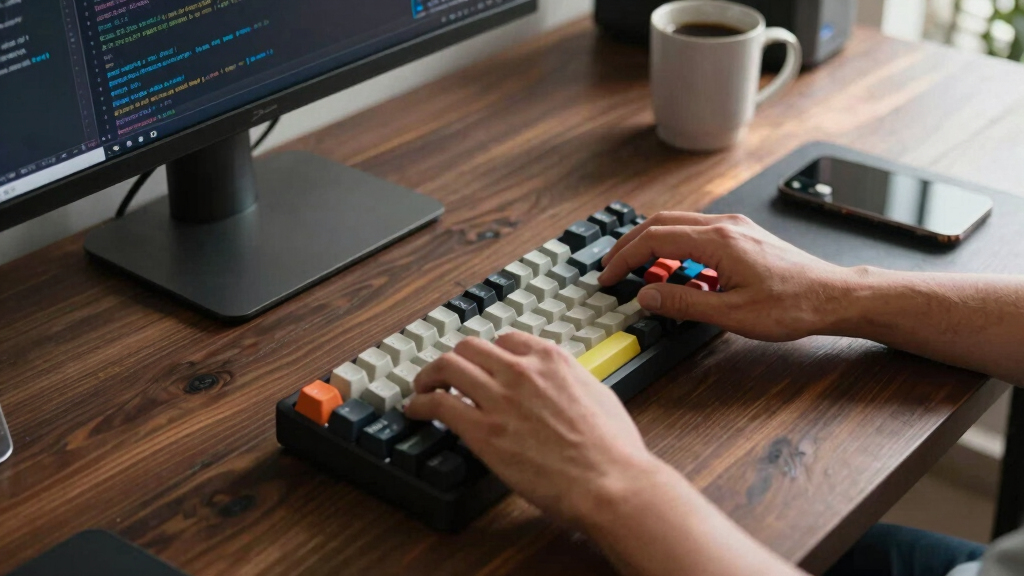
These keyboards were evaluated based on performance, build quality, usability, and value specifically for programmers. Priority was given to typing comfort, switch quality, and customization options, since long coding sessions demand reliable and comfortable input devices. Connectivity versatility—wired versus wireless—was also considered, along with layout options that affect workspace efficiency. Products were ranked through a combination of feature set, user feedback, and price-to-performance ratio, ensuring that each option offers a clear advantage for certain types of programmers or use cases.Factors to Consider When Choosing Best Mechanical Keyboards For Programmers
When selecting a mechanical keyboard for programming, it’s essential to consider factors beyond just the switches and layout. The right keyboard can improve your typing comfort, reduce fatigue, and enhance productivity. Understanding your specific needs and tradeoffs will help you find a device that fits your workflow and budget.Switch Type and Feel
Switches influence typing feel and sound, affecting comfort during long sessions. Linear switches are smooth and quiet, ideal for distraction-free work, while tactile and clicky switches provide feedback that many programmers find satisfying. Hot-swappable switches allow easy customization without soldering, a valuable feature for those who want to experiment or upgrade over time.
Connectivity Options
Wireless keyboards offer freedom of movement and clutter-free desks, but wired options typically deliver lower latency, which can matter for fast typists or those who rely on precise input. Consider your workspace setup and whether Bluetooth, USB-C, or a combination of both best suits your needs. Some models include multi-device pairing, increasing versatility for multitasking setups.
Layout and Size
The choice between full-size, tenkeyless, or compact layouts impacts workspace efficiency. Full-size keyboards include a dedicated number pad, which is useful for data entry but takes up more space. Compact layouts save desk real estate and are easier to carry, but may require compromises in functionality. Think about your typical tasks and whether number pads or dedicated keys are essential.
Build Quality and Materials
Durability and typing comfort are tied to build materials like aluminum or high-quality plastics. A solid construction ensures longevity, especially for frequent use. Additionally, features like adjustable feet or wrist rests enhance ergonomics, reducing strain during extended coding sessions. Don’t overlook the importance of a keyboard that feels sturdy and well-made.
Additional Features and Customization
Extras like programmable keys, RGB lighting, OLED displays, or magnetic switches add convenience and personalization. While these features can boost productivity or make the keyboard more enjoyable, they often come with higher costs and complexity. Prioritize features that genuinely improve your workflow, and be cautious of overpaying for bells and whistles that don’t add real value for programming tasks.
Frequently Asked Questions
Is a mechanical keyboard worth it for programming?
Absolutely. Mechanical keyboards provide better tactile feedback and durability, reducing fatigue during long coding sessions. Their customizable switches and layouts allow you to tailor the typing experience to your preferences, which can improve accuracy and comfort. While they tend to cost more upfront, their longevity and improved ergonomics make them a worthwhile investment for programmers.
Should I choose a wired or wireless mechanical keyboard?
Wired keyboards generally deliver the lowest latency and a more stable connection, making them ideal for fast typing and gaming. Wireless models, on the other hand, offer greater flexibility and a cleaner workspace. For most programmers, a reliable Bluetooth connection can suffice, but if you require absolute responsiveness, a wired option might be better. Consider your workspace setup and personal preferences when deciding.
What switch type is best for programming?
Many programmers prefer tactile or linear switches based on their typing style. Tactile switches, like Cherry MX Browns, provide feedback that helps prevent accidental key presses, while linear switches, like Reds, offer smooth keystrokes with less noise. Ultimately, choosing the right switch depends on your comfort and noise tolerance, but testing different types can be very helpful before making a decision.
Is a full-size keyboard necessary for programming?
Not necessarily. Full-size keyboards with a number pad are useful for data entry or financial work, but many programmers find tenkeyless or compact layouts sufficient and more space-efficient. If portability or desk space is a concern, a smaller layout can work well, but ensure it still includes all the essential keys you use regularly.
Are customizable features worth paying extra for?
Customizable features like programmable keys, RGB lighting, or OLED displays can enhance productivity and personalization, but they are not essential for effective programming. If you value aesthetics or workflow customization, investing in these features makes sense. However, prioritize core qualities like switch feel, build quality, and ergonomics first, and treat extras as optional upgrades.
Conclusion
For most programmers, the RK Royal Kludge RK98 offers the best balance of features, build, and versatility, making it the top overall pick. The Keychron K3 Version 2 is ideal for those seeking a compact, wireless setup, especially if portability is a priority. For professionals who demand a premium typing experience, the Logitech MX Mechanical delivers quiet, high-quality performance. Beginners or budget-conscious users should consider more straightforward, reliable models like the RK98 or Keychron K3. Advanced users or those with specific customization needs might lean toward hot-swappable, programmable options like the RK Royal Kludge M75 or AULA F99. Ultimately, selecting the best keyboard depends on your workspace, typing preferences, and budget—use this guide to find the right fit for your programming workflow.