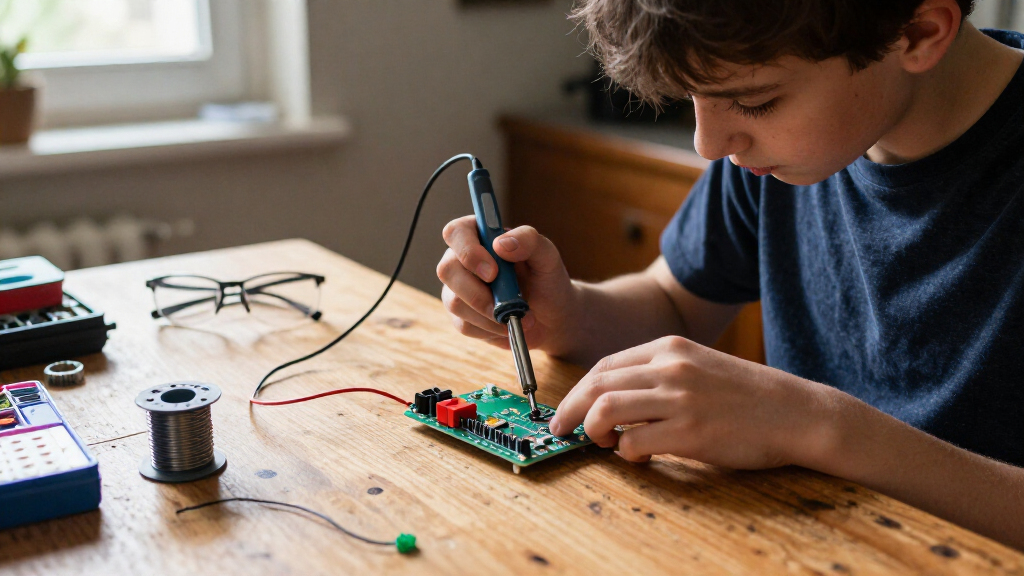
For adults learning to solder, the WEP 927-IV is my best overall pick for its station-style setup and included magnifier, while the MEAKEST 60W Kit is a simpler starting point and the amomii Testudo offers several guided practice projects. The main choice is between buying a reusable tool kit for varied repairs or a project kit that gives you a specific circuit to assemble. Temperature control, included accessories, and how much instruction the kit provides also shape the learning experience. Some options focus on small, satisfying builds; others add specialized hot-air work or station features that may be more than a first-timer needs. Read on for the full breakdown and a guide to matching a kit to your goals.

Prime made for students and young adults
- Fast, free delivery for dorm and study essentials
- Prime Video and Amazon Music included
- Member-only deals
Key Takeaways
- Station-style kits and project kits serve different first goals: the WEP 927-IV and WEP 992D+ center on reusable equipment, while the radio, game, and LED kits give beginners a defined build to complete.
- Temperature adjustment is a useful step up from a basic iron: the MEAKEST 60W Kit offers adjustable heat in a more portable format, while the WEP 927-IV adds a station setup and magnifier.
- More features do not automatically make a better first purchase: the WEP 992D+ adds hot-air rework, a capability many beginners may not need for ordinary through-hole practice.
- Practice variety differs sharply across this lineup: the amomii Testudo includes three projects, while the two-pack SMD kit and two-set Christmas tree kit provide repeated practice in narrower formats.
- Finished projects can shape motivation as well as skill: the Bluetooth speaker, FM radio, and driving simulator offer functional or interactive goals, while the color-matching game, gyroscope, and LED tree lean toward visual play.
| WEP 992D+ 2-in-1 Soldering Iron and Hot Air Rework Station Kit |  | Best for Beginners Ready to Learn Rework | Functions: Soldering station and hot-air rework station | Iron temperature range: 392°F–896°F (200°C–480°C) | Hot-air temperature range: 212°F–896°F (100°C–480°C) | VIEW LATEST PRICE | See Our Full Breakdown |
| MEAKEST 60W Soldering Iron Kit with Adjustable Temperature |  | Best Value Starter Iron | Power: 60 W | Temperature range: 200–450°C | Input voltage: 110V AC | VIEW LATEST PRICE | See Our Full Breakdown |
| WEP 927-IV 110W Soldering Station Kit with LED Magnifier and Accessories |  | Best Guided Bench Setup | Power: 110 W | Temperature range: 90°C–480°C (194°F–896°F) | Preset channels: 3 | VIEW LATEST PRICE | See Our Full Breakdown |
| Gikfun FM Radio Soldering Practice Kit, 87–108 MHz, EK1989 |  | Best Project-Based Learning Kit | Radio frequency range: 87–108 MHz | Operating voltage: DC 3/5 V | Power options: USB or battery | VIEW LATEST PRICE | See Our Full Breakdown |
| VECO-T DIY Soldering Practice Kit with 4 Classic Games |  | Best for a Playable First Build | Model: DIY-002 | Games: Classic Block, Slithering, Racing, Shooter | Power: 3 AAA batteries (case included) or 5V USB | VIEW LATEST PRICE | See Our Full Breakdown |
| DIY LED Color-Matching Soldering Game Kit |  | Best for an Interactive Build | Brand: MUXWELL | Model: MX-03 | LED strip length: 78.7 inches | VIEW LATEST PRICE | See Our Full Breakdown |
| amomii Testudo Soldering Practice Kit with 3 Projects |  | Best for Guided Learning | Brand: amomii | Model: TD01V1K | Projects: Digital piano, infrared remote, and arcade console | VIEW LATEST PRICE | See Our Full Breakdown |
| EGSCST 2-Pack SMD Soldering Practice Kit |  | Best for Surface-Mount Practice | Brand: EGSCST | Model number: 2PCS-SMK | Number of kits: 2 | VIEW LATEST PRICE | See Our Full Breakdown |
| DIY LED Christmas Tree Soldering Kit, 2 Sets |  | Best Simple Through-Hole Project | Brand: DIKAVS | Model number: SD-1 | Kit quantity: 2 sets | VIEW LATEST PRICE | See Our Full Breakdown |
| MiOYOOW DIY Bluetooth Speaker Kit with LED Lights, Dual 3W Speakers, and Soldering Practice |  | Best for a Useful Finished Build | Speaker output: Dual 3W speakers | Audio output: Stereo, 2 channels | Impedance: 4 ohms | VIEW LATEST PRICE | See Our Full Breakdown |
| ISolderStore LED Rotating Gyroscope Soldering Practice Kit |  | Best for Component-Placement Practice | Brand: ISolderStore | Assembly: Soldering required | Components: Non-SMD components | VIEW LATEST PRICE | See Our Full Breakdown |
| LUMINZENLUX DIY FM Radio Soldering Kit with Acrylic Case |  | Best for a Functional First Build | Brand: LUMINZENLUX | Tuner: FM, 87–108 MHz | Power: USB or 3 AA batteries (not included) | VIEW LATEST PRICE | See Our Full Breakdown |
| MiOYOOW Car Driving Simulation Soldering Practice Kit |  | Best for Interactive Circuit Learning | Brand: MiOYOOW | Model: GY21738 | Recommended age: 15 years and up | VIEW LATEST PRICE | See Our Full Breakdown |
| Crtsweker 100W Digital Soldering Station Kit with Helping Hands |  | Best Starter Workstation | Brand and model: Crtsweker 938-green | Power: 100 W | Temperature range: 180–480°C (356–896°F) | VIEW LATEST PRICE | See Our Full Breakdown |
More Details on Our Top Picks
WEP 992D+ 2-in-1 Soldering Iron and Hot Air Rework Station Kit
For an adult beginner who wants to move beyond basic wire joints, the WEP 992D+ combines a conventional soldering iron with hot air rework in one station. That gives you room to practice through-hole soldering and learn to remove or work with surface-mount parts, while the three memory presets make it easier to return to familiar settings. Its tilted LCD and included tips, nozzles, and cleanup tools offer more guidance and flexibility than the simpler MEAKEST 60W iron kit.
The tradeoff is a steeper learning curve: hot air adds another tool and technique to manage, so this is more station than someone needs for occasional beginner projects. Its 110–127V input also limits where it can be connected, and the 120 L/min maximum airflow may not suit every rework task. I’d choose it for an adult learner who wants a broader electronics toolkit, not a first iron for the smallest jobs.
Pros:- Combines soldering and hot-air rework in one station.
- Three memory channels store temperature and airflow settings.
- Includes five iron tips, four hot-air nozzles, and useful cleanup and rework tools.
- Detachable handles support replacement and repair.
Cons:- More functions and controls can be a lot for someone learning basic solder joints.
- 110–127V input is not suitable for direct connection to a 220V socket.
- Maximum hot-air airflow is 120 L/min.
Best for: Adult beginners who plan to practice both standard soldering and hot-air component rework at a dedicated electronics bench.
Not ideal for: People who only need to solder wires or simple through-hole kits, or anyone whose available outlet is 220V.
- Functions:Soldering station and hot-air rework station
- Iron temperature range:392°F–896°F (200°C–480°C)
- Hot-air temperature range:212°F–896°F (100°C–480°C)
- Maximum airflow:120 L/min
- Presets:3 memory channels
- Display:Tilted LCD
- Included tips and nozzles:5 soldering iron tips and 4 hot-air nozzles
- Voltage:110–127V
Our verdict“Choose the WEP 992D+ if you want one beginner station for learning both iron soldering and hot-air rework, rather than a simpler iron for basic practice.”
MEAKEST 60W Soldering Iron Kit with Adjustable Temperature
The MEAKEST 60W kit keeps the learning setup simple: it is a corded iron with adjustable temperature and a collection of basics, including a stand, tips, solder wire, flux, tweezers, and a desoldering pump. For an adult starting with small electronics, that straightforward format can be easier to approach than the WEP 927-IV station, which adds a dual display, presets, sleep timer, and integrated magnifier. The ceramic heater and 200–450°C adjustment let the learner vary heat for different small soldering tasks.
Its simplicity also sets limits. This is an iron kit, not a station for hot-air work or a larger range of bench tasks, so it cannot match the WEP 992D+ for rework versatility. The 110V AC requirement narrows outlet compatibility, and the product is described for small jobs. I’d pick it as a compact first setup for practicing basic joints, but not as a long-term all-purpose electronics station.
Pros:- Adjustable temperature supports different small soldering tasks.
- Ceramic heater and ventilation holes are designed to aid heating and heat management.
- Includes a stand, soldering tips, flux, tweezers, and a desoldering pump.
- On/off switch and heat-resistant silicone cover support safer handling and pauses.
Cons:- 110V AC input limits compatibility with other power supplies.
- Intended for small soldering tasks rather than broader bench work.
- Does not provide the station controls or hot-air function found on the WEP models.
Best for: Adults learning basic soldering on small electronics who want an adjustable corded iron and essential accessories without a full station.
Not ideal for: Learners who want hot-air rework, station-style temperature controls, or a kit for larger soldering jobs; also skip it if you lack a 110V AC supply.
- Power:60 W
- Temperature range:200–450°C
- Input voltage:110V AC
- Heating element:Ceramic
- Power source:Corded electric
- Number of items:12
- Length:9.84 in
- Weight:570 g
Our verdict“Pick the MEAKEST if you want a straightforward adjustable iron for learning small soldering jobs, and skip it if you need station-level features or rework capability.”
WEP 927-IV 110W Soldering Station Kit with LED Magnifier and Accessories
The WEP 927-IV is a strong fit for adult beginners who want a dedicated station with features that support careful, repeatable practice. Its dual display shows set and actual temperature, while three preset channels let you save familiar settings. The integrated LED magnifier and helping hands can make small components easier to see and hold steady—practical assistance that the simpler MEAKEST iron kit does not provide. A timed sleep mode and included cleaning and storage accessories also help create a more organized bench.
Those conveniences come with a narrower path than the WEP 992D+: this is a soldering station, not a combined hot-air rework system. Its iron uses WEP #1400-compatible tips, so tip choice is tied to that format, and it is designed for 110–127V outlets. I’d favor it over a basic iron for learners who value visibility and station controls, but not for anyone seeking hot-air practice or broader tip compatibility.
Pros:- Dual display shows set and actual temperatures.
- Three presets and a timed sleep mode support repeatable, controlled practice.
- Integrated LED magnifier and helping hands assist with small components.
- Includes soldering and cleaning accessories with a storage block.
Cons:- 110–127V rating rules out direct connection to a 220V socket.
- Compatible with WEP #1400 soldering iron tips.
- Does not include hot-air rework, unlike the WEP 992D+.
Best for: Adult beginners assembling small electronics who want temperature feedback, hands-free component support, and an integrated magnifier at their workbench.
Not ideal for: People who need hot-air rework, use a 220V supply, or want compatibility with soldering iron tips outside the WEP #1400 type.
- Power:110 W
- Temperature range:90°C–480°C (194°F–896°F)
- Preset channels:3
- Sleep timer:0–99 minutes
- Voltage:110–127V
- Iron tip compatibility:WEP #1400
- Included bench aids:LED magnifier and helping hands
- Technical support:1 year
Our verdict“Choose the WEP 927-IV if clear temperature feedback and hands-free magnification matter more to your learning setup than hot-air rework.”
Gikfun FM Radio Soldering Practice Kit, 87–108 MHz, EK1989
The Gikfun EK1989 gives adult beginners a concrete reason to practice: assemble a working FM radio rather than only making test joints. Its 87–108 MHz tuning range, digital LCD, and headphone jack make the finished project useful for checking whether the build works, while USB or battery power adds flexibility after assembly. Compared with the VECO-T handheld game kit, this project centers on a familiar electronics device instead of multiple games, making it a better match for learners curious about a simple radio build.
This is a practice project, not a soldering iron kit, so you’ll need a separate iron and the skills to assemble the components before listening. The battery setup also requires the included case and a battery, while the VECO-T offers USB power as well. I’d choose the Gikfun for adults motivated by radio electronics; those seeking a ready-to-use tool or more guided practice should look at an iron kit instead.
Pros:- Turns soldering practice into assembly of a functional FM radio.
- Digital LCD and headphone jack provide clear ways to use the completed project.
- Supports USB or battery power.
- Compact assembled dimensions make it easy to keep or carry.
Cons:- Requires soldering and assembly before it can be used.
- Does not include a soldering iron.
- Battery operation requires setting up a separate battery supply in the included case.
Best for: Adult beginners who already have access to a soldering iron and want to learn by assembling a compact FM radio.
Not ideal for: Anyone looking for a soldering iron and tools in the box, or learners who would rather build a playable game than a radio.
- Radio frequency range:87–108 MHz
- Operating voltage:DC 3/5 V
- Power options:USB or battery
- Display:Digital LCD
- Audio output:Wired headphone jack
- Dimensions:4.33 × 0.9 × 2.75 in
- Weight:0.18 kg
- Warranty:1 year
Our verdict“Choose the Gikfun EK1989 if building a real FM radio is more motivating than practicing on a standalone board and you already have a soldering iron.”
VECO-T DIY Soldering Practice Kit with 4 Classic Games
The VECO-T DIY-002 makes soldering practice feel like a project with a payoff: once assembled, the handheld device plays four games, including Classic Block, Slithering, Racing, and Shooter. Its manual and video tutorial give first-time builders guidance, while the digital display and USB or three-AAA power options make the finished device easy to try. Compared with the Gikfun FM radio, this kit offers more varied play after assembly; the Gikfun is the better fit for learners drawn specifically to radio electronics.
The main tradeoff is that this is still a build, not a ready-to-play gadget or soldering tool, and beginners may find the assembly challenging. The listed package is a DIY project kit, so buyers should not assume it includes an iron or batteries. I’d choose it for adults who learn best with a tangible, playable result, but a station such as the WEP 927-IV is more appropriate for someone seeking equipment for repeated soldering projects.
Pros:- Completed handheld plays four classic games.
- Includes a manual and video tutorial for beginner guidance.
- Can run on three AAA batteries or 5V USB power.
- Compact handheld format gives the build a practical end use.
Cons:- Assembly and soldering may challenge someone with no prior practice.
- The listed kit does not specify that a soldering iron is included.
- AAA batteries are not specified as included.
Best for: Adult beginners who want guided soldering practice that ends with a handheld device they can play, and who have access to a soldering iron.
Not ideal for: People seeking a ready-to-use game device, a soldering iron included in the kit, or a project requiring minimal assembly.
- Model:DIY-002
- Games:Classic Block, Slithering, Racing, Shooter
- Power:3 AAA batteries (case included) or 5V USB
- Voltage:5V
- Display:Digital
- Weight:5.85 ounces
- Dimensions:6.69 × 3.93 × 1.97 inches
- Included components:1 DIY solder project kit
Our verdict“Pick the VECO-T if a guided build with a playable result will keep you engaged, and choose a dedicated station instead if you need soldering equipment.”
DIY LED Color-Matching Soldering Game Kit
This kit makes the most sense for an adult who wants a reason to keep using a soldered project after assembly. Its 78.7-inch LED strip becomes a color-matching game with adjustable difficulty, lives, and level targets, so it offers more ongoing interaction than the DIKAVS Christmas Tree Kit, which is mainly a small finished ornament. The illustrated manual supports assembly, but this is not a ready-to-play beginner bundle: you must supply a soldering iron and solder wire, and complete the electronic assembly before the game works. The long strip also gives the finished project a more prominent place on a wall or flat surface. Choose it for a playful build, not for the simplest first soldering exercise.
Pros:- Interactive color-matching gameplay gives the finished build an ongoing use.
- Adjustable difficulty, lives, and level targets allow different challenge settings.
- The 78.7-inch self-adhesive LED strip suits wall or flat-surface mounting.
- Illustrated step-by-step manual helps guide assembly and setup.
Cons:- Soldering iron and solder wire are not included.
- Requires electronic assembly before the game can be played.
- The long LED strip needs more mounting space than a compact practice board.
Best for: Adults who already have soldering tools and want to build an interactive LED game they can mount and play.
Not ideal for: First-time learners seeking a complete tool bundle or a short, straightforward practice project; the iron and solder wire are absent, and assembly is required before gameplay.
- Brand:MUXWELL
- Model:MX-03
- LED strip length:78.7 inches
- LED count:120 beads
- Included components:LED strip, controller PCB, electronic components, outer shell
- Game features:Adjustable difficulty, lives, and level targets; music and voice prompts
- Instructions:Illustrated step-by-step manual
- Soldering supplies:Soldering iron and solder wire not included
Our verdict“Pick this if you want a soldered project that becomes a playable LED game and already own the required tools.”
amomii Testudo Soldering Practice Kit with 3 Projects
Among these five kits, the Testudo gives a beginner the clearest learning path: it pairs three builds—a digital piano, infrared remote, and arcade console—with printed instructions, PDF manuals, video tutorials, and a soldering fundamentals course. That makes it a more structured choice than the EGSCST SMD Practice Kit, which focuses on component-placement practice rather than guided lessons or finished projects. The amomii ONE USB-C microcontroller and browser-based activation let learners try the projects without starting with code, while open-source files leave room to explore later. The tradeoff is that this is a larger commitment than a single-project kit, and the soldering iron and basic tools must be supplied separately. It suits adults who want instruction and variety, not someone seeking a quick, tool-inclusive first build.
Pros:- Includes three distinct projects: a digital piano, infrared remote, and arcade console.
- Printed, PDF, and video instruction plus a soldering fundamentals course support different learning styles.
- Browser-based project activation lets beginners try builds without coding.
- Open-source code, schematics, hardware files, and enclosure designs support later customization.
Cons:- Soldering iron and basic tools are required but not included.
- Multiple projects and learning materials require more time and setup than a single-kit build.
- Contains small parts; children under 14 require adult supervision.
Best for: Adult beginners who want several guided soldering projects, multiple teaching formats, and a path toward later coding or customization.
Not ideal for: Buyers who need soldering tools included or want a single small project with minimal setup; children under 14 also need adult supervision.
- Brand:amomii
- Model:TD01V1K
- Projects:Digital piano, infrared remote, and arcade console
- Microcontroller:amomii ONE, USB-C
- Included components:IR Hacks Soldering Kit, Mini Grand Soldering Kit, Neon Tennis Soldering Kit, Testudo Soldering Kit, and amomii ONE microcontroller
- Learning materials:Printed instructions, PDF manuals, video tutorials, and soldering fundamentals course
- Recommended age:14 years and up
- Soldering iron and tools:Required, not included
- Open-source resources:Code, hardware files, schematics, and 3D-printable enclosure designs
Our verdict“Choose the Testudo if you want a guided sequence of projects and learning resources rather than one standalone soldering exercise.”
EGSCST 2-Pack SMD Soldering Practice Kit
The EGSCST is the most focused practice option here: two boards expose beginners to 0805 and 0603 SMD components, along with diodes, transistors, and IC chips. Clearly marked footprints help show where parts belong, but this kit is about learning placement and soldering technique—not building a finished game or gadget. That makes it a more targeted skills exercise than the amomii Testudo, which offers instruction and multiple functional projects, but with less project-based motivation and no stated lessons or tools. Having two practice sets gives you another board for repeating the task, though the component work is small and may be a frustrating first encounter without steady hands and suitable equipment. I would pick it for an adult who specifically wants surface-mount practice, not as the broadest introduction to electronics.
Pros:- Two practice kits provide an additional board for repeating component-soldering work.
- Includes both 0805 and smaller 0603 SMD components.
- Practice variety includes diodes, transistors, and IC chips.
- Clearly marked PCB footprints guide component placement.
Cons:- Soldering tools and supplies must be purchased or supplied separately.
- Focuses on practice rather than producing a finished electronic project.
- Small surface-mount components can be difficult for a first-time solderer.
Best for: Adult hobbyists or students who already have soldering tools and want focused practice with small surface-mount components.
Not ideal for: Absolute beginners seeking a finished working project, step-by-step lessons, or included soldering supplies; small SMD parts can be demanding without basic technique.
- Brand:EGSCST
- Model number:2PCS-SMK
- Number of kits:2
- PCB material:Green PCB
- Component types:0805 and 0603 components, diodes, transistors, and IC chips
- Included components:Electronic components
- Board markings:Clearly labeled component footprints
- Soldering tools and supplies:Not included
Our verdict“Choose this pair when your goal is repeated SMD technique practice, not a guided project that becomes a usable gadget.”
DIY LED Christmas Tree Soldering Kit, 2 Sets
For adults looking for a compact first circuit rather than a broad electronics course, this two-set ornament kit keeps the task concrete: solder through-hole parts including a resistor, capacitor, and 555 timer, then display the alternating red and green LEDs. Its included soldering instructions make it more approachable than the EGSCST SMD Practice Kit, whose smaller surface-mount parts demand more precise placement. The second set is useful for another attempt or a matching ornament, but the finished project is limited in function compared with the playable DIY LED Color-Matching Game. Batteries are not included, and the kit does not include a soldering iron or solder wire in the supplied product details, so buyers should plan for their own equipment. This is a seasonal, small-scale lesson—not a reusable electronics platform.
Pros:- Two sets provide a repeat build or a second ornament.
- Introduces basic through-hole soldering and circuit design.
- Includes soldering instructions for the assembly process.
- Finished LED ornaments can be displayed on a tree, backpack, or windowsill.
Cons:- Batteries are not included.
- The finished ornament offers less ongoing interaction than game-based kits.
- Contains small parts and is not suitable for children under 14.
Best for: Adult beginners who want a small through-hole soldering exercise with a decorative result and a second set for practice or gifting.
Not ideal for: Learners seeking a tool-inclusive kit, a year-round interactive project, or practice with surface-mount components; batteries are also separate.
- Brand:DIKAVS
- Model number:SD-1
- Kit quantity:2 sets
- Included components:PCB, capacitor, resistor, and 555 timer
- Lighting:Alternating red and green LEDs
- Educational objective:STEM, through-hole soldering, and circuit design
- Recommended age:14 years and up
- Batteries:Not included
- Dimensions:3.4 x 3 x 0.06 inches
Our verdict“Pick this for a straightforward through-hole practice build with a seasonal keepsake, provided you have tools and batteries.”
MiOYOOW DIY Bluetooth Speaker Kit with LED Lights, Dual 3W Speakers, and Soldering Practice
This MiOYOOW kit is the strongest fit for an adult who wants a practical object at the end of a soldering session: a portable stereo speaker with dual 3W speakers, flashing lights, and Bluetooth, TF card, and USB playback. Compared with the DIKAVS Christmas Tree Kit, it offers everyday audio use rather than a decorative result, but its assembly is less focused on soldering fundamentals. The LED board, wires, and enclosure require soldering, while the amplifier board arrives pre-soldered; that reduces the number of solder joints, yet also limits practice on the central audio circuit. A printed manual and infrared remote add convenience, though the product calls for foundational electronics knowledge and Bluetooth module versions may use different connection steps. It is better for a motivated learner than a complete novice seeking a simple first board.
Pros:- Finished speaker supports Bluetooth, TF card, and USB flash drive playback.
- Dual 3W speakers provide stereo audio output.
- Includes flashing LEDs, an acrylic enclosure, and an infrared remote.
- Printed assembly manual guides the build.
Cons:- Requires foundational electronics knowledge rather than being the simplest first soldering project.
- Amplifier board is pre-soldered, limiting practice on that part of the circuit.
- Bluetooth module versions may require different connection steps.
Best for: Adults with basic electronics familiarity who want a soldering project that becomes a multi-source stereo speaker.
Not ideal for: Absolute beginners looking for a fully soldered amplifier build or a simple first practice board; Bluetooth connection steps can vary by module version.
- Speaker output:Dual 3W speakers
- Audio output:Stereo, 2 channels
- Impedance:4 ohms
- Enclosure material:Acrylic
- Playback options:Bluetooth, TF card, and USB flash drive
- Lighting:Flashing LED lights
- Controls:Infrared remote
- Assembly:Soldering required; amplifier board is pre-soldered
- Instructions:Printed assembly manual
Our verdict“Choose this if you have some electronics background and want a soldering project with practical audio playback afterward.”
ISolderStore LED Rotating Gyroscope Soldering Practice Kit
I’d choose this kit for an adult who wants a focused first project rather than a full soldering workstation. Its non-SMD components and marked PCB make part placement more approachable than the MiOYOOW Car Driving Simulation kit, whose many lights and controls create a more involved build. The gyroscope also gives the finished circuit a moving, illuminated purpose, which can make basic assembly feel more rewarding than practicing on a board without a clear function. English instructions and a QR-linked guide offer support, though the listing still recommends basic electronics knowledge and careful work. The tradeoff is a narrow project: it has one LED pattern, and this is not a soldering iron kit, so buyers need their own tools and should not expect a guided, no-background introduction.
Pros:- Non-SMD components are intended to make assembly more approachable.
- Marked PCB helps guide component placement.
- English instructions plus a QR-linked detailed guide support the build.
- Combines soldering practice with a rotating, LED-equipped finished project.
Cons:- Requires a soldering iron and basic electronics knowledge; tools are not listed as included.
- Only one LED pattern limits variety after assembly.
- Careful attention to the instructions is needed, so it may not suit someone seeking a very simple first build.
Best for: Adults with a soldering iron who want a single, non-SMD project to practice component placement and basic electronics.
Not ideal for: Complete novices without soldering tools or basic electronics familiarity, and buyers seeking a varied project set or a ready-to-use soldering station.
- Brand:ISolderStore
- Assembly:Soldering required
- Components:Non-SMD components
- PCB:Marked circuit board
- LED patterns:1
- Instructions:English instructions; QR code links to a detailed guide
- Display:LCD
- Weight:0.02 kg
Our verdict“Choose this if you already have soldering tools and want a guided, non-SMD gyroscope project rather than a multi-feature simulator like the MiOYOOW car kit.”
LUMINZENLUX DIY FM Radio Soldering Kit with Acrylic Case
This is my pick for an adult beginner who wants to solder a project with a practical payoff: a working FM radio covering 87–108 MHz. Unlike the ISolderStore gyroscope, which focuses on a single visual effect, this kit adds speaker or headphone listening and a choice of USB or battery power. The acrylic case also leaves the assembled electronics visible, making the result feel like a finished project rather than just a practice board. Marked connections and step-by-step instructions support assembly, but soldering is still required, and the AA batteries are not included. I’d favor it over the Gikfun FM radio kit only if the included case and power choices match your needs; buyers should compare their included parts carefully, since the core appeal here is the radio build, not a broader set of practice projects.
Pros:- Builds a functional FM radio with a stated 87–108 MHz tuning range.
- Provides speaker and 3.5 mm headphone audio options.
- Can run from USB or three AA batteries.
- Acrylic enclosure and marked PCB support a presentable, guided build.
Cons:- Requires soldering and assembly; a soldering iron is not listed among included components.
- Three AA batteries are not included.
- USB and battery power must not be used at the same time.
Best for: Adults who want a soldering project that becomes a usable radio and value both headphone and speaker listening options.
Not ideal for: Beginners who want soldering tools included, buyers who need AA batteries in the box, or learners seeking several different practice projects.
- Brand:LUMINZENLUX
- Tuner:FM, 87–108 MHz
- Power:USB or 3 AA batteries (not included)
- Audio:Speaker or 3.5 mm headphone jack
- Enclosure:Acrylic case
- Included components:PCB, electronic components, speaker, acrylic case, USB cable, and assembly instructions
- Listed dimensions:4 × 2.7 × 1.2 in; description also lists 6.7 × 3.9 × 2.0 in
- Listed weight:3.36 oz; description also lists 0.21 lb
Our verdict“Pick this over the ISolderStore gyroscope if you want a more practical finished project with radio audio, case, and flexible power options.”
MiOYOOW Car Driving Simulation Soldering Practice Kit
I’d put this kit ahead of the ISolderStore gyroscope for an adult learner who wants more circuit behavior to explore after assembly. Its turn signals, headlights, brake and reverse lights, horn, and LCD speed display give the build several functions to connect with basic circuit concepts. Acceleration and deceleration controls add an interactive element that a single-effect project cannot match. The labeled board and English paper manual help make the connections legible, but this is still a soldering exercise, not a ready-made simulator; the product calls for basic electronics knowledge and soldering skills. Compared with the LUMINZENLUX FM radio, it offers more simulated controls but no listening function or stated alternative power options. I’d choose it for hands-on learning, not for a practical device to use after the build.
Pros:- Multiple light functions, a horn, and speed controls provide varied circuit practice.
- LCD speed display makes the simulator’s operation visible.
- Labeled circuit-board connections aid component placement.
- English paper manual guides assembly.
Cons:- Requires basic electronics knowledge and soldering skills.
- Assembly is hands-on and the kit is not ready to use out of the box.
- The listed components do not include soldering tools.
Best for: Adults and learners aged 15 or older who want to practice circuit connections through a feature-rich, interactive simulator.
Not ideal for: First-time builders with no soldering experience, or buyers who want a practical finished device such as the LUMINZENLUX FM radio.
- Brand:MiOYOOW
- Model:GY21738
- Recommended age:15 years and up
- Assembly method:Soldering
- Lighting:4 turn signals, 2 headlights, 2 brake lights, and 2 reverse lights
- Other features:Horn and acceleration/deceleration controls
- Display:LCD speed display
- Manual:English paper installation manual
Our verdict“Choose this over the simpler ISolderStore gyroscope if you want a more interactive practice build and are comfortable with a longer, multi-function assembly.”
Crtsweker 100W Digital Soldering Station Kit with Helping Hands
Unlike the three project kits in this group, the Crtsweker is a soldering workstation: it supplies the tool and accessories needed to approach a range of electronics and DIY tasks. Its 100W output, adjustable 180–480°C temperature, LED readout, and calibration give adult beginners more control than a basic fixed-output iron. Helping hands can hold parts steady while the user learns to manage the iron, while five tips and cleaning accessories support different small jobs. The sleep timer and on/off switch add useful control between tasks. This is a more versatile starting point than the ISolderStore gyroscope or MiOYOOW simulator, but it does not provide a guided electronics project to assemble. It also has one channel and a temperature ceiling of 480°C, so it may not fit specialized work that calls for different equipment.
Pros:- 100W station with adjustable temperature and calibration.
- LED display and selectable Celsius or Fahrenheit readings make settings easy to monitor.
- Helping hands, five tips, solder wire, and cleanup accessories support varied practice.
- Sleep timer and on/off switch provide additional control during work sessions.
Cons:- Does not include a soldering practice project like the other three kits in this group.
- Single channel limits simultaneous or multi-tool work.
- Temperature range tops out at 480°C.
Best for: Adults who want an adjustable soldering station with basic accessories for practicing on projects they supply or buy separately.
Not ideal for: Learners who want a complete guided electronics project in the box, or users whose work requires temperatures above 480°C or multiple channels.
- Brand and model:Crtsweker 938-green
- Power:100 W
- Temperature range:180–480°C (356–896°F)
- Display:LED
- Temperature units:Celsius and Fahrenheit
- Sleep timer:0–600 seconds
- Channels:1
- Included accessories:Helping hands, solder wire, five tips, tweezers, solder sucker, cleaning sponge, tip cleaner, screwdriver, mini wrench, and solder wire dispenser
Our verdict“Choose this over the project kits if you need an adjustable soldering tool and accessories, rather than a single build with assembly instructions.”
How We Picked
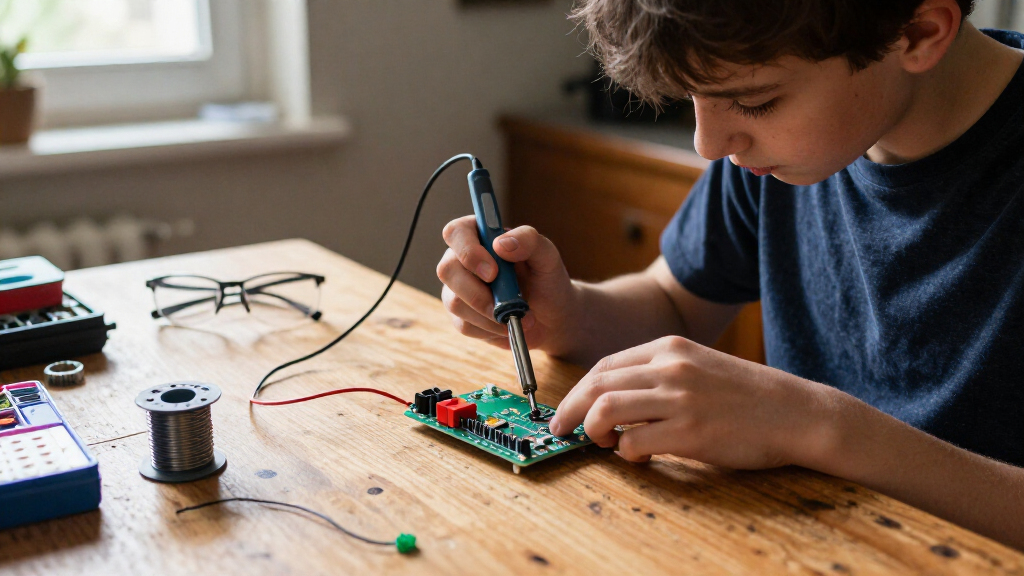
I ranked these beginner soldering kits for adults by how well their tools or projects support a first successful build, then by the skills they can help develop next. I looked at usability, temperature control where specified, included accessories, practice opportunities, and whether a buyer gets reusable equipment, a finished project, or both. I also weighed setup complexity: a focused iron kit can be easier to learn on than a multi-function station, while a guided project can give a beginner a clearer reason to practice.
The order reflects the balance between beginner access, usefulness beyond one session, and fit for adult learners—not a claim that every buyer needs the same type of kit. Station kits rank higher when they offer a practical base for varied soldering work; project kits move up when their instructions or repeatable builds give a clear learning path. Specialized features, narrow project scope, or limited information about temperature control lower a kit’s position for a general beginner audience, even when it may suit a specific hobby.
Factors to Consider When Choosing Beginner Soldering Kits For Adults
The best choice depends less on how many accessories are in the box and more on what you want to do after your first few solder joints. I’d decide between a tool-first kit and a project-first kit, then check the practical details that affect learning, safety, and future use.
Choose Between a Reusable Tool Kit and a Guided Project
A tool kit gives you a chance to practice on different components and may serve later repairs, but it can leave a new learner wondering what to build first. A project kit narrows the task and offers a concrete finish line, which can make early practice more engaging. The tradeoff is that one project rarely teaches every joint type or prepares you for unrelated repairs. If you already have a device or hobby in mind, a tool-first setup offers more flexibility. If you mainly want a structured first experience, start with a project that interests you and add general-purpose tools later.
Match Temperature Control to the Work
Adjustable temperature can help learners adapt to different soldering tasks rather than treating every joint the same. It does not replace good technique: contact time, tip condition, and the amount of solder still matter. For basic through-hole practice, a straightforward adjustable iron may be all you need. A station can add a stable work base and make controls easier to manage, but it also takes more space. Before choosing a kit, check that its listed temperature range and controls are clear; do not assume a higher wattage number alone guarantees better results.
Check What Is Included Before You Start
Some kits bundle accessories that reduce the need for separate purchases, while others focus on the iron or the project board. Look for the practical basics: a stand, cleaning method, solder, spare tips, and clear instructions. Missing items can interrupt a first session or add setup decisions that distract from learning. At the same time, a long accessory list is not automatically useful if the items are low quality or unrelated to your goals. Compare what each package actually names, and treat unlisted features as unknown rather than included.
Think About the Project’s Learning Value
A finished gadget can be satisfying, but visual activity does not always mean broad soldering practice. Ask whether the project uses through-hole parts, surface-mount parts, or a mix, and whether the instructions explain component placement and polarity. Repeated builds can help reinforce technique, while several different projects may expose you to more layouts. Small SMD components can be challenging for a first session, especially without magnification or prior practice. For many adults, a simple, well-explained build is a better first milestone than the most elaborate-looking board.
Plan for Space, Ventilation, and Safe Setup
A soldering kit needs a stable, heat-resistant work area and adequate ventilation; a desk crowded with paper or cables is a poor place to learn. A larger station may be easier to organize but needs room to stay set up. A compact iron kit is easier to store, though its smaller footprint may leave less space for parts and tools. Keep hot equipment away from children, pets, and flammable materials, and follow the kit’s safety instructions. If you expect to solder regularly, plan your workspace before buying rather than treating storage and ventilation as afterthoughts.
Pay for Capabilities You Will Use
Extra functions make sense when they match a real project, not simply because they sound advanced. Hot-air rework can serve specialized component work, but a beginner practicing ordinary joints may get more value from a clear setup and repeatable exercises. Likewise, a magnifier is useful for close inspection, while a multi-game project kit may appeal more to someone motivated by interactive builds. Consider whether you want a kit for one weekend, ongoing hobby projects, or occasional repairs. Spending more on capabilities you understand can be sensible; paying for features you have no plan to use can make learning less direct.
Frequently Asked Questions
Should I start with a soldering station or a standalone iron kit?
Choose a station if you want a stable home setup with controls and workspace features suited to repeated practice. A standalone adjustable iron kit is a more compact starting point if you value portability or are unsure how often you will solder. Neither format teaches technique on its own, so instructions and practice materials matter too. For a first project at a desk, a simpler adjustable kit can be enough. If you expect to work on varied electronics, a station may make a more useful long-term base.
Is a practice board better than a project that makes a working device?
They teach different things. A practice board can let you repeat joints without worrying about whether a finished gadget works, which is helpful when learning hand control. A functional project adds motivation and may teach assembly order, polarity, and basic circuit layout. It can also be harder to diagnose if a connection is wrong. If you are new to soldering, use a project with clear instructions and consider practicing a few joints on spare material first.
Do I need a hot-air rework station as a beginner?
Most beginners working on simple through-hole projects do not need hot air for their first lessons. It is a specialized capability for particular component removal and rework tasks, so it makes more sense if you already expect to handle those jobs. A dual-function station can broaden what the equipment supports, but it also adds complexity and may take up more room. If your aim is basic repair or hobby assembly, focus first on a controllable iron, suitable tips, and practice. You can add hot-air capability when a project calls for it.
Are SMD soldering kits a good first choice for an adult with no experience?
They can be, but small surface-mount parts demand steadier placement and closer inspection than many beginner through-hole projects. A two-pack format offers repeated attempts, which can be useful if you are patient and want that specific skill. Check whether magnification, suitable tools, and clear instructions are included or available separately. If you are unsure, begin with larger components and build basic control before moving to SMD work. Your choice should follow the kind of electronics you want to work on, not just the novelty of the project.
What should I do if the kit does not include enough soldering accessories?
Check the package contents before starting and list any missing essentials, such as a stable stand, tip-cleaning supplies, solder, or suitable cutting tools. Do not substitute an improvised stand or work surface for equipment meant to handle heat safely. A beginner can lose focus when a session turns into a search for basic supplies, so gather everything before powering on the iron. Follow the product instructions for compatible materials and safety practices. If the kit’s contents are vague, favor a clearly documented option or plan for the missing items separately.
Conclusion
For a flexible first setup, I’d choose the WEP 927-IV as best overall, while the MEAKEST 60W Kit is my best value-style pick for buyers who want adjustable heat in a simpler format. The amomii Testudo is best for beginners who want several guided projects, and the WEP 992D+ is the premium-style choice for someone who has a real use for hot-air rework. For a specific goal, choose the EGSCST two-pack for SMD practice, a radio kit for a functional electronics build, or the Christmas tree and game kits for visual, activity-led projects. Match the kit to the work you want to do next: start with clear practice if you are learning, and choose added station features only when they support your plans.