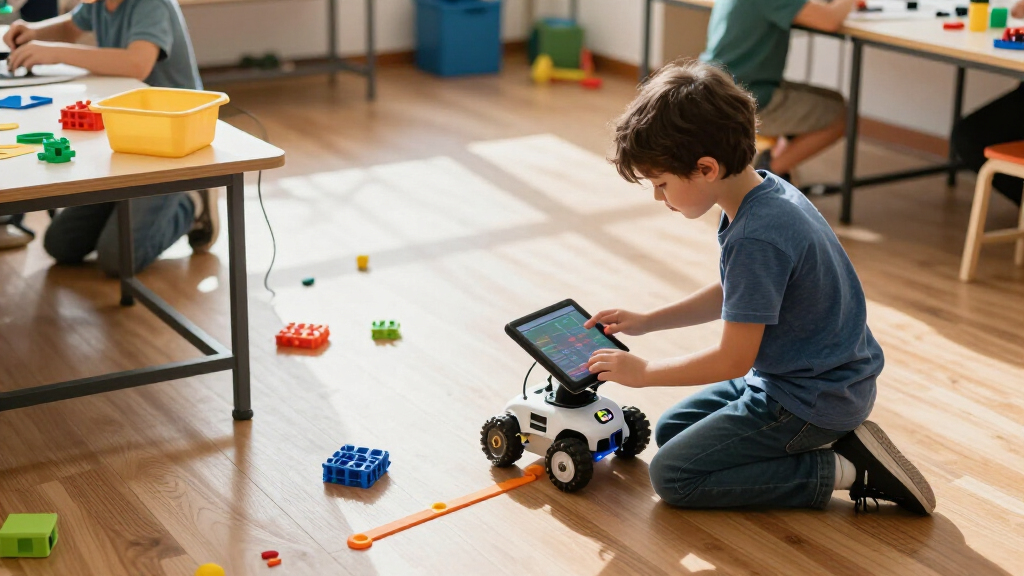

Coding robots for kids range from screen-free command toys to buildable kits that introduce programming and electronics. My best overall pick is Wonder Workshop Dash for its accessible app-based coding and room to grow; Botley 2.0 stands out for screen-free play, while Makeblock mBot suits kids ready to build and code a robot. The main tradeoff is between quick, approachable activities and deeper projects that demand more setup, patience, or adult help. Age labels matter, but a child’s interest in screens, construction, and troubleshooting matters just as much. Read on for the full comparison and a guide to choosing the right type.

Prime made for students and young adults
- Fast, free delivery for dorm and study essentials
- Prime Video and Amazon Music included
- Member-only deals
Key Takeaways
- Dash is the most adaptable starting point in this lineup: it uses app-based coding and offers more room to develop than a simple directional-command toy.
- Botley 2.0 and the Robot Mouse sets favor screen-free learning, but they differ in scope: Botley offers broader coding activities, while the mouse set centers on maze navigation.
- mBot and the ELEGOO robot car lean toward hands-on engineering, with assembly and coding adding depth at the cost of faster setup and younger-child accessibility.
- Build kits split by the kind of challenge they offer: Apitor Robot J emphasizes multiple construction possibilities, while Mech-5 and the chameleon kit focus on specific build-and-code projects.
- Ozobot kits bridge physical play and digital coding; compare the Evo and Ozo at Home options by the experience and included activities you want rather than assuming all Ozobot kits are interchangeable.
| Learning Resources Botley the Coding Robot |  | Best Screen-Free Step-Up | Brand: Learning Resources | Model: LER2936 | Recommended age: 5–8 years | VIEW LATEST PRICE | See Our Full Breakdown |
| Learning Resources Code & Go Robot Mouse Activity Set | 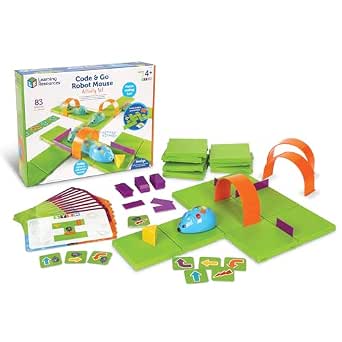 | Best for First-Time Coders | Brand: Learning Resources | Model: LER2831 | Recommended age: 4 years and up | VIEW LATEST PRICE | See Our Full Breakdown |
| Wonder Workshop Dash Coding Robot for Kids Ages 6+ |  | Best for App-Based Interaction | Brand: Wonder Workshop | Recommended age: 6 years and up | Included components: Dash Robot, two building-brick connectors, and USB charging cable | VIEW LATEST PRICE | See Our Full Breakdown |
| Educational Insights PYXEL Coding Robot for Kids |  | Best for Blockly-to-Python Learning | Brand: Educational Insights | Model: 1130 | Age range: 8–14 years | VIEW LATEST PRICE | See Our Full Breakdown |
| Learning Resources Botley Coding Robot Activity Set, 77 Pieces | 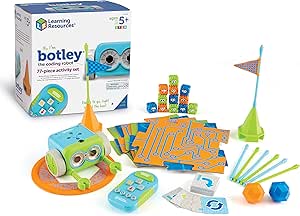 | Best for Building Bigger Challenges | Brand: Learning Resources | Model: LER2935 | Age range: 5–16 years | VIEW LATEST PRICE | See Our Full Breakdown |
| Makeblock mBot STEM Coding Robot Kit for Kids Ages 8–12 |  | Best for Growing Coding Skills | Brand: Makeblock | Model: 90053 | Age range: 8 years and up | VIEW LATEST PRICE | See Our Full Breakdown |
| Ozobot Evo Coding Robot Kit for Kids |  | Best for Screen-Free-to-Screen Coding | Brand: Ozobot | Age recommendation: 5 years and up; title also refers to ages 5–11 | Included components: Evo robot, Get Started activities, charging cable, 5 dual-tip Color Code Markers, and zip case | VIEW LATEST PRICE | See Our Full Breakdown |
| Apitor Robot J 6-in-1 STEM Coding Robot Building Kit, 480 Pieces |  | Best for Rebuildable Variety | Brand and model: Apitor Robot J | Recommended age: 7–12 years | Pieces: 480 | VIEW LATEST PRICE | See Our Full Breakdown |
| Teach Tech Mech-5 STEM Coding Robot Building Kit for Kids Ages 10+ |  | Best for Mechanical Coding | Brand and model: Teach Tech Mech-5, TTC-895 | Recommended age: 10 years and up | Programming method: Coding buttons snapped onto a mechanical wheel | VIEW LATEST PRICE | See Our Full Breakdown |
| ELEGOO UNO R3 Smart Robot Car Kit V4 with Camera |  | Best for Advanced Projects | Brand and model: ELEGOO US-EL-KIT-012 | Recommended age: 12 years and up | Controller: UNO R3 | VIEW LATEST PRICE | See Our Full Breakdown |
| Ozobot Ozo at Home STEM Coding Robot Kit for Kids Ages 5+ |  | Best for a Guided Screen-Free-to-Screen Coding Path | Brand: Ozobot | Model number: 70101KIT | Recommended age: 5 years and up | VIEW LATEST PRICE | See Our Full Breakdown |
| Learning Resources Botley 2.0 Coding Robot Activity Set |  | Best Screen-Free Set for Building Coding Challenges | Brand: Learning Resources | Model: LER2938 | Recommended age: 5–10 years | VIEW LATEST PRICE | See Our Full Breakdown |
| Learning Resources Code & Go Robot Mouse |  | Best First Coding Robot for Preschoolers | Brand: Learning Resources | Model: LER2841 | Recommended age: 4–7 years | VIEW LATEST PRICE | See Our Full Breakdown |
| Makeblock mBot Arduino Robot Kit with Scratch Coding for Kids Ages 8–12 |  | Best for Advancing from Block Coding to Arduino | Recommended age: 8–12 years | Projects: 4 | Coding platforms: Scratch and Arduino | VIEW LATEST PRICE | See Our Full Breakdown |
| Thames & Kosmos My Robotic Pet: Coding Chameleon STEM Kit |  | Best Build-and-Play Coding Robot | Brand: Thames & Kosmos | Model: My Robotic Pet: Coding Chameleon | Model number: 620507 | VIEW LATEST PRICE | See Our Full Breakdown |
| coding robots for kid | Brand | Recommended age | Included components | Model |
|---|---|---|---|---|
| Learning Resources Botley the | Learning Resources | 5–8 years | Botley robot, remote programmer, detachable arms, coding cards, tiles, and obstacles | LER2936 |
| Learning Resources Code & Go R | Learning Resources | 4 years and up | Robot mouse, maze pieces, coding cards, activity cards, cheese wedge, and Activity Guide | LER2831 |
| Wonder Workshop Dash Coding Ro | Wonder Workshop | 6 years and up | Dash Robot, two building-brick connectors, and USB charging cable | — |
| Educational Insights PYXEL Cod | Educational Insights | — | — | 1130 |
| Learning Resources Botley Codi | Learning Resources | — | Robot, remote programmer, detachable robot arms, coding cards, tiles, obstacle pieces, and starter guide | LER2935 |
| Makeblock mBot STEM Coding Rob | Makeblock | — | — | 90053 |
| Ozobot Evo Coding Robot Kit fo | Ozobot | — | Evo robot, Get Started activities, charging cable, 5 dual-tip Color Code Markers, and zip case | — |
| Apitor Robot J 6-in-1 STEM Cod | — | 7–12 years | Building blocks, instructions, user guide, control module with two motors, and sorting tray | — |
| Teach Tech Mech-5 STEM Coding | — | 10 years and up | Assembly parts and English instruction manual | — |
| ELEGOO UNO R3 Smart Robot Car | — | 12 years and up | — | — |
| Ozobot Ozo at Home STEM Coding | Ozobot | 5 years and up | Ozo at Home robot and charging cable | — |
| Learning Resources Botley 2.0 | Learning Resources | 5–10 years | Coding robot, remote programmer, 40 coding cards, 6 double-sided boards, and obstacle pieces | LER2938 |
| Learning Resources Code & Go R | Learning Resources | 4–7 years | Programmable robot mouse, 30 double-sided coding cards, and Activity Guide | LER2841 |
| Makeblock mBot Arduino Robot K | — | 8–12 years | — | — |
| Thames & Kosmos My Robotic Pet | Thames & Kosmos | 8–12 years | — | My Robotic Pet: Coding Chameleon |
More Details on Our Top Picks
Learning Resources Botley the Coding Robot
Botley is a strong next step for children ready to move beyond simple route planning while keeping screens out of the activity. Its remote programmer supports sequences of up to 80 commands, plus loops and if/then logic, so kids can build more involved challenges than the basic maze tasks in the Code & Go Robot Mouse Activity Set. The included tiles, obstacles, coding cards, and detachable arms give children several ways to change a course instead of relying on one maze format. Compared with Dash, Botley asks less of a family’s device setup, but it also lacks Dash’s app-based activities and voice interaction. The main tradeoff is the missing manufacturer warranty; buyers should also check the exact set contents, since this 45-piece version is smaller than the 77-piece Botley set.
Pros:- Works without an app or compatible tablet
- Programs sequences of up to 80 steps
- Introduces loops and if/then logic through play
- Includes tiles, obstacles, cards, and detachable arms for varied challenges
Cons:- No manufacturer warranty is included
- The 45-piece set has fewer obstacle pieces than the 77-piece Botley activity set
- Does not offer the app-based activities or voice-command interaction found with Dash
Best for: Families seeking screen-free coding challenges for children ages 5–8 who are ready to practice sequences, loops, and conditional logic.
Not ideal for: Families wanting a large obstacle-building set or app-based activities; the 77-piece Botley set offers more course pieces, while Dash has app connectivity.
- Brand:Learning Resources
- Model:LER2936
- Recommended age:5–8 years
- Programmable steps:Up to 80
- Set size:45 pieces
- Included components:Botley robot, remote programmer, detachable arms, coding cards, tiles, and obstacles
- Warranty:No warranty
Our verdict“Choose this Botley set for screen-free coding practice that moves beyond basic routes, but pick the 77-piece version if building a wider range of obstacle courses matters more.”
Learning Resources Code & Go Robot Mouse Activity Set
The Robot Mouse Activity Set is the most approachable starting point here for children who are learning to plan a route one move at a time. Kids arrange the maze, lay out coding cards, then use button controls to guide Colby toward the cheese. That concrete plan-then-run routine makes sequencing easier to grasp than the broader command options on Botley the Coding Robot, which also introduces loops and if/then logic. Its 16 maze grids, walls, tunnels, and activity cards let caregivers change the challenge without needing a screen or app. The tradeoff is that the experience stays centered on maze navigation; older children may outgrow it sooner than Botley or app-connected Dash. Colby also needs three AAA batteries, which are not included.
Pros:- Provides a clear plan-and-test introduction to sequencing
- Includes grids, walls, tunnels, coding cards, and activity cards for repeatable mazes
- Screen-free controls avoid requiring a phone or tablet
- Mouse has lights, sounds, and two speeds
Cons:- Requires three AAA batteries, which are not included
- Maze navigation offers less coding variety than Botley’s loops and if/then logic
- Children seeking app-based activities or voice interaction may prefer Dash
Best for: Caregivers and early-years educators introducing children aged 4 and up to sequencing through simple, hands-on maze activities.
Not ideal for: Older children who want open-ended robot behavior or more advanced coding concepts; the maze-focused format is narrower than Botley’s loop and conditional commands.
- Brand:Learning Resources
- Model:LER2831
- Recommended age:4 years and up
- Maze board size:20 × 20 inches
- Maze components:16 grids, 22 walls, and 3 tunnels
- Cards:30 double-sided coding cards and 10 double-sided activity cards
- Power:3 AAA batteries, not included
- Included components:Robot mouse, maze pieces, coding cards, activity cards, cheese wedge, and Activity Guide
Our verdict“Pick the Robot Mouse set for a young beginner who will benefit from visible, repeatable maze challenges rather than broader robot programming.”
Wonder Workshop Dash Coding Robot for Kids Ages 6+
Dash suits children who want coding lessons to feel like directing an expressive robot, not just sending a toy through a fixed course. It can move around obstacles, sing, dance, and respond to voice commands, while five compatible apps provide guided activities across iOS, Android, and Fire OS. That app-based approach gives Dash a different appeal from Botley and the Robot Mouse Activity Set, both of which keep coding screen-free. The tradeoff is clear: a compatible device is needed to use the apps, so this is not a standalone coding toy. Dash’s rechargeable battery supports up to five hours of active play per charge, and its USB cable avoids the replaceable-battery requirement of the 77-piece Botley set. It is a better fit for families comfortable with device use than for those seeking unplugged activities.
Pros:- Five compatible apps offer interactive coding activities
- Responds to voice commands and can sing, dance, and navigate obstacles
- Rechargeable battery provides up to five hours of active play per charge
- Works with Apple iOS, Android, and Fire OS devices
Cons:- Requires a compatible device to use its apps
- Screen-based activities may not suit families looking for screen-free coding
- The included set has only two building-brick connectors for physical add-ons
Best for: Families with a compatible iOS, Android, or Fire OS device who want guided app activities alongside movement, sounds, and voice-command play.
Not ideal for: Buyers who want a fully screen-free robot or do not have a compatible device; Botley and the Robot Mouse set can be used without apps.
- Brand:Wonder Workshop
- Recommended age:6 years and up
- Included components:Dash Robot, two building-brick connectors, and USB charging cable
- Battery:Included rechargeable lithium-ion battery
- Battery life:Up to 5 hours of active play
- Connectivity:Five apps for Apple iOS, Android OS, and Fire OS
- Camera:None
- Weight:0.7 kg
- Warranty:1 year against manufacturer defects
Our verdict“Choose Dash when a child will enjoy app-guided coding and responsive robot play, but choose Botley for a screen-free setup.”
Educational Insights PYXEL Coding Robot for Kids
PYXEL is the clearest choice here for children ready to move from visual coding toward Python. It supports both Blockly and Python, giving learners a way to start with drag-and-drop commands and later work with text-based code on the same interactive robot dog. Built-in tutorials support self-guided learning, while lights, sounds, colors, and expressions give commands a visible response. Unlike Dash, PYXEL does not use an app and does not need internet access, but it still requires a Wi-Fi-enabled tablet or computer to connect. Compared with the screen-free Botley options, PYXEL asks for more device involvement and suits an older age range. That added coding depth is its advantage, though it makes PYXEL a less natural pick for a first robot for a young child.
Pros:- Supports both beginner-friendly Blockly and Python
- Built-in tutorials can guide independent learning
- Does not require an internet connection or app
- Lights, sounds, colors, and expressions make robot responses visible
Cons:- Requires a Wi-Fi-enabled tablet or computer
- Its coding setup is less device-free than Botley and the Robot Mouse set
- The older age range may make it a poor fit for younger first-time coders
Best for: Families with children ages 8–14 who have a Wi-Fi-enabled tablet or computer and want a path from Blockly to Python.
Not ideal for: Younger beginners or households seeking a completely device-free activity; PYXEL needs a Wi-Fi-enabled tablet or computer and targets older learners than Botley.
- Brand:Educational Insights
- Model:1130
- Age range:8–14 years
- Coding languages:Blockly and Python
- Connectivity:Password-protected Wi-Fi; no internet connection or app required
- Power:Built-in rechargeable battery
- Included items:USB-C cord, Code Activator, and guide
Our verdict“Choose PYXEL for an older child ready to progress from Blockly to Python, provided a compatible Wi-Fi-enabled device is available.”
Learning Resources Botley Coding Robot Activity Set, 77 Pieces
This 77-piece Botley set is the screen-free pick for children who want to build and rebuild their own coding courses. Its 27 obstacle pieces and six double-sided tiles give kids more materials to arrange than the 45-piece Botley the Coding Robot set, making the course-building side of play a bigger part of the experience. The remote programmer supports loops and object detection, so children can explore more than simple movement commands without using an app. Compared with the Robot Mouse Activity Set, it offers broader obstacle-course play instead of focusing on a maze. The tradeoff is battery readiness: the robot requires five AAA batteries, not included. Its listed age range extends to 16, but the hands-on format may appeal most to younger children exploring basic coding concepts.
Pros:- 77 pieces provide a wider selection of obstacle-course materials than the 45-piece Botley set
- Works without a phone, tablet, or coding app
- Includes loops and object detection for varied coding challenges
- Coding cards and a starter guide help set up activities
Cons:- Requires five AAA batteries, which are not included
- More pieces mean more parts to organize and store than the smaller Botley set
- Does not offer the app-based coding activities available with Dash
Best for: Families or classrooms wanting a larger screen-free course-building set for children learning sequences, loops, and object detection.
Not ideal for: Buyers who prefer rechargeable power or a compact, simple maze activity; this set needs five AAA batteries and includes many course pieces to store.
- Brand:Learning Resources
- Model:LER2935
- Age range:5–16 years
- Set size:77 pieces
- Power:5 AAA batteries required, not included
- Coding cards:40
- Course pieces:6 double-sided tiles and 27 obstacle pieces
- Included components:Robot, remote programmer, detachable robot arms, coding cards, tiles, obstacle pieces, and starter guide
Our verdict“Choose the 77-piece Botley set if building varied, screen-free obstacle courses matters more than minimizing batteries and loose parts.”
Makeblock mBot STEM Coding Robot Kit for Kids Ages 8–12
The mBot is a strong fit for children ready to move from basic robot commands into Scratch and Arduino. Its roughly 15-minute assembly gets kids building without the long construction session required by Teach Tech Mech-5, while line following and obstacle avoidance give their code visible results. Remote control also makes it approachable before a child starts programming. Tutorials and compatible apps provide a path into projects, and support for Makeblock add-ons, electronic modules, and LEGO parts leaves room to expand. That flexibility is the main advantage over simpler screen-free choices such as Botley, but it also asks for more setup and sustained interest in coding. The kit needs four AA batteries and one CR2025 battery, neither included, so it is not ready to run straight out of the box.
Pros:- Offers a progression from Scratch to Arduino programming.
- Combines remote control with line following and obstacle avoidance.
- Quick assembly helps children get to robot activities without a lengthy build.
- Compatible with Makeblock add-ons, electronic modules, and LEGO parts.
Cons:- Four AA batteries and one CR2025 battery are not included.
- Scratch and Arduino projects require more screen-based learning than simple screen-free coding toys.
Best for: Families with children around 8–12 who want a buildable robot that can progress from remote control and Scratch into Arduino projects.
Not ideal for: Buyers seeking a screen-free robot for younger children or a ready-to-use kit without separately sourcing batteries.
- Brand:Makeblock
- Model:90053
- Age range:8 years and up
- Programming platforms:Scratch and Arduino
- Functions:Remote control, line following, and obstacle avoidance
- Assembly time:About 15 minutes
- Power requirements:4 AA batteries for the robot and 1 CR2025 battery for the remote; not included
- Compatibility:Makeblock add-on packs, 100+ electronic modules, 500+ parts, and LEGO parts
Our verdict“Choose the mBot for a child ready to grow from introductory Scratch projects toward more hands-on Arduino robotics.”
Ozobot Evo Coding Robot Kit for Kids
Ozobot Evo offers a particularly clear bridge between screen-free color-code play and app-based programming. Children can draw routes with the included markers, then move into Ozobot Blockly as their skills grow; five levels and more than 700 free lessons give families plenty of structured material. That makes it a gentler first coding step than Makeblock mBot, which moves toward Scratch and Arduino and involves building a robot. Evo instead arrives with activities, a charging cable, and a zip case, so the emphasis is on starting to code rather than assembling hardware. The tradeoff is less of a construction project and reliance on online Blockly for its digital coding path. The supplied age details also vary: the title refers to ages 5–11, while the product information says 5 years and up.
Pros:- Supports both marker-based color codes and Ozobot Blockly.
- Five Blockly skill levels provide a progression for different experience levels.
- Includes access to more than 700 free lessons.
- Comes with markers, a charging cable, starter activities, and a zip case.
Cons:- Its coding experience centers on color codes and Blockly rather than hands-on robot construction.
- Age guidance is inconsistent between the title and the product details.
Best for: Families seeking a portable coding robot that can start with marker-based activities and later introduce Blockly lessons.
Not ideal for: Children who want to build and modify a robot from components, or families who prefer coding activities that do not rely on online tools.
- Brand:Ozobot
- Age recommendation:5 years and up; title also refers to ages 5–11
- Included components:Evo robot, Get Started activities, charging cable, 5 dual-tip Color Code Markers, and zip case
- Coding methods:Screen-free color codes and Ozobot Blockly
- Blockly learning content:5 skill levels and access to over 700 free lessons
- Battery:Lithium-ion
- Material:Plastic
- Dimensions:8.5 x 6.5 x 1.8 inches
Our verdict“Pick Evo for a child who will benefit from starting with physical color codes before moving into guided Blockly lessons.”
Apitor Robot J 6-in-1 STEM Coding Robot Building Kit, 480 Pieces
Apitor Robot J suits children who enjoy changing what their robot can do by building six different models from the same 480-piece set. After construction, the app adds coding activities and four Bluetooth control modes, including gyro and path control. That variety makes it a more construction-focused choice than Ozobot Evo, which emphasizes coding with color codes and Blockly rather than rebuilding. Snap-together blocks need no screws or tools, but switching between models still means taking apart and rebuilding sections; families should expect a hands-on project, not an instant-play robot. The two multicolor LED lights add a visible response to play, while the dual-motor control module supports movement-based activities. Batteries are a separate purchase, and its app-based programming makes it less suited to families looking for a fully screen-free introduction.
Pros:- Builds into six different robot models using one kit.
- Snap-together construction requires no screws or tools.
- App offers coding activities and four Bluetooth control modes.
- Includes a dual-motor control module and two multicolor LED lights.
Cons:- Requires three AA batteries, which are not included.
- Changing models involves rebuilding, so it is less immediate than a ready-to-use coding robot.
- Coding activities and Bluetooth control depend on using the app.
Best for: Children aged 7–12 who like building and rebuilding robots and want app-based coding and control activities.
Not ideal for: Families seeking a screen-free coding toy, or children who would rather start playing without assembling or changing robot models.
- Brand and model:Apitor Robot J
- Recommended age:7–12 years
- Pieces:480
- Build options:6 robot models
- Control:Bluetooth app control
- Control modes:Dual-motor, single-motor, gyro, and path
- Lighting:2 multicolor LED lights
- Battery requirement:3 AA batteries; not included
- Included components:Building blocks, instructions, user guide, control module with two motors, and sorting tray
Our verdict“Choose Robot J for a child who values rebuilding and model variety as much as coding activities.”
Teach Tech Mech-5 STEM Coding Robot Building Kit for Kids Ages 10+
Mech-5 is the most mechanics-led option in this group: children build the robot and program it by snapping coding buttons onto a mechanical wheel. Its missions connect sequences to physical actions such as throwing, lifting, kicking, and drawing, giving movement and cause-and-effect a tangible role. Compared with Makeblock mBot, it does not offer Scratch or Arduino; its appeal is a more physical introduction to programming rather than a path into software coding platforms. The payoff depends on patience, since assembly takes several hours and the instructions call for careful building to get the robot operating properly. That makes it a better match for an older child who enjoys construction than for a beginner hoping to start coding right away. It can move forward, backward, and rotate 360 degrees.
Pros:- Combines mechanical construction with introductory programming.
- Coding buttons connect commands to physical actions on a mechanical wheel.
- Supports activities involving throwing, lifting, kicking, and drawing.
- Includes step-by-step assembly instructions.
Cons:- Assembly takes several hours rather than a short setup.
- Careful construction is needed for proper operation.
- Uses a physical coding system rather than Scratch or Arduino programming.
Best for: Children aged 10 and up who enjoy careful construction and want to connect coding sequences with mechanical actions.
Not ideal for: Younger beginners or families who want a quick-start robot with app-based coding and little assembly.
- Brand and model:Teach Tech Mech-5, TTC-895
- Recommended age:10 years and up
- Programming method:Coding buttons snapped onto a mechanical wheel
- Actions:Throwing, lifting, kicking, drawing, and movement
- Movement:Forward, backward, and 360-degree rotation
- Assembly:Hands-on build; multiple hours
- Included components:Assembly parts and English instruction manual
- Warranty:1 year against manufacturer defects
Our verdict“Pick Mech-5 for an older child who would rather build a mechanism and program its actions than code through an app.”
ELEGOO UNO R3 Smart Robot Car Kit V4 with Camera
ELEGOO’s robot car is aimed at older beginners who want to assemble a programmable vehicle and explore more than basic movement. Its UNO R3 controller, guided wiring instructions, and example programs offer a route into hands-on electronics, while the camera and Wi-Fi module add FPV video to features such as line tracking and obstacle avoidance. Compared with the Makeblock mBot, this kit brings camera-based driving and a rechargeable battery, but it calls for more assembly and programming effort. App and IR remote control provide a way to operate the car before tackling code, though they do not remove the learning curve of wiring and setup. The 12-and-up recommendation fits that complexity; first-time builders may need adult guidance. Its broad project scope is less suitable for a child who mainly wants simple, screen-free coding.
Pros:- Combines an UNO R3 controller with guided wiring instructions and example programs.
- Camera and Wi-Fi module support FPV video.
- Includes line tracking, obstacle avoidance, and auto-follow features.
- Rechargeable battery is included, unlike the battery-powered mBot and Apitor Robot J kits.
Cons:- Assembly and programming may require adult guidance for first-time builders.
- The broad electronics project can be demanding for children below the recommended age.
- Listed warranty is half a year.
Best for: Teens aged 12 and up who want a buildable car with electronics, sensors, example programs, and camera-based driving.
Not ideal for: Young beginners or families seeking a screen-free robot that needs little wiring, assembly, or programming support.
- Brand and model:ELEGOO US-EL-KIT-012
- Recommended age:12 years and up
- Controller:UNO R3
- Camera and Wi-Fi module:ESP32-WROVER-based
- Control methods:App and IR remote
- Features:FPV video, line tracking, obstacle avoidance, and auto follow
- Battery:2000 mAh rechargeable lithium-ion
- Dimensions:8 x 7 x 6 inches
- Weight:1.23 kg
Our verdict“Choose the ELEGOO car for an older learner ready for a more involved robotics build with camera, sensors, and programming.”
Ozobot Ozo at Home STEM Coding Robot Kit for Kids Ages 5+
Ozo at Home is a strong fit for families who want a planned introduction to coding rather than a robot with just one way to play. Its 27 activities move from color codes and magnetic tiles to Ozobot Blockly, giving children a gradual route from physical experimentation to programming on a computer or tablet. That progression is broader than the route-planning focus of the Learning Resources Botley 2.0, while still offering screen-free starting activities. The tradeoff is that the later Blockly stage depends on a separate device, and younger children may need an adult to guide the sequence and activity lengths. Choose it for a structured learning path; skip it if you want an entirely screen-free kit or a toy children can use with little setup or guidance.
Pros:- 27 guided activities provide a clear progression through coding and engineering concepts.
- Color codes, magnetic tiles, and a mat let children begin without a screen.
- Introduces Ozobot Blockly for a next step beyond physical coding.
- Designed for beginners with no prior coding experience.
Cons:- Blockly requires a separate computer or tablet.
- Children may need adult guidance with activity timing and progression.
Best for: Families with children aged five and up who want guided activities that begin screen-free and can progress to Blockly with adult support.
Not ideal for: Buyers seeking a fully screen-free experience throughout, or children who need open-ended play without adult help moving through activities.
- Brand:Ozobot
- Model number:70101KIT
- Recommended age:5 years and up
- Activities:27
- Learning formats:Mystical Forest Mat, Blank Magnetic Board, Color Codes, Ozobot Blockly, and engineering challenges
- Included components:Ozo at Home robot and charging cable
- Material:Plastic
- Dimensions:9 x 7.5 x 2 inches
Our verdict“Choose Ozo at Home for a guided beginner path from physical coding to Blockly, but choose Botley 2.0 if you want play to stay screen-free.”
Learning Resources Botley 2.0 Coding Robot Activity Set
Botley 2.0 makes the strongest case for hands-on, screen-free route planning in this group. Its remote programmer, 40 coding cards, boards, and obstacles give children several ways to set up a route, enter commands, and see what the robot does. Object sensing and 45-degree turns add more to test than the simpler push-button route planning of the Code & Go Robot Mouse. Lights and sounds bring feedback without requiring an app. The main tradeoff is that this kit centers on command sequences and obstacle courses rather than a progression to computer-based coding like Ozo at Home. The listing also provides no manufacturer warranty. I’d pick Botley 2.0 for kids who learn by arranging and revising physical challenges, not for families seeking a screen-based coding curriculum.
Pros:- Screen-free controls make coding commands tangible for young learners.
- Includes 40 coding cards, six double-sided boards, and obstacles for varied routes.
- Object sensing and 45-degree turns add challenge beyond basic forward-and-turn sequences.
- Lights, sounds, and music offer feedback during play.
Cons:- Focuses on physical command sequences rather than computer-based coding progression.
- No manufacturer warranty is listed.
Best for: Families with children ages 5–10 who want a screen-free robot, plenty of physical challenge pieces, and room to make custom routes.
Not ideal for: Buyers looking for Scratch or other computer-based programming, or those who prioritize a listed manufacturer warranty.
- Brand:Learning Resources
- Model:LER2938
- Recommended age:5–10 years
- Piece count:78
- Included components:Coding robot, remote programmer, 40 coding cards, 6 double-sided boards, and obstacle pieces
- Features:Screen-free coding, 45° turns, object sensing, lights, sounds, and 16 secret code combinations
- Warranty:No warranty listed
Our verdict“Choose Botley 2.0 for a well-equipped screen-free obstacle-course experience; choose Ozo at Home for a path that later adds Blockly.”
Learning Resources Code & Go Robot Mouse
Code & Go Robot Mouse is the most straightforward starting point here for children at the younger end of the age range. Kids plan a route with 30 double-sided coding cards, then enter the commands using the mouse’s buttons, making sequence and trial-and-error easy to see. Its recommended ages of 4–7 put it below Botley 2.0, which is aimed at ages 5–10 and adds boards, obstacles, and object sensing. That simplicity is an advantage for a first coding toy, but it also means there is less variety in the box; the expanded play set is sold separately. The mouse needs three AAA batteries, which are not included. I’d choose it for a young beginner who benefits from compact, focused route activities, not for a family wanting a larger challenge-building kit.
Pros:- Screen-free controls make basic coding concepts accessible to young beginners.
- Thirty double-sided cards support planning and testing routes.
- Two speeds let children vary how the mouse moves.
- Lights, sounds, and an Activity Guide add feedback and direction.
Cons:- Requires three AAA batteries, which are not included.
- Expanded play set is sold separately, limiting out-of-box challenge variety.
Best for: Families introducing children ages 4–7 to sequencing through simple, screen-free routes and physical command cards.
Not ideal for: Buyers who want a large obstacle-course kit in one box, or who prefer not to supply batteries separately.
- Brand:Learning Resources
- Model:LER2841
- Recommended age:4–7 years
- Included components:Programmable robot mouse, 30 double-sided coding cards, and Activity Guide
- Mouse length:4 inches
- Speeds:2
- Batteries:3 AAA batteries, not included
- Warranty:No warranty listed
Our verdict“Choose the Robot Mouse for a young child’s first route-coding activities, but pick Botley 2.0 for more included boards and obstacles.”
Makeblock mBot Arduino Robot Kit with Scratch Coding for Kids Ages 8–12
Makeblock mBot suits older children ready to move beyond command cards and into a programmable robot with electronics projects. Its four guided builds include line following, obstacle avoidance, and remote control, while support for Scratch and Arduino offers a route from visual block coding toward text-based programming. That makes it a more technical next step than the screen-free Botley 2.0 or Code & Go Robot Mouse, but it also changes the experience: children need a compatible device for coding, and the robot requires assembly. The listed assembly time is about 15 minutes, with visual instructions and troubleshooting tips to help. The description does not specify batteries or power requirements, so buyers should check those details before planning a session. Choose this for ages 8–12, not preschool beginners.
Pros:- Four guided projects introduce line following, obstacle avoidance, and remote control.
- Scratch and Arduino support a progression from blocks toward more advanced coding.
- Visual instructions and troubleshooting tips support assembly and project work.
- About 15 minutes of listed assembly time keeps setup relatively short.
Cons:- Aimed at ages 8–12, making it a poor fit for younger beginners.
- The description does not specify included batteries or power requirements.
Best for: Families with children ages 8–12 who want guided robotics projects and a coding path from Scratch toward Arduino.
Not ideal for: Parents shopping for a preschool-friendly, screen-free robot or buyers who need clear power requirements before purchase.
- Recommended age:8–12 years
- Projects:4
- Coding platforms:Scratch and Arduino
- Project examples:Line following, obstacle avoidance, and remote control
- Assembly time:About 15 minutes
Our verdict“Choose mBot for an older child ready for Scratch-to-Arduino projects, while younger learners are better served by the Robot Mouse or Botley 2.0.”
Thames & Kosmos My Robotic Pet: Coding Chameleon STEM Kit
My Robotic Pet: Coding Chameleon stands apart by making construction part of the coding experience. Children build a 15-inch chameleon, then use physical action cards and its sensors across Coding, Wild, and Pet modes. Color-changing lights, gesture responses, and tongue movement give the project a character that the route-focused Botley 2.0 and Code & Go Robot Mouse do not aim to provide. It also stays screen-free, unlike kits that progress to app or computer programming. The tradeoff is time and adult support: the chameleon must be assembled before play, and children ages 8–11 may need help. Its appeal is strongest for kids drawn to building and animal behavior, rather than those who want a ready-to-run robot for quick coding exercises.
Pros:- Three modes combine coding challenges with interactive play.
- Physical action cards support screen-free programming.
- Build and play activities introduce robotics and biomimicry.
- A 48-page guide covers assembly and learning activities.
Cons:- The robot must be assembled before play, and younger children may need adult help.
- Its physical-card coding does not offer the Scratch or Arduino progression found in mBot.
Best for: Children ages 8–12 who enjoy building models and want screen-free coding combined with interactive animal-themed play.
Not ideal for: Families looking for a robot ready to use straight away, children who dislike assembly, or buyers seeking computer-based programming.
- Brand:Thames & Kosmos
- Model:My Robotic Pet: Coding Chameleon
- Model number:620507
- Recommended age:8–12 years
- Robot length:15 inches
- Play modes:Coding, Wild, and Pet
- Sensors:Color sensor and infrared sensor
- Lighting and guide:RGB LEDs; 48-page manual
- Power and software requirements:No screens, devices, or software required
Our verdict“Choose the Chameleon for an older child who wants to build a screen-free robotic pet, but choose mBot for computer-based coding progression.”
How We Picked
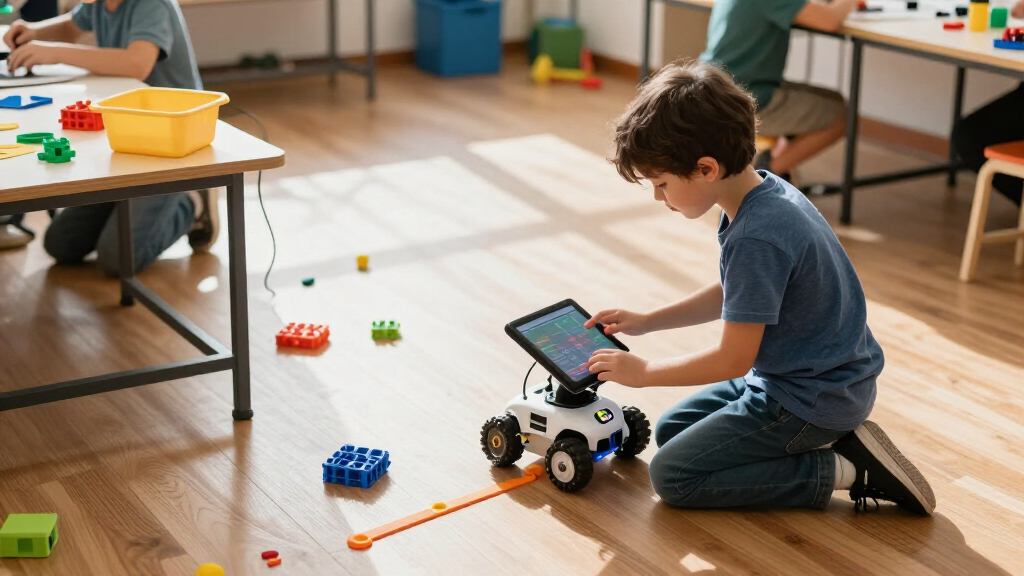
I compared all 15 options by how directly they help a child learn coding concepts, how quickly a child can start, and how much support the experience offers as skills develop. I also weighed screen-free versus app-based play, the demands of building and troubleshooting, the variety of activities, and whether the robot appears suited to repeated experimentation rather than a single demonstration. Age guidance is useful, but I treated it as a starting point rather than a substitute for matching the product to a child’s patience, reading ability, and appetite for construction.
The ranking favors robots that balance approachability with room to grow, which puts Dash ahead of simpler command toys and more involved build kits. Screen-free picks rank well for families who want direct, tactile coding practice, while construction-heavy options are strongest for kids ready to spend time assembling and debugging. Products with narrower play formats or greater setup demands sit lower—not because they lack educational value, but because they suit a more specific buyer. Since these products offer different styles of learning, the best choice depends on whether a child wants to command, build, or experiment.
| coding robots for kid | Brand |
|---|---|
| Learning Resources Botley the | Learning Resources |
| Learning Resources Code & Go R | Learning Resources |
| Wonder Workshop Dash Coding Ro | Wonder Workshop |
| Educational Insights PYXEL Cod | Educational Insights |
| Learning Resources Botley Codi | Learning Resources |
| Makeblock mBot STEM Coding Rob | Makeblock |
| Ozobot Evo Coding Robot Kit fo | Ozobot |
| Apitor Robot J 6-in-1 STEM Cod | — |
| Teach Tech Mech-5 STEM Coding | — |
| ELEGOO UNO R3 Smart Robot Car | — |
| Ozobot Ozo at Home STEM Coding | Ozobot |
| Learning Resources Botley 2.0 | Learning Resources |
| Learning Resources Code & Go R | Learning Resources |
| Makeblock mBot Arduino Robot K | — |
| Thames & Kosmos My Robotic Pet | Thames & Kosmos |
Factors to Consider When Choosing Coding Robots For Kids
Before choosing a robot, decide what kind of learning experience will keep the child engaged after the first session. A simple command toy, a screen-based coding companion, and a buildable robot can all teach useful ideas, but they ask for different levels of attention and adult support.
Match the coding method to the child
Robots may use physical buttons, color or line commands, an app, or a programming language such as Scratch-style blocks. A child who enjoys immediate, hands-on feedback may prefer direct commands, while a child already comfortable with tablets may find an app easier to explore. Avoid choosing a screen-free option just because it sounds simpler: some children want visual feedback on a screen, and some families want to limit device use. Check whether the coding method teaches sequencing, loops, or other concepts the child is ready to practice. Also confirm what device or software is needed before buying, since app-based play can depend on compatibility.
Choose a realistic level of setup
A ready-to-play robot can make the first activity feel rewarding, while a kit that needs assembly can turn setup into part of the lesson. That extra work can be a benefit for a child who likes following diagrams and solving mechanical problems, but a source of frustration for one who wants to start coding right away. Read the product’s assembly and programming expectations as separate tasks; a robot can be easy to build yet harder to code. Think about whether an adult can help when a step goes wrong, especially for younger children. For a first purchase, avoid overestimating how much time the child will want to spend before seeing the robot move.
Look beyond the age label
Suggested ages give a broad indication of complexity, but they do not capture reading confidence, patience, or prior experience with building toys. A younger child may enjoy a more advanced kit with a patient adult nearby, while an older beginner may prefer an approachable robot rather than a complex project. Check whether instructions rely on independent reading, whether an app guides each step, and how much trial and error is expected. If siblings will share the robot, choose for the child who will need the most support without making the activities dull for everyone else. The right level should invite progress without turning each session into adult-led troubleshooting.
Decide how much building belongs in the fun
Construction kits teach more than coding: children may also practice planning, following instructions, and understanding how parts work together. That broader learning comes with a tradeoff, since assembly can take time away from programming and play. Before choosing, ask whether the child enjoys rebuilding projects or prefers a finished robot that responds immediately. Multi-build kits can keep the experience varied, but only if the child is interested in taking the robot apart and starting again. If repeated coding experiments are the main goal, a simpler robot may offer more useful play time than a large parts count.
Check the full screen and device experience
An app-based robot may offer guided lessons, visual programming, or additional control, but those benefits depend on a compatible device and a usable setup. Check device requirements, connectivity needs, and whether the core activities can be used without an account or ongoing internet access. Families who want shared play should also think about whether the robot needs one device per child or works well with a single controller. A screen-free robot avoids those dependencies, though it may offer fewer ways to customize or extend a project. Choose based on how the child will actually use it at home, not on the assumption that more digital features always mean more learning.
Prioritize repeat play over feature counts
A large number of pieces or included activities can look appealing, but the key question is whether they support new challenges after the first few sessions. Look for opportunities to change a route, solve a new problem, or modify a build rather than simply repeat a demonstration. Younger beginners often benefit from clear, short tasks that build confidence; experienced kids may want open-ended projects with room to debug. Consider where the robot can be used, too: a maze-based toy needs clear floor or table space, while a build kit needs somewhere to keep parts organized. A product that suits the child’s habits is more likely to be used than one with more features on paper.
Frequently Asked Questions
Should I choose a screen-free coding robot or an app-based one?
Choose screen-free play if you want direct commands, physical interaction, and fewer device requirements. An app-based robot may suit a child who likes visual instructions and wants to explore more complex coding over time. The tradeoff is not simply screen time: app-based options can provide guided feedback, while physical controls can make sequencing easier to grasp at first. Check device compatibility and how much of the experience depends on the app before deciding. If the child’s preference is unclear, a simple screen-free robot is often an easier way to test interest, while an app-based model offers more room for digital exploration.
Is a buildable coding robot a good first robot?
It can be, if the child enjoys construction and has the patience to follow instructions before getting to the coding. Buildable kits add mechanical problem-solving to programming, but that also means more steps where a project can stall. For a child who mainly wants to make a robot move, a ready-to-play option may create a better first experience. Adult help can make a complex kit more approachable, though the child should still have meaningful chances to build and troubleshoot. Choose a kit for the building process as much as for its coding features.
Which coding robot is most suitable for siblings at different ages?
Start with the younger child’s ability to follow the basic activities, then check whether the older child can take on more advanced challenges. A robot with both simple commands and app-based or customizable activities may serve a wider age range than a narrowly focused maze toy. Shared play can work well when siblings can take turns planning commands, predicting the result, and debugging together. If the activities are too easy for one child or too demanding for the other, the robot may end up belonging to just one sibling. Look for clear paths to increase challenge rather than relying on the age range alone.
Do coding robots for kids require a tablet or internet connection?
Some do, while screen-free models can operate through buttons or other physical controls. App-based robots may need a compatible phone or tablet, and features can vary depending on the app and connection requirements. Check the current device compatibility information and whether setup, lessons, or updates require internet access. This matters especially if the robot will be used in a classroom, on trips, or in a home where device access is shared. Do not assume that a robot advertised as programmable will offer its full range of activities without a screen.
How can I tell whether a child will outgrow a beginner robot quickly?
Look for signs that the child wants to change instructions, solve problems in different ways, or understand why a command works. A beginner robot with several types of challenges can keep that curiosity going longer than one built around a single repeated activity. For a child already comfortable with coding concepts, a buildable or app-programmable model may offer more room to experiment. On the other hand, a simple robot is not wasted if it helps a new learner gain confidence and enjoy the basics. Match the next level to the child’s current interest, not just their age or familiarity with technology.
Conclusion
For the best overall balance, I recommend Wonder Workshop Dash, particularly for families seeking app-based coding with room to progress. For best value in screen-free learning, compare Botley 2.0 with the Botley activity sets and choose the package whose activities best match the child’s needs; the Robot Mouse set is a more focused pick for maze play. For beginners, Botley or the Code & Go Robot Mouse offers a more direct start than a construction-heavy kit. For a more advanced, hands-on project, Makeblock mBot or the ELEGOO robot car is a better fit for kids ready to build and troubleshoot; Apitor Robot J suits those drawn to multiple builds. If your priority is a particular style, choose Ozobot for color-and-app-linked exploration or the chameleon kit for a themed build. The strongest choice is the one that matches how the child wants to learn: command a robot, code through an app, or assemble a machine and make it work.
Halloween Picks

9 ft Halloween Inflatable Haunted Castle with Dragon and Ghost

10-Foot Halloween Inflatable Double-Headed Dragon Archway

Vexalify 11-Inch Halloween Pumpkin Fog Machine with 12-Color Lights
As an affiliate, we earn on qualifying purchases.