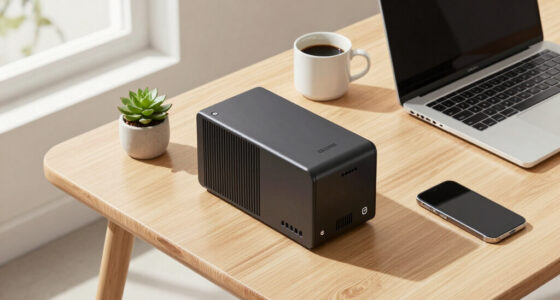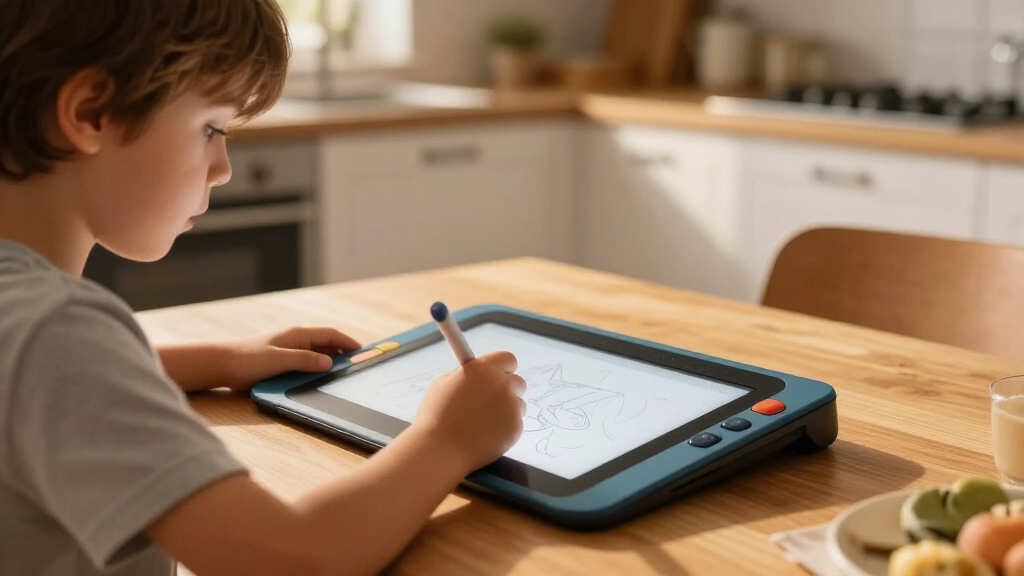

The best digital drawing tablet for most kids is the Geokay 16-Inch Rechargeable LED Drawing Board, which combines a generous drawing surface with nine light modes that make doodling feel special. If you want maximum simplicity and portability, the Bravokids 10-Inch LCD Writing Tablet is a lighter, cheaper alternative, while the XPPen Deco 01 V3 is the standout choice for older kids who are ready to graduate from doodle boards to real digital art software. The main tradeoff in this category is between frictionless LCD tablets — no apps, no screens, no setup — and connected graphics tablets that require a computer but teach genuine digital art skills. There is also a big durability and sharing question: multi-packs like the TQU tablets make sense for siblings, while single large boards suit one focused young artist. Read on for the full breakdown, including who each pick suits and who should skip it.

Prime made for students and young adults
- Fast, free delivery for dorm and study essentials
- Prime Video and Amazon Music included
- Member-only deals
Key Takeaways
- LCD doodle boards dominated this lineup (11 of 15 products), so the real differentiators became screen size, rechargeable batteries versus coin cells, and light modes — not drawing quality, which is nearly identical across brands.
- The Geokay and QIAOBUQI 16-inch rechargeable boards separated themselves from smaller tablets because one-press erase, USB charging, and a bigger canvas matter more for sustained creative play than portability does.
- Multi-packs (TQU 4-pack and 12-pack, Genialba 2-pack) won on cost-per-tablet and sibling harmony, but they use small 8.5-inch screens that frustrate kids over about age six.
- Only two picks — the XPPen Deco 01 V3 and HUION Inspiroy H1060P — are true graphics tablets; they ranked highest for skill growth but are wrong for preschoolers because they require a computer and software.
- The Szhsk 22-inch proved size has a ceiling: great for collaborative family drawing, but too bulky for car trips or small desks, which is why mid-size boards took the top spots.
| Geokay 16-Inch Rechargeable LED Drawing Board with 9 Light Modes |  | Best for Tracing and Glowing Artwork | Surface size: 16 inches | Light modes: 9 | Surface material: 3 mm hardened acrylic | VIEW LATEST PRICE | See Our Full Breakdown |
| Kayoubi 14.5-Inch LCD Writing Tablet for Kids, Pink |  | Best Large-Surface Doodle Board | Screen size: 14.5 inches | Color: Pink | Display: LCD | VIEW LATEST PRICE | See Our Full Breakdown |
| BUKEBU LCD Writing Tablet, 10.5-Inch Colorful Doodle Board for Kids, Pink |  | Best Value Doodle Board | Screen size: 10.5 inches | Color: Pink | Display: Colorful LCD, non-self-illuminating | VIEW LATEST PRICE | See Our Full Breakdown |
| PEPEUNI LCD Writing Tablet for Kids, Blue |  | Best Early-Learning Pick | Recommended age: 4–9 years | Display: Pressure-sensitive LCD | Learning themes: 9 | VIEW LATEST PRICE | See Our Full Breakdown |
| 12-Inch Standalone Drawing Tablet with 4096-Level Stylus |  | Best Premium Pick for Young Artists | Screen size: 12 inches, IPS | Resolution: 2000 × 1200, 100% sRGB | Stylus: 4096 pressure levels, 60° tilt, USI 2.0 | VIEW LATEST PRICE | See Our Full Breakdown |
| Bravokids 10-Inch LCD Writing Tablet for Kids, Pink |  | Best Starter Doodle Board | Screen size: 10 inches | Weight: 150 g | Recommended age: 3–8 years | VIEW LATEST PRICE | See Our Full Breakdown |
| TQU 8.5-Inch LCD Writing Tablets for Kids, 4-Pack |  | Best Multi-Child Value | Screen size: 8.5 inches | Quantity: 4 tablets | Colors: Blue, light blue, green, and pink | VIEW LATEST PRICE | See Our Full Breakdown |
| QIAOBUQI 16-Inch Rechargeable LCD Writing Tablet for Kids |  | Best Big-Screen Rechargeable Pick | Screen size: 16 inches | Battery: Built-in rechargeable | Charging port: USB Type-C | VIEW LATEST PRICE | See Our Full Breakdown |
| XPPen Deco 01 V3 10×6 Drawing Tablet, 16K Battery-Free Stylus, 8 Keys |  | Best for Aspiring Digital Artists | Active area: 10 x 6.25 inches | Pressure sensitivity: 16,384 levels | Tilt support: Up to 60 degrees | VIEW LATEST PRICE | See Our Full Breakdown |
| QIAOBUQI 16-Inch Rechargeable LCD Writing Tablet for Kids, Pink |  | Best Gift-Ready Large Tablet | Screen size: 16 inches | Color: Pink | Power: Rechargeable built-in battery | VIEW LATEST PRICE | See Our Full Breakdown |
| TQU 8.5-Inch LCD Writing Tablets for Kids, 12-Pack |  | Best Bulk Pick for Classrooms and Parties | Pack size: 12 tablets | Screen size: 8.5 inches | Colors: Blue, light blue, red, pink, yellow, green (2 of each) | VIEW LATEST PRICE | See Our Full Breakdown |
| Szhsk 22-Inch Extra Large LCD Writing Tablet (Black) |  | Best Extra-Large Canvas | Screen size: 22 inches | Dimensions: 22″L x 22″W | Color: Black | VIEW LATEST PRICE | See Our Full Breakdown |
| HUION Inspiroy H1060P Graphics Drawing Tablet |  | Best for Aspiring Digital Artists | Working area: 10 x 6.25 inches | Thickness: 10mm | Stylus: PW100 battery-free, ±60° tilt support | VIEW LATEST PRICE | See Our Full Breakdown |
| Genialba 8.5-Inch LCD Writing Tablets for Kids, 2-Pack |  | Best Budget Two-Pack for Siblings | Quantity: 2 tablets | Screen size: 8.5 inches | Screen: Colorful LCD | VIEW LATEST PRICE | See Our Full Breakdown |
| Kayoubi 14.5 Inch LCD Writing Tablet for Kids, Blue |  | Best Big-Screen Pick for Young Kids | Screen size: 14.5 inches | Color: Blue | Dimensions: 13.6″W x 9.8″H | VIEW LATEST PRICE | See Our Full Breakdown |
| digital drawing tablets for kid | Screen size | Features |
|---|---|---|
| Geokay 16-Inch Rechargeable LE | — | — |
| Kayoubi 14.5-Inch LCD Writing | 14.5 inches | One-click erase, screen lock |
| BUKEBU LCD Writing Tablet | 10.5 inches | One-click erase, side lock button |
| PEPEUNI LCD Writing Tablet for | — | One-touch erase button, lock switch |
| 12-Inch Standalone Drawing Tab | 12 inches, IPS | — |
| Bravokids 10-Inch LCD Writing | 10 inches | Pressure-sensitive line thickness |
| TQU 8.5-Inch LCD Writing Table | 8.5 inches | Pressure-sensitive screen, erase button, lock switch, stylus storage |
| QIAOBUQI 16-Inch Rechargeable | 16 inches | — |
| XPPen Deco 01 V3 10×6 Drawing | — | — |
| QIAOBUQI 16-Inch Rechargeable | 16 inches | — |
| TQU 8.5-Inch LCD Writing Table | 8.5 inches | — |
| Szhsk 22-Inch Extra Large LCD | 22 inches | One-click erase, screen lock, glare-free no-blue-light screen |
| HUION Inspiroy H1060P Graphics | — | — |
| Genialba 8.5-Inch LCD Writing | 8.5 inches | One-key erase, screen lock |
| Kayoubi 14.5 Inch LCD Writing | 14.5 inches | One-click erase, screen lock, no blue light |
More Details on Our Top Picks
Geokay 16-Inch Rechargeable LED Drawing Board with 9 Light Modes
This pick stands out for doing something the basic LCD boards in this roundup — like the Kayoubi 14.5-Inch LCD Writing Tablet — simply can’t: it lights up. Nine light modes turn traced drawings into glowing display pieces, and the built-in stand means artwork can stay on a shelf instead of getting wiped away. Compared with a one-click-erase LCD board, this is closer to a light table experience, which makes it better for kids who trace, layer, and refine rather than just doodle. The tradeoff is real, though. It needs regular charging, the battery life isn’t specified, and it involves markers and cleaning — so it’s more maintenance than a paperless tablet. This model makes the most sense for families who want a creative activity kit, not just a doodle pad.
Pros:- Nine light modes create glowing artwork and a display function
- Rechargeable USB-C design allows cable-free use
- Complete starter kit with markers, tracing papers, and cleaning tools
- Built-in stand doubles as an art display easel
Cons:- Requires charging, and battery runtime isn’t specified
- Involves markers and cleanup, unlike paperless LCD boards
Best for: Kids ages 5 and up who love tracing and displaying glowing artwork rather than quick doodling
Not ideal for: Parents who want zero-mess, zero-charging doodling — an LCD tablet like the Kayoubi is far simpler
- Surface size:16 inches
- Light modes:9
- Surface material:3 mm hardened acrylic
- Power:Rechargeable, USB-C charging
- Included accessories:7 markers, 10 double-sided tracing papers, spray bottle, cleaning cloth
- Stand:Built-in
- Warranty:12-month free replacement
Our verdict“Buy this for a child who treats drawing as a project — tracing, coloring, and showing off the result — not for quick doodles.”
Kayoubi 14.5-Inch LCD Writing Tablet for Kids, Pink
Screen real estate is the story here. At 14.5 inches, this Kayoubi offers one of the biggest drawing areas among the standard LCD boards in this guide — noticeably roomier than the BUKEBU 10.5-Inch or the Bravokids 10-Inch, which matters for kids who draw big scenes or practice writing full sentences. The screen lock is a genuinely useful touch, letting a child save a drawing to show a parent before erasing, and the no-blue-light design means it’s fine for quiet pre-bed drawing sessions. What holds it back from being the top pick overall is vagueness: no battery details are listed, so replacement timing is a guess. Compared with smaller multi-packs like the TQU 8.5-inch sets, it’s a single board — one kid, one surface, no sharing.
Pros:- Extra-large 14.5-inch drawing surface for the category
- One-click erase plus screen lock to save drawings
- No harsh blue light or glare for eye comfort
- Reusable and paperless with no ink or mess
Cons:- No battery type or replacement details specified
- Single unit only — no multi-pack option for siblings
Best for: One child ages 3–8 who fills the page and needs room for big drawings and handwriting practice
Not ideal for: Multi-kid households — a single board invites squabbling, where the TQU 4-pack solves that outright
- Screen size:14.5 inches
- Color:Pink
- Display:LCD
- Features:One-click erase, screen lock
- Eye comfort:No harsh blue light or glare
- Recommended age:3 to 8 years
Our verdict“The right choice when one child needs the biggest possible paperless canvas without stepping up to a smart tablet.”
BUKEBU LCD Writing Tablet, 10.5-Inch Colorful Doodle Board for Kids, Pink
This option earns its spot by being the dependable, affordable default. The 10.5-inch screen hits a middle ground: larger and more colorful than the tiny TQU 8.5-inch boards, yet lighter and cheaper-feeling in commitment than the bigger Kayoubi 14.5-Inch. At roughly 200 grams with a rounded-corner ABS shell built to survive drops, it’s the board I’d hand to a preschooler without wincing. The colorful, non-self-illuminating lines keep it easy on young eyes, and the side lock button prevents the classic toddler tragedy of an accidental erase. The honest tradeoff: it runs on a replaceable battery rather than USB charging, and at this price the drawing precision is basic pressure sensitivity — fine for doodles, frustrating for a kid who wants detail work. An 18-month replacement policy softens the risk.
Pros:- Lightweight 200-gram design with shock-resistant rounded corners
- Colorful lines on a non-self-illuminating, eye-friendly screen
- Lock button prevents accidental erasing
- Rated for up to 100,000 uses with replaceable battery
Cons:- Coin-cell battery requires eventual replacement rather than recharging
- 10.5-inch screen feels cramped compared with 14.5-inch options
Best for: Budget-conscious parents of kids 3–8 who want a tough, everyday doodle board without paying for extras
Not ideal for: Kids developing finer drawing skills — the small screen and basic sensitivity will feel limiting within a year
- Screen size:10.5 inches
- Color:Pink
- Display:Colorful LCD, non-self-illuminating
- Weight:Approximately 200 grams
- Housing:ABS plastic with rounded corners
- Features:One-click erase, side lock button
- Reusability:Rated up to 100,000 writes
- Warranty:18-month replacement
Our verdict“A sensible low-risk first drawing tablet for young kids — buy it for durability and price, not for artistic precision.”
PEPEUNI LCD Writing Tablet for Kids, Blue
Where most boards here are pure doodle pads, the PEPEUNI leans into structured learning, with nine themes spanning drawing, writing, and reading practice aimed squarely at the 4–9 crowd. That focus separates it from the freeform BUKEBU 10.5-Inch or the Bravokids board — it’s designed to sit next to homework, not just in a toy bin. The slim body stores in a backpack pocket, and the lock switch means a finished practice sheet survives the walk to show a parent. Two gaps keep it lower in the ranking: the display size isn’t specified anywhere, which makes comparison shopping awkward, and it’s a newer option with limited track record. If your goal is letter practice and learning themes rather than pure art, this pick makes more sense than the bigger drawing-first boards.
Pros:- Nine learning themes cover drawing, writing, and reading
- Lock switch protects work from accidental erasing
- Slim, lightweight design travels and stores easily
- Appropriate age range extends to 9, older than most boards here
Cons:- Display size is not specified, making value hard to judge
- Newer product with a limited track record compared with established boards
Best for: Parents of 4–9 year olds who want a tablet that supports writing practice and learning themes, not just doodling
Not ideal for: Kids focused on art — an art-first board like the Geokay LED tracing kit offers far more creative range
- Recommended age:4–9 years
- Display:Pressure-sensitive LCD
- Learning themes:9
- Features:One-touch erase button, lock switch
- Material:Plastic
- Color:Blue
- Warranty:1 year
Our verdict“Choose this when the goal is reinforcing school skills on a portable screen — skip it if art is the priority.”
12-Inch Standalone Drawing Tablet with 4096-Level Stylus
This is the graduation pick — a genuine Android 15 tablet with a 12-inch IPS display, not an LCD doodle board. Once a child outgrows what the BUKEBU or Kayoubi can teach (one line weight, one color, instant erasure), this is the logical next step: 4096 pressure levels and 60° tilt let strokes actually vary, and full drawing apps open up layers, color, and undo. The bundled shockproof case, anti-glare protector, and drawing glove show it’s built for kids specifically — unlike a general-purpose graphics tablet such as the XPPen Deco 01 V3, it needs no computer at all. Be clear-eyed about the tradeoffs: the 16GB RAM figure includes 8GB of virtual memory, battery runtime isn’t specified, and it costs several times any LCD board here. It’s an investment in a serious hobby, not a toy.
Pros:- Fully standalone — runs drawing apps with no computer required
- 4096 pressure levels and 60° tilt enable expressive, varied strokes
- Kid-ready bundle with shockproof case, anti-glare protector, and glove
- 256GB storage expandable to 2TB for years of artwork
Cons:- Listed 16GB RAM is half virtual memory, so real performance is lower than the spec implies
- Battery runtime is not specified despite the 8000mAh capacity
- Far more expensive than every LCD board in this roundup
Best for: Kids roughly 8 and up who have outgrown doodle boards and want real digital art tools with pressure-sensitive drawing
Not ideal for: Toddlers and casual doodlers — the price and complexity are wasted on a child who just scribbles and erases
- Screen size:12 inches, IPS
- Resolution:2000 × 1200, 100% sRGB
- Stylus:4096 pressure levels, 60° tilt, USI 2.0
- Operating system:Android 15
- RAM:16GB (8GB physical + 8GB virtual)
- Storage:256GB, expandable to 2TB
- Battery:8000mAh, 18W charging, reverse charging
- Connectivity:4G LTE, dual SIM
- Included accessories:Shockproof case, anti-glare screen protector, drawing glove, charger, USB-C cable
Our verdict“The right buy only when a young artist has demonstrably outgrown doodle boards and is ready for pressure-sensitive digital drawing.”
Bravokids 10-Inch LCD Writing Tablet for Kids, Pink
This option stands out as the simplest entry point in the lineup for very young artists. The one-button erase and screen lock are about as low-friction as a drawing tool gets — there’s no app, no pairing, no charging cable, which is exactly what a 3-year-old needs compared with more complex options like the XPPen Deco 01 V3, which requires a computer or phone to function at all. Compared with the TQU 8.5-Inch 4-Pack, the Bravokids trades multi-child value for a larger 10-inch screen and a screw-secured battery door that keeps curious fingers away from the battery. The pressure-sensitive line thickness gives drawings more character than basic on/off boards.
The real tradeoff: nothing is saved digitally. Once erased, the artwork is gone unless a parent photographs it, and the unspecified battery life means you should keep spare coin cells on hand.
Pros:- Lightweight 150 g build travels easily in a diaper bag or backpack
- Screen rated for over 100,000 rewrites, cutting paper waste
- Screw-secured battery door prevents toddlers from accessing the battery
- Pressure-sensitive lines let kids draw thick or thin without menus
Cons:- Drawings can’t be exported or saved as digital files
- Battery life and replacement requirements aren’t specified by the maker
Best for: Parents of preschoolers (ages 3–8) who want a mess-free, zero-setup drawing toy for car rides and restaurants
Not ideal for: Families whose kids want to keep or share their artwork — the screen erases rather than saving files
- Screen size:10 inches
- Weight:150 g
- Recommended age:3–8 years
- Screen reuse:Over 100,000 rewrites
- Controls:One-button erase, screen lock
- Features:Pressure-sensitive line thickness
- Material:Plastic
Our verdict“A dependable first drawing tablet for young kids whose parents value simplicity over saving artwork.”
TQU 8.5-Inch LCD Writing Tablets for Kids, 4-Pack
If your household has more than one kid — or you’re stocking a classroom, playroom, or road-trip survival kit — this pick makes the most sense for sheer practicality. Four color-coded tablets mean fewer arguments and no sharing negotiations, something no single-unit option in this roundup can match. The lock switch preserves a drawing when a child wants to show it off later, and stylus storage built into each unit cuts down on lost-pen meltdowns.
The compromises are real, though. Each 8.5-inch screen is noticeably smaller than the QIAOBUQI 16-Inch models, so sprawling drawings are off the table, and all four tablets run on button batteries you’ll eventually replace. The one-month warranty is the shortest in this lineup — fine for cheap doodle boards, but worth knowing before gifting.
Pros:- Four tablets in distinct colors reduce sibling squabbles
- Lock switch preserves drawings between uses
- Built-in stylus storage keeps pens from getting lost
- Lightweight format suits car seats, waiting rooms, and travel
Cons:- Button batteries require eventual replacement across all four units
- Only a one-month warranty — the shortest in this roundup
Best for: Families with multiple children, or teachers and caregivers who need several quiet-activity tablets at once
Not ideal for: Parents who want a single durable, longer-protected tablet — the short warranty and disposable batteries work against that
- Screen size:8.5 inches
- Quantity:4 tablets
- Colors:Blue, light blue, green, and pink
- Power:Button battery
- Features:Pressure-sensitive screen, erase button, lock switch, stylus storage
- Recommended age:36 months and up
- Warranty:One month
Our verdict“The smart buy when quantity matters more than screen size, especially for siblings or group settings.”
QIAOBUQI 16-Inch Rechargeable LCD Writing Tablet for Kids
This model is better suited to kids who have outgrown small doodle boards and want room to sprawl. A 16-inch screen is large enough for full scenes, spelling lists, and math practice on one page — roughly double the drawing area of the Bravokids 10-Inch. Two thoughtful upgrades separate it from cheaper boards: a rechargeable battery with USB Type-C charging (no coin-cell swaps, unlike the TQU 4-Pack) and two styluses with elastic cords, so a lost pen doesn’t sideline the whole tablet.
The main limitation is the non-luminous screen — it reflects ambient light rather than glowing, so dim bedrooms and evening car rides are poor settings for it. The nine-month battery claim also comes without stated usage conditions, so treat it as optimistic.
Pros:- 16-inch screen gives ample room for detailed drawings and schoolwork
- Rechargeable battery with USB Type-C avoids disposable coin cells
- Two styluses with elastic cords prevent the classic lost-pen problem
- One-touch front erase button and rear screen lock are kid-friendly
Cons:- Non-luminous screen is hard to see in low-light conditions
- Nine-month battery life claim lacks stated usage conditions
Best for: Elementary-age kids (3–8) who want a large canvas for drawings, spelling, and math practice without battery hassle
Not ideal for: Kids who draw at night or in dim rooms — the screen needs decent ambient light to be visible
- Screen size:16 inches
- Battery:Built-in rechargeable
- Charging port:USB Type-C
- Erase function:One-touch front button
- Screen lock:Back switch
- Included accessories:Two styluses, two elastic cords, Type-C cable, after-sales card, surprise gift
- Material:ABS
- Recommended age:3–8 years
- Warranty:One year
Our verdict“The best pick here for a big, rechargeable, mess-free canvas — as long as your child draws in decent light.”
XPPen Deco 01 V3 10×6 Drawing Tablet, 16K Battery-Free Stylus, 8 Keys
Every other product in this roundup is a standalone LCD board; this one is a different category entirely — a real graphics tablet that connects to a computer, phone, or tablet. That difference is the whole point. With 16,384 pressure levels, 60-degree tilt support, and compatibility with Photoshop, Illustrator, and Clip Studio, it’s the only option here that lets a child actually develop transferable digital art skills. The battery-free stylus behaves like a real pen, and the 8 mm-thin body slips into a school backpack.
The tradeoffs are structural. Unlike the QIAOBUQI 16-Inch or the Bravokids board, there’s no screen on the tablet itself — kids draw on the surface while watching a separate display, which takes practice. It also needs a host device and software, so it’s wasted on a 4-year-old who just wants to doodle.
Pros:- 16K pressure levels and tilt support produce genuinely nuanced lines and shading
- Battery-free stylus works like a real pen with nothing to charge
- 8 customizable shortcut keys support both right- and left-handed users
- Broad compatibility across Windows, macOS, Android, Chrome OS, and Linux
Cons:- Requires a connected computer, phone, or tablet — cannot be used on its own
- Blind drawing surface (no built-in screen) has a learning curve for young kids
Best for: Kids around 8 and up who are serious about learning digital art and already have a computer or Android device
Not ideal for: Toddlers and young kids who need a self-contained toy — this requires a host device and has no standalone screen
- Active area:10 x 6.25 inches
- Pressure sensitivity:16,384 levels
- Tilt support:Up to 60 degrees
- Shortcut keys:8 customizable express keys
- Stylus:Battery-free, includes 10 spare nibs and stand
- Thickness:8 mm
- Connectivity:USB-C, with USB-C and USB-A adapters included
- Compatibility:Windows 7+, macOS 10.13+, Android 10+, Chrome OS 88+, Linux
- In the box:Tablet, stylus, 10 nibs, stylus stand, glove, protective film, cables
Our verdict“The clear choice for an older child ready to graduate from doodle boards to actual digital art software.”
QIAOBUQI 16-Inch Rechargeable LCD Writing Tablet for Kids, Pink
Functionally, this is the same 16-inch rechargeable formula as the standard QIAOBUQI model — same one-touch erase, same rear screen lock, same two styluses on elastic cords — but packaged as a more gift-ready pink set with a warranty card and surprise gift included. That framing matters if you’re buying for a birthday: it arrives looking like a present rather than a bare gadget. Compared with the Kayoubi 14.5-Inch boards elsewhere in this roundup, the extra screen width genuinely helps with sentences and larger sketches.
The same caveats apply. The non-luminous screen needs a well-lit room, and the listing publishes conflicting age ranges (3–12 in one place, 3–8 in another), so parents should judge readiness themselves rather than trusting the label.
Pros:- 16-inch screen handles drawings, spelling, and math practice comfortably
- Rechargeable USB Type-C battery removes routine battery replacements
- Two styluses with elastic cords and a screen lock protect work in progress
- Includes warranty card and surprise gift for a complete present feel
Cons:- Non-luminous screen requires ambient light to be usable
- Conflicting listed age ranges (3–12 vs 3–8) create uncertainty about fit
Best for: Gift-givers shopping for a pink-loving child who wants a big-screen tablet presented as a complete present
Not ideal for: Buyers who need a clearly documented age rating — the listing lists conflicting ranges
- Screen size:16 inches
- Color:Pink
- Power:Rechargeable built-in battery
- Battery life:Up to 9 months per charge (per product description)
- Charging port:USB Type-C
- Included accessories:Two styluses, two elastic cords, USB Type-C cable, surprise gift, warranty card
- Material:ABS
- Recommended age:3+ (listing also states 3–12 and 3–8)
Our verdict“A thoughtful large-format gift for young artists, provided you’re confident about the child’s age fit and drawing conditions.”
TQU 8.5-Inch LCD Writing Tablets for Kids, 12-Pack
This option stands out for sheer quantity: twelve tablets in six colors means a whole classroom, birthday party, or sibling group gets its own screen with no sharing disputes. Compared with the Genialba 2-Pack, the math is obvious — that set suits one household, while this one covers a group. Each tablet keeps the basics that matter for kids: one-button erase, a lock switch to protect a drawing mid-session, and a pressure-sensitive screen that responds to how hard a child presses. The tradeoff is that the small 8.5-inch size limits detail work, and every unit runs on a button battery rather than rechargeable power like the QIAOBUQI 16-Inch model, so replacements eventually become a factor across a dozen devices.
Pros:- Twelve tablets in six colors eliminate sharing conflicts
- One-button erase and lock switch on every unit
- Lightweight and quiet for travel and classroom use
- Pressure-sensitive screens respond to varying pressure
Cons:- Runs on replaceable button batteries across all twelve units
- 8.5-inch screens are small for detailed drawing
Best for: Teachers, party planners, and large families who need many inexpensive drawing tablets at once
Not ideal for: Parents wanting a single premium tablet — smaller packs like the Kayoubi 14.5-Inch offer a bigger, richer canvas
- Pack size:12 tablets
- Screen size:8.5 inches
- Colors:Blue, light blue, red, pink, yellow, green (2 of each)
- Input:Pressure-sensitive screen
- Controls:Erase button, screen-lock switch
- Power:Built-in button battery
- Use cases:Drawing, writing, spelling, math
Our verdict“Buy this pack only if you need volume — a single child is better served by one larger tablet.”
Szhsk 22-Inch Extra Large LCD Writing Tablet (Black)
If screen real estate is the priority, this model plays in a different league. The 22-inch surface dwarfs the Kayoubi 14.5-Inch and even the Geokay 16-Inch board, which matters when two kids want to draw side by side or a family wants a shared message board. The Type-C rechargeable battery also removes the button-battery hassle that comes with the TQU 12-Pack, and the glare-free, no-blue-light panel is gentler for long sessions. The real drawbacks: it is a tabletop-bound device with zero portability compared with handheld 8.5-inch pads, and the one-month warranty is unusually short, so build-quality confidence rests largely on that single window.
Pros:- Massive 22-inch canvas fits multiple users and detailed sketches
- Type-C rechargeable battery replaces disposables
- No glare, radiation, or blue light for eye safety
- One-click erase with screen lock prevents accidental deletion
Cons:- Only one month of manufacturer warranty coverage
- Too large and stationary for travel or car use
Best for: Families and home-office users who want a giant shared canvas for doodling, mind maps, and presentations
Not ideal for: Travel-focused buyers — at 22 inches square, it stays home while smaller pads go in the backpack
- Screen size:22 inches
- Dimensions:22″L x 22″W
- Color:Black
- Charging:Type-C rechargeable
- Connectivity:USB
- Features:One-click erase, screen lock, glare-free no-blue-light screen
- Warranty:One month
- Audience:Kids and adults
Our verdict“This pick makes the most sense for buyers who want maximum drawing space and never plan to take it on the road.”
HUION Inspiroy H1060P Graphics Drawing Tablet
Every LCD pad in this roundup is a doodle toy — this is the one real creative tool. The H1060P connects to a computer or Android device, works inside Photoshop, Illustrator, and SAI, and its battery-free PW100 stylus with ±60° tilt support lets older kids shade and sketch with genuine control. Compared with the XPPen Deco 01 V3, it counters with 28 programmable keys, a major advantage for teens learning shortcut-driven workflows. The tradeoffs are real, though: it needs a host device, offers no iPad or iPhone support, and younger children used to the instant-on simplicity of the Genialba pads may find the driver setup frustrating. This is a purchase for a committed young artist, not a preschool doodler.
Pros:- Battery-free stylus needs no charging and supports ±60° tilt
- 28 total programmable keys for custom shortcuts
- Broad compatibility including Windows, macOS, Android, and Linux
- Slim 10mm body with a generous 10 x 6.25 inch working area
Cons:- No iPad or iPhone support, and cursor issues reported on some Samsung Galaxy S phones
- Linux support limited to Xorg; Wayland not supported
- Requires a connected computer or phone — not standalone
Best for: Kids roughly 10 and up who are serious about digital art and already have a computer or Android device
Not ideal for: Toddlers and casual doodlers — it requires software setup and a connected device, unlike standalone LCD pads
- Working area:10 x 6.25 inches
- Thickness:10mm
- Stylus:PW100 battery-free, ±60° tilt support
- Programmable keys:12 press keys + 16 soft keys
- Compatibility:Windows 7+, macOS 10.12+, Android 6.0+, Linux (Ubuntu, Xorg only)
- Software support:Photoshop, SAI, Illustrator, CorelDRAW, and others
- Left-handed support:Yes, via 180° rotation in driver
- Model:H1060P
Our verdict“Skip the toy pads and choose this when your child is ready to create real digital artwork rather than disposable doodles.”
Genialba 8.5-Inch LCD Writing Tablets for Kids, 2-Pack
This set solves the classic sibling argument — two matching tablets at a modest outlay, where the TQU 12-Pack is overkill for one household. Each pad delivers the core experience: pressure-sensitive lines that vary in thickness, one-key erase, and a lock button, with a stated 100,000 writing cycles that suggests real longevity for the price. Compared with the Kayoubi 14.5-Inch, you give up canvas size — 8.5 inches fits doodles and practicing letters, not elaborate scenes — but you gain a spare for the diaper bag or a friend. Two honest limitations: drawings vanish with an erase rather than saving digitally, and the battery replacement process is vague despite the stated six-month lifespan.
Pros:- Two matching tablets end sharing disputes
- Pressure-sensitive lines vary in thickness
- One-key erase and screen lock are easy for young kids
- Lightweight and portable for travel and restaurants
Cons:- Drawings erase permanently — no saving or exporting
- Battery replacement details are unclear despite stated 6-month lifespan
Best for: Parents of two young kids who want simple, matching doodle tablets without a big spend
Not ideal for: Older kids doing detailed artwork — the small screen and monochrome lines will feel limiting fast
- Quantity:2 tablets
- Screen size:8.5 inches
- Screen:Colorful LCD
- Input:Pressure-sensitive
- Battery:Built-in, replaceable; stated 6-month lifespan
- Writing cycles:Up to 100,000
- Features:One-key erase, screen lock
- Material:Plastic
Our verdict“A sensible pick for families with two casual doodlers who value simplicity and portability over canvas size.”
Kayoubi 14.5 Inch LCD Writing Tablet for Kids, Blue
This option occupies the sweet spot between tiny pads and the oversized Szhsk 22-Inch: a 14.5-inch screen that gives a 3-to-8-year-old room for sprawling doodles while still being light enough at 10.4 ounces to carry to the car or classroom. The two included pens with lanyards answer a common parental complaint — lost styluses — and the no-blue-light, paper-like display positions it as a calmer alternative to actual screens. One-click erase and a lock keep accidental deletions in check. The tradeoffs: like the Genialba pads, work is erased rather than saved, and the blue colorway duplicates the Pink version already in this roundup, so it is a color choice, not a feature upgrade.
Pros:- Large 14.5-inch canvas suits expansive young-artist doodling
- Two pens with lanyards reduce stylus loss
- No blue light or glare for eye comfort
- Lightweight 10.4-ounce ABS body travels easily
Cons:- Drawings cannot be saved or transferred — erase is permanent
- Nearly identical to the Pink variant, offering no feature differences
Best for: Parents of kids ages 3-8 who want a large, lightweight doodle canvas for home, car, and classroom use
Not ideal for: Anyone wanting digital output or advanced features — drawings cannot be saved, exported, or colored
- Screen size:14.5 inches
- Color:Blue
- Dimensions:13.6″W x 9.8″H
- Weight:10.4 ounces
- Material:ABS plastic frame and body
- Batteries:1 lithium metal battery (included)
- Included accessories:2 pens with lanyards
- Features:One-click erase, screen lock, no blue light
- Recommended ages:3-8 years
Our verdict“The right choice for a young child who needs more drawing room than an 8.5-inch pad without the bulk of a 22-inch board.”

How We Picked
My ranking logic starts with a simple question: who is actually going to use this tablet, and for how long? For preschool and early-elementary kids, the criteria that mattered most were instant erase, pressure-free handling, battery type, and whether the tablet survives being dropped off a couch. Rechargeable models scored higher than coin-cell designs because parents consistently replace button batteries — and small batteries are a genuine safety concern with toddlers. Screen size was weighted by age: 8.5 inches suits short attention spans and travel, while 14.5 to 16 inches keeps older kids engaged longer.
For kids aged roughly eight and up, I evaluated a second track entirely: true graphics tablets that connect to a computer. Here the criteria shifted to stylus technology (battery-free pens win), pressure sensitivity levels, shortcut keys, and software compatibility. A tablet with 16K pressure levels means smoother, more responsive lines — a real skill-building difference once a child moves beyond doodling. Finally, I factored in household logistics: multi-packs earned their ranking through sheer practicality for siblings and classrooms, even though each individual tablet is basic. Products were ordered so the most broadly useful picks sit at the top, with specialist choices (extra-large, bulk packs, pro-grade) filling specific niches below.
Factors to Consider When Choosing Digital Drawing Tablets For Kids
Choosing a drawing tablet for a child involves more than picking a screen size. Below are the factors that actually change day-to-day satisfaction — and the common mistakes that lead to a tablet being abandoned in a drawer within a week.
LCD Doodle Board vs. Graphics Tablet: Know Which You’re Buying
These two product types get lumped together under one search term, but they serve completely different purposes. An LCD writing tablet is a self-contained screen your child draws on directly — no computer, no apps, no learning curve — and the image vanishes with an erase button. A graphics tablet like the XPPen or HUION is a blank input surface that only works when plugged into a computer running art software. The mistake I see most often is parents buying a graphics tablet for a five-year-old, who then can’t understand why nothing appears on the black surface. The reverse mistake is buying a doodle board for a ten-year-old who wants to make real digital art with layers, colors, and undo — the board feels like a toy because, frankly, it is one. Match the tool to the child’s ambition, not to the price tag.
Age Appropriateness and Choking Hazards
Battery design is the single most overlooked safety factor in this category. Many budget LCD tablets use replaceable coin-cell batteries, and the battery compartment doors on cheaper models are not always screw-secured. If your child is under four, or still puts things in their mouth, rechargeable models with sealed, USB-charged batteries are the safer route — this is partly why the Geokay and QIAOBUQI boards ranked highly. Stylus size matters too: chunky, thick pens are easier for small hands and harder to lose than slim styluses designed for older users. Also check whether the erase button can be accidentally locked, because a toddler who erases a masterpiece mid-drawing will let you hear about it.
Screen Size: Bigger Isn’t Always Better
Screen size should match the setting where the tablet gets used. An 8.5-inch tablet fits in a diaper bag, a car seat pocket, and a restaurant table — that is exactly where the multi-packs shine. A 14.5- or 16-inch board gives room for detailed drawings, handwriting practice, and games like tic-tac-toe, but it stops being portable. The 22-inch Szhsk sits at the extreme end: wonderful for a dedicated playroom desk or family doodling sessions, yet awkward almost anywhere else. A useful rule of thumb: if the tablet will live in one spot, size up; if it will travel, size down and accept simpler drawings.
Battery Type and Long-Term Cost of Ownership
The sticker price of an LCD tablet hides an ongoing cost: batteries. Coin-cell powered tablets seem cheaper until you replace CR2025 or CR2032 cells two or three times a year across multiple tablets — a real expense if you bought a multi-pack. Rechargeable models cost more upfront but eliminate that recurring spend and the hassle of finding replacement batteries. For graphics tablets, check the stylus: battery-free pens (like those on the XPPen and HUION picks) never need charging, which removes a guaranteed source of frustration. A tablet that dies mid-drawing session is a tablet a child quickly loses interest in.
Durability and the Reality of Kid Handling
No tablet in this category is indestructible, but LCD panels vary widely in how they respond to pressure. Flexible, plastic-framed boards tend to survive drops better than rigid designs, and a slightly recessed screen resists scratches from toys, keys, and enthusiastic stylus stabbing. Look for rounded corners and a light frame — heavy tablets get dropped more often simply because small hands tire. Also consider the stylus tether: a pen attached by a short string stays with the tablet but restricts drawing motion, while a loose pen offers freedom but will absolutely go missing. Buying one spare-friendly model (or a multi-pack) is a legitimate hedge against loss.
When to Pay More — and When Not To
Paying more makes sense in two scenarios: you want a larger rechargeable board that will get years of use, or you are buying a graphics tablet for a child with genuine artistic interest. In both cases, the extra spend buys durability, features, and room to grow. Where spending more wastes money is on premium versions of small doodle boards — an 8.5-inch screen delivers the same experience whether the frame is basic or deluxe. Similarly, do not pay for pressure sensitivity or shortcut keys on a tablet for a child under seven; those features go unused until a child has the patience for software-based art. The smartest spend is usually a mid-size rechargeable board for young kids, then a proper graphics tablet when they outgrow it.
Frequently Asked Questions
At what age should I switch my child from an LCD doodle board to a real graphics tablet?
Most kids are ready between ages eight and ten, and readiness is about patience more than talent. A graphics tablet requires a computer, art software, and the discipline to learn tools before the fun really starts — younger children expect instant results and lose interest when the blank surface shows nothing by itself. If your child already spends long stretches on detailed drawings, asks about layers, colors, and undo, or wants to recreate art they see online, those are strong signals to upgrade. A good bridge is a mid-size LCD board first, like the 14.5- or 16-inch models in this roundup, which builds drawing stamina before the software learning curve begins. Starting with a graphics tablet too early usually results in an expensive device that only the parents use.
Are multi-packs like the TQU 4-pack or 12-pack actually a good deal for one child?
For a single child, usually not — one 16-inch board offers a far better drawing experience than four 8.5-inch screens your kid will treat as disposable. Multi-packs earn their keep in specific situations: siblings close in age, classrooms, party favors, or keeping spares in the car and grandma’s house. The tradeoff is that small screens frustrate detailed drawing, so kids over about six quickly outgrow them. If you do buy a pack, check the battery type — replacing coin cells across twelve tablets becomes a genuine chore and expense. For one child, my guidance is to spend the same budget on a single larger, rechargeable model instead.
Do the light modes on boards like the Geokay actually add anything, or are they a gimmick?
They add more than you might expect, but not for drawing quality itself. The nine light modes function as a novelty engine: tracing in the dark, glowing doodles at bedtime, and color-shifting effects keep a tablet interesting weeks after a plain board would feel repetitive. This matters for gift-giving especially, because the initial wow factor drives whether a child reaches for the tablet again. The honest downside is that light modes drain the rechargeable battery faster, and the flashing modes can overstimulate some children right before bed. If your child traces or draws in the evening, light modes are a genuine feature; if the tablet will live in a bright playroom, they are pleasant but not worth paying a large premium for.
Is a bigger screen always the better choice for drawing?
Not always — screen size should follow the setting and the child’s drawing style. A 16-inch board rewards detailed scenes, handwriting practice, and games, and it keeps older kids engaged longer. But large boards lose their appeal the moment you need portability: they don’t fit in backpacks, they’re awkward on laps in the car, and the 22-inch Szhsk really demands a dedicated desk. Small children also sometimes prefer smaller screens because the erase button and edges sit within reach. The pattern from this comparison is that mid-size (around 14.5 to 16 inches) hits the sweet spot for home use, while 8.5-inch models win exclusively on portability and sharing.
Do graphics tablets like the XPPen Deco 01 V3 work with the software my kid will actually use?
Yes — both graphics tablets in this lineup are compatible with the major free and kid-friendly art programs, including Krita, Medibang Paint, GIMP, and Autodesk SketchBook, and they work on Windows and macOS. The XPPen’s battery-free stylus and the HUION’s 8,192 pressure levels show up in these apps automatically once the driver is installed, so there is no technical fiddling beyond the initial setup. What parents should verify is the computer itself: an old laptop with a sluggish trackpad experience will make any tablet feel unresponsive. Also confirm the child has a stable desk setup, since graphics tablets require the pen hand and eyes to work in different places — a skill that takes a few sessions to click. Once it does, though, these tablets grow with a child for years, unlike doodle boards that get outgrown.
Conclusion
The right pick depends almost entirely on the child’s age and where the tablet will live. For the best overall choice, the Geokay 16-Inch Rechargeable LED Drawing Board wins on size, rechargeable convenience, and light modes that keep kids coming back — it suits most children from about four to ten. The best value goes to the Bravokids 10-Inch and the Kayoubi 14.5-inch tablets, which deliver the core doodle-board experience at a lower commitment level. For beginners and toddlers, the BUKEBU 10.5-inch colorful board and the TQU multi-packs are the gentlest, most shareable entry points. The best premium pick is the XPPen Deco 01 V3, with the HUION Inspiroy H1060P right behind it — both are for kids ready to learn real digital art on a computer. And for specific needs: the Szhsk 22-inch covers family and classroom drawing, the QIAOBUQI rechargeable boards cover budget-conscious large-screen buyers, and the 12-inch standalone tablet covers kids who want pressure sensitivity without a computer. Whatever you choose, match the tool to the child’s stage — a simple board now beats a pro tablet collecting dust.
Halloween Picks
halloween
As an affiliate, we earn on qualifying purchases.