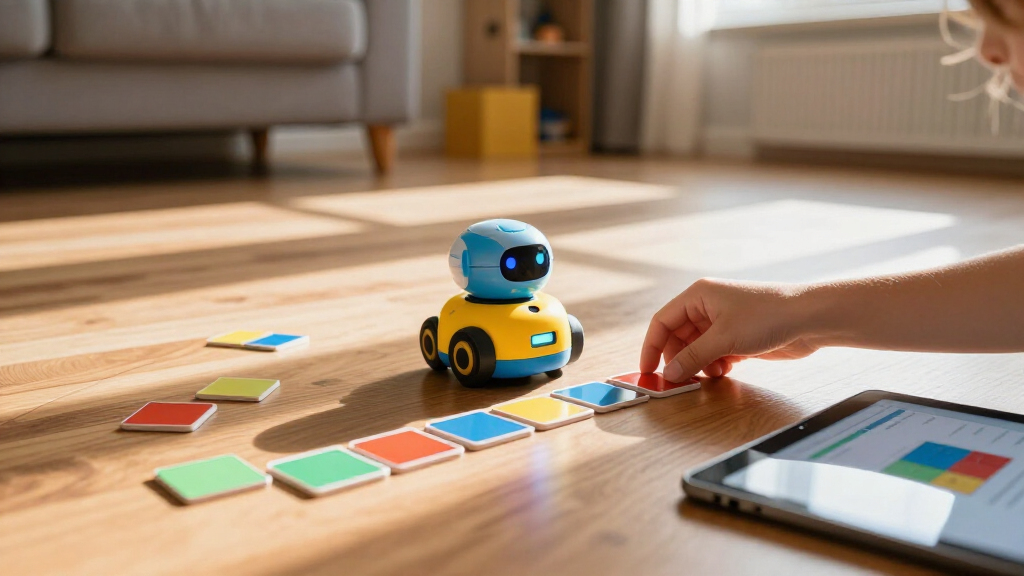

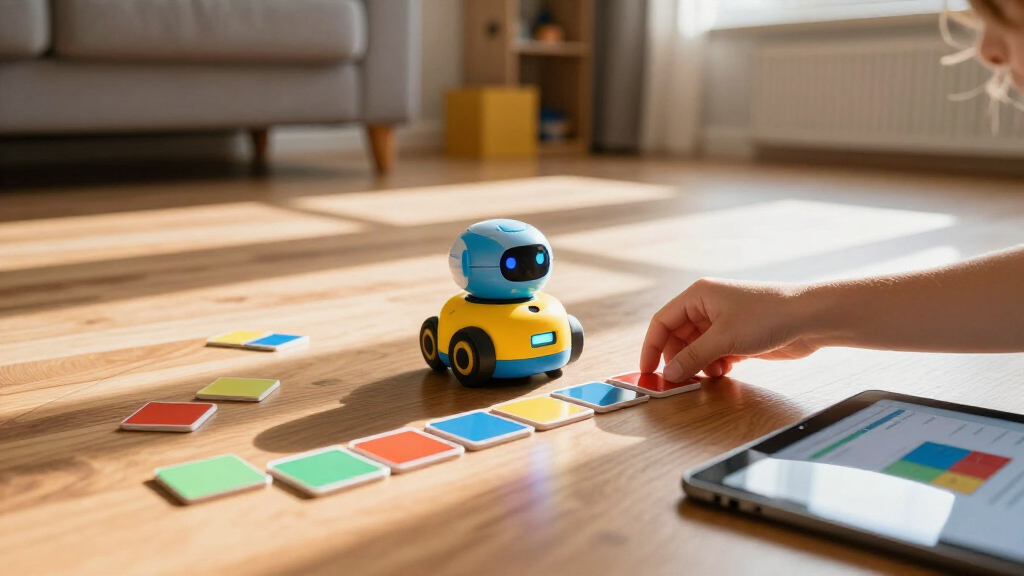
Programmable coding robots for kids range from screen-free floor bots for preschoolers to full build-and-code kits that teach real programming languages, and the right pick depends almost entirely on your child’s age and how much screen time you’re comfortable with. For most families, the Makeblock mBot is the strongest all-around choice: it combines hands-on building with block-based coding that grows into Python. Younger kids do better with the MatataStudio Coding Robot Set, which teaches logic entirely without a screen, while older or more ambitious tinkerers will get more mileage out of the ELEGOO Smart Robot Car Kit, which uses genuine Arduino code. The main tradeoff to weigh is simplicity versus longevity — toys that delight a five-year-old are often abandoned by age eight. Keep reading for the full breakdown of all twelve options.

Prime made for students and young adults
- Fast, free delivery for dorm and study essentials
- Prime Video and Amazon Music included
- Member-only deals
Key Takeaways
- Age band matters more than price: the lineup splits cleanly into 3–5 (TaleBot Pro, My Robotic Pet), 4–9 screen-free (MatataStudio Coding Robot Set), and 8+ text-coding kits (mBot, VinciBot, ELEGOO), and crossing those bands is the fastest way to waste money.
- Screen-free robots teach sequencing and logic brilliantly but plateau quickly — expect 6–12 months of engagement before a child who has mastered them needs a block-coding platform like Ozobot Evo or PYXEL.
- The ELEGOO UNO R3 Smart Robot Car is the only pick here that bridges into real Arduino C++ coding, making it the longest-runway option but a poor fit for anyone under ten.
- Sillbird‘s 5-in-1 kit appears twice in this category because it straddles roles: it’s a building toy first and a coding toy second, which makes it a better gift for LEGO-loving kids than for aspiring programmers.
- Ruko 1088 and PYXEL sit at opposite ends of the ‘programmable’ spectrum — one is an interactive toy with light programming features, the other a genuine coding trainer disguised as a pet — so check which one matches your intent before buying.
| Ozobot Evo Coding Robot Kit |  | Best Overall for Flexible Learning | Coding methods: Ozobot Blockly and screen-free Color Codes | Skill levels: 5 | Lessons: More than 700 free lessons | VIEW LATEST PRICE | See Our Full Breakdown |
| MatataStudio TaleBot Pro Screen-Free Coding Robot for Kids Ages 3–5 | 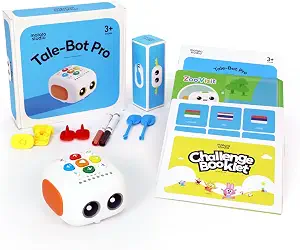 | Best for Preschool Beginners | Brand: MatataStudio | Age range: Ages 3–5 | Languages supported: 10 | VIEW LATEST PRICE | See Our Full Breakdown |
| Educational Insights PYXEL Coding Robot |  | Best for Learning Python | Recommended age: 8 years and up | Coding languages: Blockly and Python | Connectivity: Password-protected Wi-Fi; no internet connection required | VIEW LATEST PRICE | See Our Full Breakdown |
| Sillbird 5-in-1 STEM Robot Building Kit with Remote Control |  | Best for Building and Rebuilding | Pieces: 488 | Recommended age: 8+ | Build options: Robot, dinosaur, car, tank, and more | VIEW LATEST PRICE | See Our Full Breakdown |
| MatataStudio VinciBot Coding Robot for Kids Ages 8–12 |  | Best for Expandable STEM Projects | Brand: MatataStudio | Recommended age: 8 and up | Programming languages: Scratch and Python | VIEW LATEST PRICE | See Our Full Breakdown |
| Makeblock mBot STEM Coding Robot Kit for Kids Ages 8+ |  | Best for Scratch-to-Arduino Progression | Brand: Makeblock | Model: 90053 | Recommended age: 8 years and up | VIEW LATEST PRICE | See Our Full Breakdown |
| MatataStudio Coding Robot Set for Kids 4+, Screen-Free STEM Programming Toy |  | Best Screen-Free Coding Set | Brand: MatataStudio | Manufacturer: Matatalab | Model number: Coding Set | VIEW LATEST PRICE | See Our Full Breakdown |
| Sillbird 5-in-1 STEM Robot Building Kit with Remote Control |  | Best for Multi-Model Building | Recommended age: 8–14 years | Number of build models: 5 | Block count: 596 | VIEW LATEST PRICE | See Our Full Breakdown |
| Ozobot Ari Coding Robot STEM Kit |  | Best for Interactive Sensor Activities | Brand: Ozobot | Model: Ari | Manufacturer part number: 50101ARI | VIEW LATEST PRICE | See Our Full Breakdown |
| Thames & Kosmos My Robotic Pet: Coding Chameleon STEM Kit |  | Best Screen-Free Build Project | Length: 15 inches | Sensors: Color sensor and infrared sensor | Lighting: RGB LEDs | VIEW LATEST PRICE | See Our Full Breakdown |
| ELEGOO UNO R3 Smart Robot Car Kit V4 with Camera |  | Best for Teens Ready for Real Electronics | Brand: ELEGOO | Model: US-EL-KIT-012 | Controller: ELEGOO UNO R3 | VIEW LATEST PRICE | See Our Full Breakdown |
| Ruko 1088 Smart Robot Toy for Kids, Large Programmable Interactive Gift |  | Best Personality-Packed Robot for Young Kids | Brand: Ruko | Height: 15.8 inches | Weight: 2.8 pounds | VIEW LATEST PRICE | See Our Full Breakdown |
| programmable coding robots for kid | Recommended age | Brand |
|---|---|---|
| Ozobot Evo Coding Robot Kit | — | Ozobot |
| MatataStudio TaleBot Pro Scree | — | MatataStudio |
| Educational Insights PYXEL Cod | 8 years and up | — |
| Sillbird 5-in-1 STEM Robot Bui | 8+ | — |
| MatataStudio VinciBot Coding R | 8 and up | MatataStudio |
| Makeblock mBot STEM Coding Rob | 8 years and up | Makeblock |
| MatataStudio Coding Robot Set | Title says 4+; manufacturer recommendation says 8–10 years | MatataStudio |
| Sillbird 5-in-1 STEM Robot Bui | 8–14 years | — |
| Ozobot Ari Coding Robot STEM K | 5 years and up | Ozobot |
| Thames & Kosmos My Robotic Pet | 8+ with adult help; 12+ for independent play | — |
| ELEGOO UNO R3 Smart Robot Car | 12 years and up | ELEGOO |
| Ruko 1088 Smart Robot Toy for | 4–9 years | Ruko |
More Details on Our Top Picks
Ozobot Evo Coding Robot Kit
Ozobot Evo earns the broadest role here because it lets kids move between screen-free Color Codes and online Ozobot Blockly as their skills grow. Five skill levels and access to more than 700 free lessons give families a clearer path from first sequences to more advanced challenges than the younger-child-focused MatataStudio TaleBot Pro. The included markers make it easy to start drawing routes, while the hard-shell case helps keep the small kit together between sessions. That flexibility comes with a tradeoff: children need to interpret color patterns accurately for screen-free play, and Blockly requires a suitable device. Compared with the PYXEL Coding Robot, Evo offers a younger entry point and a physical coding option, but its listed languages do not include Python.
Pros:- Combines screen-free Color Codes with Ozobot Blockly
- Five skill levels accommodate a range of experience
- Includes access to more than 700 free lessons
- Markers, starter guide, and hard-shell case are included
Cons:- Blockly activities require access to a compatible online device
- Color Code play depends on children carefully drawing and reading color patterns
Best for: Families seeking one robot that can start with screen-free coding and continue into progressively harder online lessons
Not ideal for: Families looking specifically for Python instruction or a robot with built-in voice, drawing, and storytelling activities
- Coding methods:Ozobot Blockly and screen-free Color Codes
- Skill levels:5
- Lessons:More than 700 free lessons
- Included:1 Evo robot, 5 dual-tip Color Code Markers, hard-shell zip case, Get Started guide
- Recommended ages:5–11 (title); K–12 (description)
- Brand:Ozobot
Our verdict“Choose Ozobot Evo for a flexible learning path that spans screen-free coding and guided Blockly lessons.”
MatataStudio TaleBot Pro Screen-Free Coding Robot for Kids Ages 3–5
For a first introduction to programming, TaleBot Pro keeps the interaction physical: children press buttons to direct a robot that can move, draw, sing, dance, speak, and record commands. Its map and 14-mission booklet turn sequences and loops into activities young learners can act out, rather than requiring a tablet as the PYXEL Coding Robot does. Ten supported languages and LEGO compatibility add room for shared play and simple building. The tradeoff is a narrow age focus; children ready to write code or tackle deeper projects may outgrow it sooner than Ozobot Evo or PYXEL. The kit includes a starting set of activities, while additional activity boxes are recommended for more learning materials.
Pros:- Button controls support screen-free play
- Map and mission booklet introduce early coding concepts
- Combines coding with storytelling, drawing, and movement
- Supports 10 languages and LEGO-compatible building
Cons:- Designed primarily for children ages 3–5, limiting its fit for older learners
- Additional activity boxes are recommended for more learning materials
Best for: Families with preschoolers who are just beginning to explore sequences and directions through hands-on, screen-free play
Not ideal for: Older children ready for text-based programming, extended coding challenges, or a device-based learning environment
- Brand:MatataStudio
- Age range:Ages 3–5
- Languages supported:10
- Coding commands:Up to 256
- Included components:Robot, double-sided interactive map, 14-mission challenge booklet, configuration card, 2 washable markers
- Compatibility:LEGO blocks
- Dimensions:10.28 × 11.06 × 3.5 inches
Our verdict“Pick TaleBot Pro for preschoolers who need a playful, screen-free first step into coding.”
Educational Insights PYXEL Coding Robot
PYXEL is the clearest choice in this group for a child ready to move from block-based programming toward Python. Built-in tutorials support self-guided learning, and password-protected Wi-Fi connects the robot to a tablet or computer without requiring internet access or an app. That setup gives it a more direct path to text coding than Ozobot Evo, whose described methods are Blockly and Color Codes. PYXEL can also respond with lights and sounds, giving programs a visible result. The tradeoff is a higher device and age threshold: it needs a Wi-Fi-enabled computer or tablet and is recommended for ages 8 and up. Compared with VinciBot, PYXEL lists fewer sensors and activity areas, but its built-in tutorials and no-internet connection are straightforward strengths.
Pros:- Includes both Blockly and Python
- Built-in tutorials support independent learning
- Password-protected Wi-Fi works without an internet connection
- Rechargeable battery and USB-C cord are included
Cons:- Requires a Wi-Fi-enabled tablet or computer
- Not intended for children under 8
Best for: Families with children 8 or older who have a Wi-Fi-enabled tablet or computer and want a guided route from Blockly to Python
Not ideal for: Preschoolers, families without a compatible device, or buyers seeking screen-free control and extensive sensor-based projects
- Recommended age:8 years and up
- Coding languages:Blockly and Python
- Connectivity:Password-protected Wi-Fi; no internet connection required
- Battery:Built-in rechargeable battery
- Included accessories:USB-C cord, Code Activator, guide
- Robot effects:Lights and sounds
Our verdict“Choose PYXEL when Python instruction and guided progression matter more than screen-free play or a broad sensor set.”
Sillbird 5-in-1 STEM Robot Building Kit with Remote Control
Sillbird’s 488-piece kit makes construction the main event: kids assemble a robot, dinosaur, car, tank, and other models before using remote or Bluetooth app controls. That hands-on build cycle distinguishes it from the ready-to-use Ozobot Evo, which puts more emphasis on coding lessons and screen-free routes. Sillbird does include basic programming and movement features, so it can introduce simple control after the model is built. Still, the coding information is less detailed than PYXEL’s explicit Blockly and Python tutorials or VinciBot’s Scratch and Python activities. Assembly takes time, and the battery supports up to 40 minutes of play per charge, which can interrupt longer sessions. This kit suits children who enjoy making and remaking machines as much as programming them.
Pros:- 488 pieces support hands-on construction
- Offers multiple models, including a robot, dinosaur, car, and tank
- Remote control and Bluetooth app provide two control options
- Rechargeable battery and illustrated instructions are included
Cons:- Assembly is required before play
- Play time is limited to up to 40 minutes per charge
- The described programming features are basic compared with PYXEL’s Blockly and Python instruction
Best for: Children 8 and up who enjoy following build instructions, rebuilding models, and controlling their creations
Not ideal for: Families prioritizing a clearly structured coding curriculum, quick setup, or long uninterrupted sessions
- Pieces:488
- Recommended age:8+
- Build options:Robot, dinosaur, car, tank, and more
- Control methods:Remote control and Bluetooth app
- Play time:Up to 40 minutes per charge
- Charging:Rechargeable
Our verdict“Pick Sillbird for a child who wants to build several moving models and explore basic programming along the way.”
MatataStudio VinciBot Coding Robot for Kids Ages 8–12
VinciBot suits older kids who want coding to connect with physical projects: it supports Scratch and Python, has eight sensors, and offers activities in robotics, AI, IoT, and TinyML. Line following, precision drawing, and remote control provide ready-made ways to see how programs affect movement, while compatibility with LEGO bricks, TECHNIC motors, and third-party modules opens up more building options than the fixed five-model Sillbird kit. Its battery life of over four hours per charge also supports longer project sessions than Sillbird’s stated play time. That range brings some dependence on online resources: some tutorials and activities require the platform, and the listing does not specify the included accessories or dimensions. Compared with PYXEL, VinciBot lists more sensors and project areas; PYXEL has a simpler stated setup without an internet connection.
Pros:- Supports Scratch and Python
- Eight sensors and multiple preset modes connect code to movement and effects
- Works with LEGO bricks, TECHNIC motors, and compatible third-party modules
- Battery lasts over four hours per charge
Cons:- Some activities and tutorials require the online platform
- Included accessories and exact dimensions are not specified
Best for: Older children who already enjoy building or coding and want to combine Scratch or Python with sensors and expandable hardware
Not ideal for: Families seeking a screen-free starter robot, a fully specified accessory bundle, or activities that do not depend on an online platform
- Brand:MatataStudio
- Recommended age:8 and up
- Programming languages:Scratch and Python
- Sensors:8
- Battery capacity:1500 mAh
- Battery life:Over 4 hours per charge
- Preset modes:Line following, precision drawing, and IR remote control
- Compatibility:LEGO bricks, TECHNIC motors, and third-party electronic modules
- Learning activities:Over 75 online tutorials and a booklet with 17 coding cases
Our verdict“Choose VinciBot for an older learner who wants to extend coding into sensor-driven and expandable STEM projects.”
Makeblock mBot STEM Coding Robot Kit for Kids Ages 8+
The Makeblock mBot is a strong fit for kids who want to move from guided coding into more hands-on robotics. Its build takes about 15 minutes, then Scratch and Arduino support let learners grow from visual commands toward text-based programming. Line following and obstacle avoidance make those lessons visible as the robot reacts to its surroundings. Compared with the MatataStudio Coding Robot Set, mBot offers a clearer route into electronics and Arduino, while MatataStudio keeps early coding screen-free with physical blocks. The tradeoff is that mBot depends on batteries and a screen-based programming setup, and its included-component listing names only the robot kit, despite the description mentioning lessons and apps. Families should also have four AA batteries and a CR2025 ready; neither is included.
Pros:- Supports both Scratch and Arduino programming
- Combines coding with hands-on electronics and robot assembly
- Can demonstrate programs through line following and obstacle avoidance
- Assembly takes about 15 minutes
Cons:- Four AA batteries and one CR2025 battery are not included
- Programming depends on a screen-based platform
- Included components are listed only as a robot kit, leaving lesson and app availability less clear
Best for: Families with children around age 8 or older who want a buildable robot that can support a progression from Scratch to Arduino
Not ideal for: Screen-free classrooms or families who want a complete battery-ready kit without buying batteries separately
- Brand:Makeblock
- Model:90053
- Recommended age:8 years and up
- Assembly time:About 15 minutes
- Programming platforms:Scratch and Arduino
- Functions:Remote control, line following, and obstacle avoidance
- Robot batteries:4 AA batteries, not included
- Remote controller battery:CR2025, not included
Our verdict“Choose mBot for an older beginner who wants to grow from Scratch projects into Arduino and practical robotics.”
MatataStudio Coding Robot Set for Kids 4+, Screen-Free STEM Programming Toy
The MatataStudio Coding Robot Set teaches sequencing, loops, conditionals, and debugging through physical coding blocks, so children can work through programming ideas without an app or internet connection. Its Command Tower, control board, challenge booklets, and two-sided map give the blocks a structured play space for home or group activities. Compared with the Makeblock mBot, this set is better suited to children learning foundational logic, while mBot offers a path into Scratch and Arduino. The age guidance needs attention: the title says 4+, but the manufacturer recommendation lists ages 8–10, so buyers should check which guidance fits their child. The set can also grow through separate musician, artist, animation, and sensor add-ons, though those expansions mean the starter kit does not contain every activity.
Pros:- Teaches sequencing, loops, conditionals, and debugging with physical blocks
- Works without screens, apps, or internet
- Includes a Command Tower, control board, challenge booklets, and two-sided map
- Optional add-ons extend activities into music, art, animation, and sensors
Cons:- Title and manufacturer age guidance differ, so age suitability is unclear
- Extended activities require separately purchased add-ons
- Physical-block approach does not offer the Scratch-to-Arduino progression of Makeblock mBot
Best for: Parents and teachers seeking a screen-free way to teach coding logic through tangible blocks, maps, and guided challenges
Not ideal for: Buyers who want one set to cover advanced programming or who need a clear, consistent age recommendation
- Brand:MatataStudio
- Manufacturer:Matatalab
- Model number:Coding Set
- Recommended age:Title says 4+; manufacturer recommendation says 8–10 years
- Included robot:MatataBot
- Coding pieces:37 coding blocks
- Other included components:Command Tower with image recognition camera, control board, 3 challenge booklets, two-sided game map, USB-C cable, obstacles, and flags
- Materials:Cardboard, PVC, and plastic
Our verdict“Pick MatataStudio for young learners who benefit from screen-free, tactile coding practice and guided challenges.”
Sillbird 5-in-1 STEM Robot Building Kit with Remote Control
The Sillbird 5-in-1 makes building variety its main appeal: 596 blocks can form five models, giving children more than one construction challenge before they move on. Remote control and Bluetooth app control offer accessible ways to operate the finished builds, while creative coding introduces basic programming. Compared with the Makeblock mBot, Sillbird puts more emphasis on rebuilding and model variety; mBot has a more explicit Scratch-and-Arduino progression for learners focused on coding. The rechargeable battery avoids disposable AA cells, but up to 40 minutes of play per charge may mean charging breaks during longer sessions. LED expressions and sound add play value, and the water mist feature offers a distinctive effect, though it requires adding water. This set suits kids who enjoy assembling and operating different robot forms more than following a structured coding curriculum.
Pros:- 596 blocks build five different models
- Combines remote control with Bluetooth app control
- Rechargeable battery avoids replacing disposable batteries
- LED expressions and sound effects add interactive play
Cons:- Battery supports up to 40 minutes of play per charge
- Water mist feature requires adding water
- Basic creative coding is less clearly progressive than the Scratch and Arduino support in Makeblock mBot
Best for: Children ages 8–14 who like rebuilding models and want remote or app control alongside introductory coding
Not ideal for: Families prioritizing a structured Scratch-to-Arduino learning path or long sessions without recharging
- Recommended age:8–14 years
- Number of build models:5
- Block count:596
- Controls:Remote control and Bluetooth app
- Features:LED expressions, sound effects, water mist, and creative coding
- Battery:Rechargeable
- Play time per charge:Up to 40 minutes
Our verdict“Choose Sillbird for a child who values repeated building challenges and playful controls alongside introductory coding.”
Ozobot Ari Coding Robot STEM Kit
The Ozobot Ari pairs a built-in touchscreen with motion and distance sensing, giving kids more direct interaction than the block-and-map approach of the MatataStudio Coding Robot Set. Its accelerometer, gyroscope, and time-of-flight sensor can support coding and hands-on physics activities, while the included color-code markers give children another way to explore commands. The charging cable, screen bumper, and zip case round out the kit for storage and transport. The product information does not name specific programming platforms or explain the coding pathway, so parents should check that Ari’s activities match their child’s learning goals before choosing it over the more explicit Scratch and Arduino options in the Makeblock mBot. Its touchscreen also makes it a less suitable choice for families specifically seeking a screen-free coding robot.
Pros:- Built-in touchscreen supports interactive activities
- Accelerometer, gyroscope, and time-of-flight sensor enable motion and distance exploration
- Includes dual-tip color-code markers
- Screen bumper and protective zip case support handling and storage
Cons:- Programming platforms and coding progression are not specified in the supplied product data
- Touchscreen makes it a poor fit for buyers seeking screen-free coding
- Less clearly positioned for Scratch-to-Arduino learning than Makeblock mBot
Best for: Families seeking a touchscreen robot with motion and distance sensors for interactive coding and physics activities
Not ideal for: Screen-free households or buyers who want clearly specified programming platforms and a step-by-step coding progression
- Brand:Ozobot
- Model:Ari
- Manufacturer part number:50101ARI
- Recommended age:5 years and up
- Sensors:Accelerometer, gyroscope, and time-of-flight sensor
- Included components:Robot, charging cable, 5 dual-tip color-code markers, screen bumper, and protective zip case
- Dimensions:8.5 × 6.9 × 2.2 inches
- Material:Polycarbonate
Our verdict“Pick Ozobot Ari for sensor-led activities and touchscreen interaction when screen-free play is not a priority.”
Thames & Kosmos My Robotic Pet: Coding Chameleon STEM Kit
The Coding Chameleon combines a build project with screen-free programming through physical action cards, making its coding feel connected to the creature’s movement and color responses. Its color and infrared sensors, RGB lights, touch response, and moving tongue give children several visible behaviors to explore across Coding, Wild, and Pet modes. Compared with the MatataStudio Coding Robot Set, this kit centers on assembling and directing one character rather than practicing a wider range of coding concepts with blocks, maps, and challenges. The 48-page manual introduces robotics and nature-inspired engineering, but assembly may call for adult help for children under 12. Its age guidance reflects that split: 8+ with help and 12+ for independent play. Choose it for a focused hands-on project, not a long-term programming platform like Makeblock mBot.
Pros:- Uses physical action cards for screen-free coding
- Color and infrared sensors support responsive behaviors
- Three modes include coding, wild, and pet play
- 48-page manual introduces robotics and nature-inspired engineering
Cons:- Children under 12 may need adult help with assembly
- Focuses on one robotic pet rather than multiple models or broad coding activities
- Does not provide the Scratch-to-Arduino progression available with Makeblock mBot
Best for: Families with children ages 8–11 who want an adult-supported build and screen-free action-card programming activity
Not ideal for: Younger children expected to assemble independently or learners seeking an expandable coding curriculum and programming platform
- Length:15 inches
- Sensors:Color sensor and infrared sensor
- Lighting:RGB LEDs
- Play modes:Coding Mode, Wild Mode, and Pet Mode
- Programming method:Physical action cards
- Manual:48 pages
- Recommended age:8+ with adult help; 12+ for independent play
- Power and software:No screens, devices, or software required
Our verdict“Choose the Coding Chameleon for a screen-free, adult-supported build centered on programming a responsive robotic pet.”
ELEGOO UNO R3 Smart Robot Car Kit V4 with Camera
Most kits in this roundup — like the Makeblock mBot — come pre-packaged for a gentler introduction, but this option stands out for treating robotics as a genuine engineering project. Teens build the car from a bare chassis upward, wiring an UNO R3 controller, sensors, and an ESP32-based camera module themselves, which is where the real learning happens. The payoff is functionality most kid robots can’t touch: FPV video streaming, line tracking, obstacle avoidance, and auto-follow modes, all programmable through provided example code. Compared with the Ozobot Evo, which abstracts coding into app-based blocks, this kit exposes the Arduino ecosystem that teens may use for years afterward. The tradeoff is a steep front-loaded effort — assembly plus programming means the fun is earned, not instant, and younger builders will need an adult alongside them for the first build.
Pros:- True electronics education with the widely-supported UNO R3/Arduino platform
- Advanced features rarely found in kid robots: FPV camera, auto-follow, and line tracking
- Both app and IR remote control options included
- Rechargeable 2000 mAh battery means no disposable battery churn
Cons:- Assembly and programming demand hours of effort and likely adult supervision for first-timers
- Half-year warranty is shorter than typical toy coverage
- No screen-free entry path — coding is mandatory, not optional
Best for: Teens 12 and up (and patient families) who want to graduate from toy robots to authentic Arduino-based electronics and coding
Not ideal for: Families with younger kids or anyone expecting play out of the box — assembly and programming take hours before the car moves
- Brand:ELEGOO
- Model:US-EL-KIT-012
- Controller:ELEGOO UNO R3
- Camera and Wi-Fi module:ESP32-WROVER-based
- Battery:2000 mAh rechargeable lithium-ion
- Control methods:ELEGOO app and IR remote
- Features:FPV video, line tracking, obstacle avoidance, auto follow
- Recommended age:12 years and up
Our verdict“This is the pick for families whose tween or teen has outgrown toys like the Ruko 1088 and wants a first taste of real robotics engineering.”
Ruko 1088 Smart Robot Toy for Kids, Large Programmable Interactive Gift
Where the ELEGOO car kit demands an afternoon of assembly, this model is better suited to instant delight: kids unbox a 15.8-inch robot that dances, tells stories, and responds to voice commands right away. Its programming element is intentionally light — kids string together movement sequences rather than writing real code — which makes it a natural stepping stone before screen-heavy options like the MatataStudio VinciBot or PYXEL. Three control modes (remote, Bluetooth app, and gravity-sensor phone tilting) keep play varied, and up to 100 minutes of runtime per charge outlasts most competitors in this guide. The honest tradeoff: as a coding education tool it’s shallow. A child serious about learning programming logic will outgrow it quickly, and the quirky USB-C charging restriction means losing the original cable is a real inconvenience.
Pros:- Large 15.8-inch build with expressive movement makes an impressive gift
- Three control options: remote, app, and voice commands
- Up to 100 minutes of play per charge — longer runtime than most toy robots
- FCC and CPC certified with smooth, burr-free edges for younger kids
Cons:- Programming features are basic sequencing, not a real coding curriculum
- Only charges with the included cable — standard USB-C to USB-C won’t work and replacements are easy to lose
Best for: Parents of kids roughly 4–9 who want a big, entertaining companion robot that introduces basic sequencing commands without screens-first complexity
Not ideal for: Families whose main goal is substantive coding instruction — its programming depth is thin compared with VinciBot or the ELEGOO kit
- Brand:Ruko
- Height:15.8 inches
- Weight:2.8 pounds
- Control methods:2.4GHz remote, Carle App via Bluetooth, voice command
- Battery:Rechargeable lithium-ion, up to 100 minutes per charge
- Features:10 expressions, 9 flexible joints, 10 songs, gymnastics, storytelling, dance, recording
- Material:Skin-safe ABS plastic
- Recommended age:4–9 years
Our verdict“This makes the most sense as a personality-first gift robot that sprinkles in light programming, rather than as a serious STEM learning tool.”
How We Picked
I judged each robot against four criteria: coding depth (does it teach genuine sequencing, loops, and conditionals, or just react to buttons?), age fit and longevity (how many years before a child outgrows it), setup friction (how much adult help is needed for the first successful program), and build quality versus cost (kits that break during assembly were penalized heavily). I also weighted whether the learning path extends — a robot that grows from icon tiles to block coding to Python earns a higher rank than one locked to a single mode.
The ranking favors robots with a clear developmental runway over one-trick toys, which is why the Makeblock mBot and VinciBot sit above purely reactive robots like the Ruko 1088. Screen-free options earned dedicated slots rather than being dismissed, because for ages 3–6 they are the only developmentally appropriate choice. Finally, I flagged products whose ‘programming’ is really remote control — those appear lower and are labeled honestly so you know exactly what you’re buying.
| programmable coding robots for kid | Brand |
|---|---|
| Ozobot Evo Coding Robot Kit | Ozobot |
| MatataStudio TaleBot Pro Scree | MatataStudio |
| Educational Insights PYXEL Cod | — |
| Sillbird 5-in-1 STEM Robot Bui | — |
| MatataStudio VinciBot Coding R | MatataStudio |
| Makeblock mBot STEM Coding Rob | Makeblock |
| MatataStudio Coding Robot Set | MatataStudio |
| Sillbird 5-in-1 STEM Robot Bui | — |
| Ozobot Ari Coding Robot STEM K | Ozobot |
| Thames & Kosmos My Robotic Pet | — |
| ELEGOO UNO R3 Smart Robot Car | ELEGOO |
| Ruko 1088 Smart Robot Toy for | Ruko |
Factors to Consider When Choosing Programmable Coding Robots For Kids
Before choosing a coding robot, it helps to understand the landscape. The twelve products above differ less in quality than in philosophy — and picking the wrong philosophy is the most common mistake parents make in this category.Match the Coding Type to Your Child’s Reading Level
The single biggest predictor of success is whether the robot’s programming interface matches your child’s literacy. Robots for ages 3–5 use physical tiles, buttons, or arrow pads because pre-readers cannot parse block menus, let alone text. Block-based coding (scratch-style drag-and-drop) works from roughly age six once a child can read command labels like ‘move’ and ‘repeat’. Text-based coding in Python or C++ suits ages ten and up, and only a few kits here — the ELEGOO car and VinciBot — genuinely support it. A common mistake is buying a text-coding kit for a seven-year-old ‘to grow into’; in practice the child loses interest before they can read the code, and the kit gathers dust. Buy for the child you have today, with at most one step of headroom.
Screen-Free Versus App-Based: Decide Before You Shop
Screen-free robots like the TaleBot Pro and MatataStudio Coding Robot Set trade app features for tactile learning — kids physically arrange tiles, which builds sequencing skills through their hands. The tradeoff is limited complexity: without a screen, there’s a ceiling on how sophisticated programs can get. App-based robots offer richer feedback, sensors dashboards, and progression to real languages, but they introduce the screen-time negotiation many families are trying to avoid. There is no universally right answer; the mistake is assuming one approach is ‘better.’ If your child already gets heavy screen exposure at school, a screen-free bot delivers programming concepts without adding to it. If screen time is moderate and supervised, app-based robots offer a far longer learning runway.
Build-It Kits Versus Ready-to-Play Robots
Kits like the Sillbird 5-in-1, mBot, and ELEGOO car require assembly before any coding happens — and that assembly is either the point or the problem. Building teaches mechanical reasoning and gives kids ownership over the machine, but it also means an adult is usually needed for the first session, especially with small parts and wiring. Ready-to-play robots like the Ozobot Evo or Ruko 1088 work within minutes of unboxing, which matters enormously for gift moments and younger attention spans. My guidance: choose a kit only if an adult can commit to building alongside the child the first time. A half-assembled kit in a closet helps nobody, and it’s the most common failure mode for STEM gifts.
Sensors and Expandability Determine Longevity
A robot with only motors is a remote-control car with extra steps. What sustains interest over months is sensors — line followers, ultrasonic distance, color detection, cameras — because they let a child’s programs react to the world. The ELEGOO car’s camera and the VinciBot’s sensor array are why those kits stay engaging for years, while simpler bots exhaust their possibilities in weeks. Expandability matters too: Makeblock’s ecosystem supports add-on packs, so the mBot can gain arms, sensors, and new challenges over time rather than being replaced. When comparing two similarly featured robots, check what the platform lets you add later — that’s usually a better value signal than any feature on the box.
Beware ‘Programmable’ Toys That Aren’t Really Programmable
Marketing in this category is loose with the word ‘programmable.’ Some interactive toys — including large gesture-controlled robots like the Ruko 1088 — let you record short action sequences, which is technically programming but closer to a trick feature than a learning tool. A genuine coding robot exposes loops, conditionals, variables, or sequencing your child composes and debugs. The quick test: can the child write a program that fails, then fix it? If yes, it teaches coding. If every interaction works the first time, it’s entertainment with an educational label. Both have a place in a toy box — but you should know which one you’re paying for.
Who’s Actually Supervising This?
Be honest about the adult involvement available. Screen-free tile robots are the most independent — a four-year-old can genuinely operate the TaleBot Pro solo. Block-coding apps need occasional help debugging and an adult to set up accounts and devices. Text-coding kits like the ELEGOO car effectively require a mentor, at least for the Arduino toolchain setup, which involves drivers, IDEs, and USB cables that frustrate even adults. If the robot is meant to buy you quiet time on Saturday mornings, a mentorship-heavy kit will disappoint both of you. If you’re looking for a joint weekend project, the mentorship-heavy kits are ironically the most rewarding picks in the whole lineup.
Frequently Asked Questions
What age should a child start with a programmable coding robot?
Children can start as early as age three with screen-free tile robots like the TaleBot Pro, which teach sequencing through physical play and require no reading at all. Between four and six, the MatataStudio Coding Robot Set adds direction, looping, and simple debugging while staying entirely screen-free. Around six or seven, once a child reads comfortably, block-based robots like the Ozobot Evo or PYXEL become appropriate and dramatically expand what they can build. The mistake to avoid is jumping straight to text-based kits like the ELEGOO car before age nine or ten — the syntax frustration usually kills interest before the concepts land. Starting simple and upgrading every couple of years keeps both engagement and cost under control.
Are screen-free coding robots actually teaching real coding skills?
Yes, but a specific subset of them. Screen-free robots teach algorithmic thinking — sequencing, order-dependence, debugging, and prediction — which research consistently identifies as the foundation of later programming ability. A child who arranges tiles, watches the robot go wrong, and rearranges them is doing the same mental work as a programmer fixing a bug. What screen-free robots cannot teach is abstraction: variables, nested loops, and functions all need a richer interface than physical tiles allow. That’s why I treat them as a two-year foundation rather than a destination — the natural next step is a block-coding robot like the mBot or VinciBot around age seven or eight.
Is it better to buy one expensive kit or several cheaper robots over time?
For most families, several staged purchases beat one big upfront kit, because a coding robot only works if it matches the child’s current developmental stage. A ten-year-old with a sophisticated Arduino kit may be ready, but buying that same kit for a six-year-old almost guarantees abandonment. The staged path — screen-free bot at four, block-coding robot at seven, text-based kit at ten — spreads cost across years and ensures each toy is actually used. The exception is expandable platforms like the Makeblock ecosystem, where add-ons extend a single purchase across multiple skill levels. If budget forces a choice, prioritize the robot your child can fully use today over one they might grow into.
Do these coding robots require a smartphone or tablet?
It varies by product, and it’s worth checking before you buy if you limit device access. Screen-free options like the TaleBot Pro and MatataStudio Coding Robot Set need no device at all — everything runs through physical tiles and the robot itself. Block-coding robots like the mBot, VinciBot, and Ozobot models require an app on a phone or tablet, and some offer a desktop option as well. The ELEGOO car requires a computer with the Arduino software installed, which involves a one-time setup an adult will need to handle. If your household has exactly one shared tablet, factor in the scheduling friction — a robot that can only be programmed when the device is free tends to get used less over time.
How much do sensors matter versus fun features like sounds and lights?
Sensors matter far more for long-term value, even though lights and sounds are what sell the box. A robot with a line follower or distance sensor lets kids build programs that react — a car that avoids walls, a bot that follows a drawn path — and those reactive projects are what sustain months of experimentation. Sound and light features produce delight in the first week but nothing to program against afterward. The ideal robots combine both, which is part of why sensor-rich kits like the VinciBot and ELEGOO car rank high for older kids. For preschoolers, the calculus flips: at ages three to five, engaging feedback like sounds and lights is developmentally the point, since it rewards each successful sequence.
Conclusion
Best overall goes to the Makeblock mBot — it hits the sweet spot of build-it engagement, block coding, and a Python upgrade path at a mid-range price. Best value is the Sillbird 5-in-1 kit for kids who love building more than coding, while the MatataStudio Coding Robot Set is my value pick for genuinely teaching programming logic without a screen. Best premium is the ELEGOO UNO R3 Smart Robot Car, whose camera and real Arduino coding give it the longest runway of anything here — provided the child is ten or older and has an adult willing to help. Best for beginners is clearly the TaleBot Pro for preschoolers, with the Ozobot Evo serving as the best entry point for school-age kids ready for block coding. For specific needs: choose VinciBot for classroom-style structured learning, PYXEL for a low-friction first coding pet, Ozobot Ari for paper-and-marker hybrid play, and the Ruko 1088 if what you really want is an impressive interactive companion rather than a coding teacher. Match the pick to the child in front of you — not the engineer you hope they’ll become — and you’ll get years of use instead of months.
Fall Picks
fall essentials
As an affiliate, we earn on qualifying purchases.