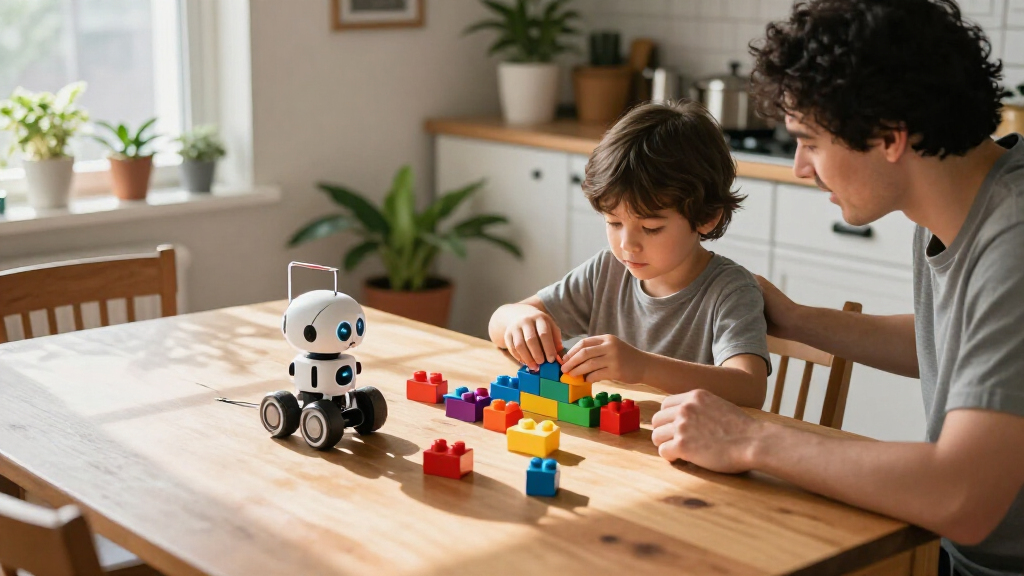

Choosing the right programmable STEM toys for kids requires balancing coding complexity with physical build durability. My top overall pick is the Wonder Workshop Dash Coding Robot because it offers the most seamless transition from block-based coding to real-world application without requiring assembly. For families prioritizing electronics over robotics, the Snap Circuits Arcade provides unmatched clarity in circuit logic, while the Sillbird 5-in-1 Kit stands out for builders who want multiple models from a single set. The main tradeoff you will face is between app-driven ease and hands-on mechanical assembly. Continue reading to see which of these fourteen options fits your child’s learning style and your patience for battery management.

Get school and study supplies delivered free — and shop member deals
- Fast, free delivery on millions of items
- Access to Prime Big Deal Days deals on October 6–7
- Prime Video, Amazon Music and more included
Key Takeaways
- The Wonder Workshop Dash remains the gold standard for pure coding focus, whereas Sillbird kits prioritize mechanical building skills over software depth.
- Snap Circuits products bridge the gap between abstract code and physical electricity, offering a different educational pathway than standard robotics.
- Most ‘5-in-1′ or ’12-in-1’ kits share similar chassis designs, meaning the value lies in the included sensors and app interface rather than unique hardware.
- Beginner kits like Botley lack app connectivity entirely, relying on remote controls to teach sequencing logic without screen time.
- Assembly time varies wildly; some kits require 30 minutes of adult supervision, while others are ready to code in under five minutes.





| programmable STEM toys for kid | Recommended age | Model |
|---|---|---|
| Sillbird 5-in-1 Programmable R | 8 years and up | — |
| Snap Circuits Arcade SCA-200 S | 8+ | SCA-200 |
| Snap Circuits Jr. SC-100 Elect | 8 years and up | SC-100 |
| Wonder Workshop Dash Coding Ro | 6 years and up | — |
| Learning Resources Botley the | 5–8 years | LER2936 |
| Makeblock mBot Programmable ST | — | 90053 |
| Henoda Programmable Robot Buil | 8 years and up | 15049 |
| Sillbird 5-in-1 STEM Robot Bui | — | CA-899 |
| Sillbird 12-in-1 Solar Robot B | 10 years and up | US-SB-SolarRobot |
| Sillbird 5-in-1 Programmable R | 6 years and up | US-B897R1 |
| Opmind 5-in-1 STEM RC Robot Bu | — | — |
| Sillbird 5-in-1 Programmable R | 6-16 | — |
| Opmind 5-in-1 STEM RC Robot Bu | 8-13 | — |
| Ruko 1088 Programmable Smart R | 4-9 | — |
More Details on Our Top Picks
Sillbird 5-in-1 Programmable Robot Building Kit with Remote Control
For kids who want to build before they code, this 596-piece kit offers five models, including a robot, car, and tank, then adds app or remote control for driving the finished builds. Compared with Wonder Workshop Dash, which is ready to play without assembly, Sillbird makes construction part of the STEM activity; that can suit children who enjoy following build steps and changing models, but it asks for more patience. LED expressions, sound effects, and water spray give the builds playful feedback, while the rechargeable battery avoids routine battery replacement. The tradeoff is that the more involved models may frustrate beginners, and the water feature needs filling before use. Choose this over a single ready-made robot when building variety matters more than a quick start.
Pros:- Five build options make construction and rebuilding part of the activity.
- App and remote controls offer two ways to operate the models.
- Rechargeable battery reduces the need for disposable batteries.
- LED effects, sounds, and water spray add interactive play features.
Cons:- Some builds may be challenging for children new to construction kits.
- The water-spray function requires filling before play.
Best for: Children ages 8 and up who enjoy assembling different robot vehicles and want app or remote control after the build.
Not ideal for: Beginners who want a robot they can use straight from the box, or families who prefer not to manage a water-spray feature.
- Recommended age:8 years and up
- Pieces:596
- Build models:5
- Controls:Bluetooth app and remote control
- Features:LED eyes, sound effects, water spray function
- Power:Rechargeable battery
- Dimensions:10 x 8 x 2 inches
- Color:Orange
Our verdict“Pick this for an older beginner who wants hands-on building variety alongside programmable, remote-controlled play.”
Snap Circuits Arcade SCA-200 STEM Electronics Kit for Kids Ages 8+
This kit is the strongest fit here for kids drawn to circuits, lights, and sound rather than building a robot. Its 36 snap-together pieces support more than 200 projects, including over 20 games, so a child can revisit the parts in different arrangements instead of completing one fixed build. Compared with the Snap Circuits Jr. SC-100, Arcade adds a game-focused layer and lists more projects, which may help maintain interest for children motivated by interactive results. Neither kit teaches robot movement or app-based coding, so families seeking a programmable robot should look instead at Botley or Dash. Color-coded connections need no tools or soldering, lowering the barrier to trying circuits; the tradeoff is that the set requires batteries and its focus is electronics, not robotics.
Pros:- More than 200 project possibilities encourage repeated experimentation.
- Over 20 games connect circuit-building with interactive play.
- Color-coded parts snap together without tools or soldering.
- Lights and sounds make circuit outcomes easy to notice.
Cons:- Batteries are required.
- It teaches electronics rather than programming or controlling a robot.
Best for: Children ages 8 and up who enjoy games and want to explore basic electronics through repeatable circuit projects.
Not ideal for: Families specifically seeking a moving, programmable robot or coding activities involving navigation.
- Model:SCA-200
- Pieces:36
- Projects:200+
- Games:20+
- Recommended age:8+
- Power:Batteries required
- Tools required:None
Our verdict“Choose Arcade for a game-oriented introduction to circuits, but select Dash or Botley for robot coding.”
Snap Circuits Jr. SC-100 Electronics Kit, 100+ Projects, Ages 8+
Snap Circuits Jr. gives children a direct way to assemble working circuits: color-coded components click onto a plastic grid, and illustrated instructions guide more than 100 projects without soldering or extra tools. Compared with Snap Circuits Arcade, it has fewer listed projects and lacks Arcade’s emphasis on games, making Jr. the simpler choice for families focused on basic circuit exploration rather than game variety. It is not a programmable robot like Botley, so it suits a different kind of STEM curiosity: how electrical parts connect and produce results. The accessible setup is a strength, though batteries are still needed. The product information also gives varying component counts, so I would not choose it based on a precise piece total.
Pros:- More than 100 projects provide multiple ways to explore circuits.
- Color-coded parts snap onto a grid without soldering.
- Illustrated instructions support independent, step-by-step building.
- No extra tools are required.
Cons:- Batteries are required.
- The listed component count varies across the product information.
- It focuses on circuit building rather than programmable robotics.
Best for: Children ages 8 and up who are ready to explore basic circuits with illustrated, tool-free projects.
Not ideal for: Kids looking for robot movement, coding challenges, or a clearly specified component count.
- Model:SC-100
- Recommended age:8 years and up
- Projects:100+
- Components:Listed counts vary: 28, 29, 32, or over 30
- Included:Plastic snap-grid, electrical components, project manual
- Tools required:None
- Soldering required:No
- Power:Batteries required
Our verdict“Choose SC-100 for a straightforward first circuit kit, not for app-based or robot-coding play.”
Wonder Workshop Dash Coding Robot for Kids Ages 6+
Dash is the most ready-to-play coding option in this group: it arrives assembled and responds to app commands with movement, songs, dances, obstacle navigation, and voice responses. That makes it a different proposition from the Sillbird 5-in-1 building kit, where assembly and changing models are central; Dash favors getting started with coding activities over construction. Its compatible apps and rechargeable battery support ongoing play, while the listed active play time is up to five hours. A compatible phone or tablet is required, however, so it is not the screen-free alternative that Botley provides. Dash has no camera, which may suit families who prefer a robot without one. Choose it for app-guided interaction, not for a build-it-yourself project.
Pros:- No assembly is required before starting robot activities.
- Movement, obstacle navigation, songs, and voice responses create varied coding prompts.
- Rechargeable battery offers up to five hours of active play.
- No camera is included.
Cons:- Activities require a compatible device and app.
- It offers less construction play than the Sillbird building kit.
- The provided dimensions are truncated.
Best for: Children ages 6 and up with access to a compatible device who want an assembled robot for app-guided coding activities.
Not ideal for: Families seeking screen-free play or a construction kit that lets children build the robot themselves.
- Recommended age:6 years and up
- Included components:Dash robot, two building-brick connectors, USB charging cable
- Compatible apps:Blockly, Wonder, Path, and other compatible apps
- Compatible platforms:Apple iOS, Android, Fire OS
- Battery:Rechargeable lithium-ion battery, included
- Active play time:Up to 5 hours
- Weight:0.7 kg
- Camera:None
- Warranty:1 year against manufacturer defects
Our verdict“Choose Dash for app-based coding and interactive robot play, provided a compatible device is available.”
Learning Resources Botley the Coding Robot
Botley is the clearest choice for families who want coding concepts without handing over a phone or tablet. Its remote programmer sends commands for up to 80 steps, while support for loops and if/then logic gives children a way to practice more than simple forward-and-turn sequences. The included coding cards, tiles, and obstacles make it easy to set up challenges around the robot. Compared with Dash, Botley trades app-based activities and features such as singing and voice response for screen-free operation; compared with the build-focused Sillbird kit, it starts with a ready-made robot rather than a construction project. Its age range begins at five, but the lack of a manufacturer warranty is a drawback for buyers prioritizing coverage.
Pros:- Works without a screen or app.
- Supports up to 80 programmed steps, loops, and if/then logic.
- Coding cards, tiles, and obstacles help set up hands-on challenges.
- Suitable for younger children than the age-8 Snap Circuits kits.
Cons:- No manufacturer warranty is listed.
- It does not offer Dash’s app-based activities or voice responses.
Best for: Children ages 5–8 who are learning sequencing and logic, especially families who want coding play without a screen.
Not ideal for: Buyers who want app-based programming, a robot-building project, or manufacturer warranty coverage.
- Model:LER2936
- Recommended age:5–8 years
- Programmable steps:Up to 80
- Screen required:No
- Set size:45 pieces
- Included components:Botley robot, remote programmer, detachable arms, coding cards, tiles, and obstacles
- Warranty:No warranty
Our verdict“Pick Botley for younger children practicing coding logic through hands-on, screen-free challenges.”
Makeblock mBot Programmable STEM Robot Kit for Kids Ages 8+
The Makeblock mBot is my strongest pick for families who want programming to be more than a sequence of app-controlled tricks. Kids assemble the robot, then explore Scratch, mBlock, and Arduino alongside practical functions such as line-following and obstacle avoidance. Its roughly 15-minute assembly keeps the first project manageable, while compatibility with more than 100 electronic modules and 500 parts gives it room to grow. Compared with the Henoda Programmable Robot Building Block Kit, mBot puts more emphasis on a supported coding and electronics pathway than on building a large block model. The tradeoff is that batteries are not included, and its listed age range starts at 8, so it is less suited to younger builders looking for a ready-to-run toy.
Pros:- Connects hands-on assembly with Scratch, mBlock, and Arduino programming.
- Line-following and obstacle avoidance make coding concepts visible through movement.
- Tutorials, coding cards, lessons, and app support give beginners a learning path.
- Compatible with a broad range of Makeblock modules and parts for later projects.
Cons:- Four AA batteries for the robot and a CR2025 for the remote are not included.
- Its age guidance of 8 years and up makes it a less fitting choice for younger beginners.
Best for: Families with children aged 8 and up who want a first robot that can progress from block-based coding toward Arduino and add-on electronics.
Not ideal for: Younger children or families seeking a rechargeable robot ready to use straight from the box; mBot needs separate batteries and is designed for ages 8+.
- Brand:Makeblock
- Model:90053
- Age range:8 years and up
- Programming platforms:Scratch, Arduino, mBlock
- Functions:Remote control, line-following, obstacle avoidance
- Assembly time:About 15 minutes
- Robot power:4 AA batteries, not included
- Remote power:CR2025 battery, not included
- Compatibility:Makeblock add-on packs, 100+ electronic modules, and 500+ parts
Our verdict“Choose mBot for a supported, expandable coding-and-robotics introduction, provided you are ready to supply the batteries.”
Henoda Programmable Robot Building Block Kit with App and Remote Control, 468 Pieces
The Henoda 468-piece kit suits kids who want to build a substantial robot and then control it in several different ways. Alongside app and remote operation, its modes include path, voice, gravity sensor, and STEM programming, offering varied ways to interact after assembly. The illustrated guide and organized assembly bags aim to make that first build more approachable. Compared with the Makeblock mBot, Henoda leans harder into a block-building experience and playful control modes; mBot offers a clearer path into Scratch, mBlock, Arduino, and add-on electronics. Henoda’s listed information does not specify battery life or charging time, which makes it harder to plan longer sessions. This is a better match for mode variety than for a defined progression into more advanced coding.
Pros:- 468-piece build provides an extended hands-on construction project.
- Combines Bluetooth app control with an included 2.4 GHz remote.
- Path, voice, gravity-sensor, and programming modes offer varied interactions.
- Illustrated instructions and assembly bags are designed to simplify the build.
Cons:- The robot must be assembled before it can be played with.
- Battery life and charging time are not specified in the supplied product information.
Best for: Children aged 8 and up who enjoy assembling block-based robots and want several app and remote control modes to explore.
Not ideal for: Families prioritizing a clearly specified battery runtime or a more explicit coding-and-electronics progression like the Makeblock mBot offers.
- Brand:Henoda
- Model:15049
- Pieces:468
- Recommended age:8 years and up
- Control options:Bluetooth app and 2.4 GHz remote
- Control modes:Remote, path, voice, gravity sensor, and STEM programming
- Remote range:Over 20 meters
- Material:ABS
- Included components:Building block robot kit, assembly guide, operation instructions, remote control, USB charging cable
Our verdict“Pick Henoda for a build-first robot with varied control modes, not for the most clearly defined coding progression.”
Sillbird 5-in-1 STEM Robot Building Kit with Remote Control
The Sillbird 596-piece 5-in-1 kit is aimed at children who are more motivated by changing the build than by following one robot through a longer coding curriculum. Five robot-themed models and step-by-step instructions give the construction side plenty of variety, while creative coding, app control, and a remote keep it within the programmable STEM category. LED eyes, sound effects, and a water-activated mist feature add play effects rather than deeper coding tools. Compared with the Sillbird 5-in-1 Programmable Robot Building Kit with App and Remote Control, this version lists five robot-themed models and a 596-piece build, while the other Sillbird option offers robot, car, tank, and dinosaur forms. Its rechargeable battery lasts up to 40 minutes per charge, so sessions need pauses, and the mist requires water.
Pros:- Five buildable models give construction-focused kids reasons to rebuild.
- Creative coding is available alongside Bluetooth app and remote control.
- Rechargeable battery avoids separate disposable batteries.
- LED eyes, sound effects, and mist add sensory features beyond movement.
Cons:- Play time is listed as up to 40 minutes per charge.
- The water-activated mist feature requires adding water.
- The supplied information does not identify specific programming platforms or detail the coding depth.
Best for: Children aged 8 and up who like rebuilding themed robots and want app-based creative coding alongside sound and light effects.
Not ideal for: Buyers seeking a longer programming progression or uninterrupted play sessions; its listed runtime is up to 40 minutes per charge.
- Brand:Sillbird
- Model:CA-899
- Age range:8 years and up
- Pieces:596
- Buildable models:5
- Controls:Remote control and Bluetooth app
- Features:LED eyes, sound effects, water-activated mist, creative coding
- Battery:Rechargeable; up to 40 minutes of play per charge
- Dimensions:7 x 8 x 6 inches
Our verdict“Choose this Sillbird kit for repeated robot-themed builds and playful app coding, rather than a more specified coding curriculum.”
Sillbird 12-in-1 Solar Robot Building Kit, 190 Pieces
The Sillbird 12-in-1 Solar Robot Kit earns its place by making the power source part of the STEM lesson. Children assemble 190 parts into one of 12 models, then use a solar panel or strong artificial light to run the build. That creates a useful connection between engineering, assembly, and renewable energy that app-controlled kits such as the Makeblock mBot do not center. The difference is that this is not a programmable robot in the coding-platform sense: the supplied details describe solar-powered models, not app programming or code-based commands. It is also dependent on sufficient light, and the 10+ age recommendation makes it a less natural fit for younger children than the 6+ Sillbird programmable kit. Choose it for mechanical building and energy concepts, not software practice.
Pros:- Twelve model options encourage rebuilding with the same set of parts.
- Solar panel operation connects construction to renewable-energy concepts.
- Can run on sunlight or a strong artificial light source.
- Step-by-step instructions support the hands-on build process.
Cons:- A strong light source is required for operation.
- The product details do not specify programming platforms or code-based controls.
- Some builds may be challenging for younger children, and the recommended age is 10+.
Best for: Children aged 10 and up who want to build multiple models while learning how light can power a small mechanism.
Not ideal for: Families specifically looking for app-based coding or programmable movement; this kit focuses on solar-powered assembly instead.
- Brand:Sillbird
- Model:US-SB-SolarRobot
- Models:12
- Pieces:190
- Power source:Solar panel or strong artificial light
- Material:ABS
- Recommended age:10 years and up
- Dimensions:10.24 x 7.87 x 2.56 inches
Our verdict“Pick this kit for solar-powered mechanical building and renewable-energy learning, not for coding practice.”
Sillbird 5-in-1 Programmable Robot Building Kit with App and Remote Control
With a recommended age of 6 years and up, this Sillbird kit is the most accessible entry point in this group for a younger child ready to build and try simple programming. Its 488 pieces can form a robot, car, tank, dinosaur, or custom design, and control is available through either a Bluetooth app or remote. That range of forms makes it more flexible as a building toy than the single-robot-focused Makeblock mBot, though mBot offers a more explicit route through Scratch, mBlock, and Arduino. The Sillbird listing describes simple programming but does not name platforms or explain its coding depth, so I would treat it as an introductory option rather than a long-term coding system. Assembly may call for adult help, and each charge supports up to 40 minutes of play.
Pros:- Five build options include a robot, car, tank, dinosaur, and custom design.
- Recommended age of 6+ makes it accessible to younger builders than several kits here.
- Offers both Bluetooth app and remote control.
- Rechargeable battery supports up to 40 minutes of play per charge.
Cons:- Younger children may need adult help with assembly.
- Play time is limited to up to 40 minutes per charge.
- The supplied description does not name a programming platform or explain the coding features in depth.
Best for: Families with children aged 6 and up who want a multi-model building kit with introductory programming and both app and remote control.
Not ideal for: Older children seeking a detailed coding pathway or extended use between charges; the programming details are limited and runtime is up to 40 minutes.
- Brand:Sillbird
- Model:US-B897R1
- Pieces:488
- Build options:Robot, car, tank, dinosaur, or custom design
- Recommended age:6 years and up
- Control:Bluetooth app and remote
- Battery:Rechargeable
- Play time:Up to 40 minutes
- Dimensions:10 x 8 inches
Our verdict“Choose this Sillbird kit for a younger child who wants varied builds and an introductory taste of programming, with adult assembly help available.”
Opmind 5-in-1 STEM RC Robot Building Kit, 478 pcs
This kit stands out for its versatile building options, allowing kids to construct five distinct models including a snail and an AI robot. While the 478 pieces offer substantial construction time, the inclusion of LED eyes and expressive sounds adds a layer of interactivity that purely mechanical kits lack. Compared to the Ruko 1088, which comes pre-assembled, this Opmind model demands hands-on assembly, fostering a deeper sense of accomplishment. However, the app-based coding introduces a learning curve that might frustrate younger builders who just want to drive immediately. It balances screen-free building with digital control, making it a solid middle ground for families wanting both tactile and logical engagement.
Pros:- Five distinct models encourage repeated creative engagement
- LED eyes and sounds enhance interactive play value
- App coding introduces basic programming concepts
Cons:- Small parts pose a choking hazard for younger siblings
- Programming interface may be confusing for beginners
Best for: Kids aged 6-12 who enjoy varied building challenges and want to mix physical construction with digital coding.
Not ideal for: Families seeking a plug-and-play experience or parents concerned about small parts for children under 6.
- Piece Count:478
- Target Age:6-13
- Control Method:App and Remote
- Model Types:Snail, AI Robot, Vehicles
- Features:LED Eyes, Sounds
- Brand:Opmind
Our verdict“Choose this if you want a kit that rewards patience with building variety and interactive digital feedback.”
Sillbird 5-in-1 Programmable Robot Building Kit, 488 Pieces
The Sillbird kit distinguishes itself with progressive difficulty levels, guiding children from simple assembly to more complex programming tasks. With 488 pieces, it offers a slightly larger construction footprint than the Opmind alternatives, resulting in sturdier models like the tank and dinosaur. The Bluetooth app control allows for remote operation, but unlike the Ruko, it requires active building. A key limitation is the 40-minute battery life, which is comparable to other kits in this class but requires frequent recharging during long play sessions. This option makes the most sense for parents who view the toy as a curriculum tool, where the challenge escalates as the child’s skills develop.
Pros:- Step-by-step instructions support independent building
- Multiple models offer diverse programming challenges
- Rechargeable battery reduces ongoing costs
Cons:- Limited 40-minute play time per charge
- Assembly often requires adult supervision for younger kids
Best for: Educators and parents seeking a structured STEM tool with increasing complexity for ages 6-16.
Not ideal for: Children who prefer instant gratification or have short attention spans for assembly tasks.
- Piece Count:488
- Recommended Age:6-16
- Battery Life:Up to 40 minutes
- Builds:Robot, Dinosaur, Car, Tank
- Control:Bluetooth App, Remote
- Dimensions:6 x 7 x 8 inches
- Weight:1.8 pounds
Our verdict“This pick is ideal for families prioritizing educational progression over immediate, low-effort play.”
Opmind 5-in-1 STEM RC Robot Building Kit, 494 Pieces
With 494 pieces, this Opmind model offers the highest piece count among the reviewed building kits, resulting in more detailed and durable transformations. The inclusion of models like a snowplow and engineer provides unique aesthetic variety compared to the standard vehicle builds found in the Sillbird kits. While it shares the 40-minute battery limitation with its competitors, the 2.4GHz remote control generally offers more reliable connectivity than Bluetooth-only options in crowded households. The primary tradeoff is the larger footprint when assembled, which may require more floor space. This kit is best suited for children who enjoy detailed mechanical assembly and want a toy that feels substantial in hand.
Pros:- Highest piece count in this lineup for detailed builds
- Unique model themes like snowplow and magician
- 2.4GHz remote ensures stable control
Cons:- Bulky size requires significant play space
- Battery life caps at 40 minutes
Best for: Kids who prefer complex building projects with higher piece counts and distinct model themes.
Not ideal for: Families with limited storage or play space, or those who prioritize portability.
- Piece Count:494
- Recommended Age:8-13
- Battery:3.7V 400mAh Li-ion
- Control:2.4GHz Remote, App
- Dimensions:9.4 x 2.7 x 12.9 inches
- Weight:2.3 pounds
- Material:ABS Plastic
- Color:Blue
Our verdict“Select this option for a more substantial building experience with unique model variety and stable remote control.”
Ruko 1088 Programmable Smart Robot Toy for Kids, Gold
The Ruko 1088 serves a different demographic than the building kits, targeting ages 4-9 with a pre-assembled 15.8-inch robot. It eliminates the frustration of construction, allowing immediate engagement through voice commands, touch sensors, and gravity sensors. Unlike the Opmind or Sillbird kits, it includes songs and stories, making it more of an interactive companion than a coding engine. However, its limited programming depth means it holds appeal for younger children but may bore older kids seeking complex logic tasks. This is the clear choice for parents wanting a robust, ready-to-play STEM toy that doesn’t require assembly skills or small part supervision.
Pros:- No assembly required for instant play
- Multiple interactive inputs including voice and touch
- Includes entertainment features like songs and stories
Cons:- Limited advanced programming capabilities
- Specific charging cable requirements
Best for: Young children (4-9) who want immediate interactive play without the barrier of assembly.
Not ideal for: Older children (10+) or those seeking advanced coding challenges and building mechanics.
- Recommended Age:4-9
- Height:15.8 inches
- Controls:App, Remote, Voice, Gravity
- Features:Touch Sensor, Speaker, 10 Songs
- Power:Rechargeable Li-ion
- Motors:9 Joint Motors
- Warranty:30-day
Our verdict“Buy this for preschoolers and early elementary kids who need a durable, interactive robot without construction hurdles.”
How We Picked
I evaluated these fourteen toys based on three primary pillars: educational progression, hardware durability, and user interface accessibility. Educational progression was judged by how well the toy scaled from simple commands to complex logic loops. Hardware durability was assessed by examining joint materials and sensor protection, as cheap plastic gears often fail during aggressive play. User interface accessibility focused on whether the companion apps required internet connectivity or account creation, which can be a barrier for younger children or strict parental controls.
The ranking reflects a balance between ease of entry and long-term engagement. Products that offered immediate gratification without sacrificing logical depth were ranked higher than those requiring extensive setup. I also prioritized kits with clear documentation and active community support, ensuring that troubleshooting does not stall the learning process. This approach ensures that the recommendations serve both the child’s curiosity and the parent’s need for a manageable toy.
Factors to Consider When Choosing Programmable STEM Toys For Kids
Selecting a programmable toy is not just about picking the coolest robot; it is about matching the tool to the child’s cognitive stage and your household’s tech tolerance. Here are the critical factors to weigh before purchasing.Coding Interface: App vs. Remote Control
The method of input dictates the learning curve. App-based coding allows for visual block programming, which is excellent for abstract thinking but requires a tablet or phone. Remote control coding, used by kits like Botley, teaches sequencing through physical buttons, reducing screen time and simplifying the concept of step-by-step logic. If your child struggles with digital interfaces, a remote-controlled unit builds confidence before they graduate to app-based systems. Conversely, if you want to teach variable manipulation and loops, an app with a drag-and-drop interface is mandatory.
Assembly Requirements and Parental Involvement
Some kits, like the Sillbird 12-in-1, require significant assembly time, often needing adult help for small screws or gear alignment. This can be a feature or a bug depending on your goals. If the goal is to teach mechanical engineering, the build process is the lesson. If the goal is to teach software logic, the assembly is a barrier. Wonder Workshop Dash arrives fully assembled, allowing immediate coding. Consider how much time you are willing to spend supervising construction versus how much you want the child to troubleshoot mechanical issues independently.
Sensor Capabilities and Environmental Interaction
A robot that only moves forward and backward teaches basic commands. A robot with ultrasonic sensors, line trackers, and light sensors teaches conditional logic (if-then statements). Kits like the Makeblock mBot and Dash excel here because they react to the environment, making the code feel alive. Cheaper kits often lack sensors, limiting them to pre-set paths. For true STEM education, the ability for the robot to ‘see’ or ‘hear’ is what transforms a toy into a learning platform.
Battery Life and Power Source Logistics
Rechargeable batteries are convenient but require a charging station that is often proprietary. Disposable batteries are easy to replace but create waste and inconsistent power levels that can affect motor speed. Snap Circuits kits use standard AA batteries, making them easy to maintain anywhere. Robotic kits with lithium-ion packs offer better torque but need careful management to avoid deep discharge damage. Check if the charger is included in the box; many parents overlook this small detail until the toy arrives dead on arrival.
Scalability and Community Resources
The best STEM toys grow with the child. Dash and Makeblock have extensive online communities, video tutorials, and advanced coding platforms that move beyond block coding to text-based languages like Python. Generic brand kits often have limited documentation, leaving you stranded when the basic instructions end. Look for products with active support forums or dedicated educational portals. If a toy cannot evolve with your child’s skills, it becomes shelf decoration within months.
Frequently Asked Questions
At what age should a child start with programmable robots?
Children can begin understanding basic sequencing as early as age 5 or 6 using remote-controlled robots like Botley or Code-a-Pillar that do not require reading or screen time. By age 7 to 8, most children are ready for app-based block coding with devices like Dash or mBot, provided they have the fine motor skills to navigate the interface. Starting too early with complex hardware can lead to frustration, so match the mechanical complexity to the child’s ability to follow multi-step instructions. There is no benefit to rushing; repetition with simpler toys builds stronger foundational logic than struggling with advanced kits.
Do programmable STEM toys require Wi-Fi or internet access?
Most modern programmable robots require an initial internet connection to download the companion app and firmware updates. However, once the app is installed and the robot is paired via Bluetooth, no active internet connection is needed for standard coding sessions. This is important for families with limited data plans or those who prefer offline play. Some cloud-based coding platforms may require ongoing connectivity to save projects or access community templates, so check if the specific app stores projects locally on the device.
Is it better to buy a single-function robot or a multi-build kit?
A single-function robot like Dash is better for deep learning because it eliminates the distraction of constant reassembly, allowing the child to focus purely on coding logic and sensor integration. Multi-build kits like Sillbird are better for teaching mechanical engineering and spatial reasoning, as the child learns how different chassis affect movement. If your child loses interest in building but loves programming, choose the single robot. If they are tactile learners who enjoy construction, the multi-build kit offers more value and variety.
How do I troubleshoot if the robot stops responding to commands?
First, check the battery level, as low power often causes Bluetooth disconnections or weak motor performance before the robot fully shuts down. Next, ensure the child is not standing between the device and the robot, as bodies can interfere with Bluetooth signals. If the issue persists, reboot both the robot and the tablet, as app glitches are common after extended use. Finally, check for firmware updates in the app, as manufacturers often release patches to fix connectivity bugs in popular models like Dash and mBot.
Can these toys be used in a classroom setting with multiple students?
Yes, but you must check the Bluetooth pairing limits of the specific model. Some robots can only connect to one device at a time, requiring students to pass the tablet around. Others, like Makeblock mBot, allow multiple robots to connect to a single hub if they use the correct protocol, facilitating group activities. For classroom use, durability is key, so look for models with replaceable parts and robust wheels. Also, consider the cost per unit; multi-build kits are often more cost-effective for large groups than single-purpose premium robots.
Conclusion
To simplify your decision, here is the breakdown by buyer type. For the Best Overall experience, the Wonder Workshop Dash Coding Robot offers the best balance of software depth and hardware reliability. If you are looking for the Best Value and want to teach electronics alongside logic, the Snap Circuits Arcade is unbeatable. For Beginners or screen-free learning, Learning Resources Botley is the safest and most intuitive entry point. If your child loves building, the Sillbird 5-in-1 Kit provides the most hands-on mechanical engagement for the price. Finally, for Premium durability and advanced sensor work, the Makeblock mBot is the superior choice for long-term growth.
Fall Picks
fall essentials
As an affiliate, we earn on qualifying purchases.