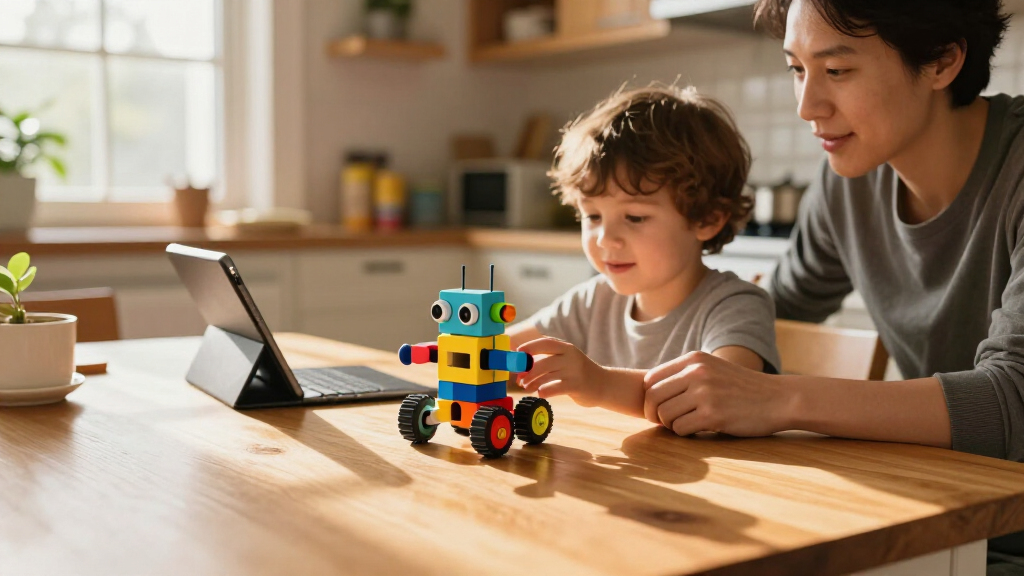

For most families seeking programmable STEM toys for kids, the Makeblock mBot is the strongest overall choice because it combines hands-on robot building with coding. Botley suits younger beginners who are not ready for screens, while the Wonder Workshop Dash offers a more guided coding experience. The main tradeoff is between toys focused on programming, kits that emphasize building, and electronics or solar projects with little direct coding. Age, assembly patience, and whether a child wants app-based or screen-free play can narrow the field quickly. Read on for the full comparison and recommendations by learner and play style.

Prime made for students and young adults
- Fast, free delivery for dorm and study essentials
- Prime Video and Amazon Music included
- Member-only deals
Key Takeaways
- mBot leads for balanced coding and construction: It stands apart from the many 5-in-1 kits by pairing a programmable robot with a more direct introduction to coding.
- Beginner choices depend on screen preference: Botley supports screen-free coding play, while Dash and mBot suit families comfortable with app-based activities.
- Many building kits emphasize variety over programming depth: The Sillbird, Opmind, and Henoda kits offer multiple builds, but buyers should check which control and coding methods the specific version includes.
- Electronics kits teach a different kind of STEM: Snap Circuits Arcade and Jr. focus on connecting circuits and exploring projects rather than programming a robot.
- Age labels do not tell the whole story: Assembly complexity, reading needs, device setup, and adult help can matter as much as the suggested age.



| programmable STEM toys for kid | Recommended age | Model | Brand | Pieces |
|---|---|---|---|---|
| Makeblock mBot Programmable ST | — | 90053 | Makeblock | — |
| Snap Circuits Arcade SCA-200 S | 8+ | SCA-200 | — | 36 |
| Ruko 1088 Programmable Smart R | 4–9 years | 1088 | Ruko | — |
| Sillbird 5-in-1 STEM Robot Bui | — | CA-899 | Sillbird | 596 |
| Sillbird 5-in-1 Programmable R | 6 years and up | US-B897R1 | Sillbird | 488 |
| Snap Circuits Jr. SC-100 Elect | 8 years and up | SC-100 | — | — |
| Opmind 5-in-1 STEM RC Robot Bu | 8–13 years, according to the title | 8059 | — | 494 listed; product details report varying counts |
| Learning Resources Botley the | 5–8 years | LER2936 | — | — |
| Wonder Workshop Dash Coding Ro | 6 years and up | — | — | — |
| Sillbird 12-in-1 Solar Robot B | 10 years and up | — | — | 190 |
| Smartivity Robotic Mechanical | 8–14 years | — | Smartivity | — |
| Sillbird 5-in-1 Programmable R | 6–16 years | B883 | Sillbird | 488 |
| Henoda Programmable Robot Buil | 8 years and up | 15049 | Henoda | 468 |
| Sillbird 5-in-1 Programmable R | 8 years and up | US-B902 | Sillbird | 596 |
| Opmind 5-in-1 STEM RC Robot Bu | — | — | Opmind | — |
More Details on Our Top Picks
Makeblock mBot Programmable STEM Robot Kit for Kids Ages 8+
mBot makes programming the main event: kids assemble a working robot, then explore Scratch, mBlock, or Arduino through its line-following, obstacle-avoidance, and remote-control functions. Compared with the Snap Circuits Arcade SCA-200, which focuses on building circuits and electronic games, mBot gives learners a more direct path from code to a robot’s movement. Its roughly 15-minute assembly and included tutorials also make the first project approachable without reducing the kit to a ready-made toy. The tradeoff is that families need to supply four AA batteries for the robot and a CR2025 for the remote, and the kit is aimed at ages 8 and up. Its Makeblock module compatibility offers room to expand, though those additions are separate components.
Pros:- Connects hands-on assembly with Scratch, mBlock, and Arduino programming.
- Line-following and obstacle avoidance make code outcomes visible in robot movement.
- Tutorials, coding cards, lessons, and app support help guide early projects.
- Compatible with Makeblock add-on packs and a broad range of modules and parts.
Cons:- Four AA batteries and a CR2025 battery are required but not included.
- Its 8+ age guidance makes it a less suitable choice for younger beginners.
- Expanding the robot’s capabilities may require additional Makeblock components.
Best for: Families with children 8 or older who want a first coding robot that can grow into Scratch and Arduino projects.
Not ideal for: Younger children seeking mostly interactive play, or families who want a kit that includes its required batteries.
- Brand:Makeblock
- Model:90053
- Age range:8 years and up
- Programming platforms:Scratch, Arduino, mBlock
- Functions:Remote control, line-following, obstacle avoidance
- Assembly time:About 15 minutes
- Robot power:4 AA batteries, not included
- Remote power:CR2025 battery, not included
Our verdict“Choose mBot if your child is ready to connect coding lessons to a robot they build and control.”
Snap Circuits Arcade SCA-200 STEM Electronics Kit for Kids Ages 8+
Snap Circuits Arcade turns electronics into quick, hands-on experiments: its color-coded pieces snap onto a plastic grid, so kids can build without tools or soldering. The 200-plus project count and more than 20 games give families plenty of guided activities to explore. Compared with the Makeblock mBot, this kit is a better match for children curious about how circuits work than for those ready to program a moving robot; it emphasizes assembling electronic projects rather than coding a robot’s behavior. That makes the first step into circuitry tangible, though the project count alone does not promise a deep programming path. Batteries are required, and the supplied information does not specify the type or whether they are included.
Pros:- Color-coded parts snap together without tools or soldering.
- Supports more than 200 electronics projects.
- Includes more than 20 games with lights and sounds.
- Makes circuit building a hands-on activity for beginners.
Cons:- Batteries are required, and the provided product details do not specify their type or inclusion.
- Its focus is electronics projects and games rather than programmable robot movement.
- The listed 36 pieces may feel less open-ended than building kits with many model options.
Best for: Families with children 8 or older who want tool-free, guided electronics projects and games.
Not ideal for: Children whose main goal is learning Scratch or programming a robot to navigate.
- Model:SCA-200
- Pieces:36
- Projects:200+
- Games:20+
- Recommended age:8+
- Power:Batteries required
- Tools required:None
Our verdict“Pick Snap Circuits Arcade for a child who wants approachable circuit experiments more than robot coding.”
Ruko 1088 Programmable Smart Robot Toy for Kids, Gold
Ruko 1088 leans into interactive play for ages 4–9, with movement, dancing, songs, stories, touch response, and programmable actions. App, remote, voice, and gravity-sensor controls give younger children several ways to make the robot respond, while its nine joint motors support expressive movement. Compared with the Makeblock mBot, which is designed for older beginners exploring Scratch and Arduino through a buildable robot, Ruko is more immediately playable and less focused on step-by-step coding instruction. That can suit children who learn by directing a character, but families looking for a deeper programming progression may find the toy’s stories and songs take center stage. It includes a rechargeable battery and remote; USB-C to USB-C cables are not supported for charging.
Pros:- Offers app, remote, voice-command, and gravity-sensor controls.
- Combines programmable actions with songs, stories, expressions, and dance.
- Touch response and nine joint motors support interactive movement.
- Rechargeable battery and remote control are included.
Cons:- Play centers on interactive features rather than building a robot from parts.
- USB-C to USB-C cables are not supported for charging.
- The age range may limit its appeal as a longer-term coding platform for older learners.
Best for: Families with children around ages 4–9 who want an interactive robot with simple programmable actions and multiple controls.
Not ideal for: Older children seeking a build-focused robotics kit or a clear progression into Scratch or Arduino programming.
- Brand:Ruko
- Model:1088
- Color:Gold
- Height:15.8 inches
- Recommended age:4–9 years
- Controls:App, 2.4 GHz remote, voice commands, gravity sensor
- Features:Touch sensor, Bluetooth speaker, 10 songs, 4 stories, 10 expressions, 9 joint motors
- Power source:Rechargeable lithium-ion battery, included
- Warranty:30 days against manufacturer defects
Our verdict“Choose Ruko 1088 for a younger child who wants an interactive robot with simple programming features.”
Sillbird 5-in-1 STEM Robot Building Kit with Remote Control
This Sillbird kit pairs multi-model building with playful robot features: its 596 pieces can form five robot-themed models, and the finished builds can be controlled by remote or Bluetooth app. Creative coding adds a programmable element, while LED eyes, sound effects, and a water-activated mist feature give the builds extra character. Compared with the Sillbird 5-in-1 Programmable Robot Building Kit with App and Remote Control, this version lists more pieces and adds mist, but its standout features also bring more setup and upkeep. The rechargeable battery provides up to 40 minutes of play per charge, so sessions need charging breaks. Families should also expect to add water for the mist effect. The supplied details do not give a recommended age, so adult guidance may be useful for younger builders.
Pros:- 596 pieces support five robot-themed model builds.
- Offers remote and Bluetooth app control with creative coding features.
- LED eyes and sound effects add interactive feedback to the builds.
- Rechargeable battery supports up to 40 minutes of play per charge.
Cons:- Up to 40 minutes of play per charge may require frequent charging breaks.
- The water-activated mist feature requires adding water.
- The provided product details do not state a recommended age.
Best for: Families with children ready for multi-step robot builds who value app control, creative coding, and playful add-on effects.
Not ideal for: Buyers seeking long play sessions between charges, minimal setup, or a clearly stated age recommendation.
- Brand:Sillbird
- Model:CA-899
- Manufacturer part number:CA-B899
- Pieces:596
- Buildable models:5
- Controls:Remote control and Bluetooth app
- Features:LED eyes, sound effects, water-activated mist, creative coding
- Battery:Rechargeable; up to 40 minutes of play per charge
- Dimensions:7 x 8 x 6 in
Our verdict“Choose this Sillbird kit if your child wants varied robot builds with app coding and extra interactive effects.”
Sillbird 5-in-1 Programmable Robot Building Kit with App and Remote Control
Five build options give this 488-piece kit room for repeat play: kids can make a robot, car, tank, dinosaur, or custom design, then control it with a remote or Bluetooth app. Simple programming and adjustable joints add ways to change how a build moves and poses. Compared with the Sillbird 5-in-1 STEM Robot Building Kit with Remote Control, this model offers fewer listed pieces and does not specify features such as mist or LED eyes; its appeal is the range of distinct vehicle and creature forms, plus the option to create a custom design. Rechargeable power keeps the kit cordless during play, but sessions last up to 40 minutes per charge. Younger builders may need time and adult help during assembly.
Pros:- Builds a robot, car, tank, dinosaur, or custom design.
- Bluetooth app and remote control provide two ways to operate builds.
- Simple programming introduces basic control concepts.
- Adjustable joints allow posing and design changes.
Cons:- Assembly may take time and younger builders may need adult help.
- Play time is up to 40 minutes per charge.
- The supplied details do not list project lessons or a coding curriculum.
Best for: Families with children 6 or older who want a multi-model construction kit with introductory programming and app control.
Not ideal for: Children who prefer a ready-to-play robot, or families seeking extended sessions without charging breaks.
- Brand:Sillbird
- Model:US-B897R1
- Pieces:488
- Build options:Robot, car, tank, dinosaur, or custom design
- Controls:Bluetooth app and remote
- Battery:Rechargeable
- Play time:Up to 40 minutes
- Recommended age:6 years and up
- Dimensions:10 x 8
Our verdict“Pick this kit for a child who enjoys rebuilding into different forms and trying basic app-based programming.”
Snap Circuits Jr. SC-100 Electronics Kit, 100+ Projects, Ages 8+
Snap Circuits Jr. SC-100 is the clearest choice here for children who want to learn how electronic circuits work, rather than steer a robot or assemble a moving model. Its color-coded snap-together parts let kids build working projects without soldering or extra tools, while the illustrated manual gives them a path through more than 100 activities. Compared with Botley, which teaches coding logic through robot commands, this kit focuses on connections between components and the results those connections produce. That makes it a useful complement to programmable robotics, but not a substitute: it does not offer a programmable robot experience. Families should also plan for batteries, and the product details give inconsistent component counts, so I would not choose it based on an exact parts total.
Pros:- Offers more than 100 circuit projects
- Color-coded components snap together without soldering
- Illustrated instructions support independent, guided building
- No extra tools are required
Cons:- Batteries are required
- Component count varies across the product details
- Teaches circuit building rather than robot programming
Best for: Families with children aged 8 or older who want hands-on circuit experiments and guided projects without soldering.
Not ideal for: Buyers specifically seeking a programmable robot, app-based coding, or a kit with a clearly stated component count.
- Model:SC-100
- Recommended age:8 years and up
- Projects:100+
- Components:Count varies in product details: 28, 29, 32, or over 30
- Included:Plastic snap-grid, electrical components, and project manual
- Tools and soldering:No tools or soldering required
- Power:Batteries required
Our verdict“Choose Snap Circuits Jr. for guided, tool-free circuit learning; pick Botley instead if your priority is programming a robot.”
Opmind 5-in-1 STEM RC Robot Building Kit, 494 Pieces
Opmind’s 5-in-1 kit suits kids who want the building process to be a major part of the play, not just a short step before coding. The 494-piece build transforms into five models, including a snowplow and tank, and then offers remote and app control with coding play. Compared with Dash, which is ready to use without assembly, Opmind gives children more construction and rebuilding to work through; the tradeoff is that play depends on completing a build and keeping the small parts together. Its rechargeable battery runs for up to 40 minutes per charge, far less than Dash’s stated active-play time, so expect charging breaks. The product information also reports inconsistent piece counts, which makes the listed total less reliable as a deciding factor.
Pros:- Transforms into five different models
- Combines hands-on construction with remote and app control
- Includes coding play alongside physical building
- Rechargeable battery avoids routine disposable-battery replacement
Cons:- Up to 40 minutes of play per charge may mean frequent breaks
- Product details give inconsistent piece counts
- Assembly and keeping track of parts add setup demands
Best for: Families with children aged 8–13 who enjoy assembling and rebuilding models before trying remote or app-based robot play.
Not ideal for: Children who want a robot ready for coding straight from the box, or families looking for long sessions between charges.
- Model:8059
- Pieces:494 listed; product details report varying counts
- Transformations:5 models
- Controls:2.4GHz remote and smartphone app
- Battery:Rechargeable 3.7V 400mAh lithium battery
- Play time:Up to 40 minutes
- Recommended age:8–13 years, according to the title
- Material:ABS
Our verdict“Pick Opmind for a build-first robot with several forms; choose Dash for quicker, longer-running app-controlled play without assembly.”
Learning Resources Botley the Coding Robot
Botley earns its place for introducing coding ideas without requiring a tablet or phone. Children send commands through a remote programmer, then use the robot, tiles, and obstacles to explore sequences, loops, and if/then logic. Its ability to accept up to 80 steps gives children room to make longer routes as their skills grow. Compared with Dash, Botley keeps the activity screen-free, which may suit families who want coding play away from apps; Dash offers more voice-responsive and expressive robot play, but needs a compatible device. Botley’s included pieces support hands-on challenges, though its coding scope is centered on physical command sequences rather than app-led activities. The product listing provides no manufacturer warranty, a drawback for buyers who value stated coverage.
Pros:- Works without a screen or app
- Teaches sequencing, loops, and if/then logic
- Accepts programs of up to 80 steps
- Includes tiles and obstacles for hands-on challenges
Cons:- No manufacturer warranty is listed
- Coding activities rely on the included remote programmer rather than an app
- Less suited to children seeking expressive, voice-responsive robot play
Best for: Families with children aged 5–8 who want beginner coding concepts taught through physical play without a screen.
Not ideal for: Buyers seeking app-based coding projects, a robot with voice or dance features, or a stated manufacturer warranty.
- Model:LER2936
- Recommended age:5–8 years
- Programmable steps:Up to 80
- Screen required:No
- Set size:45 pieces
- Included components:Botley robot, remote programmer, detachable arms, coding cards, tiles, and obstacles
- Warranty:No warranty listed
Our verdict“Choose Botley for early, screen-free coding practice; choose Dash if app-based activities and expressive robot responses matter more.”
Wonder Workshop Dash Coding Robot for Kids Ages 6+
Dash is the strongest fit for families who want a ready-to-use robot with a broad app-based coding path. It needs no assembly and can sing, dance, navigate obstacles, and respond to voice commands, giving children more kinds of feedback than a kit focused on building a model. Its compatible apps support interactive coding activities, while a rechargeable battery offers up to five hours of active play. Compared with Botley, Dash requires a compatible device and app, but brings more expressive behavior and longer stated play time; Botley is the better match when avoiding screens is the priority. Dash includes two building-brick connectors, though the package is not a full construction kit. The listing’s dimensions are truncated, so buyers cannot confirm its full measurements from the supplied details.
Pros:- No assembly is required
- Supports coding activities through several compatible apps
- Can sing, dance, navigate obstacles, and respond to voice commands
- Rechargeable battery provides up to five hours of active play
Cons:- Activities require a compatible device and app
- Includes only two building-brick connectors rather than a full construction set
- Product dimensions are truncated in the supplied listing
Best for: Families with children aged 6 or older who have a compatible device and want an app-guided coding robot that works without assembly.
Not ideal for: Screen-free households, buyers without a compatible Apple, Android, or Fire OS device, or children looking for a substantial build-it-yourself kit.
- Recommended age:6 years and up
- Included components:Dash robot, two building-brick connectors, and USB charging cable
- Compatible apps:Blockly, Wonder, Path, and other compatible apps
- Compatible platforms:Apple iOS, Android, and Fire OS
- Battery:Included rechargeable lithium-ion battery
- Active play time:Up to 5 hours
- Camera:None
- Warranty:1 year against manufacturer defects
Our verdict“Choose Dash for ready-to-play, app-connected coding and expressive robot behavior; choose Botley for screen-free programming.”
Sillbird 12-in-1 Solar Robot Building Kit, 190 Pieces
Sillbird’s 12-in-1 Solar Robot Kit is a better match for kids curious about assembly and solar power than for those seeking software-based programming. Its 190 parts and 12 build options give children repeated engineering challenges, while the solar panel connects the finished models to a real energy source. Compared with Opmind’s 5-in-1 kit, Sillbird offers more model variations and a renewable-energy focus, but it does not list app, remote, or coding controls. That distinction matters: the models are powered by light, not programmable through code. The kit can use sunlight or a strong artificial light source, so cloudy days or dim indoor spaces may limit operation. At age 10 and up, it is also a less suitable starting point for younger children than Botley.
Pros:- Offers 12 different model builds
- Connects assembly projects with renewable-energy concepts
- Includes 190 pieces and step-by-step instructions
- Can operate with sunlight or a strong artificial light source
Cons:- Needs strong light to power the models
- Some builds may challenge younger children
- Does not list app, remote, or code-based programming
Best for: Children aged 10 or older who enjoy step-by-step construction and want a hands-on introduction to solar power and engineering.
Not ideal for: Younger beginners or buyers whose main goal is coding a robot through an app, remote, or programmable commands.
- Model number:US-SB-SolarRobot
- Recommended age:10 years and up
- Models:12
- Pieces:190
- Power source:Solar panel or strong artificial light
- Material:ABS
- Dimensions:10.24 x 7.87 x 2.56 inches
Our verdict“Choose Sillbird for solar-powered engineering builds; choose Opmind if you want a transforming robot with remote and app coding play.”
Smartivity Robotic Mechanical Hand STEM Toy for Kids Ages 8–14
The Smartivity Robotic Mechanical Hand suits kids who want to see a mechanical idea take shape through hands-on assembly. Its step-by-step, screen-free build connects robotics with anatomy, giving the project a different focus from the app-controlled robots in this roundup. Compared with the Makeblock mBot, it offers a quieter, construction-first activity rather than a programmable robot to operate after building. That makes it a good fit for children who enjoy following instructions and exploring how a mechanism works, but less suitable for families specifically seeking coding practice or remote control. The engineered wood parts give the kit a distinct material feel, and lifetime replacement parts can help if a piece goes missing. Assembly is required, and the supplied dimensions are incomplete, so buyers have limited information about its finished size.
Pros:- Step-by-step assembly makes the mechanical build approachable
- Screen-free activity focuses attention on how the hand mechanism works
- Anatomy and robotics theme gives the project a specific learning angle
- Lifetime replacement parts can help keep the kit usable if pieces are lost
Cons:- Requires assembly before play
- Does not offer app programming or remote control
- Full item dimensions are not provided
Best for: Ages 8–14 who enjoy guided, screen-free mechanical builds and anatomy-themed projects
Not ideal for: Children whose main goal is app coding, remote control, or repeated builds with multiple robot models
- Brand:Smartivity
- Recommended age:8–14 years
- Material:Engineered wood
- Theme:Anatomy, robotics
- Set name:Smartivity DIY Robotic Mechanical Hand STEM Fun Toys
- Model number:SMRT1135
- Manufacturer:Smartivity Labs Pvt Ltd
- Listed dimensions:11.81 × 9.8 in (partial listing)
Our verdict“Choose the Smartivity hand for a guided, screen-free mechanical project; choose an app-controlled kit such as the Sillbird 5-in-1 if coding and driving are priorities.”
Sillbird 5-in-1 Programmable Robot Building Kit, 488 Pieces
Five build options give this Sillbird kit a stronger case for kids who like changing projects rather than mastering one robot. The 488 pieces can become a robot, dinosaur, car, tank, and other models, while app programming and remote control let children move from construction into basic control. Compared with the Henoda 468-piece robot, which centers on one robot with several control modes, this kit puts more emphasis on rebuilding into different forms. Its illustrated instructions and stated 6–16 age range make it appealing for family building, though younger children may need help with assembly. Up to 40 minutes of play per charge gives a clear session length, but it also means recharging interrupts play. Choose it for variety; skip it if you want a simpler, ready-to-run coding robot.
Pros:- Five model options encourage repeated building in different forms
- App and remote control offer both basic programming and direct operation
- Colorful step-by-step instructions support guided assembly
- Rechargeable battery avoids disposable batteries
Cons:- Play time is limited to up to 40 minutes per charge
- Some children may need adult help during assembly
- Rebuilding models takes time before each new play session
Best for: Families with children who enjoy rebuilding projects and want a mix of construction, remote control, and introductory programming
Not ideal for: Kids who want a ready-to-use robot with longer uninterrupted play or minimal assembly
- Brand:Sillbird
- Model:B883
- Pieces:488
- Builds:Robot, dinosaur, car, tank, and more
- Control:Bluetooth app and remote control
- Battery life:Up to 40 minutes per charge
- Recommended age:6–16 years
- Dimensions:6 × 7 × 8 inches
- Weight:1.8 pounds
Our verdict“Pick this Sillbird set when model variety matters as much as app control, and favor a simpler coding robot if assembly is a barrier.”
Henoda Programmable Robot Building Block Kit with App and Remote Control, 468 Pieces
Several ways to control one build give the Henoda robot a distinct role: children can steer it, trace a path, use voice or gravity-sensor modes, and try STEM programming. That range gives curious kids room to move from direct commands toward more deliberate control. Compared with the Sillbird 488-piece 5-in-1, Henoda focuses on a single programmable robot rather than offering several model rebuilds. Its 468-piece assembly and ABS construction make this a substantial build, while the listed remote range of over 20 meters supports play across a larger room or open area. The tradeoff is that its control variety comes with setup and learning demands. The product data does not state battery life or charging time, and the 90-day defect warranty is more limited than the lifetime replacement parts listed for the Smartivity hand.
Pros:- Path, voice, gravity-sensor, and programming modes give children different ways to direct the robot
- App and 2.4 GHz remote provide alternatives for controlling it
- Listed remote range of over 20 meters supports play beyond a tabletop
- Illustrated assembly instructions and assembly bags are designed to simplify the build
Cons:- Requires assembly before the robot can be used
- Battery life and charging time are not specified
- Warranty covers manufacturer defects for 90 days
Best for: Children 8 and older who want to build one robot and explore several app and remote control methods
Not ideal for: Families who want multiple rebuildable models or need clear battery runtime information before buying
- Brand:Henoda
- Model:15049
- Pieces:468
- Recommended age:8 years and up
- Control options:Bluetooth app and 2.4 GHz remote
- Control modes:Remote, path, voice, gravity sensor, and STEM programming
- Remote range:Over 20 meters
- Material:ABS
- Warranty:90 days against manufacturer defects
Our verdict“Choose Henoda for varied control modes in one robot, while the Sillbird 488-piece set is a better fit for kids who prefer rebuilding multiple models.”
Sillbird 5-in-1 Programmable Robot Building Kit with Remote Control
Five models and a broad set of play features make this 596-piece Sillbird kit the most feature-heavy building option in this batch. Alongside app and remote control, it lists LED expressions, sound effects, and a water spray function, giving the finished models more interactive elements than the Sillbird B883’s stated basic programming and remote control. That makes the US-B902 more appealing to kids who enjoy sensory effects as part of building and play. The larger piece count and five-model format also mean more construction work, so it may be a tougher first kit than the Opmind 5-in-1, which is described for beginners aged 6 and up. Its rechargeable battery is convenient, but the provided details omit runtime, and the water feature requires adding water.
Pros:- Five models offer several construction projects in one kit
- Bluetooth app and remote control provide two ways to operate the builds
- LED eyes and sound effects add feedback during play
- Rechargeable battery supports repeated use without disposable batteries
Cons:- Some models may be challenging for beginners
- Water spray function requires filling with water
- Battery runtime is not specified
Best for: Ages 8 and up who want a multi-model building kit with app control and interactive lights, sounds, and water effects
Not ideal for: First-time builders who need a simpler project or families who prefer play features without water handling
- Brand:Sillbird
- Model:US-B902
- Manufacturer part number:CA-B902
- Recommended age:8 years and up
- Pieces:596
- Number of models:5
- Controls:Bluetooth app and remote control
- Features:LED eyes, sound effects, water spray function
- Power:Rechargeable battery
Our verdict“Pick the US-B902 for interactive effects across five builds, while the Sillbird B883 has clearer battery runtime information and a simpler stated feature set.”
Opmind 5-in-1 STEM RC Robot Building Kit, 478 pcs, App Coding, Ages 6-12
A lower stated starting age sets this Opmind kit apart from the Henoda and 596-piece Sillbird builds, both recommended for ages 8 and up. Its 478 pieces form five models, including a snail, AI robot, and vehicles, while app coding and remote control introduce two ways to direct the creations. The combination gives younger builders a reason to assemble and then experiment with control, rather than stopping at construction. Compared with the Sillbird B883, Opmind is described as suitable for beginners aged 6 and up, though its own age fields vary: the title says 6–12, while the specs list 6–13 with a focus on 8–13. App programming may still take patience, and the small parts need supervision around younger children. Choose it for entry-level variety, not for the most clearly documented technical detail.
Pros:- Five model options offer variety after the first build
- App coding and remote control introduce different ways to direct the models
- LED eyes and expressive sounds make the robot more interactive
- Instructions are described as suitable for beginners aged 6 and up
Cons:- Small parts require care around younger children
- App programming may be challenging for some beginners
- Age guidance varies between the title and product data
Best for: Families with beginner builders around ages 6–8 who want several models and an introduction to app coding with adult guidance
Not ideal for: Households seeking a single, consistent age recommendation or children who may struggle with small parts and app setup
- Brand:Opmind
- Model name:8057
- Model number:8057
- Part number:8057-New
- Piece count:478
- Models:5, including a snail, AI robot, and vehicles
- Control:App coding and remote control
- Target age:Title: 6–12; product data: 6–13, focus 8–13
Our verdict“Choose Opmind for a beginner-oriented multi-model kit with coding, while older builders may prefer Henoda’s more detailed control-mode and range specifications.”

How We Picked
I ranked these 15 options by how well they deliver on programmable STEM play, with extra weight on clear ways for a child to give instructions and see a result. I also considered how approachable the first activity is, how much building or troubleshooting is involved, whether play can grow beyond a single project, and the likely need for a compatible app or adult support. A toy that teaches electronics or mechanical design can still be a strong STEM choice, but it ranks below options that offer a clearer programming path for this roundup.
The ranking favors balanced learning and usability over the largest piece count or number of advertised builds. The mBot earns the top position for combining construction and coding; Botley and Dash stand out for distinct beginner pathways. The repeated multi-build kits are differentiated by their stated app, remote, or coding controls, while Snap Circuits and the solar and mechanical projects serve adjacent STEM interests. Buyers should confirm the exact kit contents and device requirements for the model they choose, since similarly named versions can differ.
Factors to Consider When Choosing Programmable STEM Toys For Kids
Before choosing a kit, decide what you want the child to practice week after week. Programming, building, and experimenting with circuits can all teach useful STEM skills, but they create different play experiences and ask for different kinds of patience.
Choose the kind of learning you want to repeat
A robot that follows coded instructions teaches sequencing and cause and effect, while a circuit kit makes electrical connections visible through hands-on experiments. Building kits can add spatial reasoning and mechanical problem solving, even when their programming activities are brief. A common mistake is treating every toy labeled STEM as a coding toy. Look at what the child will actually do after assembly: write or arrange commands, connect components, test a mechanism, or try a new build. Match that repeated activity to the child’s current curiosity, since interest usually matters more than an ambitious feature list.
Match the control method to your household
Screen-free controls can make it easier to begin without setting up a device, while app-based coding may offer clearer feedback and room for more complex commands. Remote control is enjoyable, but steering a robot manually is different from programming its behavior. Check whether an app is needed, which operating systems it supports, and whether the child will need an account or adult help. Shared tablets and device rules can shape how often an app-dependent toy gets used. Choose controls the child can access reliably, not just the method that sounds most advanced.
Plan for assembly and troubleshooting
Construction kits turn setup into part of the lesson, but small pieces and multi-step instructions can frustrate a child who mainly wants to start coding. Screen-free beginner robots reduce assembly demands, though they may offer less flexibility as skills grow. Consider whether the child enjoys following diagrams, sorting parts, and rebuilding after a mistake. Adult assistance is normal for many kits, but it changes whether the toy works as an independent activity. If the gift needs to be ready for immediate play, prioritize a short setup and a simple first challenge.
Look beyond the number of builds
A kit promising several robot shapes may keep construction fresh, but the number of configurations does not reveal how much each one can be programmed. Check whether the same controller and coding features work across builds, or whether some models rely mainly on remote steering. Project counts also matter less when activities are variations on one basic idea. Seek signs of progression: new command types, more involved challenges, or opportunities to change how a robot responds. That kind of growth can matter more for long-term use than a high piece count.
Check age fit, space, and small-part tolerance
Suggested ages are a starting point, not a measure of coding readiness or fine-motor skill. A younger child may enjoy simple commands but need help reading instructions, while an older beginner may prefer a more capable app-based robot. Building toys need a clear work surface and a place to keep parts between sessions; larger robots also need room to move. Consider whether the child can manage small pieces safely and whether the kit includes storage that suits your home. Choosing for the child’s patience and available play space can prevent a promising project from becoming a shelf item.
Decide when extra capability is worth it
A more involved coding platform can make sense when a child is ready to explore longer programs or return to projects over time. For a first STEM toy, an accessible starting activity may matter more than a broad feature set the child will not use. Check what is included in the box and whether batteries, a compatible device, or other supplies are needed. Think about whether the toy can serve multiple learners or stages, but do not assume that more modes automatically mean more educational value. Pay for the capabilities that fit the child’s next step, rather than buying complexity for its own sake.
Frequently Asked Questions
Which of these toys makes the most sense for a child who has never coded?
Botley is a natural starting point for families who want screen-free coding activities, while Dash is a better fit if the child is ready to use an app. The right choice depends on whether device-based play is welcome at home and how much adult guidance the child needs. mBot adds construction and coding, but assembly makes it a more involved first project. For a child who gets frustrated by setup, start with the simpler activity format. Check the specific model’s instructions and included materials before buying.
Are the 5-in-1 robot kits actually programmable?
Some versions list app coding, while others describe remote control or programmable functions, so the name alone is not enough to tell. Remote steering lets a child direct movement in real time; coding asks them to arrange instructions that the robot follows. Read the exact listing for the kit version’s app support and programming activities. Piece counts and build variety do not establish how much coding it teaches. If programming is the main goal, choose a version with explicit coding features and verify device compatibility.
Should I choose a coding robot or a Snap Circuits kit?
Choose a coding robot when the child wants to give a machine instructions and observe its behavior. Snap Circuits is a better fit for a child drawn to switches, connections, and seeing how electronic parts create different effects. The two options teach different concepts, so neither replaces the other. For this roundup’s specific focus on programming, the coding robots are a closer match. A child whose curiosity centers on how gadgets work may get more from circuits first.
Does a child need their own tablet or phone for app-based robot toys?
That depends on the exact toy and its control options. Some products pair app-based coding with a remote, while others rely more heavily on a compatible app. Check supported devices and operating systems, and see whether the app is required for setup or only for expanded activities. If the child will borrow a family device, consider when it is available and whether adult help is needed to launch the activity. Screen-free choices such as Botley avoid that dependency, though they offer a different style of play.
Can solar, mechanical, or electronics kits teach programming?
They can teach valuable STEM ideas, but a solar-powered build or mechanical hand is not automatically programmable. Solar kits focus on energy and construction, mechanical projects show how motion can be produced, and Snap Circuits explores electrical connections. Those lessons can complement coding by giving children a physical system to understand. If the central goal is practicing code, look for explicit programming activities and commands in the product details. Choose an adjacent STEM kit when that subject is the child’s stronger interest.
Conclusion
Best overall: I recommend the Makeblock mBot for families seeking a strong mix of robot building and coding. Best for beginners: Botley is the clearest screen-free entry, while Dash suits a beginner who is ready for app-based activities. Best value in variety: The Sillbird and Opmind multi-build kits are worth comparing when several construction options matter, with the exact coding controls checked before purchase. Best premium-style coding path: Wonder Workshop Dash is the pick for a more guided app experience. For specific STEM interests, choose Snap Circuits for electronics, Sillbird’s solar kit for energy and building, or Smartivity’s mechanical hand for a hands-on mechanism. The best match is the one whose main activity the child will want to return to.