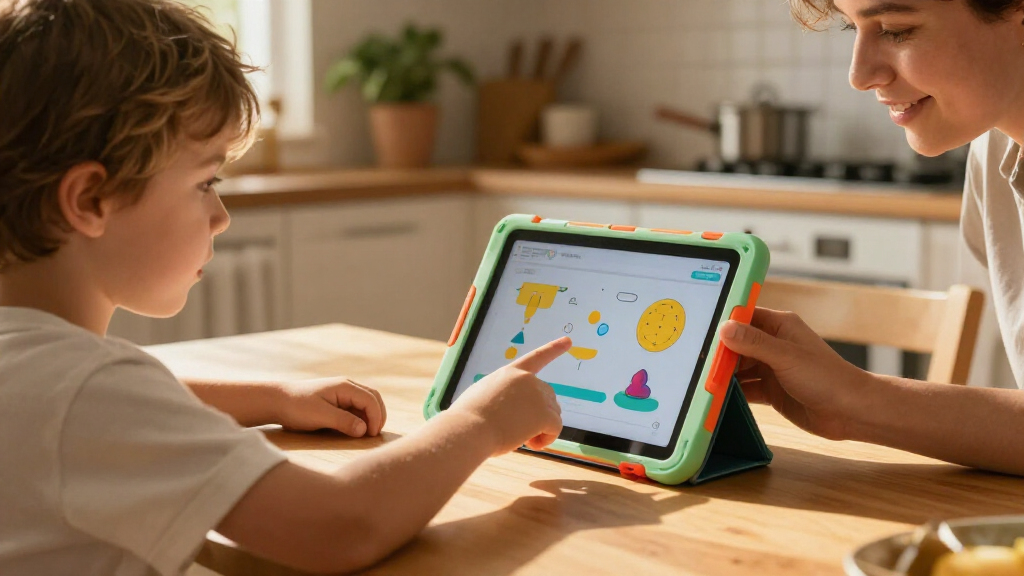
The best electronic learning tablets for kids balance age-appropriate activities, sturdy design, and useful parental controls. I rank the LeapFrog LeapPad Academy as the best overall for families who want a dedicated learning environment, while the Amazon Kids Tablet 8 stands out for its larger screen and included Kids+ subscription, and the hahaland 5-Language Learning Tablet suits toddlers who need simple, screen-light activities. The main choice is between a focused educational toy and a general-purpose tablet that can run a wider range of apps. Screen size, content access, and the level of adult setup also separate these options. Read on for the full breakdown and recommendations by age and learning style.

Prime made for students and young adults
- Fast, free delivery for dorm and study essentials
- Prime Video and Amazon Music included
- Member-only deals
Key Takeaways
- Dedicated learning systems lead for structure: The LeapFrog LeapPad Academy and LeapPad Ultimate are more focused on child-oriented learning than the Android tablets, which offer broader app flexibility but require more adult oversight.
- A larger display is not automatically the better choice: The Amazon Kids Tablet 8 and 10-inch Android models give children more room for videos and interactive activities, while 7-inch models are easier for smaller hands to carry.
- Toddler learning toys serve a different purpose: The hahaland multilingual tablet and Mr. Pencil’s Scribble, Write and Read are activity-focused toys, not substitutes for a general tablet with downloadable apps.
- Storage figures need context: A listed capacity does not tell families how much space remains for apps or media, so check whether storage can be expanded and whether the device supports offline use.
- Parental controls vary in importance by family: A dedicated learning device can limit distractions, while Android options such as the YINOCHE Y8 offer a more general tablet setup that benefits from careful adult configuration.
| Trayoo Kids Tablet, 7-Inch, 32GB, Blue |  | Best for Flexible Screen-Based Learning | Display: 7-inch IPS HD, 1024 × 600 | Processor: Allwinner quad-core | RAM: 2GB | VIEW LATEST PRICE | See Our Full Breakdown |
| hahaland 5-Language Learning Tablet Toy for Toddlers |  | Best Screen-Free Starter | Recommended age: 12 months to 3 years | Languages: English, French, Spanish, German, Italian | Interactive icons: 39 | VIEW LATEST PRICE | See Our Full Breakdown |
| LeapFrog LeapPad Ultimate Ready for School Tablet, Green |  | Best for Preschool Readiness | Screen size: 7 inches | Recommended age: 3–6 years | Processor: 1.0 GHz quad-core Allwinner A33 | VIEW LATEST PRICE | See Our Full Breakdown |
| LeapFrog Mr. Pencil’s Scribble, Write and Read Learning Toy, Green |  | Best for Handwriting Practice | Recommended age: 3+ years | Power: 3 AA batteries | Battery status: Demo batteries included; new batteries recommended for regular use | VIEW LATEST PRICE | See Our Full Breakdown |
| LeapFrog LeapPad Academy Kids’ Learning Tablet, Green |  | Best for a Broad Learning Mix | Recommended age: 3–8 years | Screen: 7-inch shatter-safe display | Operating system: Android 10 | VIEW LATEST PRICE | See Our Full Breakdown |
| Kids Educational Learning Tablet with 3-Inch Color Screen |  | Best for Preschool Practice on the Go | Brand and model: GuaiyeyeAP Spg200 | Recommended age: 4 years and up | Screen: 3-inch color screen | VIEW LATEST PRICE | See Our Full Breakdown |
| Amazon Kids Tablet 8 with Paw Patrol Bumper Case, 8.7-Inch Display, 64 GB, and 1-Year Kids+ Subscription |  | Best for a Ready-to-Use Kids Content Library | Display: 8.7 inches | Storage: 64 GB | Operating system: Android | VIEW LATEST PRICE | See Our Full Breakdown |
| COLORROOM 10.1-Inch Android 15 Kids Tablet, 10GB RAM, 64GB Storage, Pink |  | Best for a Large Screen and Expandable Storage | Model: COLORROOM C30 | Operating system: Android 15 | Display: 10.1 inches, 1280 × 800 | VIEW LATEST PRICE | See Our Full Breakdown |
| YINOCHE Y8 7-Inch Kids Tablet, Android 11, 32GB, Parental Controls, Pink |  | Best Compact Android Learning Tablet | Model and generation: YINOCHE Y8, 1st Generation | Recommended age: 3–14 years | Screen: 7 inches | VIEW LATEST PRICE | See Our Full Breakdown |
| Evermyth 10-Inch Android 16 Kids Tablet, 64GB, with Protective Case and Stylus |  | Best for Drawing and Hands-On Activities | Model: Evermyth KB1009 | Operating system: Android 16 | Display: 10 inches | VIEW LATEST PRICE | See Our Full Breakdown |
| Zcobro KIDS710 7-Inch Kids Tablet, 32GB, Purple |  | Best for Offline Learning and Expandable Storage | Screen: 7-inch IPS display, 1024 × 600 | Memory: 2GB RAM | Storage: 32GB, expandable up to 512GB | VIEW LATEST PRICE | See Our Full Breakdown |
| electronic learning tablets for kid | Recommended age | Battery |
|---|---|---|
| Trayoo Kids Tablet | — | — |
| hahaland 5-Language Learning T | 12 months to 3 years | — |
| LeapFrog LeapPad Ultimate Read | 3–6 years | — |
| LeapFrog Mr. Pencil’s Scribble | 3+ years | — |
| LeapFrog LeapPad Academy Kids’ | 3–8 years | Rechargeable lithium-ion |
| Kids Educational Learning Tabl | 4 years and up | Built-in 1800 mAh rechargeable lithium-ion |
| Amazon Kids Tablet 8 with Paw | — | — |
| COLORROOM 10.1-Inch Android 15 | — | 6000mAh; listed battery life up to 8 hours |
| YINOCHE Y8 7-Inch Kids Tablet | 3–14 years | 3500mAh; up to 10 hours listed |
| Evermyth 10-Inch Android 16 Ki | — | 6000mAh |
| Zcobro KIDS710 7-Inch Kids Tab | — | 3500 mAh lithium-ion; claimed battery life up to 10 hours |
More Details on Our Top Picks
Trayoo Kids Tablet, 7-Inch, 32GB, Blue
The Trayoo Kids Tablet is the most adaptable pick here for families who want a conventional tablet with kid-focused safeguards and offline activities. Its YuBaBe content includes drawing, games, and educational videos that can work without Wi-Fi, while parental controls let adults set time limits and block apps or websites. Compared with the LeapPad Ultimate, it offers expandable storage and access to Google Play, giving families more room to add content, but that flexibility also means parents may need to manage downloads more actively. The 7-inch, 1024 × 600 display is modest in detail, and its stated battery life of up to eight hours may call for charging during heavier use. The included protective case is a practical plus for younger hands.
Pros:- YuBaBe includes offline games, drawing activities, and educational videos
- Parental controls support time limits and app and website blocking
- Micro SD storage expansion supports up to 1TB
- Protective case is included
Cons:- 1024 × 600 resolution is relatively low for video and detailed content
- Up to eight hours of listed battery life may not cover every full day of use
- Google Play access gives parents more app-management responsibility
Best for: Families seeking a general-purpose kids’ tablet with offline activities, expandable storage, and parental controls
Not ideal for: Parents who want a tightly curated, school-readiness curriculum or a higher-resolution screen
- Display:7-inch IPS HD, 1024 × 600
- Processor:Allwinner quad-core
- RAM:2GB
- Storage:32GB
- Expandable storage:Up to 1TB via Micro SD
- Battery life:Up to 8 hours
- Connectivity:Wi-Fi
- Audio:3.5 mm headphone jack
Our verdict“Choose the Trayoo if you want flexible app access and offline activities in a protected, expandable kids’ tablet.”
hahaland 5-Language Learning Tablet Toy for Toddlers
The hahaland 5-Language Learning Tablet Toy is the clearest choice for toddlers who are not ready for a screen-based device. Its spoken words, sounds, and music introduce letters, numbers, colors, shapes, and animals through four modes, including quizzes and pretend play. Compared with the LeapFrog Mr. Pencil’s Scribble, Write and Read, it puts more emphasis on broad listening and topic discovery than tracing and early writing. The five language options add variety, though the product data does not describe a way to adjust the learning level as a child grows. Its intended age range is narrow—12 months to 3 years—and adult supervision is recommended during play. For families seeking a first interactive learning toy without video or app access, that simplicity is a feature; children who want guided writing practice will need a different pick.
Pros:- Screen-free play uses spoken words, sounds, and music
- Five language options introduce English, French, Spanish, German, and Italian
- Four modes cover learning, quizzes, music, and pretend play
- Compact, lightweight design uses BPA-free ABS plastic
Cons:- Designed for a limited age range of 12 months to 3 years
- Adult supervision is recommended during toddler play
- Does not offer a screen or app-based activities
Best for: Caregivers of children aged 12 months to 3 years who want screen-free language and concept play
Not ideal for: Families seeking a tablet with a display, downloadable apps, or activities that progress into preschool writing skills
- Recommended age:12 months to 3 years
- Languages:English, French, Spanish, German, Italian
- Interactive icons:39
- Learning modules:90+
- Play modes:Learning, quiz, music, pretend play
- Material:BPA-free ABS plastic
- Players:1
- Model number:35847
Our verdict“Pick hahaland for a toddler’s first screen-free learning toy, but skip it if you need a device that grows into school-prep practice.”
LeapFrog LeapPad Ultimate Ready for School Tablet, Green
The LeapPad Ultimate Ready for School is the most focused choice in this group for children ages 3–6 who benefit from a guided path through early learning. Its adaptive games respond to a child’s progress, connecting play with preschool and kindergarten readiness, reading, problem-solving, music, and creativity. Compared with the more open-ended Trayoo Kids Tablet, this LeapFrog model offers a more curated environment, including a browser limited to pre-selected websites; the tradeoff is less freedom to add and explore apps. A shatter-safe screen, built-in bumper, and reinforced design suit young users, while parental controls support multiple children and play-time limits. Its age-specific content is a strength for preschoolers but a limitation for older children or families looking for a general-purpose tablet.
Pros:- Adaptive games adjust to a child’s progress
- Content targets school readiness, reading, problem-solving, and creativity
- Shatter-safe screen, built-in bumper, and reinforced design suit young children
- Parental controls support multiple child profiles and play-time limits
Cons:- Browser access is limited to pre-selected websites
- Content is primarily aimed at ages 3–6
- Less open-ended app access than the Trayoo Kids Tablet
Best for: Families with preschoolers aged 3–6 who want adaptive school-readiness activities and supervised browsing
Not ideal for: Older children or parents who want broad app choice, open web access, or a tablet for general household use
- Screen size:7 inches
- Recommended age:3–6 years
- Processor:1.0 GHz quad-core Allwinner A33
- Generation:1st Generation
- Model year:2019
- Battery type:Lithium
- Audio formats:MP3, AAC, WAV
- Headphone jack:3.5 mm
Our verdict“Choose the LeapPad Ultimate for structured preschool learning and a more restricted browsing environment, not for broad app flexibility.”
LeapFrog Mr. Pencil’s Scribble, Write and Read Learning Toy, Green
Mr. Pencil’s Scribble, Write and Read is a focused learning toy rather than a general electronic tablet: its stylus-led activities help children practice forming letters, numbers, and drawings. Letters and numbers animate as children trace them, while word-building and sound-it-out activities connect handwriting with early spelling. Compared with the LeapPad Academy, it gives up a broad mix of apps, reading, math, and coding activities in favor of a more direct writing-practice experience. That narrower purpose can help a child who needs repetition with letter formation, and name personalization makes practice feel relevant. It is designed for ages 3 and up, but it runs on three AA batteries; the included demo batteries may need replacing for regular use. Families wanting a screen-based tablet or wide-ranging curriculum should look elsewhere.
Pros:- Guided tracing covers uppercase and lowercase letters, numbers, and drawings
- Animations connect tracing with visual feedback
- Word-building and sound-it-out activities introduce early spelling
- Children can practice writing their own names
Cons:- Requires three AA batteries, with new batteries recommended for regular use
- Narrower subject range than the LeapPad Academy
- Stylus-focused practice may not suit children looking for open-ended tablet activities
Best for: Caregivers of children aged 3 and up who want guided letter, number, and early spelling practice
Not ideal for: Families seeking a full learning tablet with varied subjects, rechargeable power, or downloadable content
- Recommended age:3+ years
- Power:3 AA batteries
- Battery status:Demo batteries included; new batteries recommended for regular use
- Material:Plastic
- Color:Green
- Manufacturer:VTech
- Model number:80-617000
- Warranty:90-day manufacturer defect warranty
Our verdict“Choose Mr. Pencil for targeted handwriting and early spelling practice, rather than as a replacement for a multi-subject learning tablet.”
LeapFrog LeapPad Academy Kids’ Learning Tablet, Green
The LeapPad Academy is the broadest subject-based tablet in this set, with more than 20 educator-approved apps covering reading, math, writing, coding, problem-solving, and creativity for ages 3–8. That range makes it a better fit for siblings or a child whose interests extend beyond preschool basics than the younger-age focus of the LeapPad Ultimate. A stylus, shatter-safe screen, and bumper with kickstand support both hands-on practice and tabletop viewing, while parental controls let adults manage apps and time limits. The tradeoff is that additional games, videos, music, and eBooks from the App Center are sold separately, and LeapFrog Academy access is only a three-month trial. Its Android 10 base does not make it a typical open-ended tablet; the appeal here is the learning app collection and kid-oriented controls.
Pros:- More than 20 educator-approved apps cover a broad set of learning subjects
- Included stylus supports writing and drawing activities
- Removable bumper has a built-in kickstand
- Parental controls can manage apps and set time limits
Cons:- Additional games, videos, music, and eBooks are sold separately
- LeapFrog Academy access is a three-month trial
- The 0.3 MP front camera and 480p video capture are limited for media use
Best for: Families with children aged 3–8 who want one kid-focused device spanning several learning subjects
Not ideal for: Buyers who expect ongoing access to all content without separate purchases or want a fully open general-purpose tablet
- Recommended age:3–8 years
- Screen:7-inch shatter-safe display
- Operating system:Android 10
- Included apps:More than 20 educator-approved apps
- Connectivity:Wi-Fi, USB
- Cameras:2 MP rear; 0.3 MP front
- Video capture:480p
- Included accessories:Removable bumper with kickstand, stylus, USB Type-C cable, wall adapter
- Battery:Rechargeable lithium-ion
Our verdict“Pick the LeapPad Academy for a wider age range and varied learning subjects, provided its trial-based and separately sold content fits your plans.”
Kids Educational Learning Tablet with 3-Inch Color Screen
For a child who needs a simple introduction to learning games, this GuaiyeyeAP Spg200 keeps its focus on letters, numbers, first words, drawing, and music rather than functioning as a general-purpose tablet. Its 50 games offer several ways to practice, while the light 8-ounce body and ergonomic grip suit small hands and short trips. Compared with the larger Amazon Kids Tablet 8, it is much easier to carry and simpler in scope, but it cannot offer the same roomy screen, content library, or parental-control features. The main tradeoff is the 3-inch display: it limits drawing and viewing space, so this is better for brief, guided play than long sessions. I’d skip it for older children or families seeking a tablet for video, downloads, and broader learning apps.
Pros:- Combines letter, number, word, drawing, and music activities in one preschool-focused device.
- Includes 50 games for variety during short learning sessions.
- Eight-ounce weight and ergonomic grip are suited to small hands and travel.
- Built-in rechargeable battery avoids routine disposable-battery replacement.
Cons:- The 3-inch screen leaves limited room for viewing and drawing.
- Preschool learning and play focus makes it less adaptable for older children.
- The supplied details do not list parental controls or expandable content.
Best for: Preschool families seeking a lightweight, rechargeable device for short letter, number, drawing, and music activities at home or while traveling.
Not ideal for: Families who want a larger screen, app downloads, videos, or a device that will suit older children as their learning needs grow.
- Brand and model:GuaiyeyeAP Spg200
- Recommended age:4 years and up
- Screen:3-inch color screen
- Learning activities:Letters, numbers, words, drawing, and music
- Games:50
- Battery:Built-in 1800 mAh rechargeable lithium-ion
- Weight:8 ounces
- Included component:USB cable
Our verdict“Choose this for portable, preschool-level practice; pick the Amazon Kids Tablet 8 if your child needs a larger screen and a broader digital library.”
Amazon Kids Tablet 8 with Paw Patrol Bumper Case, 8.7-Inch Display, 64 GB, and 1-Year Kids+ Subscription
The Amazon Kids Tablet 8 is the strongest fit here for families who want a general-purpose tablet with a child-oriented library already included. Its one-year Kids+ subscription brings books, apps, games, and videos together, while the Parent Dashboard lets caregivers manage screen time and review content remotely. That makes it more flexible than the preschool-only GuaiyeyeAP Spg200, and its 8.7-inch display gives children more room to read and watch. The Paw Patrol bumper case and kickstand also help with hands-free use. The tradeoffs are its ages 3–5 focus and a subscription that auto-renews after the first year; families should check those details before relying on the included library long term. Choose another option if you want a larger display, such as the COLORROOM, or a device centered on drawing with a stylus.
Pros:- One-year Kids+ subscription includes books, apps, games, and videos.
- Parent Dashboard supports remote screen-time limits and content review.
- 64 GB storage provides room for downloaded content.
- Paw Patrol bumper case has a built-in kickstand, and video playback is listed at up to 14 hours.
Cons:- Kids+ auto-renews after the included first year.
- The stated age range of 3–5 limits its fit for older children.
- Its 8.7-inch display is smaller than the 10.1-inch COLORROOM and 10-inch Evermyth.
Best for: Caregivers of children ages 3–5 who want books, games, apps, and videos in one tablet with remote screen-time and content management.
Not ideal for: Families seeking a tablet for older children, a larger 10-inch display, or a subscription-free learning setup.
- Display:8.7 inches
- Storage:64 GB
- Operating system:Android
- Battery life:Up to 14 hours of video playback
- Included subscription:1-year Kids+ subscription; auto-renews after the first year
- Age range:Ages 3–5
- Case:Soft Paw Patrol bumper case with built-in kickstand
- Parental controls:Remote screen-time limits, content review, and recommendations through Amazon Kids Parent Dashboard
Our verdict“Pick this for a young child who will use its included content library and caregiver controls, but check the subscription renewal before the first year ends.”
COLORROOM 10.1-Inch Android 15 Kids Tablet, 10GB RAM, 64GB Storage, Pink
The COLORROOM C30 suits families who want a larger screen for reading, learning apps, and shared viewing, without moving to the Evermyth’s stylus-oriented setup. Its 10.1-inch, 1280 × 800 display gives children more space than the 7-inch YINOCHE Y8, while Google Kids Space and parental controls provide a child-focused starting point. The 64 GB of built-in storage can also be expanded with a microSD card, making it useful for families who expect to keep more apps and media on the device. A 6000mAh battery and included EVA case support portable use. One tradeoff is the stated battery runtime: the specs list up to 8 hours, while the description claims 8–12. Expanded storage also requires a separately purchased card, so the advertised capacity is not all ready out of the box.
Pros:- 10.1-inch 1280 × 800 display offers more working and viewing space than the 7-inch YINOCHE Y8.
- Google Kids Space and parental controls support child-focused content and screen-time management.
- 64 GB storage can be expanded up to 1TB with a separately purchased microSD card.
- Includes an EVA case and dual stereo speakers.
Cons:- Listed battery life is up to 8 hours, while the description claims 8–12 hours.
- A microSD card for expanded storage is not included.
- Its larger screen is less compact to carry than the YINOCHE Y8 or the small GuaiyeyeAP learning tablet.
Best for: Families who want a roomy screen for reading and learning apps, plus the option to add substantial storage with a microSD card.
Not ideal for: Buyers who need a clearly stated, consistent battery runtime or want expandable storage included with the tablet.
- Model:COLORROOM C30
- Operating system:Android 15
- Display:10.1 inches, 1280 × 800
- Processor:Octa-core CPU
- Memory and storage:10GB RAM (4GB + 6GB); 64GB storage
- Expandable storage:Up to 1TB via microSD card, sold separately
- Battery:6000mAh; listed battery life up to 8 hours
- Included components:Tablet, EVA case, USB cable, and manual
Our verdict“Choose the COLORROOM if screen space and expandable storage matter more than compactness or a fully consistent battery-life claim.”
YINOCHE Y8 7-Inch Kids Tablet, Android 11, 32GB, Parental Controls, Pink
The YINOCHE Y8 takes a middle path between a dedicated learning toy and a large-screen tablet: its 7-inch display is portable, but Android 11, preloaded educational apps, and Google Play Store access give it room to grow beyond the included activities. Its parental controls cover screen time, websites, apps, and video channels, a broader stated set of controls than the GuaiyeyeAP learning tablet offers. Storage starts at 32GB and can be expanded up to 512GB, which helps if a family adds apps or media over time. Compared with the larger COLORROOM, the Y8 is easier to carry but offers less display space and lower listed memory. Its 2GB RAM and modest cameras are clear compromises, so I’d choose it for basic learning and supervised use rather than demanding apps or high-quality video calls.
Pros:- Preloaded IWAWA Kids Apps and educational apps provide activities without starting from a blank device.
- Controls cover screen time, websites, apps, and video channels.
- Storage can be expanded up to 512GB.
- Seven-inch size is more portable than the 10.1-inch COLORROOM.
Cons:- 2GB RAM is modest beside the listed memory on the COLORROOM and Evermyth.
- The 0.3MP front and 2.0MP rear cameras have low listed resolutions.
- Its 7-inch screen offers less room for reading and drawing than larger options.
Best for: Families who want a portable Android tablet with preloaded educational apps, adjustable content restrictions, and room to add storage.
Not ideal for: Children who need a large screen, stronger listed memory for demanding apps, or sharp front- and rear-camera images.
- Model and generation:YINOCHE Y8, 1st Generation
- Recommended age:3–14 years
- Screen:7 inches
- Operating system and processor:Android 11; quad-core
- Memory and storage:2GB RAM; 32GB internal storage
- Expandable storage:Up to 512GB
- Battery:3500mAh; up to 10 hours listed
- Cameras:0.3MP front; 2.0MP rear
- Parental controls:Screen-time management, website filtering, app control, and video-channel restrictions
Our verdict“Choose the YINOCHE Y8 for portable, supervised Android learning, but favor a larger-screen model if reading and drawing space matter more.”
Evermyth 10-Inch Android 16 Kids Tablet, 64GB, with Protective Case and Stylus
The Evermyth KB1009 stands apart from the COLORROOM by including a stylus and a case with a 180° adjustable stand, giving children a more hands-on setup for drawing and writing alongside apps and videos. Its 10-inch screen is nearly as large as the COLORROOM’s 10.1-inch display, and the kickstand can keep the tablet propped up for lessons or viewing. UKIDOZ Kids Space and parental controls add a child-focused layer; Wi-Fi 6 and Bluetooth 5.4 are also listed. The tradeoffs are less clarity around its 24GB RAM configuration and the need to buy a TF card separately for storage beyond 64GB. Compared with the simpler YINOCHE Y8, it offers a larger screen and included stylus, but is a less compact choice for travel.
Pros:- Included stylus supports drawing and writing activities.
- Case has a 180° adjustable stand for propped-up lessons and viewing.
- Parental controls cover screen-time limits, app permissions, and content filtering.
- 6000mAh battery and Wi-Fi 6 are listed.
Cons:- The stated 24GB RAM configuration is not broken down further.
- TF card for storage expansion up to 1TB is sold separately.
- The 10-inch form factor is less compact than the 7-inch YINOCHE Y8.
Best for: Families who want a large-screen Android tablet for drawing, writing practice, and learning apps, with a stand and stylus included.
Not ideal for: Buyers who want a clearly explained memory configuration, included expandable storage, or a compact tablet for small bags.
- Model:Evermyth KB1009
- Operating system:Android 16
- Display:10 inches
- Processor:A333, up to 1.8GHz
- Memory and storage:24GB RAM; 64GB storage
- Expandable storage:Up to 1TB via TF card, not included
- Battery:6000mAh
- Connectivity:Wi-Fi 6 and Bluetooth 5.4
- Included accessories:Protective case with 180° adjustable stand and stylus
Our verdict“Pick the Evermyth when a stylus and adjustable stand matter more than compact size or a fully explained memory specification.”
Zcobro KIDS710 7-Inch Kids Tablet, 32GB, Purple
The Zcobro KIDS710 pairs a compact 7-inch screen with preloaded offline learning content, making it a practical choice when a child needs activities away from Wi-Fi. Parental controls add content filtering, screen-time limits, and multiple child accounts, while the silicone bumper and adjustable stand help with everyday handling and hands-free viewing. Compared with the more toy-focused hahaland 5-Language Learning Tablet, this is a fuller Android tablet that can connect to Wi-Fi and Bluetooth; compared with the Amazon Kids Tablet 8, its smaller display and 32GB built-in storage make it a more compact, less roomy option. Storage can expand substantially, but the 1024 × 600 display is modest and 2GB of RAM may limit smoothness with demanding apps. Choose it for flexible, supervised learning, not display quality or heavy multitasking.
Pros:- Preloaded educational and entertainment content can be used offline.
- Parental controls include content filtering, screen-time limits, and multiple child accounts.
- Storage expands up to 512GB, useful for keeping downloaded content available.
- Protective silicone bumper and adjustable stand are included.
Cons:- The 1024 × 600 resolution is modest for video and detailed content.
- 2GB RAM may constrain multitasking and performance in demanding apps.
Best for: Families seeking a compact Android tablet with offline learning content, child-account controls, and room to add downloaded material through expandable storage.
Not ideal for: Children who need a sharper, larger screen or expect to run several demanding apps at once; the modest resolution and 2GB RAM are limiting factors.
- Screen:7-inch IPS display, 1024 × 600
- Memory:2GB RAM
- Storage:32GB, expandable up to 512GB
- Processor:Quad-core
- Operating system:Android; GMS certified
- Connectivity:2.4 GHz Wi-Fi and Bluetooth
- Battery:3500 mAh lithium-ion; claimed battery life up to 10 hours
- Included protection:Silicone bumper case with adjustable stand
- Color and warranty:Purple; 2-year warranty
Our verdict“Choose the KIDS710 for supervised offline learning in a compact Android tablet, but pick a larger-screen alternative if display detail or multitasking matters more.”
How We Picked
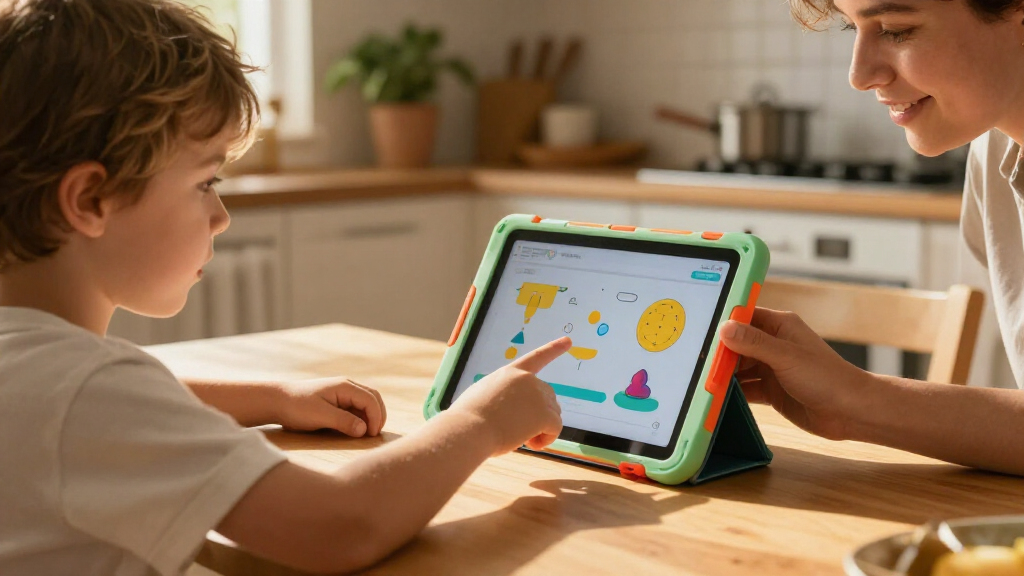
I ranked these options by how well they serve children’s learning needs, not by screen size or specification numbers alone. I looked at the kind of educational activities each device supports, how simple it is for a child to use, the role of parental controls, and whether the design appears suited to young users. A focused learning toy can be a better fit than a more capable tablet when a child needs short, structured activities rather than open-ended app access.
The order also reflects tradeoffs families face after unboxing: setup, content flexibility, portability, and the need for adult supervision. The LeapFrog learning tablets rank ahead of general Android models for a guided educational experience, while the Amazon and Android options stand out for larger screens or broader use. Smaller activity toys rank best for specific early-learning needs, but lower as all-purpose devices because they do not offer the same range of tablet functions.
Factors to Consider When Choosing Electronic Learning Tablets For Kids
Before choosing, I would start with the child’s age and the kind of activity you want the device to support. The right pick may be a simple language or writing toy rather than a tablet that runs a full operating system. These broader checks can help prevent a mismatch between a child’s needs and a device’s capabilities.
Choose Between a Learning Toy and a General-Purpose Tablet
A learning toy usually offers a narrower set of activities, which can make it easier for a young child to use without wandering into unrelated content. A general-purpose Android tablet can support more apps, videos, and everyday tasks, but that flexibility brings more setup and supervision. Think about whether the device is meant for short, guided practice or longer sessions with varied content. A common mistake is buying the most capable hardware when the child needs a simple, repeatable activity. If your family already manages app access and screen time on other devices, a broader tablet may fit naturally. If not, a dedicated learning system can reduce the number of decisions adults need to make.
Match Screen Size to the Child and the Activity
Smaller screens are easier to carry and hold, while larger displays can make drawing, reading, and shared viewing more comfortable. The best size depends on where the child will use the tablet and whether an adult will often sit alongside them. A large screen can add bulk, so it may be less convenient for travel or small hands. A compact display can feel cramped for writing or activities with detailed visuals. Avoid treating screen size as a direct measure of learning value; software and activity design matter more. For younger children, also check whether the case and grip make the device manageable.
Check What Content Is Included and What Requires Setup
Some devices center on built-in activities, while others depend on an app store, subscription, or adult-selected downloads. Find out what a child can do immediately and what requires a Wi-Fi connection, account, or ongoing content access. A bundled subscription can broaden the activity library, but it may introduce renewal decisions later. On open Android devices, app availability can be an advantage, yet families may need to configure accounts and restrictions before handing the tablet over. Do not assume that a large storage figure means the device arrives stocked with useful lessons. Check whether the content matches the child’s age, language, and interests.
Treat Parental Controls as a Setup Task, Not a Box to Tick
Parental controls are only helpful when they fit the way your family manages screen use. Before purchase, check whether adults can set time limits, approve downloads, filter content, or create separate child profiles. Controls on a dedicated learning device may be simpler but less flexible than settings on a general tablet. For Android models, plan time to review permissions, account settings, and access to the web or app store. A frequent mistake is assuming a child-oriented case or label means the software is already restricted. Make the first setup part of the buying decision, especially if several adults will manage the device.
Look Beyond the Case to Durability and Everyday Handling
A protective bumper can help with drops, but it does not answer every durability question. Consider the screen protection, port coverage, case grip, and whether the device can be cleaned without damaging its controls. Weight matters too: a tablet that is comfortable on a table may be awkward for a child to hold through a whole activity. For a toy with buttons or a stylus, check how easy small parts are to keep track of and whether the activity encourages supervised use. Think about where charging will happen and whether the child can manage the cable safely. Durable design matters most when the device travels between rooms, school, and family outings.
Set Expectations for Battery, Offline Use, and Updates
Families often focus on storage and display details while overlooking how a tablet fits into daily routines. Check manufacturer information for battery life, charging requirements, and whether downloaded activities work without an internet connection. Offline access can matter on trips or in homes where Wi-Fi use is limited. General-purpose devices may receive software updates, but support periods and update processes can differ by model. A device that needs frequent adult troubleshooting may be a poor fit even if its feature list looks extensive. Consider who will manage updates and downloads before choosing a model with broader software access.
Frequently Asked Questions
Should I choose a LeapFrog tablet or an Android tablet for a preschooler?
I would choose a LeapFrog model when the priority is a guided, child-focused learning experience with less emphasis on general apps. An Android tablet makes more sense when the family wants a wider range of media or already has a plan for managing apps and access. Preschoolers often benefit from simple menus and activities they can repeat without much help. Adults should check the specific model’s content, controls, and setup requirements rather than relying on the operating system alone. If you are unsure, favor the device that asks less of the child and the supervising adult.
Is a 7-inch learning tablet large enough for school-readiness activities?
A 7-inch screen can work well for basic games, letter practice, and short learning sessions, particularly when portability matters. It may feel restrictive for drawing, detailed reading, or activities that put several controls on screen at once. The LeapFrog and compact Android options in this roundup illustrate the appeal of a smaller format, while the 8.7- and 10-inch models offer more viewing space. The child’s grip and how the tablet will be used matter as much as the display measurement. If possible, compare the intended activity layout with the child’s age and hand size before deciding.
Do I need a Kids+ subscription or another paid content plan?
A subscription can provide a wider selection of child-oriented content, but it is not automatically necessary for learning. First check what activities are included with the device and whether they match your child’s interests. Then confirm what remains available if a subscription ends, including downloaded content and any preinstalled lessons. Families who want a ready-made library may value a bundled plan, while those who prefer a small set of chosen activities may not need one. Include recurring access and account management in the decision, not just the tablet’s initial features.
Are the small-screen learning toys a good first device for toddlers?
They can be a good introduction when the goal is a few simple activities rather than full tablet access. The hahaland multilingual toy, for example, focuses on language exposure, while Mr. Pencil’s toy emphasizes early writing and reading skills. These formats can reduce the setup and app-management demands of a general-purpose device. They are less suitable if you want video streaming, downloadable apps, or a device that will serve an older child for years. Choose based on the activity the toddler will actually use, and plan to supervise play.
What should I check before buying an Android tablet for a child?
Check the parental controls, app installation process, available storage, and whether the device supports the learning apps you intend to use. Confirm how much setup is needed to create a child-friendly profile and limit access to unsuitable content. A listed storage capacity may be shared with system software, so look for expansion options and practical space for downloads. Also review the manufacturer’s information on software updates and offline access. The larger-screen Android models offer more room for activities, but families should be prepared to take a more active role in configuring them.
Conclusion
For most families seeking a focused educational device, I recommend the LeapFrog LeapPad Academy as the best overall; its learning-first approach makes it a stronger fit than open Android tablets when guided activities matter most. The best value for a child who wants broader tablet use is the Trayoo Kids Tablet, provided you are comfortable checking its app and control setup. For a best premium-style pick with a larger display and bundled content, consider the Amazon Kids Tablet 8. The best choice for beginners and toddlers is the hahaland multilingual learning toy, while Mr. Pencil’s toy is the more specific pick for early writing practice. If your child needs a bigger screen for varied activities, compare the 10-inch COLORROOM and Evermyth models; choose the one whose controls, case, and setup best match the adult support you can provide.
Black Friday Picks

Sony WH-1000XM4C (M4 2nd Gen) Wireless Noise-Cancelling Headphones, Black
As an affiliate, we earn on qualifying purchases.