
OCR devices work well with printed, high-quality text in standard fonts and clear images, making them ideal for digitizing books, documents, and signs. They often miss messy handwriting, cursive styles, and decorative fonts, especially if scans are low resolution or images are blurry. Multilingual support can be helpful but isn’t always perfect, especially with complex characters. If you keep exploring, you’ll discover how to optimize your results for different types of text.

Prime made for students and young adults
- Fast, free delivery for dorm and study essentials
- Prime Video and Amazon Music included
- Member-only deals
Key Takeaways
- OCR devices excel at accurately reading printed, high-quality text in standard fonts and structured layouts.
- Handwritten notes, especially messy or cursive, often result in missed or incorrect characters.
- Clear images with good resolution significantly improve OCR recognition accuracy.
- Multilingual support is effective mainly for Latin-based scripts; complex characters may cause errors.
- Decorative fonts and stylized text reduce OCR effectiveness, increasing the need for manual correction.
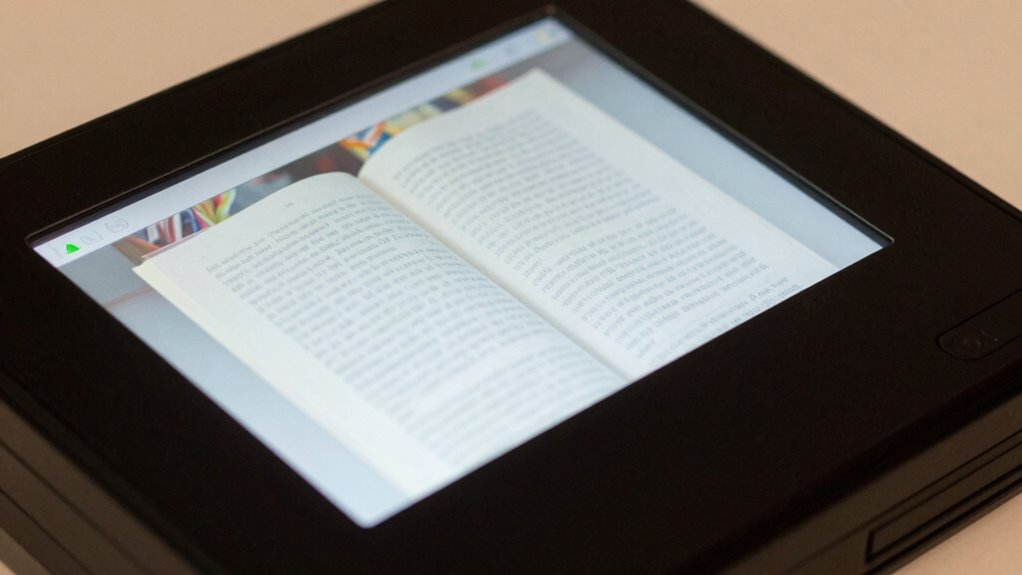
Optical Character Recognition (OCR) reading devices have revolutionized how we convert physical text into digital form, but they’re not perfect. These tools excel at processing printed, clear text, especially when the fonts are standard and the images are sharp. You’ll find that OCR technology is highly effective for digitizing books, documents, and printed signs because it can quickly and accurately identify characters in high-quality scans. However, when it comes to handwriting recognition, the accuracy drops markedly. Handwritten notes, especially those with messy or cursive writing, tend to confound OCR systems. While some advanced models claim to recognize handwriting, the results can vary widely depending on the clarity and style of the handwriting itself. If you’re trying to digitize handwritten notes, don’t expect perfect results; often, you’ll need to manually correct errors afterward. The quality of input images greatly influences the success rate of OCR, emphasizing the importance of good scanning techniques. Additionally, the type of font used in printed materials also impacts OCR effectiveness, with standard, sans-serif fonts being recognized more accurately than decorative or stylized fonts. Moreover, font complexity plays a significant role in how well the OCR system performs, especially with intricate or decorative fonts that can distort character recognition. Consistent font size and spacing can enhance accuracy, making the digitization process smoother.
Multilingual accuracy is another area where OCR devices shine, yet they also have their limitations. Many modern OCR tools support multiple languages, allowing you to scan documents in different scripts—like Latin, Cyrillic, Chinese, or Arabic—and still achieve relatively good results. That said, the accuracy depends heavily on the language and the complexity of its characters. For example, Latin-based scripts tend to be recognized more reliably than complex Asian characters, which can confuse even the most advanced systems. If your documents contain multiple languages on the same page, OCR can sometimes struggle to distinguish between them, leading to misinterpretations or missed characters. Consequently, while multilingual support is a major strength, it’s not foolproof, especially if the text is stylized, handwritten, or poorly scanned. Additionally, image quality and scanning techniques greatly influence OCR performance, with clearer images yielding better results. Overall, while OCR devices are powerful tools for digitizing structured, printed content, they’re less dependable when faced with messier, handwritten, or stylistically complex text.
Popular right now

Shark Rocket Pet Plus Corded Stick Vacuum, Bordeaux, HV322

De’Longhi Classic Matte Black Espresso Machine with Milk Frother

Samsung 42-Inch Class OLED S90F 4K Smart TV (2025)
As an affiliate, we earn on qualifying purchases.
Frequently Asked Questions
How Accurate Are OCR Devices With Handwritten Text?
OCR devices with handwriting recognition typically have moderate accuracy, often around 70-85%, depending on the quality of the handwriting and the device’s capabilities. Accuracy improvements continue as technology advances, especially with machine learning. You’ll find that clear, neat handwriting boosts recognition success, while messy or cursive styles can still trip up even the best OCR tools. Overall, expect decent results but be prepared for some manual correction.
Can OCR Devices Read Text on Curved or Uneven Surfaces?
OCR devices struggle with text on curved or uneven surfaces because text distortion and surface curvature make recognition difficult. You’ll find that OCR systems perform best on flat, stable surfaces where characters aren’t warped. When dealing with curved surfaces, expect some misreads or missed characters unless you use specialized OCR software designed to compensate for surface irregularities. Consistent lighting and high-quality images can also improve accuracy in these challenging conditions.
Do OCR Devices Work Well With Multilingual Documents?
You’ll find that OCR devices handle multilingual recognition quite well, especially with advanced models. They excel when it comes to font versatility, allowing them to accurately read documents with different languages and font styles. Coincidentally, many OCR tools now support multiple scripts simultaneously, making multilingual documents easier to process. Just make sure you choose a device with robust language packs and flexible font recognition to get the best results.
How Do Lighting Conditions Affect OCR Accuracy?
Lighting conditions substantially impact OCR accuracy. Poor ambient illumination can make text hard to read, leading to errors, while too much brightness causes glare. Shadow interference, especially with uneven lighting, can obscure parts of the text, reducing recognition accuracy. To get the best results, guarantee consistent, well-balanced lighting that minimizes shadows and glare, helping your OCR device accurately capture and convert text without missing important details.
Are There OCR Devices Specifically Designed for Low-Quality Scans?
Think of OCR devices designed for low-quality scans as detectives with a keen eye for detail. They excel in font recognition even when the image is blurry or grainy, making them ideal for digital archiving of old, degraded documents. These specialized tools use advanced algorithms to decipher imperfect text, ensuring you get accurate data from challenging sources. If you work with poor-quality scans, these OCR devices are your best allies.
Conclusion
Think of OCR devices as keen-eyed explorers charting a dense jungle. They spot clear signs and familiar paths with ease, but sometimes miss hidden details or tangled vines. While they’re great at reading straightforward text, complex fonts or smudges can trip them up like unseen roots. Knowing their strengths and weaknesses helps you guide these digital adventurers, ensuring they uncover the treasure of accurate data without getting lost in the thicket.