
TL;DR

Prime made for students and young adults
- Fast, free delivery for dorm and study essentials
- Prime Video and Amazon Music included
- Member-only deals
Building your own AI workstation used to be cheaper, but recent component shortages and price spikes have shifted the balance. Now, choosing between build vs buy depends on control, time, and support, not just cost.
Imagine this: you need a powerful AI workstation. Your options? Build it yourself, pulling every lever for maximum control and value, or buy a prebuilt ready to go, saving you time and headaches. The game has changed in 2026. Costs are no longer skewed toward DIY, thanks to a perfect storm of shortages and price hikes. If you’re considering your options, see how build vs buy a prebuilt AI workstation compares today. This article breaks down what really matters now—cost, control, speed, and support—so you can confidently decide which route suits your AI ambitions.
Whether you’re a hobbyist, a researcher, or a growing AI team, understanding the new rules of the game makes all the difference. Let’s explore how to choose between building and buying in this new landscape, with vivid examples and clear insights.
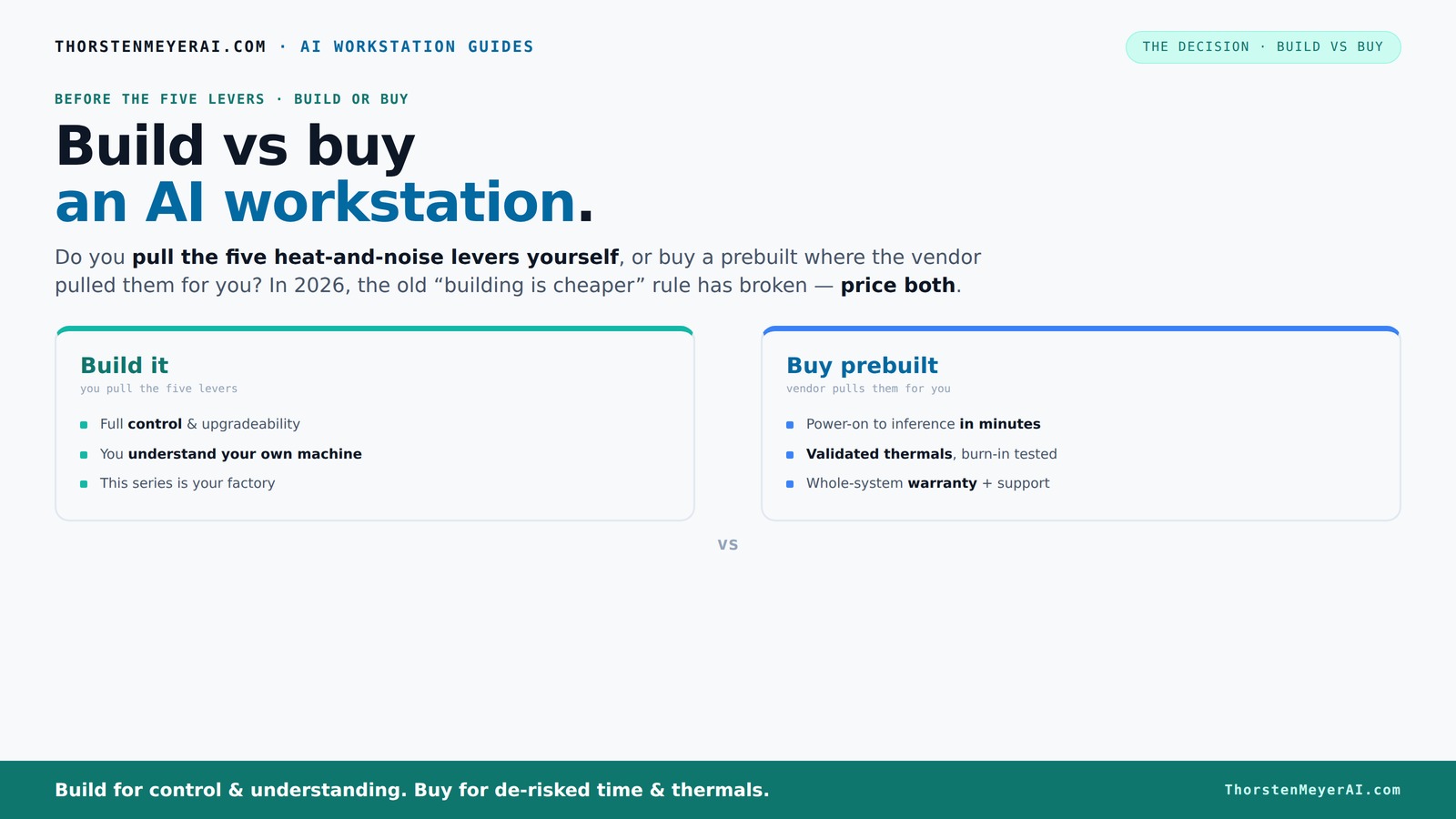
Build vs buy
an AI workstation.
The real question behind this whole series: do you pull the five heat-and-noise levers yourself, or buy a prebuilt where the vendor pulled them for you? And in 2026, the old “building is cheaper” rule has broken. Match your situation in Part 3.
Key Takeaways
- In 2026, prebuilt AI workstations can match or beat DIY costs thanks to bulk buying and component shortages.
- Building offers full control over thermals, noise, and upgrade paths—ideal for experienced tinkerers.
- Prebuilts provide validated thermals, support, and quick deployment—best for busy professionals or teams.
- Always price both options for your specific configuration today, as market conditions fluctuate rapidly.
- Choose based on workload, desired control, and how much time/support you want, not just initial cost.
As an affiliate, we earn on qualifying purchases.
Why Building Your Own AI Workstation Is Not the Cheap Win Anymore
Building used to be the obvious way to save money, but 2026 flipped that script. To understand the options better, check out build vs buy a prebuilt AI workstation. Component shortages and skyrocketing prices for DDR5 RAM, high-end GPUs, and SSDs have pushed DIY costs higher than ever. For example, a GPU that cost $800 last year now often hits $1,200 or more. Meanwhile, prebuilt systems, thanks to bulk buying, can offer comparable or even better prices for high-end configs.
According to recent reports, a typical DIY AI rig that once cost under $1,000 now edges over $1,250 before adding the OS. Meanwhile, a prebuilt with similar specs can come in around the same or slightly higher, but with the added benefits of tested thermals and warranty support. So, the old rule—DIY saves money—no longer holds true without careful, up-to-date pricing.
Why does this matter? Because the perceived savings from building your own system can quickly evaporate when factoring in the time spent troubleshooting, sourcing hard-to-find components, and potential delays. Additionally, DIY setups may not be as reliable under sustained workloads if not properly tested, risking throttling or hardware failures. This shift means that for many, the tradeoff is no longer just about initial cost but about overall value, reliability, and time-to-productivity.
As an affiliate, we earn on qualifying purchases.
Who Pulls the Levers? Building vs Buying in Thermal and Power Control
The core question isn’t just about price. It’s about control—especially over thermals and noise. Learn more about building vs buying AI workstations for thermal and power control. Building your own machine means you get to pick a quiet GPU, undervolt it, choose a cooler, set up airflow, and fine-tune fan curves. These choices directly impact your system’s thermal performance and noise levels, which are critical for sustained AI workloads. For instance, undervolting can reduce power consumption and heat, allowing for quieter operation without sacrificing performance—an important tradeoff for work environments where noise is a concern. Conversely, pushing hardware beyond standard settings can lead to thermal throttling if not managed properly, which hampers training speed and model iteration times.
Prebuilts, on the other hand, come with thermal engineering done for you. Companies like Lambda validate their systems with 24–48 hours of burn-in testing, which ensures the system maintains stable thermals under load. They often include water-cooling options, which run quieter and keep temperatures in check better than most DIY setups. This validated approach minimizes the risk of thermal throttling during long training sessions, ensuring consistent performance. The tradeoff? Less hands-on control, but greater reliability and quieter operation out of the box. For insights into choosing the right setup, visit biodivert.com.
Understanding these differences is vital. DIY gives you the ability to optimize thermals for your specific environment and workload, but requires knowledge and effort. Prebuilts offer a robust, tested solution that prioritizes stability and silence, which could be more valuable in professional or shared workspace settings where noise and downtime are costly. The choice reflects your priorities: customization and control versus reliability and convenience.
As an affiliate, we earn on qualifying purchases.
The Big Comparison: Build vs Buy — What Matters Most?
| Feature | Build Your Own | Prebuilt System |
|---|---|---|
| Cost | Often cheaper if you shop sales and are willing to time it right, but recent shortages push prices higher. However, the actual savings are now less clear, as hidden costs like troubleshooting and time investment can offset initial savings. | Can match or beat DIY prices thanks to bulk discounts; sometimes more expensive but with support. The key is that prebuilt costs include tested reliability and warranty, which can reduce long-term expenses from hardware failures or downtime. |
| Time & Effort | Requires hours of research, assembly, BIOS tuning, and troubleshooting. This time investment can be significant, especially for those unfamiliar with hardware tuning or dealing with shortages. | Arrives ready—plug in and start training or inference. This saves critical time, especially when deadlines are tight or the workload is urgent. |
| Control & Customization | Full control over every component, cooling, and upgrade path. This allows tailored performance and future-proofing but demands technical skill and ongoing maintenance. | Limited to what the vendor offers, but optimized and validated for performance. This tradeoff means less flexibility but greater assurance of stability and support for demanding workloads. |
| Support & Warranty | Support is fragmented—each component manufacturer handles their part. Troubleshooting complex issues can be time-consuming and require multiple vendor contacts. | Single point of contact, often with longer warranties and burn-in testing. This reduces downtime and gives peace of mind, especially critical for enterprise or research environments. |
| Upgradeability | Usually easier, especially if you pick a good case and motherboard. You can plan for future upgrades, swapping out GPUs or adding RAM as needed, provided the chassis supports it. | Can be limited by proprietary parts or nonstandard connectors. Some prebuilt systems are less flexible, which might restrict future expansion or upgrades. |
| Thermal & Noise Control | Depends on your skill—can tune for quiet operation or push for maximum cooling. Achieving optimal thermals requires knowledge, patience, and sometimes trial and error, but offers the best customization. | Factory-validated for thermals and acoustics, often quieter under sustained loads. This reliability is vital for long training runs or environments where noise is disruptive, but it may limit fine-tuning options. |
As an affiliate, we earn on qualifying purchases.
Frequently Asked Questions
Is it cheaper to build or buy an AI workstation right now?
It depends. Recent shortages and price spikes have pushed DIY costs higher, sometimes making prebuilts equally priced or even cheaper. Always compare current prices for your specific configuration before deciding.
Can a prebuilt AI workstation handle training large models or just inference?
Modern prebuilt systems, especially from specialized vendors, are designed to handle demanding training workloads. They often include validated thermals and cooling solutions to prevent throttling during long runs, ensuring sustained performance and minimizing hardware failures that could disrupt your training process.
What components matter most for AI work: GPU, RAM, storage, or CPU?
The GPU is usually the most critical, especially for training and inference. Adequate RAM and fast storage are important, but bottlenecks typically occur at the GPU, which heavily influences training speed and model complexity. Prioritizing high-performance, well-cooled GPUs with ample VRAM can significantly impact your workload efficiency.
Are prebuilts easier to upgrade later than custom builds?
Not always. Many OEM prebuilts use proprietary parts or nonstandard connectors, which can limit future upgrades. Custom builds, chosen with standard, compatible components, generally offer more flexibility for future expansion—such as adding more GPUs, RAM, or storage—making them more adaptable over time.
How important is cooling and power supply quality for an AI workstation?
Very important. Long AI training sessions generate substantial heat and demand stable power delivery. Poor cooling can cause thermal throttling, reducing performance and risking hardware damage. High-quality power supplies ensure consistent voltage and protect components. Prebuilt systems often validate these aspects, but DIY builders must select components carefully to match workload demands for optimal reliability and longevity.
Conclusion
Deciding whether to build or buy your AI workstation in 2026 hinges on your priorities. If you want a machine tailored to your needs, with full control over every detail, building makes sense. But if speed, support, and reliability are your priorities, a prebuilt can get you up and running faster and with fewer surprises.
Remember, market shifts mean you should always compare current prices and options before making your move. The right machine isn’t just about the specs—it’s about what helps you focus on your AI goals, not hardware headaches.
Fall Picks
fall essentials
As an affiliate, we earn on qualifying purchases.