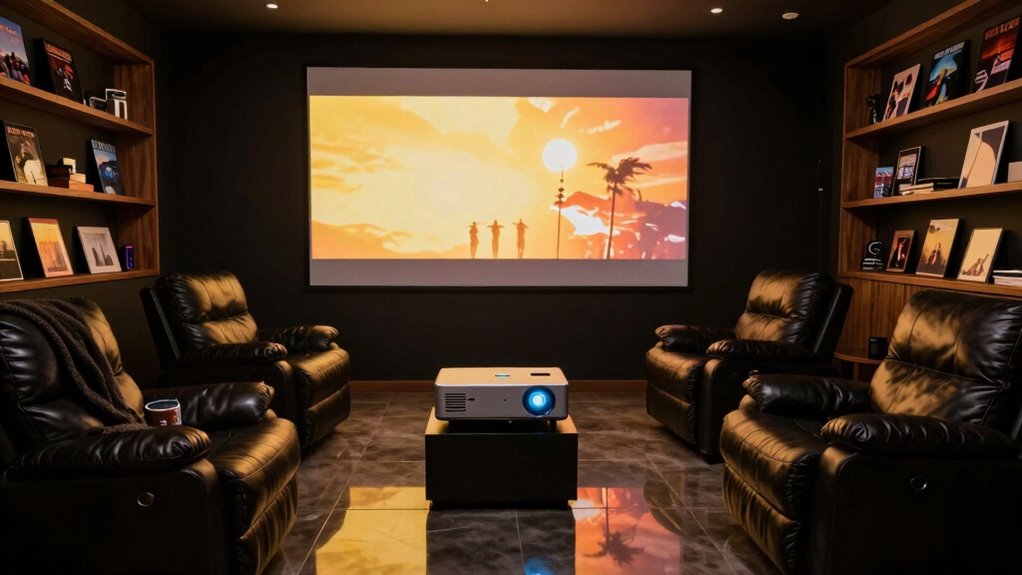

To make your home theater projector feel truly cinematic, focus on sharp, high-resolution images with vivid colors and rich details. Proper placement is key—align the projector carefully and use the right mounting to prevent distortion and shadows. The right throw ratio guarantees perfect image size without compromise. When these elements work together, your screen becomes immersive and lifelike. Keep exploring further, and you’ll discover more ways to elevate your home theater experience even further.

Prime made for students and young adults
- Fast, free delivery for dorm and study essentials
- Prime Video and Amazon Music included
- Member-only deals
Key Takeaways
- High resolution (4K or higher) ensures sharp, detailed, and immersive images.
- Proper projector placement minimizes distortion and enhances image alignment with the screen.
- Stable mounting and correct throw ratio optimize focus, brightness, and contrast.
- Managing ambient light and shadows improves color vibrancy and overall picture quality.
- Synergizing high resolution with optimal placement creates a true-to-life cinematic experience.
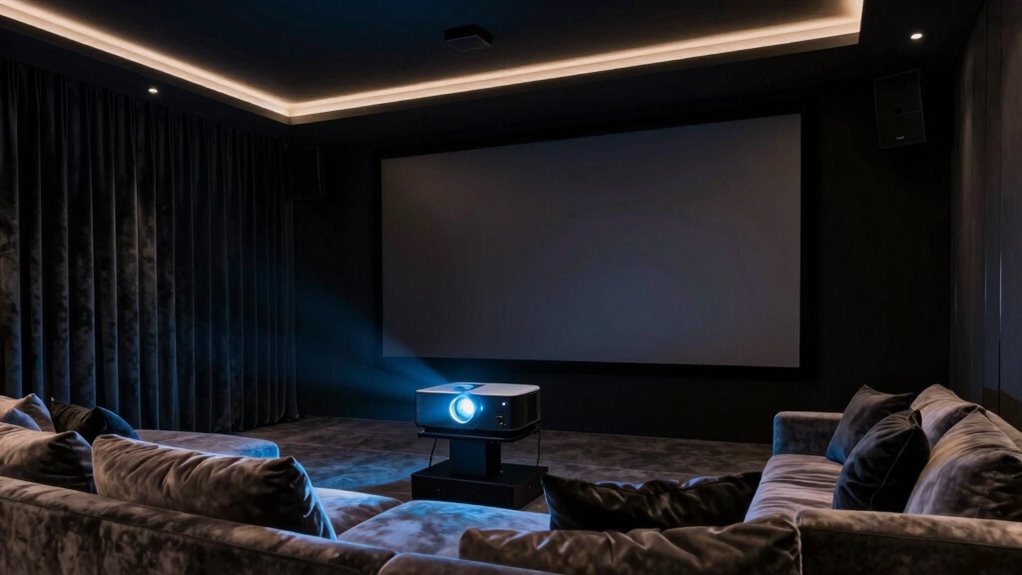
A home theater projector can transform your living space into an immersive entertainment hub, delivering larger-than-life images that rival the movie theater experience. To truly feel that cinematic magic, one of the most critical factors is the projector’s screen resolution. Higher resolutions, like 4K or even 8K, provide sharp, detailed images that make every scene come alive. When your projector has a high screen resolution, you notice finer details, richer textures, and more vivid colors, immersing you deeper into the story. It’s not just about size; it’s about clarity. Even on a large screen, a lower resolution can make images look blurry or pixelated, breaking the illusion of a cinematic experience. So, investing in a projector with excellent resolution ensures that your movies, sports, or gaming sessions are crisp and engaging.
Another essential aspect is projector placement, which greatly influences the overall viewing quality. Proper placement isn’t just about finding a spot to set up your projector; it’s about positioning it for ideal image quality and minimal distortion. You want the projector to be aligned with your screen or wall, ideally at a distance that allows for a full, undistorted picture without having to zoom excessively. Too close, and the image might be cut off or distorted; too far, and it might lose brightness or focus. The right placement also considers the throw ratio — the distance needed between the projector and screen to produce a specific image size. When you position your projector correctly, you avoid common issues like keystone distortion, where the image appears trapezoidal rather than rectangular. Proper placement also plays a role in ambient light management, which enhances contrast and color vibrancy. Additionally, proper placement helps manage ambient light and shadows, enhancing contrast and color vibrancy. A well-planned setup can also improve lens shift flexibility, allowing for easier alignment without moving the projector physically. Getting your projector placement right also involves choosing the right mounting options and ensuring your space is dark enough to maximize contrast and brightness. If you’re placing it on a shelf or ceiling, make sure the setup is stable and that the lens is aligned perfectly with the center of your screen. The screen resolution and meticulous projector placement work together to produce an image that feels true to life, drawing you into the story without distraction or compromise. When both elements work in harmony, you’re not just watching a film—you’re experiencing it. The clarity and precision of the picture, paired with a carefully curated setup, make your home theater feel truly cinematic.
As an affiliate, we earn on qualifying purchases.
Frequently Asked Questions
What Is the Ideal Room Size for a Home Theater Projector?
The ideal room size for a home theater projector depends on your screen size and room acoustics. Aim for a space that’s at least 12 by 15 feet to comfortably accommodate a large screen and allow proper viewing angles. Good room acoustics enhance the cinematic experience, so consider soundproofing and minimizing echoes. Larger rooms offer flexibility for bigger screens, but make certain your projector’s throw distance matches your room dimensions.
How Important Is Projector Lens Quality for Cinematic Experience?
Your projector lens quality is the crystal ball of your cinematic experience—crucial for stunning visuals. A high-quality lens ensures sharp images, accurate colors, and minimal distortion. Proper screen calibration and sufficient projector brightness enhance this effect, making every scene feel alive. Skimping on lens quality is like trying to see a masterpiece through smudged glass—you’ll miss the magic. Invest wisely for a truly immersive, Hollywood-worthy experience right at home.
Can Ambient Light Impact the Cinematic Feel of a Projector?
Ambient lighting can definitely impact the cinematic feel of your projector. Too much ambient light washes out the picture, reducing contrast and making colors less vibrant. To keep your home theater immersive, you need good light control—using blackout curtains, dimmable lights, or ambient light-reducing screens. Managing ambient lighting guarantees your projector can deliver deep blacks and vivid images, creating that true cinematic experience you’re aiming for.
What Are the Best Sound Options to Complement a Projector?
You should choose high-quality speakers for the best sound. To enhance your experience, focus on speaker placement—position them to create immersive stereo or surround sound. Don’t forget sound calibration; adjusting settings guarantees clarity and balance. This way, your audio complements your projector perfectly, making every scene feel more realistic. Investing in good speakers and proper setup transforms your space into a true cinematic environment.
How Long Do Home Theater Projectors Typically Last?
Home theater projectors typically last between 5,000 to 15,000 hours, depending on usage and maintenance. To maximize their lifespan, you should focus on proper projector maintenance, like keeping the lens clean and ensuring good ventilation. Bulb longevity varies based on the type of bulb used; LED and laser projectors generally last longer than traditional bulbs. Regular maintenance helps you enjoy crisp images and extend your projector’s operational life.
As an affiliate, we earn on qualifying purchases.
Conclusion
To truly feel like you’re in a cinematic world, remember that a home theater projector is your magic lantern, transforming your space into a grand theater. Like the flickering lanterns of old, it ignites your passion for film, immersing you in vivid visuals and rich sound. When you prioritize picture quality, sound, and ambiance, you’re not just watching a movie—you’re experiencing it. In this way, your home becomes a modern-day Coliseum of entertainment.
projector screen with high resolution
As an affiliate, we earn on qualifying purchases.
As an affiliate, we earn on qualifying purchases.
As an affiliate, we earn on qualifying purchases.
Fall Picks
fall essentials
As an affiliate, we earn on qualifying purchases.