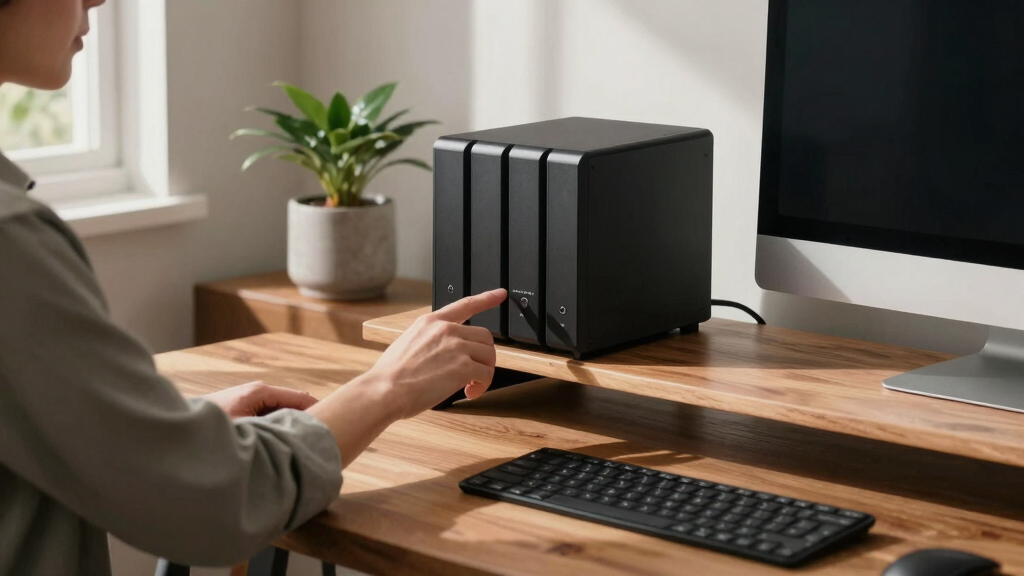
Finding the best 4-bay NAS system for beginners involves balancing ease of use, performance, and price. The Synology DS923+ stands out as the top overall choice due to its user-friendly interface and reliable performance. For a more budget-friendly option, the Buffalo TeraStation Essentials 2025 offers solid storage with included drives. Meanwhile, the UGREEN NAS DXP4800 Plus caters to those needing higher speeds and more advanced features, though it comes at a higher price. Each of these options presents tradeoffs: better performance often means higher costs, while simpler systems might lack advanced features. Continue reading for a detailed comparison to help you pick the best fit for your needs.
Key Takeaways
- The Synology DS923+ offers a balanced mix of performance and beginner-friendly features, making it the top overall pick.
- Diskless models provide flexibility but require separate hard drives, which can add to the initial cost and complexity.
- Price tends to correlate with feature set—more advanced units like the UGREEN DXP4800 Plus include faster networking options and better hardware.
- Pre-installed drives are convenient but limit upgrade options, so consider future expandability when choosing.
- Size and noise levels vary; compact models suit small spaces, while more powerful units may be louder and bulkier.





More Details on Our Top Picks
Synology DS923+ 4-Bay DiskStation NAS (AMD Ryzen R1600, Dual-Core, 4GB RAM, 2xRJ-45 1GbE LAN)
The Synology DS923+ stands out for its balance of power and user-friendly features, making it ideal for small to medium-sized data needs. Its AMD Ryzen R1600 dual-core processor offers sufficient performance for most home and small office tasks, especially when paired with Synology’s intuitive DSM software. While it has only 4GB of RAM, this is manageable for typical file sharing and backup use, unlike more demanding workloads that would require a more robust setup. Compared with the TERRAMASTER F4-425, this model provides a more polished software experience and easier management, though it lacks the raw transcoding power of the TERRAMASTER’s quad-core processor. Its main tradeoff is the limited RAM and the absence of standard 10GbE ports, which could hinder future upgrades. This pick makes the most sense for users who want a reliable, scalable NAS with solid software support without needing high-end hardware or extensive customization.
Pros:- Balanced performance with AMD Ryzen processor
- Supports up to 50 TB storage with flexibility to upgrade
- User-friendly DSM software for easy management
- Compact design suitable for small spaces
Cons:- Limited out-of-the-box RAM may restrict heavy multitasking
- No included drives and standard 10GbE ports
Best for: Small business owners or tech-savvy individuals seeking a reliable, scalable NAS with good software support.
Not ideal for: Users needing the highest performance for intensive tasks like 4K video editing or large-scale virtualization, due to its limited RAM and processor power.
- Processor:AMD Ryzen R1600 Dual-Core
- RAM:4GB
- Number of Bays:4
- Network Ports:2xRJ-45 1GbE LAN
- Maximum Storage Capacity:50 TB
- Form Factor:Desktop
- Enclosure Material:Metal
- Weight:3.66 kg
Bottom line: This NAS is best for small-to-medium users who want an easy-to-manage system with room to grow, but not for high-intensity workloads.
Synology DiskStation DS225+ (Diskless) 2-Bay NAS
The Synology DS225+ offers a straightforward entry point into NAS management, ideal for those new to network storage. Its 2-bay design limits expansion but simplifies setup and use, making it perfect for personal or small office use. With transfer speeds up to 282 MB/s, it handles file sharing and backup tasks efficiently, though it won’t support large-scale media libraries like the 4-bay Synology DS425+. The lack of included drives means additional investment, but this keeps the price accessible for beginners. Compared with the Ugreen NAS DH4300 Plus, it offers a more familiar interface and better software ecosystem, though it lacks the raw capacity and advanced features of larger systems. Its simplicity is a clear advantage, but serious users needing extensive storage or advanced features should look elsewhere.
Pros:- Easy setup and user-friendly DSM interface
- Supports up to 40 TB storage with flexible sharing
- Good transfer speeds for a 2-bay system
- Lightweight and compact design
Cons:- Limited to 2 bays, restricting future expansion
- No included drives, requiring extra purchase
- Requires initial configuration for optimal performance
Best for: Home users or small offices new to NAS who prioritize ease of use and basic file sharing.
Not ideal for: Users needing large storage capacity or expansion beyond 40 TB, or those comfortable with more complex setups.
- Model:DS225+
- Number of Bays:2
- Storage Capacity:Up to 40 TB
- Supported Transfer Speed:Up to 282/217 MB/s
- Dimensions:9.14 x 4.25 x 6.5 inches
- Weight:1.3 kg
- Compatible Devices:Android, Desktop, Laptop, Server, iPhone
- Warranty:3-year limited hardware
Bottom line: This NAS suits beginners seeking straightforward storage and sharing, but it won’t meet high-capacity or advanced feature needs.
TERRAMASTER F4-425 4-Bay NAS Storage Diskless
The TERRAMASTER F4-425 excels in multimedia environments, thanks to its powerful quad-core Intel x86 processor and 2.5GbE LAN, which enable fast data transfers and smooth 4K transcoding. It’s an excellent choice for home users or professionals who need to handle large media libraries or multi-user access with ease. Compared with the Synology DS923+, it offers superior raw processing power for multitasking and media tasks, but it requires users to purchase drives separately, and its plastic enclosure may feel less durable. The absence of built-in software ecosystem like Synology’s DSM means more manual setup, but it provides flexible RAID options up to 120TB total storage. This device is less suited to those unfamiliar with hardware installation or seeking a turnkey solution, but for those comfortable with setup, it offers high performance at a competitive price point.
Pros:- Quad-core Intel processor handles multitasking and 4K transcoding
- Fast 2.5GbE LAN for quick data transfers
- Supports up to 120TB total storage with RAID options
- Quiet operation suitable for home environments
Cons:- Requires separate purchase of drives
- Plastic enclosure may impact durability
- More setup involved compared to preconfigured systems
Best for: Home media enthusiasts or small teams needing high-performance transcoding and large storage capacity.
Not ideal for: Beginners or users seeking an all-in-one managed system with minimal setup, due to its diskless design and manual configuration requirements.
- Processor:Intel x86 quad-core
- RAM:4GB
- Storage Bays:4
- Maximum Storage Capacity:120TB
- Network:2.5GbE LAN
- Dimensions:8.74″D x 7.05″W x 6.06″H
- Weight:1.9 kg
- Compatibility:Windows, Mac, Linux, Android, iOS
Bottom line: Ideal for users comfortable with hardware setup who need high performance for multimedia and large storage capacity.
Synology DiskStation DS925+ (Diskless) 4-Bay NAS
The Synology DS925+ is designed for users who anticipate future growth, offering expandable storage support for up to nine drives and dual 2.5GbE ports for fast networking. Its built-in M.2 NVMe slots facilitate caching, significantly boosting performance for multiple users or virtualized environments. Compared with the DS423, it provides more advanced features, including better scalability and hardware options, though it requires more technical setup. Its modular design and support for optional expansion make it suitable for small businesses or power users looking to future-proof their investment. The main tradeoff is the need for additional drives and some setup complexity, which might be intimidating for absolute beginners. For those wanting a system with long-term growth potential and enterprise features, this model makes a compelling case.
Pros:- Supports up to nine drives for future expansion
- Dual 2.5GbE ports for high-speed networking
- Includes M.2 NVMe slots for caching
- Versatile for backup, virtualization, and surveillance
Cons:- Requires assembly and technical setup
- Additional drives needed for full capacity
- Higher price point for entry
Best for: Small business owners or tech-savvy users planning to expand storage and utilize advanced features over time.
Not ideal for: Beginners or casual users who prefer plug-and-play solutions, due to setup complexity and higher initial cost.
- Product Type:System Cabinet
- Item Dimensions:8.78 x 7.83 x 6.54 inches
- Item Weight:2260 grams
- Compatible Devices:Desktop, Server, Android, iPhone, Laptop
- Color:Black
- Enclosure Material:Metal, Plastic
- Mounting Type:Tabletop
- Warranty:3-year limited hardware
Bottom line: Best suited for users seeking a scalable, feature-rich NAS that can evolve with their needs, but not for those seeking simple, out-of-the-box solutions.
Synology DiskStation DS425+ (Diskless) 4-Bay NAS
The Synology DS425+ provides a compact and robust platform for data sharing, backup, and surveillance, emphasizing network speed with built-in 2.5GbE ports. Its 4-bay design supports up to 80TB, making it suitable for users who need a balance of capacity and performance without complex setup. Compared to the DS923+, it offers fewer advanced features but remains a reliable choice for high-speed data transfer in smaller environments. Its simple, no-frills approach makes it accessible for users who want quick setup, though it requires purchasing drives separately. The limited scalability beyond 4 bays and absence of advanced caching features mean it’s best for those who prioritize straightforward performance over future expansion. This model is ideal for users who need fast, reliable network sharing now, without extra fuss.
Pros:- Supports high-speed 2.5GbE network connections
- Large storage capacity in a compact form
- Simple setup and management
- Reliable for data sharing and backup
Cons:- No included drives, additional purchase required
- Limited to 4 bays, restricting future growth
- Lacks some advanced features like caching or virtualization support
Best for: Small offices or home users focused on fast network transfer and straightforward storage.
Not ideal for: Those needing large-scale storage or future-proof expansion, due to its 4-bay limit and basic feature set.
- Product Type:NAS Server
- Number of Bays:4
- Maximum Storage Capacity:80 TB
- Network Interface:2.5GbE
- Dimensions:8.78 x 7.83 x 6.54 inches
- Weight:2.18 kg
- Compatibility:Android, Desktop, Laptop, Server, iPhone
- Warranty:3 years
Bottom line: Great for users needing fast network performance and straightforward storage, but not suitable for those with large or growing data needs.
UGREEN NAS DH4300 Plus 4-Bay Desktop NAS with 128TB Support, AI Photo Album, 8GB RAM, 2.5GbE, 4K HDMI, Diskless
The UGREEN NAS DH4300 Plus stands out for its impressive capacity, supporting up to 128TB with diskless configuration, making it ideal for extensive media libraries or comprehensive backups. Unlike the Buffalo LinkStation 220, which comes with pre-installed hard drives but offers only 4TB, this model provides flexibility at the cost of additional drive purchases. Its AI-powered photo album and 4K HDMI output deliver a rich media experience, especially compared to simpler NAS options that lack multimedia features. The main tradeoff is its wired-only network connection, which limits flexibility in some setups, and it doesn’t support advanced virtual machine features. Best suited for users needing large, private media storage with remote access and multimedia focus.
Pros:- Supports up to 128TB capacity with multiple disks
- User-friendly setup with remote and multi-device access
- AI photo album for easy organization and duplicate removal
- 4K HDMI output for direct media playback
Cons:- Requires separate HDDs/SSDs, not included
- Limited to wired Ethernet, no Wi-Fi support
- Basic NAS functions without support for Docker or virtual machines
Best for: Home users with large media collections or extensive backups who prefer a wired, high-capacity solution.
Not ideal for: Users seeking Wi-Fi compatibility or a plug-and-play setup without the need for additional disks.
- Capacity:128TB
- RAM:8GB LPDDR4X
- Network:2.5GbE
- Video Output:4K HDMI
- Supported OS:Windows, macOS, Android, iOS, web browsers, smart TVs
- Drive Bays:4
Bottom line: This pick is perfect for users wanting a large, multimedia-capable NAS with advanced privacy features, provided they are comfortable with wired connections and adding their own drives.
UGREEN NAS DXP2800 2-Bay Desktop All-Round NAS for Small Teams, Intel N100 Quad-core, 8GB DDR5, 2.5GbE, M.2 NVMe, 4K HDMI, Diskless
The UGREEN NAS DXP2800 offers a powerful setup with an Intel N100 quad-core processor and 8GB DDR5 RAM, making it well-suited for small teams or tech-savvy enthusiasts who need fast data access and multitasking capabilities. Compared to the Synology DS223j, which is more affordable but less capable in processing power and expandability, this model excels in performance and future-proofing. Its two drive bays limit total capacity to around 80TB, but the inclusion of M.2 NVMe slots and 4K HDMI output adds versatility for media and local processing. The main drawback is that drives are sold separately, and setup can be complex for those unfamiliar with NAS systems. Best for small offices or advanced users who need speed and flexibility in a compact form.
Pros:- Powerful Intel N100 quad-core processor
- 8GB DDR5 RAM for multitasking
- Supports up to 80TB storage
- Includes M.2 NVMe slots and 4K HDMI output
Cons:- Hard drives are not included, additional cost
- More complex setup process
- Limited to 2 bays, restricting total capacity
Best for: Small business owners or enthusiasts wanting high-performance storage with room to grow.
Not ideal for: Casual home users seeking simple backups or plug-and-play solutions without technical setup.
- Processor:Intel N100 Quad-core
- RAM:8GB DDR5
- Network:2.5GbE
- Storage Capacity:Up to 80TB
- M.2 NVMe Slots:2
- Video Output:4K HDMI
Bottom line: This NAS is ideal for small teams or advanced users who need performance and expandability in a compact design, with some setup complexity.
UGREEN NAS DXP4800 Plus 4-Bay Desktop NAS with Intel Pentium Gold 8505, 8GB DDR5 RAM, Built-in 128GB SSD, 10GbE & 2.5GbE, M.2 NVMe Slots, 4K HDMI, Diskless
The UGREEN NAS DXP4800 Plus is designed to handle demanding workflows, thanks to its Intel Pentium Gold 8505 processor and 8GB DDR5 RAM, making it suitable for small office environments or users running virtual machines or Docker containers. While the built-in 128GB SSD accelerates system performance, its maximum capacity of 144TB relies on additional drives, which are not included. Compared with the Synology DS423+, which focuses more on user-friendly features, this model offers raw power and multiple high-speed network ports, including 10GbE. Its setup might be complex for newcomers, and drives are an extra expense. This is best suited for users needing robust processing and fast network transfer in a professional setting.
Pros:- Powerful Intel Pentium Gold processor
- Supports virtual machines and Docker containers
- High-speed 10GbE and 2.5GbE ports
- Built-in 128GB SSD for fast operations
Cons:- Hard drives are not included, additional purchase needed
- Setup complexity may challenge beginners
- Capacity limited to 144TB without additional drives
Best for: Small office teams or advanced users requiring high-speed data transfer and virtualization support.
Not ideal for: Home users seeking simple, plug-and-play backup solutions without complex configurations.
- Processor:Intel Pentium Gold 8505
- RAM:8GB DDR5
- Network Ports:1 x 10GbE, 1 x 2.5GbE
- Built-in Storage:128GB SSD
- Max Capacity:144TB
- M.2 NVMe Slots:2
Bottom line: This NAS fits small offices or power users demanding speed, virtualization, and high network throughput, with some setup effort required.
Buffalo LinkStation 220 4TB 2-Bay NAS Network Attached Storage with Hard Drives Included
The Buffalo LinkStation 220 offers a straightforward solution for home users needing reliable private storage, with 4TB of hard drives included and easy setup. It supports RAID 0 and 1, providing flexible data management, and its simple interface makes it accessible for less tech-savvy users. Compared to the UGREEN NAS DH4300 Plus, which supports larger capacities and multimedia features, this model prioritizes affordability and ease of use over capacity and advanced features. Its main limitation is the small 4TB total capacity, which can be expanded only via RAID configurations, making it less suitable for users with larger or growing storage needs. This NAS is ideal for small households or personal backups at an affordable price.
Pros:- Includes 4TB hard drives in the package
- Simple setup with RAID support
- Supports file sharing and centralized backups
- Reliable US-based support
Cons:- Limited to 4TB unless in RAID 0, which halves capacity
- Lower overall capacity for growing needs
- Basic feature set without multimedia or advanced remote access
Best for: Home users or small families wanting an easy, all-in-one storage solution with pre-installed drives.
Not ideal for: Power users or those with larger media libraries who need more capacity or advanced features.
- Capacity:4TB
- Number of Bays:2
- RAID Support:Yes (RAID 0 and 1)
- Hard Drives Included:Yes
- Warranty:2 years
- Made in:Japan
Bottom line: This NAS offers a reliable, budget-friendly option for small households or beginners who want pre-installed drives and simple setup.
Synology 2-Bay DiskStation DS223j (Diskless)
The Synology DS223j provides a solid entry point for users prioritizing data security and cloud-like access, with a focus on easy setup and reliable backups. Its diskless design offers flexibility but requires purchasing drives separately, similar to the UGREEN NAS DXP2800. While it lacks some multimedia features, its strength lies in seamless file sharing, encryption, and supporting multiple platforms. Compared to the Buffalo LinkStation 220, which is more straightforward but less flexible, this model excels in security and cloud features, though it’s less suitable for large media libraries. Its limited hardware details may concern users wanting more performance metrics upfront. Ideal for users seeking a private, secure cloud storage solution without multimedia extras.
Pros:- Secure private cloud with multi-platform access
- Easy setup and reliable backup options
- Supports encryption and file sharing
- Includes RAID support in compatible systems
Cons:- Requires separate hard drives to operate
- Limited hardware specifications and features
- No multimedia or high-performance processing capabilities
Best for: Individuals or small teams focused on secure file sharing and backup in a private cloud environment.
Not ideal for: Users needing multimedia features or large-capacity media libraries with high performance demands.
- Model:DS223j
- Number of Bays:2
- Diskless:Yes
- Warranty:2 years
Bottom line: This NAS is best for users prioritizing privacy, security, and simple file sharing, with less emphasis on multimedia or large storage capacity.
BUFFALO TeraStation Essentials 2025 4-Bay Desktop NAS 16TB with Hard Drives Included
The BUFFALO TeraStation Essentials 2025 stands out for its straightforward setup, including four pre-installed 4TB drives, making it a solid choice for users who want immediate use without additional hardware. Its support for multiple RAID configurations adds flexibility for different redundancy needs, and the native 2.5GbE port ensures faster file transfers compared to standard 1GbE models. Compared to the Synology DiskStation DS423, it offers less in terms of advanced file management but compensates with plug-and-play simplicity and security features like 256-bit encryption. Its primary tradeoff lies in its limited capacity—16TB unless drives are upgraded—and it’s primarily geared toward small to medium business environments rather than home media use. This makes it ideal for users seeking reliability and speed with minimal setup.
Pros:- Includes four pre-tested hard drives, ready for immediate use
- Supports multiple RAID levels for data redundancy
- Fast data transfer with native 2.5GbE port
- Cloud integration with major providers
Cons:- Limited to 16TB capacity unless drives are upgraded
- Designed primarily for small to medium business use, less suited for media streaming or multimedia applications
Best for: Small business owners or advanced home users who want ready-to-use storage with security features
Not ideal for: Home users seeking high-capacity media servers or multimedia support, as it lacks multimedia streaming features
- Capacity:16TB (4x4TB hard drives)
- RAID support:RAID 0, RAID 5, RAID 6
- Network Interface:2.5GbE port
- Encryption:256-bit drive encryption
- Warranty:3 years
- Made in:Japan
Bottom line: This NAS is best suited for small businesses or users prioritizing secure, reliable storage with minimal setup.
Synology DiskStation DS423 4-Bay Diskless NAS
The Synology DiskStation DS423 is a versatile choice for those who want a customizable NAS with extensive software support. Its diskless design allows users to choose their own drives, which is ideal for tailoring capacity and performance, unlike the Buffalo model that comes with drives included. It excels in data security, remote access, and backup options, making it perfect for users who need an organized, private cloud. The DS423 supports surveillance for up to 30 cameras, adding to its appeal for small business security needs. However, the setup can be complex for beginners, especially compared to the Buffalo’s plug-and-play approach. Its reliance on user-installed drives means extra cost and effort upfront, but it offers greater flexibility and long-term expandability.
Pros:- Supports private cloud and remote file access
- Offers comprehensive backup and security features
- Includes surveillance capabilities for up to 30 IP cameras
- Solid metal enclosure for durability
Cons:- Requires separate purchase of drives and setup time
- More complex to configure than pre-loaded systems like Buffalo
- No pre-installed drives, adding to initial setup effort
Best for: Home users or small business owners seeking a customizable, secure data management solution
Not ideal for: Beginners or users who prefer an out-of-the-box setup without the need to install drives or configure software
- Product Type:Diskless NAS
- Storage Bays:4
- Dimensions:9″D x 6.6″W x 7.24″H
- Weight:2210 grams
- Warranty:2 years
- Material:Metal
Bottom line: This NAS is best for users comfortable with setup who want a flexible, security-focused storage system.
QNAP TR-004 4-Bay USB Type-C Direct Attached Storage (DAS) with Hardware RAID
The QNAP TR-004 offers a different approach by serving as external storage via USB Type-C, making it ideal for users who want portable, expandable capacity without the need for a dedicated NAS enclosure. Its hardware RAID support adds flexibility for managing data redundancy directly on the device, but unlike the Buffalo or Synology options, it cannot function as a standalone NAS with network connectivity. It pairs well with existing computers or NAS systems like the Synology DS423 for additional storage. Its compact design and high transfer speeds make it attractive for those who need quick external backups or additional space, but it isn’t suitable as a primary NAS for media streaming or remote access without extra setup.
Pros:- Supports multiple RAID configurations for flexible data management
- Compatible with Windows, macOS, and Linux
- Plug-and-play USB Type-C connection for fast data transfer
- Lockable drive bays for security
Cons:- Cannot be used as a standalone NAS or volume within NAS systems
- Requires separate drives and setup for full functionality
- No network connectivity or multimedia features
Best for: Power users needing external, portable storage to expand existing systems or for quick data backups
Not ideal for: Beginners or those seeking a dedicated, network-connected NAS with media or surveillance features
- Hard Disk Interface:Serial ATA
- Connectivity Technology:USB
- Media Speed:375 MB/s
- Cache Memory:1 GB
- Form Factor:Mini-ITX
- Voltage Compatibility:100-240V
Bottom line: This device is best for experienced users who need external, fast storage to supplement their existing systems.
How We Picked
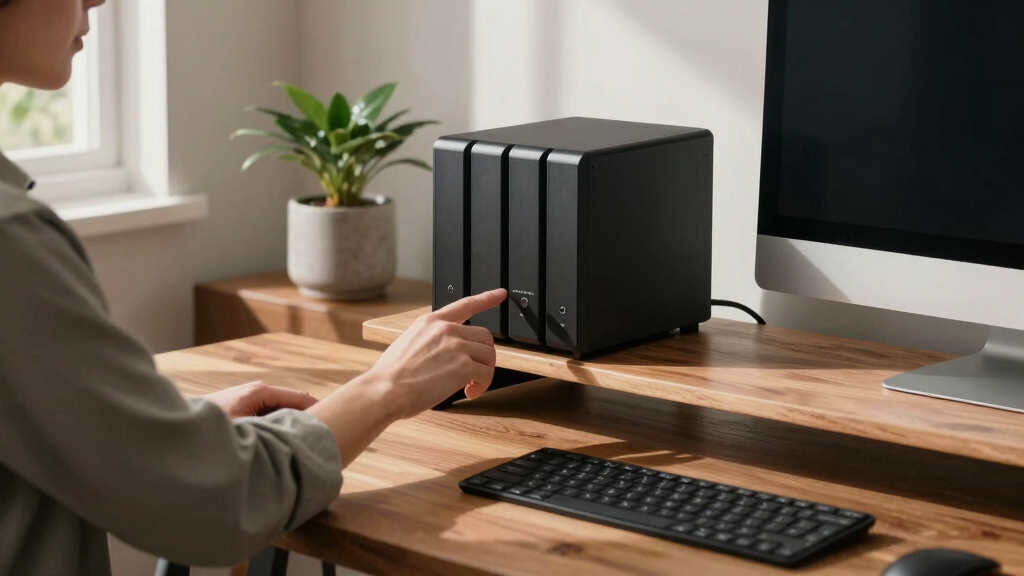
Our evaluation focused on key factors that matter to beginners: ease of setup, user interface, reliability, expandability, and value for money. We prioritized models with straightforward setup processes, intuitive software, and good community or manufacturer support. Performance was considered but balanced against simplicity—products that are overly complex or feature-heavy without clear benefit for newcomers were rated lower. Price was also a factor, but not at the expense of essential features. Our ranking reflects the best combination of usability, performance, and affordability for those new to NAS systems.
Factors to Consider When Choosing Best 4-bay Nas Systems For Beginners
Choosing the best 4-bay NAS system for beginners requires understanding several key factors. The right system should be easy to set up and manage, offer reliable performance, and be scalable enough for future needs. It’s important to weigh hardware specifications against your actual usage, avoiding overpaying for features you won’t need. Compatibility with existing devices and support options also play a role. Keep in mind that a slightly higher investment can translate into easier management and longer-term satisfaction, especially if you plan to expand your storage or add features later.
Ease of Use and Software Interface
For beginners, a user-friendly interface and straightforward setup process are essential. Systems like Synology’s DiskStation Manager are renowned for their intuitive design, reducing the learning curve. Avoid overly complex interfaces that require extensive technical knowledge, as this can turn off new users. Look for systems with guided setup wizards and solid support documentation to help you get started quickly and confidently.
Hardware and Performance
While high-end hardware isn’t always necessary for beginners, a system with decent processing power and RAM ensures smooth operation, especially if you plan to run multiple services like backups, media servers, or surveillance. Consider network interfaces—2.5GbE or 10GbE options can provide faster data access but might increase cost. Balance your performance needs with your budget to avoid overspending on unnecessary specs.
Expandability and Future-Proofing
Beginners should think about future storage needs. Systems that support easy drive upgrades or additional external connections provide more flexibility down the line. Diskless models can be cost-effective initially but require buying drives separately, which can add complexity. Pre-installed drives simplify setup but limit upgrade options, so choose based on your long-term storage plans.
Price and Value
Price varies widely among models, but the most expensive isn’t always the best choice for beginners. Focus on systems that offer a good balance of features and affordability. Consider the total cost, including drives and accessories, and avoid models that tempt you with high specs you don’t need. Sometimes, investing a bit more upfront in a reliable system can save money and frustration later.
Noise and Size
If you have limited space or prefer a quiet environment, pay attention to the system’s size and noise levels. Compact, fanless units are ideal for small offices or home setups. Larger, more powerful models tend to be louder but may offer better performance or scalability. Match your environment and noise sensitivity with the system’s physical characteristics.
Frequently Asked Questions
Can I start with a 4-bay NAS without drives?
Yes, many 4-bay NAS units come as diskless models, allowing you to choose and install your own drives later. This provides flexibility to select drives that match your performance and capacity needs. Keep in mind that you’ll need to purchase drives separately and install them yourself, which might be intimidating for some beginners. Ensure compatibility with the NAS model you select and follow manufacturer instructions for installation.
Is a 4-bay NAS suitable for media streaming?
Absolutely. A 4-bay NAS provides ample storage for media files like movies, music, and photos, and can handle multiple streams simultaneously. Look for models with fast network interfaces and media server support to improve streaming quality. Keep in mind, however, that older or less powerful units might struggle with high-resolution 4K content, so performance specs should match your media volume and quality expectations.
Should I prioritize a NAS with HDMI output?
HDMI output is useful if you want to connect your NAS directly to a display for media playback or user interface management. However, for most beginners, network-based access via a computer, tablet, or smartphone is sufficient. Systems with HDMI tend to be more expensive and complex, so consider whether this feature aligns with your intended use and comfort level with technology.
How important is expandability for a beginner?
While expandability is less critical initially, choosing a system that allows future drive upgrades or additional external connections can save you money and hassle later. It provides flexibility if your storage needs grow faster than expected. However, highly expandable units tend to be more complex and costly, so balance your current needs with potential future requirements.
Is it better to buy a pre-installed drive or diskless?
Pre-installed drives simplify setup and ensure compatibility, making them attractive for beginners. However, they often come at a higher cost and limit your options for future upgrades. Diskless models offer more flexibility, letting you choose drives based on your performance and capacity preferences, but require some installation effort. Your choice depends on your comfort with hardware and how much you value convenience versus customization.
Conclusion
For beginners seeking the best overall experience, the Synology DS923+ offers a reliable, easy-to-use system with excellent software support. Those on a budget or just starting out should consider the Buffalo TeraStation Essentials 2025, which provides a straightforward setup with included drives. If you need higher speeds and more advanced features, the UGREEN NAS DXP4800 Plus is a solid choice despite its higher price.
For users prioritizing simplicity and plug-and-play convenience, pre-installed drive options are ideal, while diskless units suit those who want to customize their storage from scratch. Ultimately, matching the system to your current needs and future plans ensures a satisfying, long-term investment in your digital storage.