For most students, I’d choose the EVISTR L357 64GB Digital Voice Recorder as the best overall balance of generous storage and straightforward playback. Students who want recordings converted into searchable text can look at the EVISTR L359, while the Plaud Note Pro is a more feature-focused choice for AI-assisted study workflows. The main tradeoffs are simple operation versus transcription tools, and compact convenience versus the need to manage recordings and battery life. Storage capacity matters too, but more space cannot compensate for unclear audio or a recorder that is awkward to use in class. Read on for the full comparison and guidance on choosing a recorder that fits your lectures, study habits, and budget priorities.

Prime made for students and young adults
- Fast, free delivery for dorm and study essentials
- Prime Video and Amazon Music included
- Member-only deals
Key Takeaways
- Simple playback remains a strong student fit: The EVISTR L357 and playback-focused models prioritize recording and listening back without requiring an AI transcription workflow.
- AI transcription changes the study process, not just the feature list: The EVISTR L359, Pocket AI, RECOLX, and Plaud models may suit students who want text to review, but buyers should check service access and transcription terms before relying on them.
- Large storage is not the same as better classroom audio: Several recorders offer high stated capacity, while the practical value still depends on microphone performance, clear controls, and recording management.
- The lineup spans very different levels of complexity: Basic voice-activation models can be easier to start with, while AI-oriented picks ask students to manage an additional app or transcription workflow.
- Brand and model differences matter within a product family: The Plaud Note and Note Pro appear in multiple finishes, so students should compare model capabilities rather than choosing by color alone.
| Sunlan 16GB Digital Voice Recorder with Playback |  | Best for Straightforward Lecture Recording | Storage: 16 GB | Recording format: WAV | Recording bitrate: 1536 kbps | VIEW LATEST PRICE | See Our Full Breakdown |
| EVIDA 128GB Digital Voice Recorder with Voice Activation and Playback |  | Best for High-Capacity Class Archives | Storage: 128 GB | Recording formats: WAV and MP3 | Recording bit rates: 128, 192, and 1536 kbps | VIEW LATEST PRICE | See Our Full Breakdown |
| Pocket AI Voice Recorder with Auto Transcription, Space Grey |  | Best for Searchable AI Lecture Notes | Storage: 64 GB | Audio format: RealAudio | Microphone: Built-in | VIEW LATEST PRICE | See Our Full Breakdown |
| EVISTR L357 64GB Digital Voice Recorder with Playback |  | Best for Stereo Lecture Capture | Storage: 64 GB | Recording formats: WAV and MP3 | Microphone: Built-in stereo microphone | VIEW LATEST PRICE | See Our Full Breakdown |
| Tonfarb Digital Voice Recorder, 136GB |  | Best for Long Recording Sessions | Storage: 136GB total: 8GB built-in plus included 128GB TF card | Recording formats: MP3 and WAV | Audio quality: Up to 1536 kbps PCM | VIEW LATEST PRICE | See Our Full Breakdown |
| EVISTR L359 128GB Digital Voice Recorder with AI Transcription |  | Best for High-Capacity Lecture Archiving | Storage: 128 GB | Maximum recording bitrate: Up to 3072 Kbps | Recording capacity: Up to 9,216 hours at 32 Kbps | VIEW LATEST PRICE | See Our Full Breakdown |
| RECOLX AI Voice Recorder with GPT-5.2 Transcription, Pearl Gray |  | Best for Multilingual Transcription | Model: JYDH-100 | Storage: 64 GB | Continuous recording time: Up to 30 hours | VIEW LATEST PRICE | See Our Full Breakdown |
| Plaud Note Pro AI Voice Recorder, Black |  | Best for Long, Multi-Speaker Sessions | Microphones: 4 built-in microphones | Capture range: Up to 5 m (16.4 ft) | Storage: 64 GB | VIEW LATEST PRICE | See Our Full Breakdown |
| Plaud Note AI Voice Recorder, Black |  | Best for Phone-Call Notes | Storage: 64 GB | Recording time: Up to 30 hours | Standby time: Up to 60 days | VIEW LATEST PRICE | See Our Full Breakdown |
| QNGEE F5 Digital Voice Recorder, 64GB |  | Best for Straightforward Classroom Recording | Storage: 64GB TF card | Recording format: 1536 kbps PCM | Audio formats: MP3, WAV | VIEW LATEST PRICE | See Our Full Breakdown |
| Plaud Note Pro AI Voice Recorder, Silver |  | Best for Lecture Notes and AI Summaries | Microphones: Four built-in microphones | Capture range: Up to 5 m (16.4 ft) | Storage: 64 GB | VIEW LATEST PRICE | See Our Full Breakdown |
| Tonfarb 64GB Digital Voice Recorder with Playback |  | Best for On-Device Playback and Control | Storage: 64 GB | Recording formats: MP3, WAV | Maximum PCM bitrate: 1536 kbps | VIEW LATEST PRICE | See Our Full Breakdown |
| 16GB Digital Voice Recorder with Voice Activation |  | Best for Repeat Listening on a Student Budget | Storage: 16 GB | Recording formats: MP3, WAV | Microphone: Built-in stereo | VIEW LATEST PRICE | See Our Full Breakdown |
| Cappsu Digital Voice Recorder with Playback, 32GB Built-in Memory |  | Best for Simple One-Click Recording | Storage: 32 GB built-in | Maximum recording bitrate: 1536 Kbps | Recording modes: Continuous, voice activated | VIEW LATEST PRICE | See Our Full Breakdown |
| HoTiyan 8GB Digital Voice Recorder with Voice Activation and MP3 Playback |  | Best for Basic, Lightweight Class Recording | Storage: 8 GB | Recording formats: MP3, WAV | Microphone: Built-in stereo | VIEW LATEST PRICE | See Our Full Breakdown |
| digital voice recorders for student | Storage | Microphone |
|---|---|---|
| Sunlan 16GB Digital Voice Reco | 16 GB | Built-in mono microphone with noise cancellation |
| EVIDA 128GB Digital Voice Reco | 128 GB | Built-in mono microphone with noise cancellation |
| Pocket AI Voice Recorder with | 64 GB | Built-in |
| EVISTR L357 64GB Digital Voice | 64 GB | Built-in stereo microphone |
| Tonfarb Digital Voice Recorder | 136GB total: 8GB built-in plus included 128GB TF card | Built-in dual microphones with noise reduction |
| EVISTR L359 128GB Digital Voic | 128 GB | Built-in mono |
| RECOLX AI Voice Recorder with | 64 GB | Built-in, with noise reduction |
| Plaud Note Pro AI Voice Record | 64 GB | — |
| Plaud Note AI Voice Recorder | 64 GB | — |
| QNGEE F5 Digital Voice Recorde | 64GB TF card | — |
| Plaud Note Pro AI Voice Record | 64 GB | — |
| Tonfarb 64GB Digital Voice Rec | 64 GB | Built-in stereo |
| 16GB Digital Voice Recorder wi | 16 GB | Built-in stereo |
| Cappsu Digital Voice Recorder | 32 GB built-in | — |
| HoTiyan 8GB Digital Voice Reco | 8 GB | Built-in stereo |
More Details on Our Top Picks
Sunlan 16GB Digital Voice Recorder with Playback
I’d choose the Sunlan for students who want a small recorder that starts capturing a lecture without a complicated setup. Its one-button recording and voice activation make it simpler to operate than the more feature-heavy EVIDA 128GB, while A-B repeat can help replay a difficult passage. The built-in speaker is handy for a quick check, and the headphone jack offers private listening.
The tradeoff is capacity and endurance: 16GB storage and up to seven hours of playback are less suited to long stretches away from a charger than the EVIDA or Tonfarb 136GB. Its mono microphone also gives students fewer options for capturing speakers spread across a room. I’d favor it for regular classes and uncomplicated note review, not for extensive recording archives or especially demanding lecture-room audio.
Pros:- One-button recording keeps lecture capture simple.
- Voice activation can reduce storage used by pauses.
- A-B repeat helps replay a specific section while studying.
- USB transfer and a headphone jack support straightforward file handling and listening.
Cons:- The 16GB capacity is modest beside the EVIDA 128GB and Tonfarb 136GB.
- Mono recording is less suited to capturing several speakers around a room.
- Playback lasts up to seven hours per charge.
Best for: Students who want a compact, simple recorder for individual lectures and short review sessions.
Not ideal for: Students recording many long classes between file transfers or needing stereo capture and extended playback.
- Storage:16 GB
- Recording format:WAV
- Recording bitrate:1536 kbps
- Microphone:Built-in mono microphone with noise cancellation
- Recording time:More than 30 hours
- Playback time:Up to 7 hours
- Playback connections:Built-in speaker and 3.5 mm headphone jack
- Dimensions and weight:0.5 × 1.4 × 3.3 inches; 35 g
Our verdict“Choose the Sunlan for uncomplicated class recording in a small package, but pick a higher-capacity model for a packed lecture schedule.”
EVIDA 128GB Digital Voice Recorder with Voice Activation and Playback
For students who record class after class and want to keep files on the device, I’d put the EVIDA 128GB ahead of the Sunlan. Its large storage, WAV and MP3 recording, and six voice-activation sensitivity levels give it more room to adapt to different lecture settings. Folders and bookmarks also make a growing set of recordings easier to sort and revisit, while password protection offers an added layer of privacy.
That capacity comes with a less convenient power setup: this model requires a C battery, unlike the rechargeable Tonfarb 136GB. It also lacks a headphone jack, limiting private playback options compared with the Sunlan and EVISTR L357. I’d choose it for students who value storage and organization over compact charging convenience, but skip it if listening through wired headphones directly from the recorder matters.
Pros:- 128GB capacity provides room for a substantial lecture archive.
- WAV and MP3 formats offer a choice between recording quality and file size.
- Six voice-activation sensitivity levels allow adjustment for different rooms.
- Folders, bookmarks, and password protection support organized and private use.
Cons:- Requires a C battery rather than a rechargeable battery.
- No headphone jack for wired, private playback.
- Its mono microphone offers less spatial capture than the EVISTR L357’s stereo microphone.
Best for: Students who record numerous lectures and want extensive onboard storage, folders, and bookmarks for organizing them.
Not ideal for: Students who want rechargeable power or a headphone jack for private playback from the recorder.
- Storage:128 GB
- Recording formats:WAV and MP3
- Recording bit rates:128, 192, and 1536 kbps
- Microphone:Built-in mono microphone with noise cancellation
- Voice activation:6 sensitivity levels
- Maximum recording time:54 hours continuous
- Battery:One C battery
- Dimensions and weight:2.59 × 0.41 × 0.77 inches; 3.35 ounces
Our verdict“Pick the EVIDA if keeping and organizing many class recordings matters more than rechargeable power or headphone listening.”
Pocket AI Voice Recorder with Auto Transcription, Space Grey
The Pocket AI Voice Recorder takes a different approach from the Sunlan and EVISTR L357: instead of focusing mainly on recording controls, it adds transcription, summaries, and action items to captured conversations. For students, that can make reviewing a lecture faster than scrubbing through audio, and the ability to ask questions about recordings may help locate a topic without replaying the whole file. MagSafe-compatible attachment and one-tap capture also suit students who already carry a compatible phone.
The extra processing comes with a subscription caveat: some tools require an optional subscription, unlike the more traditional EVIDA, which records and organizes files without that service model. Its listed dimensions are also unusually large for a pocket recorder, so I wouldn’t assume it disappears into a small pocket. Choose it for transcript-led study; skip it if you want a simple standalone recorder or prefer not to depend on optional software features.
Pros:- AI transcription and summaries can speed up lecture review.
- Questions about recorded content provide another way to find information.
- One-tap capture suits quick recording of classes and conversations.
- MagSafe-compatible attachment supports hands-free placement with compatible devices.
Cons:- Additional premium tools require an optional subscription.
- Listed dimensions are unusually large for a product described as a pocket recorder.
- Smartphone compatibility and AI features make it less straightforward than the Sunlan for basic audio-only use.
Best for: Students who want lecture transcripts, summaries, and searchable content and already use a MagSafe-compatible device.
Not ideal for: Students seeking a conventional standalone recorder without subscription-dependent features or uncertain pocket-sized portability.
- Storage:64 GB
- Audio format:RealAudio
- Microphone:Built-in
- Connectivity:Bluetooth
- Compatible devices:Smartphones
- Battery life:Up to 4 days
- MagSafe compatibility:Yes
- Dimensions:1.77 × 3.2 × 7.4 inches
Our verdict“Choose Pocket for a transcript-centered study workflow, but favor a traditional recorder if you only need reliable audio files.”
EVISTR L357 64GB Digital Voice Recorder with Playback
I’d steer students toward the EVISTR L357 when capturing a lecturer and audience questions matters more than maximizing storage. Its built-in stereo microphone distinguishes it from the mono Sunlan and EVIDA, while seven gain levels and adjustable voice-activation sensitivity give students more control over changing classroom conditions. A-B repeat, rewind, and variable-speed playback also make it better equipped for targeted study than a basic one-button recorder.
The metal body and USB-C transfer add practical appeal, but the published recording-time figures conflict: the description says up to 32 hours, while product information lists 107 hours. I wouldn’t plan a semester around either figure without clarification. Voice activation may also stop during silence and miss quiet sounds. Compared with the Tonfarb 136GB, the EVISTR offers stereo capture but less listed storage, making it a stronger fit for room audio than sheer archive size.
Pros:- Stereo microphone can capture a wider classroom sound field than the mono Sunlan or EVIDA.
- Seven recording-gain and voice-activation sensitivity levels offer control over different rooms.
- A-B repeat, rewind, and variable-speed playback support focused study.
- USB-C transfer, a metal body, and a 3.5 mm headphone jack suit regular campus use.
Cons:- Published continuous recording figures conflict: 32 hours in the description and 107 hours in product information.
- Voice activation can stop during silence and miss quiet sounds.
- Its 64GB capacity is below the EVIDA 128GB and Tonfarb 136GB.
Best for: Students who want stereo lecture capture, adjustable recording controls, and playback tools for reviewing specific passages.
Not ideal for: Students who need dependable published recording-time estimates or must capture quiet sounds through long pauses.
- Storage:64 GB
- Recording formats:WAV and MP3
- Microphone:Built-in stereo microphone
- Recording gain:7 levels
- Voice activation:7 sensitivity levels
- Published continuous recording time:Up to 32 hours in description; 107 hours in product information
- Connectivity and playback:USB Type-C and 3.5 mm headphone jack
- Dimensions and weight:3.86 × 1.2 × 0.47 inches; 2.24 oz
Our verdict“Choose the EVISTR L357 for stereo classroom capture and study-focused playback, but verify its recording-time claims before relying on it for extended sessions.”
Tonfarb Digital Voice Recorder, 136GB
For students who want a large recording archive and fewer charging interruptions, the Tonfarb 136GB has the strongest stated endurance in this group: up to 68 hours of battery life. Its dual microphones and noise reduction give it a different emphasis from the mono EVIDA, while one-click recording keeps it accessible for students who don’t need the Pocket AI recorder’s transcription workflow. USB-C, a headphone jack, A-B repeat, and password protection cover practical file transfer, listening, and privacy needs.
The 136GB figure includes an 8GB built-in memory plus an included 128GB TF card, so the full capacity depends on that card. Its stated weight also differs between the description and specifications. Compared with the EVISTR L357, it offers more listed storage and battery life, but the EVISTR provides adjustable gain levels and more detailed voice-activation controls. I’d pick Tonfarb for long sessions, not for maximum recording customization.
Pros:- Up to 68 hours of stated battery life suits long recording stretches.
- 136GB total capacity includes an 8GB built-in memory and 128GB TF card.
- Dual microphones with noise reduction support classroom speech capture.
- USB-C, a headphone jack, A-B repeat, and password protection cover useful study tasks.
Cons:- The full stated storage capacity depends on the included 128GB TF card.
- Weight is listed as both 97 g and 100 g.
- It offers less detailed gain control than the EVISTR L357’s seven recording-gain levels.
Best for: Students recording long classes or study sessions who want substantial storage, long stated battery life, and simple one-click operation.
Not ideal for: Students who want a single built-in storage figure without a removable card or need precise control over microphone gain.
- Storage:136GB total: 8GB built-in plus included 128GB TF card
- Recording formats:MP3 and WAV
- Audio quality:Up to 1536 kbps PCM
- Microphone:Built-in dual microphones with noise reduction
- Battery:1100mAh rechargeable lithium battery
- Battery life:Up to 68 hours
- Connections:USB-C and 3.5 mm headphone jack
- Display:1.44-inch LCD
- Dimensions and weight:0.47 × 1.45 × 4 inches; 97 g in description, 100 g in specifications
Our verdict“Choose Tonfarb for long sessions and a large card-backed archive, but pick the EVISTR L357 if adjustable recording controls matter more.”
EVISTR L359 128GB Digital Voice Recorder with AI Transcription
For students who record whole lecture weeks and want searchable notes afterward, the EVISTR L359 pairs 128GB of storage with transcription, summaries, speaker identification, and other AI tools. Its stated capacity of up to 9,216 hours applies at a low 32 Kbps setting, while the recorder can capture at up to 3072 Kbps when audio quality matters more. Voice activation and noise reduction can help manage long sessions, and one-touch recording makes starting a class recording straightforward.
Compared with the QNGEE F5, the L359 offers far more storage and built-in transcription features, but QNGEE has dual microphones and a headphone jack. The L359’s mono microphone and wired OTG app transfers are real compromises; its nonstandard battery may also complicate replacement. Choose it for long-term lecture archives, not for stereo capture or the simplest file-transfer routine.
Pros:- 128GB storage supports a large local archive of lectures and interviews.
- Transcription, summaries, speaker identification, and related AI tools support review and organization.
- Voice activation and noise reduction can help with extended classroom recordings.
- One-touch recording, a HOLD switch, and compact dimensions suit quick use between classes.
Cons:- The built-in microphone records in mono rather than stereo.
- OTG transfers require a wired connection and the companion app.
- The included battery is nonstandard, which may make replacement less convenient.
Best for: Students recording frequent lectures who want substantial local storage and AI transcription tools for organizing notes.
Not ideal for: Students who need stereo microphone capture, headphone monitoring, or uncomplicated wireless file transfers.
- Storage:128 GB
- Maximum recording bitrate:Up to 3072 Kbps
- Recording capacity:Up to 9,216 hours at 32 Kbps
- Continuous recording time:Up to 33 hours
- Transcription languages:113
- Audio formats:MP3, WAV
- Microphone:Built-in mono
- Connectivity:USB Type-C; wired OTG
- Weight:2.24 oz (65 g)
Our verdict“Choose the L359 if your priority is storing and organizing many lecture recordings, and skip it if stereo capture or easy wireless transfers matter more.”
RECOLX AI Voice Recorder with GPT-5.2 Transcription, Pearl Gray
The RECOLX JYDH-100 is aimed at students who need recordings converted into text across a wide range of languages: its transcription supports up to 112 languages, with summaries, templates, and AI modes for shaping the output. 64GB storage and up to 30 hours of continuous recording are a practical fit for classes and interviews, while USB-C export gives students a direct route to move files to compatible devices.
Compared with the EVISTR L359, RECOLX has less storage and no stated headphone jack, but it remains a capable choice for multilingual note workflows and lists Bluetooth connectivity. Its AI transcription and summaries depend on software tools, so students should not treat the recorder alone as a complete transcription setup. The missing headphone jack also limits direct wired listening; choose this for language coverage, not hands-on audio monitoring.
Pros:- Transcription supports up to 112 languages and accents.
- Up to 30 hours of continuous recording suits long study days.
- 64GB storage and USB-C file export support a portable recording workflow.
- Noise reduction and AI summaries can help turn recordings into review material.
Cons:- There is no headphone jack for direct wired listening.
- Transcription and summaries rely on software tools.
- Its 64GB capacity is half the L359’s 128GB.
Best for: Students working across multiple languages who want recordings transcribed and summarized through companion software.
Not ideal for: Students who need a headphone jack for wired playback or want transcription features that work independently of software tools.
- Model:JYDH-100
- Storage:64 GB
- Continuous recording time:Up to 30 hours
- Speech-to-text languages:Up to 112
- AI features:Transcription, summaries, 71 templates, 5 AI modes
- Connectivity:Bluetooth, USB-C
- Microphone:Built-in, with noise reduction
- Headphone jack:None
- Warranty:18 months
Our verdict“Pick RECOLX for multilingual transcription and summaries, but choose the L359 if you need more storage or the QNGEE F5 if a headphone jack matters.”
Plaud Note Pro AI Voice Recorder, Black
When a student needs to capture discussion across a table rather than only the voice nearest the recorder, the Plaud Note Pro stands out with four built-in microphones and a stated capture range of up to 5 m. Its slim 30 g body and small status display are easy to carry between classes, while 64GB of storage keeps recordings local. Up to 50 hours in Endurance mode can reduce charging interruptions, though Enhance mode is listed for up to 30 hours.
Compared with the Plaud Note, the Pro adds more microphones and longer recording time, making it the stronger fit for group seminars. The tradeoffs are that the included transcription plan covers 300 minutes per month, there is no headphone jack, and online meeting coverage requires Plaud Desktop. Those software limits matter for students recording every lecture; this is better suited to occasional group sessions and calls.
Pros:- Four built-in microphones and a stated capture range of up to 5 m suit group discussions.
- Endurance mode offers up to 50 hours of recording.
- Slim 30 g design includes a display for recording status and battery level.
- Transcription and summaries can connect with tools such as Google Calendar, Slack, and Notion.
Cons:- The included Starter Plan is limited to 300 transcription minutes per month.
- Online meeting coverage requires Plaud Desktop.
- There is no headphone jack for direct wired playback.
Best for: Students recording seminars, study groups, or in-person conversations where voices may come from several directions.
Not ideal for: Students who record many hours of lectures for transcription each month or need a headphone jack and standalone online-meeting capture.
- Microphones:4 built-in microphones
- Capture range:Up to 5 m (16.4 ft)
- Storage:64 GB
- Recording time:Up to 30 hours in Enhance mode; up to 50 hours in Endurance mode
- Weight:30 g (1.06 oz)
- Audio format:WAV
- Microphone modes:Mono, stereo
- Connectivity:Bluetooth 5
- Starter transcription plan:300 minutes per month
Our verdict“Choose the Note Pro for portable group recording and longer sessions, but not if your student workflow depends on heavy monthly transcription.”
Plaud Note AI Voice Recorder, Black
The Plaud Note earns its place for students who need one compact device for both phone calls and in-person conversations. At 30 g, it is easy to carry, and its 64GB of local storage gives recordings room on the device before transfer. The companion app and web tools can transcribe in 112 languages and produce summaries, mind maps, and task lists; typed notes and images can also be added to recordings for extra study context.
Compared with the Plaud Note Pro, this model is lighter on capture hardware and records for up to 30 hours rather than as long as 50 hours in the Pro’s Endurance mode. It still covers the basic phone-and-room recording use case, but the Starter plan’s 300 monthly transcription minutes may be restrictive for a lecture-heavy schedule. There is no headphone jack, either, so it suits app-based review better than wired playback.
Pros:- Supports both phone-call and in-person recording modes.
- Compact 30 g design is easy to carry in a student bag or pocket.
- 64GB of local storage holds recordings on the device.
- Transcription in 112 languages and tools for summaries, mind maps, and task lists support review.
Cons:- Recording time is up to 30 hours, shorter than the Note Pro’s maximum in Endurance mode.
- The Starter transcription plan is limited to 300 minutes per month.
- There is no headphone jack.
Best for: Students who need to record phone calls as well as in-person conversations and want app-based summaries in multiple languages.
Not ideal for: Students seeking long recording sessions, direct wired headphone playback, or transcription beyond the included monthly allowance.
- Storage:64 GB
- Recording time:Up to 30 hours
- Standby time:Up to 60 days
- Transcription languages:112
- Recording modes:Phone calls and in-person conversations
- Microphone modes:Mono, stereo
- Audio format:WAV
- Weight:30 g (1.06 oz)
- Starter transcription plan:300 minutes per month
Our verdict“Choose the Plaud Note for compact phone-call and in-person recording, while the Note Pro is a better fit for longer sessions and group capture.”
QNGEE F5 Digital Voice Recorder, 64GB
The QNGEE F5 is a practical fit for students who want to record lectures without centering their workflow on AI or a subscription-style transcription plan. Its one-touch recording and slide switch make it easy to start a session and save files, while dual noise-reduction microphones and 1536 kbps PCM recording give it a more conventional audio-first focus than the AI-heavy Plaud models. USB-C handles charging and file transfer, and a 3.5 mm jack supports wired playback.
Compared with the EVISTR L359, QNGEE offers a headphone jack and dual microphones but has half the storage and no listed AI transcription suite. Its 64GB capacity comes from an included TF card, so storage depends on that removable card rather than built-in memory. The 260 mAh battery is another limitation to weigh against the stated up-to-30-hour use. Choose it for simple recording and playback controls, not automated note-making.
Pros:- One-touch recording and a slide switch simplify starting and saving lecture files.
- Dual noise-reduction microphones and 1536 kbps PCM recording support an audio-focused workflow.
- Includes a 64GB TF card and supports up to 30 hours of use.
- USB-C, a 3.5 mm headphone jack, playback controls, and a metal casing add practical classroom utility.
Cons:- The 64GB storage is provided by a TF card rather than built-in memory.
- The 260 mAh battery capacity is modest, even though stated use reaches up to 30 hours.
- It lacks the transcription and summary features offered by the EVISTR L359 and Plaud models.
Best for: Students who want a direct, audio-first recorder with physical controls, a headphone jack, and USB-C file transfer.
Not ideal for: Students who want built-in AI transcription and summaries or prefer storage integrated into the recorder rather than a TF card.
- Storage:64GB TF card
- Recording format:1536 kbps PCM
- Audio formats:MP3, WAV
- Battery capacity:260 mAh
- Battery life:Up to 30 hours
- Microphones:Built-in dual noise-reduction microphones
- Connectivity:USB-C
- Headphone jack:3.5 mm
- Casing:Metal
Our verdict“Pick the QNGEE F5 for simple classroom recording with physical playback controls, and choose an AI-enabled model if automatic transcripts are part of your study routine.”
Plaud Note Pro AI Voice Recorder, Silver
For students who want help turning recordings into study material, the Plaud Note Pro is the most capable pick in this group. Its four microphones capture in-person speech from up to 5 m away, while its transcription tools can produce summaries and structured documents—work the simpler Tonfarb and HoTiyan recorders leave to you. At just 30 g and 2.99 mm thick, it is also easy to carry between classes, and the display shows recording status and battery level.
The tradeoff is reliance on connected software: online meetings require Plaud Desktop, and the included Starter Plan allows only 300 transcription minutes per month. Its 64 GB storage and long Endurance-mode recording time suit full lecture days, but students who only need audio playback may get more practical value from the Tonfarb 64GB recorder.
Pros:- Four microphones with a stated capture range of up to 5 m
- Transcription tools can turn recordings into summaries and structured documents
- Slim, lightweight body with a display for status and battery information
- 64 GB storage and up to 50 hours of recording in Endurance mode
Cons:- Online meeting recording requires Plaud Desktop
- Included Starter Plan is limited to 300 transcription minutes per month
- No headphone jack for direct wired listening
Best for: Students who record lectures and want searchable transcripts, summaries, or structured notes to support revision.
Not ideal for: Students who need a standalone recorder with generous included transcription or who mainly want to replay audio without using software.
- Microphones:Four built-in microphones
- Capture range:Up to 5 m (16.4 ft)
- Storage:64 GB
- Display:0.95 inches
- Weight:30 g (1.06 oz)
- Recording time:Up to 30 hours in Enhance mode; up to 50 hours in Endurance mode
- Audio format:WAV
- Connectivity:Bluetooth 5
Our verdict“Choose the Plaud Note Pro if AI-generated lecture notes matter more to you than a simple, standalone recording-and-playback workflow.”
Tonfarb 64GB Digital Voice Recorder with Playback
The Tonfarb 64GB Digital Voice Recorder suits students who want to record, then review and manage files on the device itself. Its 1.44-inch screen, headphone jack, A-B loop playback, bookmarks, and variable file-management tools make it more useful for replaying a difficult explanation than the AI-focused Plaud Note Pro, which has no headphone jack. One-click recording and voice activation also reduce the steps between hearing a useful point and capturing it.
Its stated battery life reaches 48 hours only at 32 kbps MP3, so students choosing higher-quality WAV or PCM settings should not treat that figure as a general runtime promise. The display is still small, and the long list of controls may take more getting used to than the simpler Cappsu V02. In return, Tonfarb offers broad playback functions and both MP3 and WAV recording.
Pros:- One-click recording and saving, including when powered off
- 64 GB storage with MP3 and WAV recording
- A-B loop playback, bookmarking, and file-management features support focused review
- 3.5 mm headphone jack and USB file transfer
Cons:- The up-to-48-hour battery claim applies to 32 kbps MP3 recording
- The 1.44-inch screen can make navigation less convenient
- Its playback and file controls are less streamlined than the Cappsu’s one-click-focused setup
Best for: Students who want to record lectures and replay or loop specific passages directly through wired headphones.
Not ideal for: Students who prefer automatic transcription and summaries, or who need a large, easy-to-read screen for managing files.
- Storage:64 GB
- Recording formats:MP3, WAV
- Maximum PCM bitrate:1536 kbps
- Battery capacity:600 mAh
- Stated battery life:Up to 48 hours continuous use at 32 kbps MP3
- Screen:1.44 inches
- Microphone:Built-in stereo
- Interface:USB 2.0
Our verdict“Pick Tonfarb if you want a high-capacity recorder that can also serve as a practical tool for replaying lecture sections.”
16GB Digital Voice Recorder with Voice Activation
This 16GB Digital Voice Recorder focuses on the study routine of recording a class and revisiting specific sections. Its A-B repeat and variable playback speed let students loop a definition or slow down a passage, while adjustable voice activation can reduce recording of quiet gaps. Compared with the HoTiyan H-10001, it offers twice the listed storage; compared with the Cappsu V02, it adds variable-speed playback and password protection.
The capacity is still modest beside the 32 GB Cappsu and 64 GB Tonfarb, and the advertised maximum of 1,120 recording hours applies at the lowest 32 kbps setting—not every audio-quality choice. Battery life is listed at up to 20 hours of continuous recording, and the device supports up to 199 files, which may mean more frequent cleanup for students recording many classes.
Pros:- A-B repeat and variable playback speed make review more focused
- Adjustable voice activation can limit silent sections
- Records MP3 and WAV and transfers files over Micro USB
- 16 GB storage exceeds the HoTiyan H-10001’s listed 8 GB
Cons:- The 1,120-hour capacity figure applies at 32 kbps, with recording time varying by bitrate
- File storage is limited to 199 recordings
- Up to 20 hours of continuous recording may be restrictive for frequent, long sessions
Best for: Students who want a straightforward recorder with playback tools for reviewing lectures and a modest library of class files.
Not ideal for: Students who record many long sessions, need extensive storage, or want AI transcription and automated lecture summaries.
- Storage:16 GB
- Recording formats:MP3, WAV
- Microphone:Built-in stereo
- Voice activation:Adjustable decibel threshold
- Recording bitrate options:32, 64, 128, 192 kbps
- Continuous recording battery life:Up to 20 hours
- File transfer:Micro USB
- File capacity:Up to 199 recording files
Our verdict“Choose this model if you want useful lecture-playback controls and more storage than the HoTiyan without needing advanced transcription features.”
Cappsu Digital Voice Recorder with Playback, 32GB Built-in Memory
The Cappsu V02 is a sensible classroom pick for students who want to start recording quickly and avoid adding a memory card. Its one-click operation is uncomplicated, and 32 GB of built-in storage gives it twice the capacity of the 16GB Digital Voice Recorder in this group. Voice activation can pause capture during silence, while the included external microphone offers another way to position the pickup closer to a speaker.
That accessory does not remove the need for thoughtful placement: the product guidance says recordings are more balanced when the unit sits close to the sound source. Unlike the Tonfarb 64GB model, Cappsu has less storage and fewer listed playback controls, but it includes USB-C and wired earphones in the package. Its up-to-50-hour voice-activated figure is distinct from the 20-hour continuous-recording claim, so students recording uninterrupted sessions should plan around the latter.
Pros:- 32 GB built-in memory requires no separate card
- One-click recording and voice activation support a simple capture routine
- Includes an external microphone, 3.5 mm earphones, and USB-C cable
- Voice-activated recording is listed for up to 50 hours
Cons:- For more balanced recordings, the device should be placed close to the speaker or sound source
- Continuous recording is listed for up to 20 hours, less than the voice-activated figure
- Has less storage than the 64 GB Tonfarb recorder
Best for: Students who want a simple recorder with built-in storage, voice activation, and an included external microphone for closer placement.
Not ideal for: Students who need the largest storage capacity, advanced playback controls, or consistently record from far across a lecture hall.
- Storage:32 GB built-in
- Maximum recording bitrate:1536 Kbps
- Recording modes:Continuous, voice activated
- Continuous recording time:Up to 20 hours
- Voice-activated recording time:Up to 50 hours
- Weight:1.6 ounces
- USB interface:USB Type-C
- Included accessories:USB-C cable, 3.5 mm earphones, external microphone, user manual
Our verdict“Choose the Cappsu V02 if you value easy one-click recording and useful included accessories over maximum capacity or extensive playback options.”
HoTiyan 8GB Digital Voice Recorder with Voice Activation and MP3 Playback
The HoTiyan H-10001 is the simplest fit here for students who want a small recorder for occasional lectures, interviews, or revision playback. Voice activation and noise reduction provide useful recording aids, while A-B repeat and variable playback speed help with revisiting a key passage. It shares that study-friendly playback approach with the 16GB Digital Voice Recorder, but the HoTiyan’s 8 GB capacity makes it a lighter-duty option rather than the better choice for building a large semester archive.
Its listed recording capacity of up to 128 hours depends on recording settings, and continuous battery life is up to 20 hours; playback is listed at up to eight hours with earphones. The 199-file limit also calls for regular file management. Compared with the Cappsu V02, it lacks an included external microphone and USB-C, but it provides familiar MP3/WAV support and password protection for a basic class-recording workflow.
Pros:- Voice activation and noise reduction support lecture capture
- MP3 and WAV recording with Micro USB file transfer
- A-B repeat and variable playback speed help with focused review
- Password protection and timestamped filenames aid basic file handling
Cons:- 8 GB storage is limited beside the 16 GB and 32 GB options in this group
- Recording files are limited to 199
- Battery life is listed at up to 20 hours recording and eight hours playback with earphones
Best for: Students who record occasional classes and want straightforward playback controls without needing high storage capacity.
Not ideal for: Students who record multiple long lectures each week, need USB-C, or want storage headroom for a large archive.
- Storage:8 GB
- Recording formats:MP3, WAV
- Microphone:Built-in stereo
- Recording features:Voice activation, noise reduction
- Recording time:Up to 128 hours
- Continuous recording battery life:Up to 20 hours
- Connectivity:Micro USB 2.0
- File capacity:Up to 199 files
Our verdict“Pick the HoTiyan for occasional lectures and playback practice, but choose the 16GB recorder or Cappsu if you expect a larger recording library.”
How We Picked
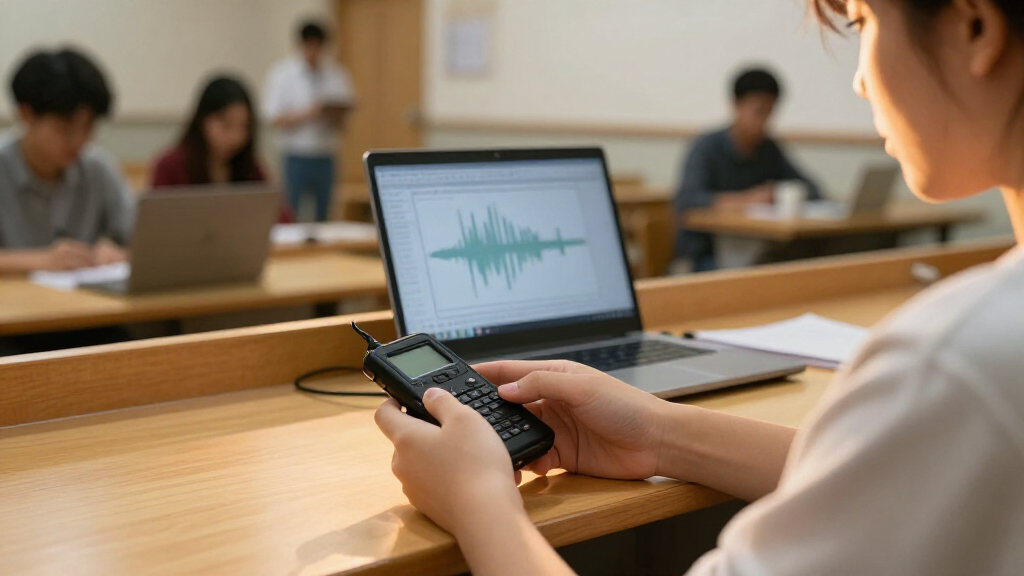
I ranked these recorders around student tasks: capturing lectures, making quick study notes, reviewing audio later, and managing recordings between classes. I gave weight to usable playback and controls, stated storage capacity, voice-activation options, and whether a model adds transcription tools that could support searchable notes. I also considered how much extra setup an option may ask of a student, since a recorder that takes too long to operate can be a poor classroom fit even when its feature list is extensive.
The order reflects the balance between everyday usefulness and added complexity, not a claim that every model suits every student. Straightforward recorders rank well for dependable capture and review; AI-focused models stand out for students who will actively use transcription and can work with its app or service requirements. Capacity, transcription claims, and shared model names should be checked against the seller’s current listing, and no recorder can replace clear placement, permission to record, or a backup plan for important classes.
Factors to Consider When Choosing Digital Voice Recorders For Students
Before choosing a model, I’d match the recorder to the way you study rather than to the biggest capacity or longest feature list. These broader decisions can prevent common mismatches, especially when you plan to record long lectures or depend on transcripts for exam preparation.
Choose Audio Review or Searchable Text
Start with how you actually revisit class material. If you listen to difficult sections and take your own notes, a simple playback recorder may be all you need. Transcription can make a long lecture easier to search, but it does not automatically produce accurate or well-organized study notes. Names, technical terms, overlapping discussion, and quiet speakers can all need correction. Before paying for AI features, check whether transcription is performed on the device or through an app or online service, and review any usage limits or ongoing requirements. Students who rarely edit or search transcripts may get more practical value from reliable recording and playback.
Estimate Storage From Your Recording Routine
Capacity is useful only when it matches how often you transfer or delete files. A student who records a few selected lectures and moves them to a computer regularly may not need the largest storage figure in this lineup. Someone recording several classes each day may value more room, particularly if recordings are kept in high-quality formats. Check what file formats the recorder creates and whether storage can be expanded or transferred easily. A common mistake is to treat advertised capacity as a substitute for a file-management plan. Set a routine for naming, backing up, and clearing recordings before the semester gets busy.
Prioritize Controls You Can Use Quietly
In a classroom, the best interface is often the one you can operate without drawing attention or missing the start of a lecture. Look for clear recording status, accessible buttons, and playback controls that make it easy to find a section later. Voice activation may reduce long stretches of silence, but it can also miss a quiet speaker or the start of a sentence if the activation threshold is poorly suited to the room. Test the setting in a low-stakes situation before relying on it for class. A simpler recorder can be a better fit than a feature-heavy model if you need to start recording quickly and consistently.
Plan for Battery, File Transfer, and Backups
Long class days expose practical weaknesses that a capacity number cannot show. Check the maker’s stated battery life against your schedule, then leave room for charging and avoid assuming a recorder can capture a full day without interruption. Confirm how files transfer to your laptop or phone, since a difficult transfer process can leave recordings stranded on the device. Keep a backup copy of important lectures, especially before an exam or device reset. If a model depends on a companion app, check that it works with your devices and that you can still access audio if the app or service changes.
Pay for AI Only When the Workflow Fits
AI transcription is most useful when you will review, correct, and organize the resulting text. It can save time locating a topic, but students should not assume that an automated transcript is a verified record of the lecture. Compare what the model includes with what requires an app, account, subscription, or separate service, and check current terms before buying. If you only need occasional transcription, a basic recorder paired with a separate transcription method may be more flexible. Paying more makes sense when the added workflow will be used often and fits your privacy and accessibility needs.
Check Classroom Rules and Recording Privacy
Recording permission varies by school, course, instructor, and local law, so verify the rules before capturing lectures or discussions. A class recording may include other students’ voices, questions, or personal information, making file sharing and cloud transcription a privacy decision as well as a convenience. Ask whether recordings may be stored on an external service and who can access them. Keep files private, avoid sharing classmates’ contributions without permission, and delete recordings when they are no longer needed. A recorder’s technical ability to capture a room does not grant permission to record it.
Frequently Asked Questions
Is a recorder with AI transcription worth choosing over a basic playback model?
It depends on whether searchable text changes how you study. Transcription can help you locate a topic in a long lecture, but students still need to check names, terminology, and sections where speech overlaps or becomes quiet. Find out whether the feature requires an app, account, internet access, or ongoing service before relying on it. If you mainly replay short passages and write your own notes, a simpler recorder may be easier to manage. Choose AI when you expect to use the transcript regularly, not just because it appears on the feature list.
How much storage do I need for a semester of lectures?
There is no single capacity that fits every semester because recording length, audio quality, and file format affect how much space each class uses. Think about how many hours you record per week and whether you will transfer or delete files as you go. If you keep every lecture on the device, extra storage can reduce how often you need to manage files. If you regularly back up recordings to a computer, a more modest capacity may be sufficient. Check the recorder’s supported transfer method before deciding that a large stated capacity solves your storage needs.
Will voice activation reliably capture a quiet lecture?
Voice activation can reduce silent portions of a recording, but it is not a guarantee that every word will be captured. A quiet speaker, a pause, or a threshold that is set too high can cause missed audio, including the beginning of a sentence. Try the feature in a similar room and place the recorder where the speaker’s voice is clear before using it for an important class. For lectures where a missed section would be costly, continuous recording may be the safer approach if battery and storage allow. Review a short test recording so you know how the setting behaves.
Can I record lectures and upload them for transcription?
That depends on both your school’s recording rules and the recorder’s transfer and transcription setup. Before recording, check with the instructor or school policy, particularly when classmates may be heard. Then confirm whether the model sends audio to an app or online service and review how that service handles stored files. A transcript can contain personal remarks or sensitive class discussion, so treat it as private study material. If uploading is not permitted or does not suit your privacy needs, use local audio playback or another approved study method.
Should I choose the Plaud Note or Plaud Note Pro for student use?
Compare the exact capabilities and service terms of the current Note and Note Pro listings rather than relying on the name or finish. The Pro model may suit a student who will use its additional tools often, while the standard Note may be a better match if its core recording and transcription workflow covers your needs. Check what comes with the device, what depends on an app or account, and whether transcription access has limits. Also confirm compatibility with your phone and how you will export recordings or notes for long-term study. If you do not need the extra workflow, a simpler recorder may be easier to use for class.
Conclusion
For most students, I’d start with the EVISTR L357 as the best overall choice for a balance of storage and straightforward playback. The Sunlan 16GB or HoTiyan 8GB may be a value-minded fit for students who want basic recording and can keep up with file transfers, while the Plaud Note Pro is the premium-style pick for those who will make regular use of AI-assisted study tools. Beginners who prefer fewer workflow steps should look at a simple playback model such as the Cappsu 32GB and check its controls and transfer method before buying. For students who specifically want transcription, compare the EVISTR L359, Pocket AI, RECOLX, and Plaud options by service requirements, not just storage claims. My final advice: match the recorder to your study routine, confirm classroom recording rules, and choose the simplest model that supports the way you review.