
🔍 Read the full analysis: How AI Can Shape Your Smart Home Device Choices on ThorstenMeyerAI.com

Prime made for students and young adults
- Fast, free delivery for dorm and study essentials
- Prime Video and Amazon Music included
- Member-only deals
TL;DR
A beginner-focused guide from ThorstenMeyerAI.com lays out how to choose and set up smart-home devices that use voice commands, schedules or supported sensor events. It recommends checking platform compatibility, Wi-Fi and hub requirements, privacy settings and subscription limits before buying; its product recommendations are the guide’s judgments, not independently verified comparisons.
ThorstenMeyerAI.com has published its original guide to choosing and setting up smart-home devices that can respond to voice commands, schedules or supported sensor events. The guide says buyers should check platform and network compatibility, how a device handles data, and whether features require a hub or subscription before building a system around AI-assisted routines.
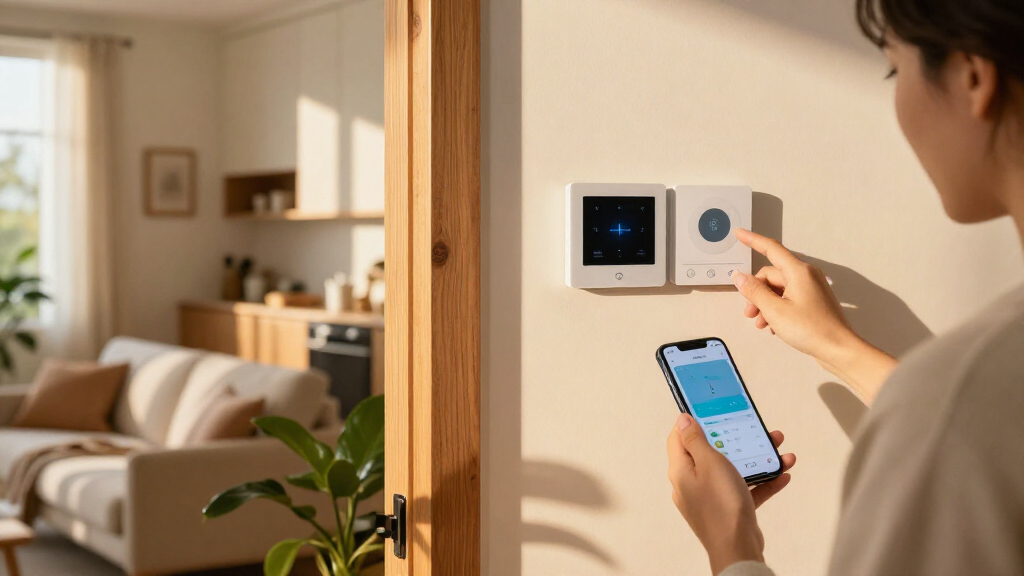
The guide targets a small starter setup, such as a smart speaker, lights, thermostat or plug, controlled through a phone and home Wi-Fi. It estimates setup at 45 to 90 minutes, depending on the number of devices and whether apps require updates. It advises beginning with a low-risk device, such as a lamp, rather than a lock, alarm or heater that could affect safety or access.
Before purchasing, readers are told to check each model’s platform, hub, Wi-Fi band and regional requirements, including when choosing voice-controlled smart plugs. Some devices need a 2.4 GHz network or a specific hub, and voice control does not necessarily mean every routine or AI feature is supported. The guide also recommends using the manufacturer’s official app, setting a unique account password, enabling multifactor authentication when available and installing device and router updates through official controls.
Its named product recommendations are presented as editorial verdicts. The guide favors Hubitat when local, multi-protocol automation and subscription-free AI-assisted routine building take priority over beginner-friendly setup. It points to SwitchBot for camera-aware chat control and bundled storage, subject to the buyer’s tolerance for subscription costs and device limits. It describes Green as a quiet, expandable local automation base, while saying buyers who want built-in AI features should look first at Hubitat or SwitchBot. The supplied material does not provide comparative test results or independent verification of those claims.
How AI Changes Device Shopping
AI features can influence more than how a device responds to a request: they may affect where processing happens, what data is collected and whether a subscription is needed. A product that fits a buyer’s preferred assistant may still lack the routines, sensor triggers or privacy controls that buyer expects. Checking capabilities at the model level can reduce the risk of buying hardware that cannot perform the planned automation.
The guide’s practical point is to treat a smart home as a connected system, not a list of standalone gadgets. Network compatibility and account security affect whether devices can be set up and kept online, while room assignments and distinct names can make voice control more reliable. Starting with a lamp also gives new users a way to learn the platform before automating equipment with greater consequences.
These considerations matter because smart speakers, cameras and sensors may handle personal information inside the home. The guide says some features process commands locally while others send voice, sensor or usage data to a cloud service. That distinction can shape a buyer’s choice, but the supplied text does not quantify privacy risks or assess the policies of individual manufacturers.
Popular right now

Breville Barista Touch Espresso Machine, Brushed Stainless Steel

Samsung 65-Inch M70H Series 4K Mini LED Smart TV (2026)

Bose QuietComfort Wireless Noise Cancelling Headphones, Ice Blue
As an affiliate, we earn on qualifying purchases.
A Starter System, Not a Full Review
The source is a setup guide rather than a reported announcement from a manufacturer or a published product-testing study. Its scope is a small, beginner-level system that can be configured with a phone, compatible devices and a home network. It combines purchasing checks with setup steps: install the official app, update firmware, connect the device, give it a clear name, assign a room and review privacy settings.
The guide’s product verdicts appear alongside links to Amazon and an affiliate disclosure stating that the publisher may earn from qualifying purchases. That commercial relationship is disclosed in the source. The supplied material gives no publication date, test methodology, device model numbers, pricing or detailed comparison data, so its recommendations should be read as the publisher’s stated preferences rather than a verified ranking of the market.
“We recommend Hubitat as the best overall choice when local, multi-protocol automation and subscription-free AI-assisted routine building matter more than beginner-friendly setup.”
— ThorstenMeyerAI.com, on Hubitat
Limits of the Product Recommendations
The supplied source does not state when the guide was published or identify the specific models, prices, subscription plans or test conditions behind its verdicts. It is therefore not possible from this material alone to verify how the products compare, whether capabilities vary by model or region, or whether the recommendations reflect current offerings.
The guide also does not define precisely what it means by AI-assisted routines or camera-aware chat control, nor does it provide independent evidence about performance, data retention or security. Buyers would need to check current manufacturer documentation and account settings for the exact product they plan to use. The source’s setup instructions end during its privacy checklist, so later troubleshooting or automation steps are not available in the supplied text.
Check Current Models Before Buying
The source does not announce a future product launch, update or follow-up date. For readers acting on its advice, the next step is to confirm compatibility and feature availability on the current product page and manufacturer support materials, including hub needs, Wi-Fi band, regional support, subscription terms and the handling of voice or sensor data.
Once a compatible device is chosen, the guide’s recommended sequence is to secure the account and network, install the official app and firmware updates, connect the device, give it a clear name and room, then review privacy controls. Readers can test a simple, low-risk routine before adding more devices or automating equipment that could affect safety or access.
Key Questions
What is the guide about?
It explains how beginners can choose and set up a small smart-home system that responds to voice commands, schedules or supported sensor events, using a phone and home Wi-Fi.
How long does setup take?
The guide estimates 45 to 90 minutes, depending on how many devices are added and whether apps need updates. This is the source’s estimate, not a guarantee for every home or product.
What should buyers check before choosing a device?
Check whether the exact model works with the chosen platform, requires a hub or particular Wi-Fi band, and supports the intended routines. Also review subscription terms, regional compatibility and privacy settings.
Which products does the guide recommend?
The guide favors Hubitat for local, multi-protocol automation and subscription-free AI-assisted routine building; it conditionally recommends SwitchBot for camera-aware chat control and bundled storage; and it describes Green as a quiet, expandable local base. These are the publisher’s stated judgments, not independently verified rankings.
How should a beginner reduce setup and privacy risks?
Start with a low-risk device such as a lamp, use the manufacturer’s official app, set a unique password and enable multifactor authentication if available. Review voice recordings, activity history, data sharing and cloud processing, and follow the device’s installation and electrical instructions.
Source: ThorstenMeyerAI.com