
📊 Full opportunity report: Build vs Buy a Prebuilt AI Workstation on ThorstenMeyerAI.com — validation score, market gap, and execution plan.

Prime made for students and young adults
- Fast, free delivery for dorm and study essentials
- Prime Video and Amazon Music included
- Member-only deals
TL;DR
The long-held belief that building a personal AI workstation is cheaper than buying prebuilt no longer holds in 2026 due to component shortages and rising prices. Buyers must now compare both options carefully, considering cost, time, and thermal management.
In 2026, the cost of building a high-power AI workstation has risen to the point where prebuilt systems often match or beat DIY prices, overturning a decades-old assumption that building was always cheaper. This shift is driven by component shortages and price spikes in GPUs, RAM, and SSDs, making prebuilt options more financially attractive for many buyers.
Traditionally, enthusiasts and professionals built their own AI workstations to save money, pulling levers like undervolting GPUs, optimizing airflow, and customizing cooling. However, recent market conditions have changed this calculus. Major component shortages, especially in high-end GPUs, DDR5 RAM, and SSDs, have caused prices to spike, pushing the cost of DIY builds above that of prebuilt systems.
Leading vendors like BIZON, Puget Systems, and Lambda now offer prebuilt AI workstations that include validated thermals, burn-in testing, and warranties, often at prices comparable to or lower than DIY options. These systems are tuned for sustained load, with water cooling and noise reduction optimized at the factory, saving buyers the time and expertise required for thermal engineering.
For buyers, the decision now hinges less on cost and more on factors like time savings, thermal assurance, warranty coverage, and upgradeability. Building a machine remains appealing for hobbyists, students, or those who prefer control and customization, but the economic advantage has diminished in the current supply-constrained market.
Build vs buy
an AI workstation.
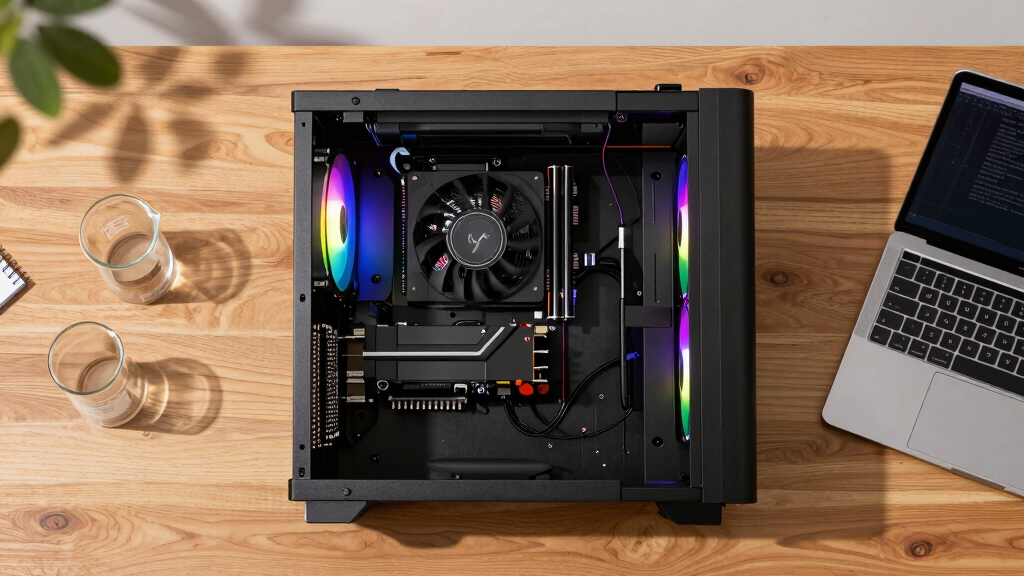
The real question behind this whole series: do you pull the five heat-and-noise levers yourself, or buy a prebuilt where the vendor pulled them for you? And in 2026, the old “building is cheaper” rule has broken. Match your situation in Part 3.
Impact of Market Changes on Build vs Buy Decisions
This shift fundamentally alters the traditional build-versus-buy calculus. Buyers can no longer assume DIY is cheaper, especially for high-end AI workstations, and must now compare actual prices for their specific configurations. The decision involves weighing cost, time investment, thermal management, and support options, making the choice more complex but also more tailored to individual needs.
As an affiliate, we earn on qualifying purchases.
2026 Market Conditions and Component Shortages
Since 2024, global supply chain disruptions and increased demand for AI hardware have caused GPU, RAM, and SSD prices to spike sharply. Major component shortages have limited availability, leading to higher costs for individual parts. Meanwhile, large vendors pre-purchase components in bulk, allowing them to offer systems at prices that are difficult for DIY builders to match today. This environment has reversed the long-standing rule that building is always cheaper than buying.
"In 2026, the cost gap between building and buying AI workstations has narrowed or even reversed, making it essential for buyers to price both options carefully."
— Thorsten Meyer, AI hardware expert
As an affiliate, we earn on qualifying purchases.
Remaining Uncertainties in Market Pricing and Availability
It is not yet clear how long these market conditions will persist or whether component prices will stabilize. The impact of ongoing supply chain issues and potential new shortages could further influence the cost dynamics between building and buying. Additionally, the availability of certain high-end components may vary regionally.
As an affiliate, we earn on qualifying purchases.
Next Steps for Buyers Considering AI Workstations
Buyers should now carefully compare current prices for their desired configurations, considering both DIY and prebuilt options. As component markets evolve, monitoring vendor offerings and market prices will be essential. Future developments may include new supply chain solutions or alternative components that could alter the current landscape.
professional AI workstation warranty
As an affiliate, we earn on qualifying purchases.
As an affiliate, we earn on qualifying purchases.
Key Questions
Is building my own AI workstation still cheaper in 2026?
Not necessarily. Due to component shortages and price spikes, prebuilt systems can now match or be cheaper than DIY builds for certain configurations.
What are the main advantages of buying a prebuilt AI workstation?
Prebuilts offer validated thermals, burn-in testing, warranties, and ready-to-run setups, saving time and reducing risk of thermal or hardware issues.
Should I build my own if I want maximum control?
Yes, if you enjoy customizing hardware, upgrading components, and have the time and expertise, building remains a good choice for control and learning, despite potentially higher costs.
How do component shortages affect the build vs buy decision?
Shortages have increased component prices and limited availability, often making prebuilt systems more affordable or easier to obtain than DIY parts.
What should I consider when choosing between build and buy in 2026?
Compare actual prices for your configuration, consider time and expertise, evaluate thermal management needs, and factor in warranty and support options.
Source: ThorstenMeyerAI.com
Halloween Picks
halloween
As an affiliate, we earn on qualifying purchases.