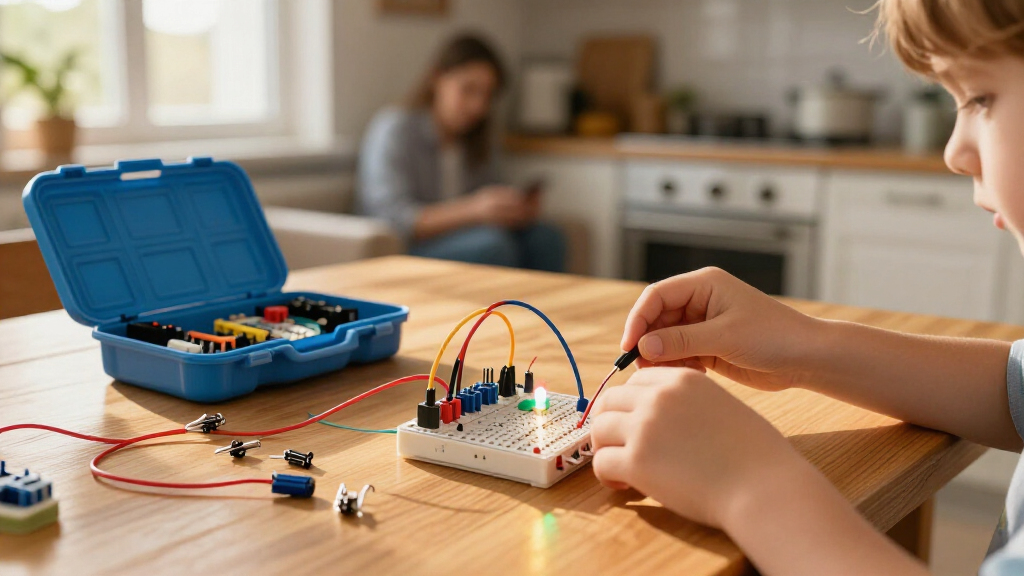
The right beginner electronics kit for kids balances two things that rarely coexist: real circuit-building skills and a frustration-free entry point. After comparing 13 popular options, the Snap Circuits Classic SC-300 stands out as the best overall pick because its 300+ projects grow with a child for years, all without soldering or tiny wires. For younger builders, the Snap Circuits Beginner SCB-20 scales the same system down for ages 5–9, while the ELEGOO UNO R3 Super Starter Kit is the strongest choice for kids ready to move into real coding and microcontrollers. The main tradeoff in this category is between guidance and depth: snap-based kits are easier and safer but eventually get outgrown, whereas breadboard and programmable kits teach more but demand stronger reading skills and adult help. Read on for the full breakdown of which kit fits which child.
Key Takeaways
- The Snap Circuits family dominates three spots in this lineup because its no-tools, no-solder design is the lowest-friction path to genuine circuit learning — but the SC-100, SC-300, and SCB-20 differ mainly in project count and age floor, so picking the wrong tier wastes money.
- Breadboard-based kits like the ELEGOO UNO R3 teach transferable engineering skills that snap kits cannot, but they require patient reading, a computer, and adult supervision, making them wrong for kids under about 10.
- Small-parts motor kits (Sntieecr, GadgetGlee, VLGOEM) are the most affordable entry points, but loose wires and fiddly connections caused the widest satisfaction gap in this category — best as a supervised second kit, not a first.
- Project-count marketing inflates expectations: a ’50+ projects’ kit often means 50 variations of the same two circuits, while Snap Circuits’ 100+ projects are genuinely distinct builds.
- Single-build kits like the Poraxy FM Radio and multi-model robotics sets trade long-term replay value for a deeper, more satisfying finished product — a good fit for focused builders who prefer completing one thing well.
| Snap Circuits Classic SC-300 STEM Electronics Kit |  | Best Overall | Project count: 300+ | Included pieces: 60+ | Recommended age: 8+ | VIEW LATEST PRICE | See Our Full Breakdown |
| GadgetGlee STEM Electric Circuit Kit for Kids |  | Best for Science Fair Projects | Brand: GadgetGlee | Model: DP501 | Age range: 8+ | VIEW LATEST PRICE | See Our Full Breakdown |
| Klever Kits Space Circuits STEM Kit for Kids |  | Best for Younger Kids | Brand: Klever Kits | Age range: 5 years and up | Components: 46+ | VIEW LATEST PRICE | See Our Full Breakdown |
| National Geographic Circuit Maker Kit for Kids |  | Best Guided Instruction | Brand: Blue Marble | Age range: 8 years and up | Projects: 60+ | VIEW LATEST PRICE | See Our Full Breakdown |
| ELEGOO UNO R3 Project Super Starter Kit |  | Best for Future Coders | Controller: UNO R3 | Guided lessons: 22+ | Display: LCD1602 with pre-soldered header | VIEW LATEST PRICE | See Our Full Breakdown |
| Poraxy Build-Your-Own FM Radio STEM Kit for Kids |  | Best Finished Keepsake | Product type: DIY FM radio STEM kit | Material: Wood | FM frequency range: 87–108 MHz | VIEW LATEST PRICE | See Our Full Breakdown |
| ACEBOTT QD106 Programmable Robot Car Kit for Kids and Teens |  | Best for Coding | Brand: ACEBOTT | Model: QD106 | Controller: ESP32 | VIEW LATEST PRICE | See Our Full Breakdown |
| Sntieecr STEM Electric Circuit Motor Kit |  | Best Raw Components Set | Recommended age: 8 years and up with adult supervision | Recommended voltage: 1.5–3V | Run-time limit: Maximum 3 minutes at 3V to avoid overheating | VIEW LATEST PRICE | See Our Full Breakdown |
| Tsomtto 6-in-1 Robotics STEM Kit for Kids Ages 8–12 |  | Best Multi-Project Value | Brand: Tsomtto | Set name: 6-in-1 Robotics STEM Set | Number of projects: 6 | VIEW LATEST PRICE | See Our Full Breakdown |
| VLGOEM 66-Piece Electronics STEM Kit for Kids |  | Best No-Tools Starter | Brand: VLGOEM | Model number: XHJ-1 | Piece count: 66 snap-together components | VIEW LATEST PRICE | See Our Full Breakdown |
| Snap Circuits Jr. SC-100 Electronics Kit, 100+ Projects, Ages 8+ |  | Best Gateway Electronics Kit | Model: SC-100 | Projects: 100+ | Recommended Age: 8 years and up | VIEW LATEST PRICE | See Our Full Breakdown |
| Butterfly EduFields 10-in-1 STEM Electronics Robotics Kit for Kids Ages 8–12 |  | Best for Budding Roboticists | Recommended Age: 8–12 years | Number of Projects: 10 | Components: 100+ | VIEW LATEST PRICE | See Our Full Breakdown |
| Snap Circuits Beginner SCB-20 STEM Electronics Kit for Kids Ages 5–9 |  | Best for Youngest Builders | Model: SCB-20 | Recommended Age: 5–9 years | Number of Projects: 21 | VIEW LATEST PRICE | See Our Full Breakdown |
| beginner electronics kits for kid | Recommended age |
|---|---|
| Snap Circuits Classic SC-300 S | 8+ |
| GadgetGlee STEM Electric Circu | — |
| Klever Kits Space Circuits STE | — |
| National Geographic Circuit Ma | — |
| ELEGOO UNO R3 Project Super St | — |
| Poraxy Build-Your-Own FM Radio | 8 and up |
| ACEBOTT QD106 Programmable Rob | 12 years and up |
| Sntieecr STEM Electric Circuit | 8 years and up with adult supervision |
| Tsomtto 6-in-1 Robotics STEM K | 8–12 years |
| VLGOEM 66-Piece Electronics ST | — |
| Snap Circuits Jr. SC-100 Elect | 8 years and up |
| Butterfly EduFields 10-in-1 ST | 8–12 years |
| Snap Circuits Beginner SCB-20 | 5–9 years |
More Details on Our Top Picks
Snap Circuits Classic SC-300 STEM Electronics Kit
When I weigh long-term value against ease of use, the SC-300 is the kit I point most families toward first. With more than 300 guided projects and 60+ color-coded pieces that snap onto a plastic grid, it removes the two biggest friction points for young learners: tools and soldering. Compared with the Snap Circuits Jr. SC-100, this Classic version roughly triples the project count, which matters because kids who catch the electronics bug will outgrow the smaller kit within weeks. The numbered pieces and illustrated manual mean a child can work independently after a short orientation. The tradeoff is real, though: it depends on batteries, and the sheer number of small parts makes losing pieces over time almost inevitable. Still, no other kit in this lineup matches its depth-per-dollar balance.
Pros:- More than 300 projects provide far more longevity than smaller snap-together kits
- Color-coded, numbered pieces make independent building realistic for kids
- No tools or soldering required, so setup is genuinely kid-safe
- Teaches real circuit concepts through progressively harder builds
Cons:- Batteries are required and add ongoing cost
- Many small pieces are easy to misplace over time
Best for: Families with kids ages 8 and up who want a single kit that stays engaging for months or years
Not ideal for: Households that want everything in the box ready to go — batteries must be supplied separately
- Project count:300+
- Included pieces:60+
- Recommended age:8+
- Tools required:No
- Soldering required:No
- Batteries required:Yes
Our verdict“If you want one electronics kit that scales with a child’s growing curiosity, this is the safest pick in the roundup.”
GadgetGlee STEM Electric Circuit Kit for Kids
This kit stands out for a different reason than the Snap Circuits Classic SC-300: instead of volume, it focuses on eight memorable, demonstration-friendly experiments like saltwater power generation and fruit batteries. Those are exactly the kinds of eye-catching builds that win attention at a school science fair, where a radio project from the SC-300 might feel routine. The guided circuit book walks learners through series and parallel concepts in plain language, making it approachable even for a parent without an electronics background. Compared with the Klever Kits Space Circuits kit, it skews slightly more academic and slightly less playful. The main drawback is scope — eight experiments means it can be exhausted over a weekend or two, and you’ll need to supply your own AA batteries before anything works.
Pros:- Unusual experiments like fruit batteries and saltwater power stand out at science fairs
- Circuit book provides clear guided instructions for independent learners
- Covers both series and parallel circuit fundamentals
- Works equally well at home or in a classroom setting
Cons:- AA batteries are not included, so the kit isn’t usable straight out of the box
- Only eight experiments, limiting replay value compared with larger kits
Best for: Parents and teachers preparing kids for science fairs or classroom demos focused on electricity concepts
Not ideal for: Kids who want a long-lasting build system — the eight experiments are finished quickly
- Brand:GadgetGlee
- Model:DP501
- Age range:8+
- Experiments:8
- Packs:7
- Battery requirement:AA batteries required, not included
- Learning objectives:STEM, science, electrical circuits
Our verdict“Choose this when the goal is a striking, curriculum-friendly demonstration rather than endless tinkering.”
Klever Kits Space Circuits STEM Kit for Kids
Most kits in this roundup start at age 8, which leaves younger siblings watching from the sidelines. This one closes that gap with a recommended age of 5 and up, and its space theme does real work: mission cards turn each circuit into a story, which keeps five- and six-year-olds engaged where a bare parts list would lose them. The included kid-safe screwdriver and solder-free design mean little hands can participate without close supervision on every step. Compared with the Snap Circuits Beginner SCB-20, it offers a similar on-ramp for young learners but trades pure simplicity for thematic play. The obvious tradeoff is ceiling — a motivated ten-year-old will outgrow its 50+ projects and find them too simple for advanced exploration. Think of it as an on-ramp, not a destination.
Pros:- Accessible starting age of 5 makes it one of the youngest-friendly options available
- Space theme and mission cards keep early learners motivated
- Solder-free projects with a kid-safe screwdriver build confidence safely
- Guidebook and assembly board support near-independent play
Cons:- Content is too basic for children ready for advanced electronics
- Plastic construction may not survive rough handling from the youngest users
Best for: Families with children ages 5 to 7 who want a first electronics experience wrapped in imaginative play
Not ideal for: Older or experienced kids seeking challenging builds — the projects are intentionally basic
- Brand:Klever Kits
- Age range:5 years and up
- Components:46+
- Projects:50+
- Included components:Circuit accessories, game board, mission cards
- Theme:Space
- Battery type:Alkaline
- Item weight:0.97 kg
Our verdict“This is the right first kit for early-elementary kids who need play and learning combined.”
National Geographic Circuit Maker Kit for Kids
Where the Snap Circuits Classic SC-300 relies on a printed manual, this kit’s QR-linked video guidance makes it the strongest choice for kids who learn better by watching than by reading. For a visual learner stuck on step four of a wiring diagram, a short video resolves frustration that would otherwise end the session. The tool-free component connections and illustrated instructions keep the entry barrier low, and the National Geographic branding comes with polished, well-organized educational content. Compared with the GadgetGlee kit, it offers far more projects — 60-plus versus eight — though the vague component list means you’re trusting the brand rather than evaluating exactly what’s inside. At two pounds and roughly a foot wide, it’s also a chunkier box than the Klever Kits option. It’s a dependable middle ground between depth and accessibility.
Pros:- QR-linked video instructions help kids who struggle with printed diagrams
- More than 60 projects provide substantially more depth than smaller science-demo kits
- Tool-free connections keep setup simple and safe
- Trusted educational brand with well-structured learning content
Cons:- Component list is not clearly documented, making comparison shopping harder
- Age rating of 8 and up excludes younger siblings who could use the Klever Kits option
Best for: Visual learners and parents who value video walkthroughs over printed manuals alone
Not ideal for: Detail-oriented buyers who want a full component list before purchasing
- Brand:Blue Marble
- Age range:8 years and up
- Projects:60+
- Included components:Multiple components for electrical experiments
- Tools required:No
- Item dimensions:11 x 3 x 12 inches
- Item weight:2 pounds
- Model number:NGCIRCUIT60
Our verdict“Pick this if your child learns best from videos and you want instruction quality above raw project count.”
ELEGOO UNO R3 Project Super Starter Kit
This kit plays a different sport than everything else here. Where the Snap Circuits Classic SC-300 teaches what circuits do, the ELEGOO starter kit teaches how to control them with code, pairing an Arduino-compatible UNO R3 board with sensors, motors, displays, and 22+ guided lessons. A child who builds a servo-driven project here has taken a genuine first step toward real engineering, not just toy circuits. The solderless breadboard and pre-soldered LCD header remove the scariest setup steps for newcomers. But the ceiling comes with real demands: beginners will likely need adult help checking wiring, polarity, and board settings, and the power module must stay at 9V or below — mistakes here mean dead components. Compared with the ACEBOTT programmable robot car, this kit is broader and less project-specific, making it better for exploration than for one defined build.
Pros:- Combines electronics with coding through 22+ structured lessons and example code
- Wide component variety including sensors, motors, and a display supports diverse projects
- Solderless breadboard and pre-soldered LCD lower the barrier for true beginners
- Arduino IDE skills transfer directly to real-world engineering work
Cons:- Wiring, polarity, and board settings require adult supervision for most beginners
- Power module input must stay at 9V or below, and mistakes can damage components
Best for: Kids around 10 and up, or parent-child pairs, ready to combine electronics with real programming
Not ideal for: Younger children or families wanting a no-setup, battery-and-go experience — this requires a computer and patience
- Controller:UNO R3
- Guided lessons:22+
- Display:LCD1602 with pre-soldered header
- Sensors:Ultrasonic and DHT11
- Motors:SG90 servo, stepper motor, and DC motor
- Additional components:Breadboard power module, joystick, IR receiver and remote, relay, fan blade, LEDs, buttons, resistors, and jumper wires
- Power module input:9V or below
- Software:Arduino IDE with example code
Our verdict“This is the kit for a kid who has outgrown snap-together circuits and is ready to program the electronics they build.”
Poraxy Build-Your-Own FM Radio STEM Kit for Kids
Most kits in this roundup end in a pile of loose wires, but this one produces a working FM radio your child can keep on a shelf and actually use every day. That makes it a stronger motivator than the Tsomtto 6-in-1 kit, whose projects are fun to build but less satisfying to live with afterward. Assembly involves real screws and a mini screwdriver, so it teaches genuine construction skills rather than snapping parts together like the VLGOEM set. The wooden chassis can be painted or decorated, which adds a craft element electronics kits rarely offer. The tradeoff is narrow scope: this is one project, not dozens, and you’ll need to supply two AA batteries. Reception depends on your local signal, so rural buyers may get static.
Pros:- Ends with a functional FM radio kids can use daily
- Real screwdriver assembly builds genuine construction skills
- Wooden body can be painted and personalized after building
- Retractable antenna improves actual reception
Cons:- Only one project, so limited replay value compared to multi-project kits
- Batteries not included
- Reception quality depends on local FM signal strength
Best for: Kids who want a single rewarding build that ends in a practical gadget they can show off and keep using
Not ideal for: Families wanting lots of experiments per purchase — this is one focused project, unlike multi-project kits like the VLGOEM 66-piece set
- Product type:DIY FM radio STEM kit
- Material:Wood
- FM frequency range:87–108 MHz
- Power source:2 AA batteries (not included)
- Included:Radio components, mini screwdriver, step-by-step instructions
- Recommended age:8 and up
Our verdict“This pick makes the most sense for a child who wants one meaningful build with a lasting payoff rather than a box of disposable experiments.”
ACEBOTT QD106 Programmable Robot Car Kit for Kids and Teens
This is the only kit in this batch that teaches actual programming, supporting Scratch, Arduino, and Python across computers, tablets, and phones. Compared with the simpler Sntieecr motor kit, which explores raw circuits but has no code element, the QD106 grows with your child from block-based Scratch to real Python. The 16 story-based tutorials give it a curriculum feel that most hobby boxes lack, and no soldering is required. The honest tradeoff: the manufacturer recommends ages 12 and up despite marketing that mentions younger kids, so this is better suited to teens or patient pre-teens with an adult helper. It also demands a companion device and batteries you must supply, and setup involves pairing electronics that can frustrate beginners.
Pros:- Three programming languages span beginner Scratch to advanced Python
- Works across computers, tablets, and smartphones
- 16 story-based tutorials provide structured learning progression
- Drivable by app or IR remote once built
Cons:- Manufacturer recommends age 12+, conflicting with younger-targeted marketing
- Requires a separate device and batteries not included
- More complex setup than non-programmable kits
Best for: Teens and motivated pre-teens ready to move beyond snap circuits into real coding with a robot they can drive afterward
Not ideal for: Younger children in the 8–10 range — the listed age recommendation is 12+, and the coding and app setup assume sustained focus
- Brand:ACEBOTT
- Model:QD106
- Controller:ESP32
- Programming languages:Scratch, Arduino, Python
- Tutorials:16 story-based tutorials
- Control:iOS and Android app, IR remote
- Compatible devices:Computers, laptops, tablets, smartphones
- Recommended age:12 years and up
- Assembly:No soldering required; batteries not included
Our verdict“Compared with every other option here, this is the clear choice for a young programmer ready to code a robot rather than just wire one.”
Sntieecr STEM Electric Circuit Motor Kit
Where snap-together kits like the VLGOEM hide the wiring inside plastic modules, this set hands kids loose bulbs, motors, switches, and crocodile clips to build circuits from scratch. That openness is the whole point: children see how electricity actually flows, which makes it a natural step up from the Snap Circuits Beginner SCB-20 once they outgrow preset projects. The buzzers, propellers, and motors give instant, satisfying feedback when a circuit works. The freedom comes with real responsibility — circuits can overheat at 3V if run longer than about three minutes, and small parts plus short-circuit risk mean adult supervision is expected. It’s a lab box, not a toy, and parents should treat it that way.
Pros:- Teaches genuine circuit building with exposed components, not sealed modules
- Motors, propellers, and buzzer give immediate rewarding feedback
- Large variety of parts supports experimentation and science fairs
- Crocodile clip connections are easy for small hands to manage
Cons:- Circuits can overheat with prolonged use at 3V
- Requires adult supervision due to small parts and short-circuit risk
- No structured project manual as guided as snap-circuit kits
Best for: Hands-on learners and school science projects where building circuits from bare components matters more than following preset manuals
Not ideal for: Independent play for younger kids — the choking hazards, short-circuit risk, and overheating limits require an adult present
- Recommended age:8 years and up with adult supervision
- Recommended voltage:1.5–3V
- Run-time limit:Maximum 3 minutes at 3V to avoid overheating
- Connectors:5 crocodile clip leads
- Components:5 bulbs, 2 motors, 2 motor holders, 2 rocker switches, 6 propellers, 1 buzzer, 1 bulb holder, 1 single-AA and 1 dual-AA battery holder
- Documentation:Instructions included
- Safety:Small parts pose a choking hazard for children under 3
Our verdict“This model is better suited to supervised tinkerers and science-fair builders who want real components over the guided safety of snap-together alternatives.”
Tsomtto 6-in-1 Robotics STEM Kit for Kids Ages 8–12
This set earns its place by spreading one purchase across six builds, which makes it a smarter pick for siblings or classroom rotation than the Poraxy radio, a single-project kit at a similar complexity level. The included screwdriver and step-by-step instructions keep assembly structured, and the projects target a broad skill range — construction, logical thinking, and fine motor skills — without requiring the coding background the ACEBOTT QD106 demands. Compared with the Sntieecr component set, everything here is self-contained and lower-risk, with no exposed circuit concerns. The honest drawbacks: younger builders will need an adult nearby, and the product descriptions are vague about exactly which six builds you’ll receive, so expectations should stay flexible before the box arrives.
Pros:- Six separate projects provide extended engagement from one purchase
- Screwdriver and step-by-step instructions included
- Builds construction, logic, and problem-solving skills without coding
- Well suited to family and classroom group activities
Cons:- Assembly may require adult guidance for younger children
- Project descriptions are inconsistent about which builds are included
Best for: Families or classrooms wanting multiple guided builds from one affordable box, especially with kids around 9–12
Not ideal for: Buyers who need to know exactly what they’re getting — inconsistent project descriptions make this a gamble for gift-givers on a deadline
- Brand:Tsomtto
- Set name:6-in-1 Robotics STEM Set
- Number of projects:6
- Recommended age:8–12 years
- Tools included:Screwdriver
- Documentation:Step-by-step instructions
- Skills targeted:Concentration, construction, creativity, hand-eye coordination, logical thinking, motor skills, problem-solving
Our verdict“This option stands out for stretchings one purchase into six builds, ideal for households that value variety over polish.”
VLGOEM 66-Piece Electronics STEM Kit for Kids
For the youngest audience in this batch, the snap-together design is the selling point: no soldering, no screwdriver, no loose wires — kids as young as six can build working circuits right out of the box. That makes it a gentler entry point than the Sntieecr kit, which demands supervision and careful voltage management, and it rivals the Snap Circuits format with a claimed 1,200+ project possibilities from 66 pieces. The color project manual does the teaching, so parents don’t need an electronics background. Two things temper the enthusiasm: the age guidance conflicts across the listing (6+ versus 8–12), so gauge your own child’s dexterity, and there’s no itemized component list, making replacement planning impossible if a piece breaks.
Pros:- No soldering or tools needed, safe for younger builders
- Color project manual guides kids through builds independently
- Huge project count keeps the kit interesting long-term
- Snap-together format eliminates exposed-wire hazards
Cons:- Conflicting age guidance in product descriptions
- No individual component list provided, complicating repairs or replacements
Best for: Parents of younger kids (roughly 6–9) who want safe, tool-free circuit building with a manual that leads the learning
Not ideal for: Detail-oriented buyers — the conflicting age labels and missing component list leave too many unknowns for careful shoppers
- Brand:VLGOEM
- Model number:XHJ-1
- Piece count:66 snap-together components
- Projects:Over 1,200
- Tools required:None; no soldering required
- Included:Science toy kit and color project manual
- Age range:Listed as over 6 years (descriptions range from 6+ to 8–12)
Our verdict“This pick makes the most sense for a first electronics kit where safety and independence matter more than component transparency.”
Snap Circuits Jr. SC-100 Electronics Kit, 100+ Projects, Ages 8+
This kit earns its place as the strongest starting point for pure circuit learning. Where the Butterfly EduFields 10-in-1 leans toward robotics and moving machines, the SC-100 keeps the focus on electricity fundamentals — series circuits, switches, resistors — through more than 100 snap-together projects on a color-coded grid. Because nothing needs soldering or tools, an eight-year-old can move from first build to independent experimenting within a single afternoon.
The tradeoff is depth of Wow-factor: no sensors, no line-following cars, no programmable brain. It also requires batteries, and the listed component count is inconsistent across listings, so buyers won’t know exactly how many parts arrive. Compared with the larger Snap Circuits Classic SC-300, this version offers fewer projects, but for a first kit that’s a reasonable constraint rather than a flaw — it prevents overwhelm.
Pros:- More than 100 projects provide months of progressive learning
- Color-coded parts and illustrated manual make solo building realistic for beginners
- No soldering or extra tools needed, so setup friction is nearly zero
- Teaches genuine electronics concepts rather than just assembly
Cons:- Requires batteries, which adds recurring cost and downtime
- Component count is listed inconsistently, making exact contents unclear before purchase
- No robotics or programmable elements for kids craving motion and sensors
Best for: Parents of kids 8 and up who want a tool-free, curriculum-friendly introduction to how circuits actually work
Not ideal for: Kids who want robots that drive around and react to their environment — this kit stays firmly on the breadboard, so to speak
- Model:SC-100
- Projects:100+
- Recommended Age:8 years and up
- Assembly:Snap-together; no soldering or tools required
- Components:Listed variously as 28–32+
- Includes:Plastic snap-grid, electrical components, project manual
- Batteries:Required
Our verdict“If the goal is understanding circuits rather than building robots, this is the most dependable first kit in the lineup.”
Butterfly EduFields 10-in-1 STEM Electronics Robotics Kit for Kids Ages 8–12
Of everything in this roundup, this option comes closest to real robotics. The Snap Circuits Jr. SC-100 teaches what electricity does; this kit teaches what it can do — with sensor-driven projects like line following and obstacle avoidance that make the builds feel alive. Over 100 components give kids genuine mechanical variety, and roughly 15-minute assembly times mean projects fit into an after-school window instead of sprawling across a weekend.
The catch is scope: only 10 projects compared with the SC-100’s hundred-plus, so the replay value depends on whether a child enjoys rebuilding and modifying rather than working through a long manual. It also sits in a narrow 8–12 age band, and the documentation doesn’t spell out individual components, which frustrates parents who like to verify contents before gifting. Compared with the Tsomtto 6-in-1 Robotics Kit, it offers more projects and sensor features, but demands more from the builder.
Pros:- Sensor-based features like line following and obstacle avoidance create real robotics learning
- 100+ components span electronics, engineering, and mechanics in one box
- Short ~15-minute assembly times keep younger attention spans engaged
- Illustrated step-by-step manual supports mostly independent building
Cons:- Only 10 projects, limiting variety compared with circuit-focused kits
- Tight 8–12 age range reduces longevity and sibling hand-me-down value
- Included components aren’t itemized, making contents hard to verify before purchase
Best for: Kids ages 8–12 who already like building things and want moving, sensing robots rather than static circuits
Not ideal for: Families with children outside the 8–12 range — younger kids will struggle, and older teens will likely outgrow the projects quickly
- Recommended Age:8–12 years
- Number of Projects:10
- Components:100+
- Assembly Time:About 15 minutes
- Features:Sensor control, line following, obstacle avoidance
- Instructions:Illustrated step-by-step manual
Our verdict“This is the pick for a child whose eyes light up at robots that react to the world, provided they’re comfortably inside the 8–12 window.”
Snap Circuits Beginner SCB-20 STEM Electronics Kit for Kids Ages 5–9
Most kits in this roundup start at age 8, which leaves five-to-seven-year-olds watching from the sidelines. The SCB-20 closes that gap with snap-together parts sized and styled for early learners, an age-appropriate color manual, and child-safety features the standard kits don’t include. The lighted color-changing fan is the standout payoff project — a visual, moving reward that keeps a six-year-old interested where a plain blinking LED wouldn’t.
The tradeoff is runway: 21 projects versus 100+ in the Snap Circuits Jr. SC-100 means a motivated child can exhaust it within weeks. This is a deliberate design choice, not a defect — larger component sets would frustrate the very audience it serves. Compared with the GadgetGlee STEM Electric Circuit Kit, the SCB-20 trades project count for accessibility and safety, which is the right call for this age group. Parents of nine-plus kids should simply start with a bigger kit.
Pros:- One of the few quality electronics kits rated for kids as young as 5
- Extra child-safety features give parents peace of mind during unsupervised play
- Color manual with simple language and diagrams enables near-independent building
- Lighted color-changing fan provides an exciting, tangible payoff project
Cons:- Only 21 projects, so replay value is limited for eager builders
- Strictly suited to ages 5–9, minimizing long-term and sibling reuse
- Packaging may vary, which matters if gifting appearance counts
Best for: Parents of 5–7 year olds who want a genuinely safe, frustration-free first encounter with circuits
Not ideal for: Children 9 and older — the small project count and simplified parts will feel babyish and be finished quickly
- Model:SCB-20
- Recommended Age:5–9 years
- Number of Projects:21
- Included Accessory:Lighted color-changing fan
- Instructions:Color manual with age-appropriate diagrams and language
- Assembly:Snap-together components
- Safety:Extra child-safety features for younger children
Our verdict“This is the rare electronics kit a kindergartner can genuinely succeed at — buy it for the youngest builder in the house and upgrade later.”
How We Picked
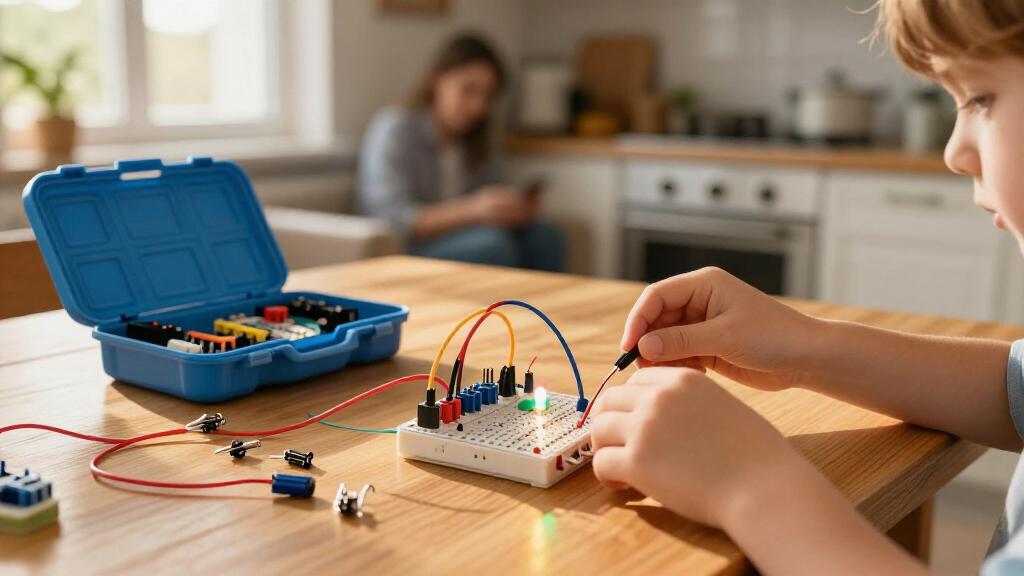
I evaluated each kit against four questions a parent actually asks: Can an 8-year-old open the box and build something working with minimal adult help? Does the kit teach real electronics concepts or just produce a one-time gadget? Will it still be interesting in six months? And how much frustration is baked into the design — loose alligator clips, unmarked components, and vague manuals were the most common failure points. I also weighed build quality of the components themselves, because a kit that breaks on the third rebuild kills a child’s momentum faster than any confusing diagram.
The ranking order reflects a simple philosophy: guided discovery first, open-ended depth second. Kits that let kids experiment safely with immediate feedback (Snap Circuits) rank above kits with more raw capability but higher failure friction (ELEGOO). Affordable motor kits rank lower not because they’re bad values but because they demand more parental involvement than most buyers expect. Single-purpose and robot kits are positioned for specific buyer types rather than general recommendation, which is why they sit mid-to-lower despite strong individual appeal.
Factors to Consider When Choosing Beginner Electronics Kits For Kids
Choosing between these kits comes down to matching the kit’s demands to your child’s patience, reading level, and how much time you’re willing to spend alongside them. These are the factors that actually changed the outcome of my comparison.Connection Type Determines Frustration Level
The single biggest predictor of whether a kit gets used twice is how components connect. Snap-together bases (the Snap Circuits family) eliminate wiring errors almost entirely — a wrong connection simply doesn’t snap, and kids self-correct in seconds. Spring terminals and alligator clips (Sntieecr, GadgetGlee) work but come loose constantly, and a kid who can’t figure out why the bulb won’t light usually assumes they’re bad at electronics rather than that a clip slipped. Breadboards (ELEGOO) are the professional standard, but inserting a component one row off produces a silent failure that requires careful debugging. My advice: match the connection style to your child’s tolerance for troubleshooting, not to their intelligence. A bright 9-year-old with low frustration tolerance will still abandon a breadboard kit.
Age Ratings Are Suggestions, Reading Level Is the Real Gate
Manufacturers’ age ranges are inconsistent across this category — the Snap Circuits Beginner kit says 5–9 while near-identical motor kits say 8+. What actually limits a child is the instruction manual’s reading demand. Kits that rely on color-coded, wordless diagrams (Snap Circuits) work for pre-readers with help; kits that require following numbered written steps (Poraxy, ACEBOTT) demand confident reading at roughly a third-grade level. If your child reads below grade level or is learning English, prioritize diagram-based manuals regardless of the stated age. Conversely, don’t hold back a strong reader who’s under the printed age — a motivated 7-year-old can outperform a bored 10-year-old on any of these kits.
Project Count Is the Most Misleading Spec on the Box
“300+ projects” sounds like 300 afternoons of learning, but manufacturers count every variation separately — swapping one resistor or adding a second LED counts as a new project. The Snap Circuits SC-300 genuinely delivers dozens of distinct builds, but some 50-project motor kits are really five circuits with ten permutations each. The better question is how many core concepts the kit teaches: series vs. parallel, switches, motors, sensors, and — at the top end — programmable logic. A kit with 12 genuinely different builds teaches more than one with 60 variations of a lighting circuit. Read project lists when available, or assume the real number is roughly a third of what’s advertised for lesser-known brands.
Screen Dependency Splits This Category in Two
Some parents buy electronics kits specifically to get kids off screens, then discover the kit requires a laptop and an IDE to do anything. Unplugged kits (everything except the ELEGOO and ACEBOTT) work entirely offline and are ideal for travel, classrooms, and screen-time limits. Programmable kits genuinely teach coding alongside electronics — a skill combination that’s more valuable than either alone — but they’re dead weight without a compatible computer and a child old enough to type and debug. Be honest about your household’s screen rules before choosing. If you want coding, the ACEBOTT robot car is the friendliest on-ramp; if you want the opposite, stay in the Snap Circuits and motor-kit tier.
Component Durability and Restock Reality
Kids will drop, step on, and lose components — that’s a feature of learning, not a defect. What separates good kits is what happens after breakage. Snap Circuits parts are individually replaceable and widely stocked, so a snapped base grid doesn’t end the kit. Budget motor kits often come with exactly one of each component and no realistic restock path, meaning one lost motor winding kills the whole set. Before buying, check whether the manufacturer sells replacement parts or whether the components are common enough to source at an electronics shop. This is also where paying more upfront for a established brand pays off over years of use, versus a cheap kit that’s consumable rather than reusable.
First Kit vs. Second Kit: Buy for the Gap You’re Filling
The most common buying mistake is treating this as a one-time purchase. A child who exhausts a beginner kit’s possibilities is ready for a jump in complexity — snap circuits to breadboard, or static circuits to robotics — and buying the second kit at the same level wastes money and interest. Plan a progression: something like SCB-20 or a motor kit around ages 5–8, the SC-300 from 8–11, and the ELEGOO or ACEBOTT from 10 up. If you already own a snap kit, skip the motor kits entirely (they teach overlapping content with more friction) and move straight to a programmable option. Conversely, if this is the first exposure ever, resist the programmable kits no matter how gifted your child is — the foundational intuition from physical circuits makes the coding stage far easier later.
Frequently Asked Questions
Snap Circuits SC-100 vs. SC-300 — is the bigger kit worth it?
The SC-300 contains everything in the SC-100 plus additional components that unlock more complex builds, and the project guides are cumulative — so the real question is your child’s staying power. If this is a first-ever electronics exposure for a younger or less confident kid, the SC-100’s 100+ projects are plenty and the lower commitment reduces the risk of an overwhelming box. If your child has already shown sustained interest in building toys like LEGO Technic, the SC-300’s extra components (including more switches, an integrated circuit, and additional sound elements) extend the kit’s useful life by a couple of years. One practical note: buying the SC-100 first and upgrading later costs more in total than buying the SC-300 outright, because upgrade modules are priced separately. My recommendation is to size up if the budget allows and the child is 8 or older.
At what age can a child realistically move to the ELEGOO UNO R3 kit?
Maturity matters more than age here, but a reasonable floor is 10 with adult partnership and 12 for independent use. The kit’s demands go beyond circuits: it requires installing software on a computer, uploading code via USB, and reading moderately technical documentation when something doesn’t work. A child who can follow multi-step written instructions, type comfortably, and tolerate a build that produces no visible result until the code is correct is ready. Kids under that threshold typically enjoy the first blinking-LED success and then stall at the debugging stage. If your child is 8–9 and clearly ready for more than snap circuits, the ACEBOTT robot car is a gentler bridge — it has the same Arduino foundation but with a more guided, app-supported build process.
Are the cheap motor kits like Sntieecr and GadgetGlee a good first kit?
They can be, but only with realistic expectations about adult involvement. These kits teach genuine concepts — series circuits, motors, switches — at a fraction of the cost of snap-based systems, and the hands-on wiring actually builds fine motor skills that snap kits don’t require. The tradeoff is that connections are physical and fragile: alligator clips slip, wires fray, and a build that worked yesterday may not work today without diagnosis. For a parent who enjoys doing the troubleshooting alongside the child, that’s a feature — it’s real engineering. For a parent expecting a self-directed activity, it usually becomes a source of tears. My rule of thumb: budget motor kits work best as a supervised weekend project kit, not an independent play option.
Do any of these kits work without a computer or screen?
Yes — eleven of the thirteen kits in this lineup are fully unplugged, including every Snap Circuits model, all the motor and circuit kits, and the Poraxy FM radio. Only the ELEGOO UNO R3 starter kit and the ACEBOTT robot car require a computer, and both need software installation plus a USB connection to program them. This matters for families with screen-time rules, classrooms without device access, or use in cars and on travel. Note that unplugged doesn’t mean less educational: physical circuits teach voltage, current, and component behavior through direct cause and effect, which many educators argue is the right foundation before coding. Save the programmable kits for when your child explicitly expresses interest in making things respond to code.
Which kit is best if my child gets frustrated easily?
The Snap Circuits Beginner SCB-20 is the safest choice in this roundup, followed by the larger Snap Circuits models — and the reason is error tolerance. Snap-together components make incorrect connections physically impossible, and every project produces a working result quickly, usually light or sound within minutes of starting. Kits with loose wiring punish mistakes with silence: the circuit just doesn’t work, and the child has to find out why. The Klever Kits and National Geographic options sit in between, with sturdier connections than bare motor kits but still some wiring failure modes. Also consider manual design — kits with large, color-coded, wordless diagrams let a frustrated kid retry independently, while text-heavy manuals mean every setback requires an adult translation.
Conclusion
After comparing all thirteen kits, the right choice depends less on which kit is “best” and more on which child is opening the box. Best overall goes to the Snap Circuits Classic SC-300 — it offers the widest range of genuinely distinct projects, near-zero frustration, and years of usable life, which is why it tops the ranking despite costing more than budget alternatives. Best value is the Snap Circuits Jr. SC-100, which delivers the same learning system at a lower entry point and is the smartest first purchase for an untested interest. Best for young beginners (ages 5–7) is the Snap Circuits Beginner SCB-20, whose oversized parts and simple diagrams are built for small hands and pre-readers.
For specific needs: best premium pick is the ELEGOO UNO R3 Super Starter Kit for kids 10+ ready for real coding and circuit prototyping, with the ACEBOTT QD106 robot car as a friendlier, more guided programmable alternative. The National Geographic Circuit Maker and Klever Kits Space Circuits suit themed learners who respond to brand and story, while the affordable Sntieecr, GadgetGlee, and VLGOEM motor kits work well as supervised second kits or classroom group purchases. Focused builders who prefer one deep project will get more from the Poraxy FM Radio or the Butterfly EduFields and Tsomtto multi-model sets. Whatever you choose, buy one level, let your child exhaust it, and upgrade deliberately — the progression matters more than the starting point.