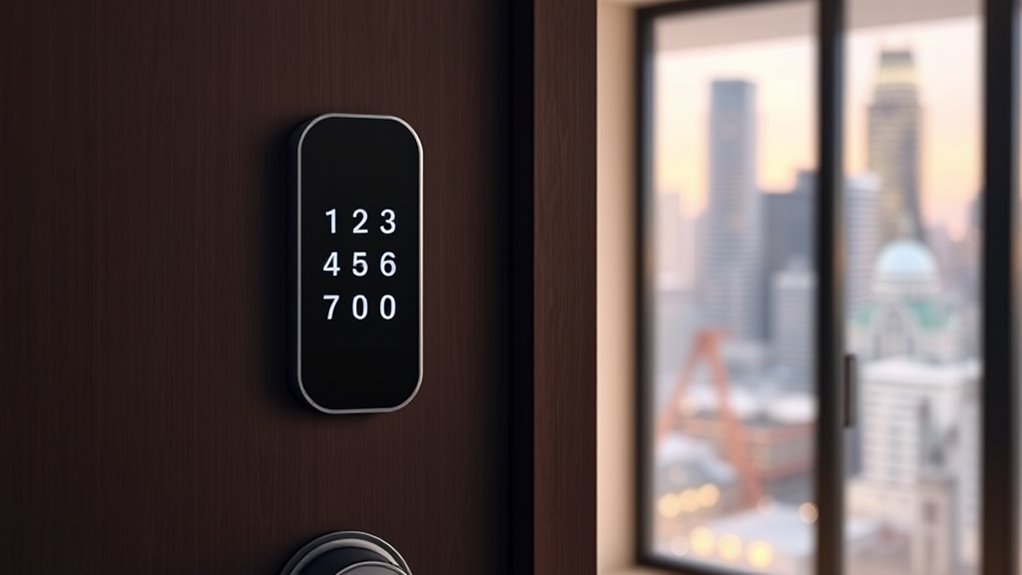

Choosing the right smart lock for an apartment involves balancing security, convenience, and ease of installation. The Philips WiFi Smart Retrofit Lock stands out as the best overall due to its seamless integration and voice control, while the ULTRALOQ Bolt SE Wi-Fi Smart Lock offers reliable Matter support for future-proofing. Readers often face tradeoffs between advanced features and ease of use, or between price and durability. Continue reading for an in-depth breakdown of the top options and what makes each one unique.

Prime made for students and young adults
- Fast, free delivery for dorm and study essentials
- Prime Video and Amazon Music included
- Member-only deals
Key Takeaways
- The top-ranked locks combine reliable Wi-Fi connectivity with easy DIY installation, making them suitable for most apartment doors.
- Biometric options like fingerprint sensors are increasingly common and add a layer of security, but may come with higher price tags.
- Locks supporting multiple access methods—codes, app control, and fobs—offer flexibility for different users and situations.
- Compatibility with smart home ecosystems varies; some locks work seamlessly with Alexa and Google, while others are more isolated.
- Price often correlates with features; premium models provide advanced security and automation, but budget options remain functional for basic needs.
| Philips WiFi Smart Retrofit Lock with Wireless Keypad and Voice Control |  | Best Overall Smart Lock for Easy Upgrades and Remote Management | Compatibility: Existing deadbolt | WiFi: 2.4GHz | Battery: 2 x CR123 batteries | VIEW ON AMAZON | See Our Full Breakdown |
| ULTRALOQ Bolt SE Wi-Fi Smart Lock with Matter over Thread |  | Best for Ecosystem Integration and Long Battery Life | Fingerprint Storage: 50 fingerprints | Passcode Capacity: 50 passcodes | Connectivity: Wi-Fi 2.4 GHz, Matter over Thread | VIEW ON AMAZON | See Our Full Breakdown |
| Smart Door Lock with Knob, Keyless Entry, Fingerprint, Passcode, and App Control – Black |  | Best for Simple, No-Wiring Installations with Multiple Access Options | Material: Not specified | Compatibility: Wooden doors 1.18″ – 1.97″ thick | Unlock Methods: Fingerprint, keypad, NFC, mechanical key | VIEW ON AMAZON | See Our Full Breakdown |
| Tapo Smart Wi-Fi Deadbolt Door Lock, Keyless Tactile Buttons, DL100 |  | Best for Weatherproof, Long Battery Life with Multiple Entry Methods | Power: 4xAA batteries (included), USB-C emergency | Battery Life: Up to 200 days in Wi-Fi mode | Certification: BHMA Grade 3 | VIEW ON AMAZON | See Our Full Breakdown |
| Bluetooth Fingerprint Smart Lock with Handle & Keypad – Fits Most US Doors, DIY Install, Keyless Entry: Code, FOB, Auto-Lock |  | Best for Easy DIY Installation and Versatile Access Methods | Unlock Methods: Fingerprint, keypad, FOB, code, app, physical key | Installation: DIY, fits most US doors (1-3/8″ to 2-1/4″) | Compatibility: Alexa, Google Assistant | VIEW ON AMAZON | See Our Full Breakdown |
| Anona Holo Wi-Fi Smart Lock with Keypad, Keyless Entry Deadbolt Door Lock with App Remote Control, AutoLock & Anomaly Detection, Non-Destructive Installation, Supports Alexa, Apple Home |  | Best Overall for Convenience and Security | Compatibility: Alexa, Apple HomeKit | Installation: Non-destructive, inside door | Battery Life: 4-6 months with 4 AA batteries | VIEW ON AMAZON | See Our Full Breakdown |
| Desloc B200 Fingerprint Smart Door Lock, Keyless Entry Deadbolt |  | Best for Fast, Reliable Biometric Access | Unlock Methods: Fingerprint, PIN, app, keys, voice control | Fingerprint Recognition Speed: Less than 0.3 seconds | Water Resistance: IP54 | VIEW ON AMAZON | See Our Full Breakdown |
| Fingerprint Smart Deadbolt with Keypad – Keyless Entry Lock for Home, Apartment, Office, Airbnb, Rental, Kids & Seniors, App & Code Access, Auto-Lock, Easy DIY Install, Compatible with Alexa & Google |  | Best for Multi-User Household Management | Supports: Over 100 fingerprints and codes | Auto-Lock: Yes | Compatibility: Alexa, Google Assistant | VIEW ON AMAZON | See Our Full Breakdown |
| GHome Smart Fingerprint Door Lock, 4-in-1 Keyless Entry with App Control and Auto Lock |  | Best for Privacy-Conscious Users and Local Storage | Unlock Methods: Fingerprint, Password, App, Mechanical key | Recognition Speed: 1.5 seconds | Fingerprint Storage: 20 | VIEW ON AMAZON | See Our Full Breakdown |
| Wyze Auto-Lock Bolt v2 Fingerprint Smart Lock with Wi-Fi, Keyless Entry, and Backup Keys |  | Best for Fast Unlocking and Wi-Fi Integration | Model Number: WLCKB2 | Recommended Uses: Home | Weather Resistance: IP53 | VIEW ON AMAZON | See Our Full Breakdown |
| Philips Wi-Fi Smart Deadbolt Lock, Keyless Entry Door Lock |  | Best Overall for Convenience and Security | Connectivity: Wi-Fi 2.4GHz | Power: AA alkaline batteries (LR6) | Compatibility: Doors 1-3/8″ to 2″ thick | VIEW ON AMAZON | See Our Full Breakdown |
| eufy Security Smart Lock C220, Fingerprint Keyless Entry Door Lock |  | Best for Long Battery Life and Advanced Recognition | Unlock Methods: Fingerprint, app, keypad, physical key, voice | Battery Life: 8 months | Battery Type: 8 AA batteries | VIEW ON AMAZON | See Our Full Breakdown |
| August Silver Wi-Fi Smart Keyless Entry Door Lock |  | Best for Seamless Integration with Existing Doors | Compatibility: Most single-cylinder deadbolts | Connectivity: Wi-Fi 802.11 b/g/n (2.4GHz & 5GHz) | App Required: Yes | VIEW ON AMAZON | See Our Full Breakdown |
| Fingerprint Smart Door Lock with Handle & Keypad – Built-in WiFi Remote Access |  | Best for Fast Biometric Recognition and Multi-User Control | Unlock Methods: Fingerprint, app, passcode, FOB, key | Biometric Speed: 0.3 seconds | Wi-Fi Control: Built-in | VIEW ON AMAZON | See Our Full Breakdown |
| smart locks for apartment | Compatibility | Battery Life |
|---|---|---|
| Philips WiFi Smart Retrofit Lo | Existing deadbolt | Up to 4 months |
| ULTRALOQ Bolt SE Wi-Fi Smart L | — | 18 months |
| Smart Door Lock with Knob | Wooden doors 1.18" – 1.97" thick | — |
| Tapo Smart Wi-Fi Deadbolt Door | — | Up to 200 days in Wi-Fi mode |
| Bluetooth Fingerprint Smart Lo | Alexa, Google Assistant | Not specified |
| Anona Holo Wi-Fi Smart Lock wi | Alexa, Apple HomeKit | 4-6 months with 4 AA batteries |
| Desloc B200 Fingerprint Smart | — | Up to 12 months |
| Fingerprint Smart Deadbolt wit | Alexa, Google Assistant | — |
| GHome Smart Fingerprint Door L | — | — |
| Wyze Auto-Lock Bolt v2 Fingerp | — | Up to 8 months |
| Philips Wi-Fi Smart Deadbolt L | Doors 1-3/8" to 2" thick | — |
| eufy Security Smart Lock C220 | — | 8 months |
| August Silver Wi-Fi Smart Keyl | Most single-cylinder deadbolts | — |
| Fingerprint Smart Door Lock wi | Most US doors | — |
More Details on Our Top Picks
Philips WiFi Smart Retrofit Lock with Wireless Keypad and Voice Control
This retrofit lock stands out for transforming your existing deadbolt into a WiFi-enabled device without replacing the entire lock. Compared with the ULTRALOQ Bolt SE, it offers a more straightforward installation process, especially for renters or those hesitant to do extensive DIY work. The Philips lock supports multiple unlocking methods, including keypad, app, and voice commands, and provides real-time notifications that enhance security. However, it’s limited to interior installation, and its reliance on 2.4GHz WiFi means compatibility issues may arise in some smart home setups. Battery life is decent but requires periodic replacement, especially with frequent use. Overall, this pick makes the most sense for renters or owners wanting a quick, remote-access upgrade without changing their exterior hardware.
Pros:- Easy to retrofit onto existing deadbolts without hardware replacement
- Supports multiple unlocking options including passcode, app, and voice control
- Real-time activity notifications and remote management for added security
- Auto-lock feature for convenience
Cons:- Limited to interior installation, exterior hardware remains unchanged
- Requires 2.4GHz WiFi, not compatible with 5GHz networks
- Battery life can vary with usage, needing periodic replacement
Best for: Renters or homeowners seeking a simple, WiFi-enabled upgrade to an existing deadbolt
Not ideal for: Users with 5GHz WiFi networks or those wanting an all-in-one lock replacement with enhanced durability
- Compatibility:Existing deadbolt
- WiFi:2.4GHz
- Battery:2 x CR123 batteries
- Battery Life:Up to 4 months
- Auto Lock Timer:10-180 seconds
- Range of Keypad:Within 39 inches (1 m)
Our verdict“Ideal for renters or those seeking a quick, remote-access upgrade without replacing exterior hardware.”
ULTRALOQ Bolt SE Wi-Fi Smart Lock with Matter over Thread
The ULTRALOQ Bolt SE excels in versatility, supporting fingerprint, passcodes, app control, and voice commands, making it highly adaptable for different users. Unlike the Philips retrofit, it is a standalone lock designed for new installations, offering a sleek zinc alloy body and weather resistance with an IP65 rating. Its long-lasting battery life of up to 18 months reduces maintenance, and support for Matter over Thread ensures seamless integration with the latest smart home ecosystems. The main tradeoff is that remote access via Matter requires a compatible hub, adding complexity for some setups. It’s best suited for homeowners wanting a durable, advanced lock with long-term reliability and ecosystem flexibility.
Pros:- Supports multiple access methods including fingerprint, passcodes, app, and voice control
- Battery lasts up to 18 months, minimizing maintenance
- Weather-resistant design for outdoor durability
- Supports Matter over Thread for easy integration with smart home systems
Cons:- Remote access via Matter requires a compatible hub, adding setup complexity
- Wi-Fi is limited to 2.4 GHz, potentially affecting connectivity
- Door sensor is not included, limiting some automation options
Best for: Homeowners seeking a durable, feature-rich smart lock with long battery life and ecosystem compatibility
Not ideal for: Renters or users without a compatible Matter hub, as remote management may be limited
- Fingerprint Storage:50 fingerprints
- Passcode Capacity:50 passcodes
- Connectivity:Wi-Fi 2.4 GHz, Matter over Thread
- Battery Life:18 months
- Material:Zinc alloy
- Water Resistance:IP65
Our verdict“Best suited for homeowners prioritizing long battery life, durable build, and future-proof smart home integration.”
Smart Door Lock with Knob, Keyless Entry, Fingerprint, Passcode, and App Control – Black
This lock offers a straightforward, wire-free installation on wooden doors, making it ideal for those who prefer a DIY approach without complex wiring. Its combination of fingerprint, passcode, NFC, and mechanical key provides flexible access, comparable to the ULTRALOQ Bolt SE but with a focus on ease of setup and immediate usability. The auto-lock feature adds security, but initial fingerprint registration is required, which could slow down first-time users. Since it cannot charge internal batteries via USB, battery replacement is necessary over time, unlike some models with rechargeable options. This pick caters to users wanting a reliable, multi-method lock that’s easy to install and manage.
Pros:- Multiple secure unlocking options including fingerprint and keypad
- Easy to install without wiring or professional help
- Auto-lock feature enhances daily security
- Includes an emergency USB port for backup power
Cons:- Requires initial fingerprint registration before first use
- Cannot charge batteries via USB, so battery replacement is needed
- Material details are not specified, which may affect durability perceptions
Best for: Homeowners or renters seeking a straightforward, multi-method lock with easy DIY installation
Not ideal for: Users wanting advanced ecosystem integration or rechargeable batteries, as this lock lacks those features
- Material:Not specified
- Compatibility:Wooden doors 1.18″ – 1.97″ thick
- Unlock Methods:Fingerprint, keypad, NFC, mechanical key
- App Management:Yes
- Auto-Lock:Yes
- Power Source:Battery with USB emergency port
Our verdict“Perfect for those who want a simple, easy-to-install lock with multiple access options and auto-lock security.”
Tapo Smart Wi-Fi Deadbolt Door Lock, Keyless Tactile Buttons, DL100
The Tapo DL100 provides a balanced mix of convenience and durability, supporting keypad, Bluetooth, and Wi-Fi app control. Compared with the Philips retrofit, it’s a full deadbolt replacement, offering a sturdy IP54-rated weatherproof design suitable for outdoor use. Its customizable access codes are ideal for families or short-term rentals, and the long battery life—up to 200 days in Wi-Fi mode—reduces maintenance. Setup can be somewhat complex for new users, and batteries need periodic replacement, which is typical but worth considering. This lock is best for users who want a weatherproof, long-lasting smart lock that doesn’t compromise on multiple access methods.
Pros:- Supports keypad, Bluetooth, and Wi-Fi app control
- Weatherproof with IP54 rating for outdoor durability
- Long battery life in Wi-Fi mode, reducing maintenance
- Customizable access codes for different users
Cons:- Requires batteries that need replacement over time
- Installation may be limited to standard lock holes
- Setup can be complex for some users
Best for: Homeowners needing a weather-resistant, long battery life lock with flexible access control
Not ideal for: Users with limited technical experience or who prefer a plug-and-play device, due to setup complexity
- Power:4xAA batteries (included), USB-C emergency
- Battery Life:Up to 200 days in Wi-Fi mode
- Certification:BHMA Grade 3
- Weatherproof Rating:IP54
- Door Compatibility:2-1/8” and 1-1/2” standard holes
Our verdict“Best suited for outdoor installations where weatherproofing and long battery life are priorities.”
Bluetooth Fingerprint Smart Lock with Handle & Keypad – Fits Most US Doors, DIY Install, Keyless Entry: Code, FOB, Auto-Lock
This lock emphasizes ease of installation, fitting most US doors without drilling, making it ideal for renters or those hesitant about complex setups. Its broad range of unlocking options—including fingerprint, keypad, FOB, app, and physical key—mirrors the ULTRALOQ Bolt SE, offering comprehensive access flexibility. Auto-lock enhances security, and compatibility with Alexa and Google Assistant allows voice control, although a gateway is required for this feature, adding a layer of complexity. Battery life details are less clear, which might be a concern for long-term maintenance. Overall, this lock suits users who want hassle-free DIY installation combined with multiple access options for family or guests.
Pros:- Multiple unlocking options including fingerprint, keypad, FOB, and app
- Easy DIY installation on most US doors without drilling
- Supports voice commands with Alexa and Google Assistant
- Auto-lock feature for enhanced security
Cons:- Requires a gateway for voice assistant integration, adding setup steps
- Battery life information is not detailed, which might affect maintenance planning
- Some users may find app setup complex
Best for: Families or renters seeking a versatile, easy-to-install lock with multiple unlocking methods
Not ideal for: Homeowners wanting built-in voice control without additional gateways or those seeking detailed battery info upfront
- Unlock Methods:Fingerprint, keypad, FOB, code, app, physical key
- Installation:DIY, fits most US doors (1-3/8″ to 2-1/4″)
- Compatibility:Alexa, Google Assistant
- Auto-Lock:Yes
- Battery Life:Not specified
Our verdict“Great for families or renters wanting a flexible, easy-to-install lock with broad access options and smart home compatibility.”
Anona Holo Wi-Fi Smart Lock with Keypad, Keyless Entry Deadbolt Door Lock with App Remote Control, AutoLock & Anomaly Detection, Non-Destructive Installation, Supports Alexa, Apple Home
The Anona Holo Wi-Fi Smart Lock stands out for its seamless integration with both Alexa and Apple HomeKit, making it versatile for smart home ecosystems. Compared to the Wyze Lock Bolt v2, it offers more comprehensive remote management and anomaly detection features, enhancing security without sacrificing ease of use. However, its battery life of 4-6 months and need for 4 AA batteries could mean more frequent replacements, which is a tradeoff for its broader compatibility and auto-lock functionality. Its non-destructive, inside-door installation makes it suitable for renters who want a quick upgrade without damaging their doors.
Pros:- Supports voice commands with Alexa and Apple HomeKit
- Easy to install on most single-cylinder deadbolts
- Auto-lock and anomaly detection enhance security
- Remote control and passcode sharing via app
Cons:- Battery life may require frequent replacement
- Requires 4 AA batteries, not included
- Limited to compatible deadbolt types
Best for: Tech-savvy apartment renters who want reliable voice control and security features without professional installation
Not ideal for: Users seeking a lock with ultra-long battery life or those who dislike replacing batteries frequently
- Compatibility:Alexa, Apple HomeKit
- Installation:Non-destructive, inside door
- Battery Life:4-6 months with 4 AA batteries
- Features:Auto-lock, anomaly detection, remote control, temporary passcodes
Our verdict“This lock is best suited for renters and homeowners who prioritize smart integration and easy installation without sacrificing security.”
Desloc B200 Fingerprint Smart Door Lock, Keyless Entry Deadbolt
The Desloc B200 excels in delivering quick, reliable fingerprint recognition—less than 0.3 seconds—making it ideal for busy households or individuals who want instant access. Compared with the GHome Smart Fingerprint Door Lock, it provides a broader set of access options, including PIN, app, and physical keys, plus weather resistance rated at IP54, suitable for outdoor use. The need for a separate G2 Gateway for voice control could be a drawback for some, and batteries are not included, requiring additional purchase. Its durability and compatibility with most US doors make it a solid choice for diverse climates and security needs.
Pros:- Fast and reliable fingerprint recognition
- Multiple access methods including app and physical keys
- Weather-resistant design
- Long battery life up to 12 months
Cons:- Requires purchase of G2 Gateway for voice features
- Batteries are not included
- Additional hardware needed for full smart home integration
Best for: Families or individuals who prioritize biometric speed and durability in an outdoor environment
Not ideal for: Users who want built-in voice control without extra hardware or who prefer integrated smart features
- Unlock Methods:Fingerprint, PIN, app, keys, voice control
- Fingerprint Recognition Speed:Less than 0.3 seconds
- Water Resistance:IP54
- Battery Life:Up to 12 months
Our verdict“This lock is ideal for those seeking quick biometric access combined with durability, especially for outdoor or variable climates.”
Fingerprint Smart Deadbolt with Keypad – Keyless Entry Lock for Home, Apartment, Office, Airbnb, Rental, Kids & Seniors, App & Code Access, Auto-Lock, Easy DIY Install, Compatible with Alexa & Google
The Fingerprint Smart Deadbolt with Keypad supports over 100 user profiles, making it especially suited for busy families or rental properties managing multiple tenants. Unlike the GHome Lock, which offers fewer user slots, it combines multiple access methods—fingerprint, keypad, app, and physical key—providing flexible options. Its easy DIY installation appeals to those who want quick upgrades without professional help. The need for a separate Gateway for remote control and potential battery replacements are tradeoffs, but its support for Alexa and Google makes it compatible with most smart home setups.
Pros:- Supports over 100 fingerprints and codes
- Multiple unlocking methods including app and physical key
- Easy DIY installation
- Compatible with Alexa and Google
Cons:- Gateway required for remote access
- Batteries may need frequent replacement
- Additional accessories may be necessary for full features
Best for: Households with multiple users needing flexible access options and easy management
Not ideal for: Users looking for a completely standalone solution without extra hardware or frequent battery changes
- Supports:Over 100 fingerprints and codes
- Auto-Lock:Yes
- Compatibility:Alexa, Google Assistant
- Installation:DIY
Our verdict“This lock is well-suited for families or rentals needing extensive user management and multi-modal access.”
GHome Smart Fingerprint Door Lock, 4-in-1 Keyless Entry with App Control and Auto Lock
The GHome Smart Fingerprint Door Lock offers four unlocking methods—fingerprint, password, app, and mechanical key—making it versatile for various users. Its local fingerprint storage enhances privacy, a key advantage over models relying on cloud processing. The recognition speed of 1.5 seconds is slower than biometric-focused locks like the Desloc B200, but its straightforward app control and auto-lock feature suit everyday use. The battery life of 10,000 unlocks or roughly 300 days makes it a dependable option, though initial setup and charging are necessary, and its 20 fingerprint limit may be restrictive for larger households.
Pros:- Local fingerprint storage for privacy
- Supports multiple unlocking methods
- Auto-lock feature for added security
- Easy to install on various doors
Cons:- Relatively slower recognition speed
- Limited to 20 fingerprints and passwords
- Requires initial charging and setup
Best for: Privacy-focused users who want local biometric storage and straightforward operation
Not ideal for: Large households needing extensive user profiles or those requiring ultra-fast biometric recognition
- Unlock Methods:Fingerprint, Password, App, Mechanical key
- Recognition Speed:1.5 seconds
- Fingerprint Storage:20
- Battery:Rechargeable 400mAh
Our verdict“This lock is best for privacy-conscious users who prefer local biometric data and simple, reliable operation.”
Wyze Auto-Lock Bolt v2 Fingerprint Smart Lock with Wi-Fi, Keyless Entry, and Backup Keys
The Wyze Lock Bolt v2 distinguishes itself with a fingerprint scanner that unlocks in under half a second, making it one of the fastest options in this lineup. Its learning capability improves recognition accuracy over time, and its Wi-Fi connectivity allows remote management through the Wyze app. Compared to the Anona Holo, it offers a more straightforward interface for everyday use and better durability with an IP53 rating. However, its weather resistance is not rated for heavy rain or harsh environments, and battery life can vary with usage, which might be a concern for continuous heavy use.
Pros:- Fast fingerprint unlocking in 0.5 seconds
- Learns and adapts for recognition accuracy
- Wi-Fi enabled for remote access
- Multiple access options including keypad and app
Cons:- Requires Wi-Fi for remote features
- Weather resistance rated at IP53, not suitable for heavy rain
- Battery life may vary depending on usage
Best for: Homeowners seeking quick, reliable fingerprint access with remote management capabilities
Not ideal for: Users needing a lock rated for extreme weather conditions or with very long battery life without frequent charging
- Model Number:WLCKB2
- Recommended Uses:Home
- Weather Resistance:IP53
- Battery Life:Up to 8 months
Our verdict“This lock is ideal for users prioritizing speed, Wi-Fi connectivity, and remote control in moderate weather environments.”
Philips Wi-Fi Smart Deadbolt Lock, Keyless Entry Door Lock
This smart deadbolt stands out for its versatile unlocking options, including app, passcode, fingerprint, and voice commands, making it highly adaptable for busy households. Unlike the simpler August model, it supports real-time notifications and remote control over Wi-Fi, offering peace of mind even when you’re away. However, it requires a 2.4GHz Wi-Fi network and batteries are not included, which could be inconvenient. Its auto-lock feature adds convenience but lacks a door sensor, so you won’t get open/close alerts. Overall, this lock makes the most sense for those who value multiple access methods and remote control without needing advanced sensor integration.
Pros:- Multiple unlocking options including app, passcode, fingerprint, and voice control
- Remote access allows locking and unlocking from anywhere
- Supports up to 100 user codes and real-time activity notifications
Cons:- Requires 2.4GHz Wi-Fi network, not compatible with 5GHz
- Batteries are not included, adding an extra step for setup
- No door open/close sensor for activity alerts
Best for: Homeowners prioritizing flexible, remote access and multiple unlocking methods.
Not ideal for: Renters or those with limited Wi-Fi setup, due to connectivity requirements and missing sensors.
- Connectivity:Wi-Fi 2.4GHz
- Power:AA alkaline batteries (LR6)
- Compatibility:Doors 1-3/8″ to 2″ thick
- Remote Range:65 ft
- Voice Control:Alexa, Google Assistant
- Auto-Lock Timer:10-180 seconds
- Supported Users:Up to 100 passcodes
Our verdict“This pick is ideal for those seeking a feature-rich, remotely controllable deadbolt with extensive access options.”
eufy Security Smart Lock C220, Fingerprint Keyless Entry Door Lock
Compared with the Philips model, the eufy C220 emphasizes battery longevity and an AI-powered fingerprint system. Its 8-month battery life and self-learning fingerprint recognition make it suitable for busy households or rental properties that need minimal maintenance. Installation is straightforward, taking just about 15 minutes, and it works without a hub, unlike some Wi-Fi-only locks. However, battery life can vary based on usage, and it lacks mention of backup power options, which could be a concern during power failures. Its BHMA Grade 3 certification adds confidence in its security, making it better suited for users who want durability and ease of use without frequent recharging.
Pros:- Long-lasting 8-month battery life
- Self-learning AI for improved fingerprint recognition
- Easy 15-minute installation without drilling
Cons:- Battery life may vary with heavy usage
- No backup power or external charging options mentioned
- Requires compatible deadbolt for installation
Best for: Busy families or property managers needing reliable, low-maintenance fingerprint access.
Not ideal for: Tech-savvy renters who prefer app-based control or those requiring detailed activity logs, as no Wi-Fi control is specified.
- Unlock Methods:Fingerprint, app, keypad, physical key, voice
- Battery Life:8 months
- Battery Type:8 AA batteries
- AI Recognition:Self-learning fingerprint
- Wi-Fi Control:Yes, no bridge required
- Certification:BHMA Grade 3
- Operating Temp:-22℉ to 158℉
Our verdict“This lock is perfect for users who prioritize long battery life and biometric security with minimal fuss.”
August Silver Wi-Fi Smart Keyless Entry Door Lock
This lock upgrades your current deadbolt with smart features, making it ideal for those who want a quick retrofit without changing their entire door setup. It supports keyless entry, auto-lock, and auto-unlock features, compatible with Alexa, Google, and Apple voice assistants. Unlike the Philips and eufy options, it focuses on ease of installation and integration rather than biometric security. While it supports Wi-Fi on both 2.4GHz and 5GHz networks, its biometric features are optional and sold separately, which might be a drawback for users expecting all-in-one security. This lock makes the most sense for renters or those who prefer a simple, smart upgrade to an existing deadbolt.
Pros:- Quick installation fitting most single-cylinder deadbolts
- Supports keyless entry and remote app control
- Works with Alexa, Google, and Apple voice assistants
Cons:- Wi-Fi connection required for full functionality
- Biometric security features are optional and sold separately
- Smart Keypad sold separately adds extra cost
Best for: Renters or homeowners seeking a straightforward upgrade with voice assistant compatibility.
Not ideal for: Users looking for advanced biometric security or a fully integrated sensor system, as biometric options are separate and optional.
- Compatibility:Most single-cylinder deadbolts
- Connectivity:Wi-Fi 802.11 b/g/n (2.4GHz & 5GHz)
- App Required:Yes
- Biometric Security:Optional fingerprint or face recognition
- Additional Accessories:Smart Keypad (sold separately)
Our verdict“This lock is well-suited for those wanting a seamless, easy-to-install smart upgrade to their existing deadbolt setup.”
Fingerprint Smart Door Lock with Handle & Keypad – Built-in WiFi Remote Access
Compared with the August model, this Sifely lock offers quick biometric access in just 0.3 seconds, making it ideal for high-traffic households or rentals needing rapid entry. Its built-in Wi-Fi enables remote control without additional hubs, and it supports a broad range of unlocking options, including app, passcode, FOB, and mechanical key. Customer reviews note occasional connectivity hiccups, which could frustrate users expecting seamless operation. Its design includes a handle for easier grip, and it’s compatible with Alexa and Google, making it versatile for everyday use. This makes it a strong choice for those who prioritize speed and multiple access methods in a single device.
Pros:- Fast fingerprint recognition in 0.3 seconds
- Built-in Wi-Fi for remote control without extra hubs
- Multiple unlocking options including app, passcode, FOB, and key
Cons:- Occasional connectivity issues reported by users
- DIY installation can be challenging for some
- Requires frequent firmware updates for optimal performance
Best for: Homeowners or property managers who need fast biometric access and multiple entry options.
Not ideal for: Users uncomfortable with DIY installation or those concerned about connectivity reliability during critical moments.
- Unlock Methods:Fingerprint, app, passcode, FOB, key
- Biometric Speed:0.3 seconds
- Wi-Fi Control:Built-in
- Installation:DIY
- Compatibility:Most US doors
Our verdict“This lock is tailored for users who need rapid biometric entry combined with flexible remote and multi-user access.”

How We Picked
To evaluate these smart locks for apartments, I prioritized factors that matter most to renters and apartment dwellers. Performance and reliability of wireless connectivity, especially Wi-Fi, were key, as a stable connection ensures remote access and control. Ease of installation was also critical, since many renters prefer DIY options that won’t damage doors or require professional help. Build quality and security features, like tamper alerts and robust encryption, influenced the rankings, along with versatility in access methods—such as fingerprint, keypad, and app control. Finally, I considered value by comparing features relative to cost, aiming to recommend options that balance affordability with advanced functionality.Factors to Consider When Choosing Smart Locks For Apartments
When selecting a smart lock for an apartment, several factors go beyond just brand and price. First, consider compatibility with your existing smart home setup; some locks integrate smoothly with platforms like Alexa, Google Assistant, or Apple HomeKit, while others are more standalone. Second, installation difficulty varies—look for models explicitly designed for DIY installation if you want to avoid damage or professional fees. Third, evaluate security features including encryption standards, tamper alerts, and backup access options like physical keys or key fobs. Fourth, think about the access methods you need—biometric, keypad, app, or a combination—and whether these features suit your lifestyle. Lastly, weigh the price against the features offered, to find a model that fits your budget without sacrificing essential security or usability benefits.Compatibility and Ecosystem Integration
Ensuring your smart lock works with your existing devices can simplify daily routines. Locks that support major ecosystems like Alexa, Google, or Apple HomeKit provide voice commands and automation options, adding convenience and security. However, some models operate in isolation, which might be fine if you only want remote control without broader smart home integration. Compatibility also impacts future-proofing; locks that support standards like Matter are more likely to receive updates and work with new devices down the line.Installation Ease and Door Compatibility
Most apartment doors are standard, but some locks are easier to install than others, especially for renters who prefer DIY solutions. Look for models with clear instructions, minimal tools, and non-destructive mounting options. Pay attention to your door’s thickness and whether the lock is designed for left- or right-handed doors. A complicated installation process can lead to frustration or damage, so prioritizing user-friendly designs is often worth the extra cost.Security Features and Reliability
Beyond basic keypad or fingerprint access, check for advanced security features like end-to-end encryption, tamper alerts, and auto-lock functions. Reliable Wi-Fi or Bluetooth connections are essential for remote access; unstable connections can compromise security or convenience. Also, consider whether the lock has backup options, such as physical keys or secondary entry methods, in case of power or connection failures.Access Methods and User Management
Different households have different needs—some prioritize biometric access like fingerprint, while others prefer codes or app controls. Multi-method locks offer flexibility, especially for guests, family members, or service providers. Think about how easy it is to add or revoke users, and whether the lock allows temporary access codes or scheduled entries. This flexibility can add peace of mind and simplify managing access for multiple users.Price and Value Considerations
While premium models include advanced features like biometric entry and detailed activity logs, budget options often cover basic security needs effectively. Avoid overspending on features you won’t use, but be cautious about opting for very cheap models that may lack security standards or durability. Balance your budget with the importance of security, ease of use, and compatibility to choose a lock that offers the best value for your specific situation.Frequently Asked Questions
Will a smart lock work if my Wi-Fi goes out?
Most smart locks depend on Wi-Fi for remote access and certain features, but many have offline modes for local access via keypad or Bluetooth. If your Wi-Fi drops, you can still unlock the door with a keypad code or physical key if available. To avoid inconvenience, consider locks that support Bluetooth-only access for local control, while reserving Wi-Fi for remote operations when connectivity is restored. Keep in mind that some advanced security features may require constant online access, so assess your needs accordingly.
Are smart locks secure enough for an apartment?
Yes, many smart locks incorporate strong encryption standards and tamper alarms to protect against hacking and forced entry. However, no lock is completely invulnerable, so it’s important to choose models with good security reputations and regular firmware updates. Additionally, using multi-factor authentication—such as combining app control with biometric access—adds layers of security. Remember that physical security measures and proper management of access codes also play vital roles in overall safety.
Can I install a smart lock myself without damaging my door?
Most smart locks designed for DIY installation are made to be non-destructive, often mounting over existing deadbolts or using universal templates. They typically don’t require drilling or permanent modifications, making them ideal for renters. Still, it’s important to check the product’s installation instructions and compatibility with your door type beforehand. If you’re unsure, many brands offer video tutorials or customer support that can assist you through the process, ensuring a hassle-free setup.
What happens if I lose my phone or it’s stolen?
If your smart lock relies on your phone for access, losing the device could temporarily restrict entry unless you have alternative methods. Many locks allow you to assign physical keys or backup codes, which are essential for emergencies. It’s also wise to set up account recovery options and revoke access from lost devices promptly. Using multi-factor authentication or biometric options can also reduce dependency on your phone alone, maintaining security even if your device is compromised.
Are smart locks suitable for rental apartments?
Smart locks are particularly popular in rental units because they enable easy access management without changing locks or distributing physical keys. They allow landlords to grant or revoke access remotely, enhancing security and convenience. However, tenants should verify with landlords or property managers that installing a smart lock is permitted, and choose models that don’t cause damage or violate lease agreements. When used properly, smart locks can streamline entry for tenants, visitors, and service providers alike.
Conclusion
For most apartment dwellers, the Philips WiFi Smart Retrofit Lock offers a balanced mix of security, ease of use, and smart home compatibility, making it the best overall choice. Budget-conscious renters will appreciate the Wyze Auto-Lock Bolt v2 for reliable features at a lower price, while those seeking premium security and advanced automation should consider the eufy Security Smart Lock C220. Beginners or those wary of complex setups will find the GHome Smart Fingerprint Lock straightforward, whereas tenants needing flexible access management will benefit from models supporting multiple entry methods. This selection aims to match your specific needs, whether security, simplicity, or smart home integration, with the right smart lock.
As an affiliate, we earn on qualifying purchases.Halloween Picks
halloween