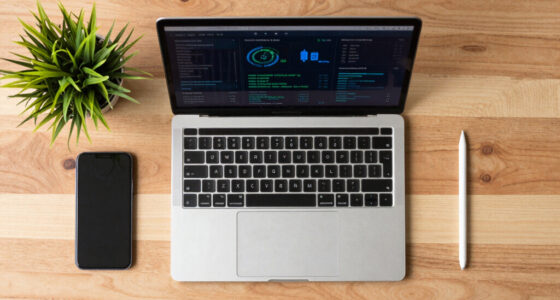
🔍 Read the full analysis: Explore 8 Best Drawing Tablets For Creating Digital Art In 2027 on ThorstenMeyerAI.com

Prime made for students and young adults
- Fast, free delivery for dorm and study essentials
- Prime Video and Amazon Music included
- Member-only deals
TL;DR
ThorstenMeyerAI.com’s 2027 buying guide compares eight drawing tablets for different workflows: computer-connected displays, screenless pen tablets and standalone devices. The guide ranks the HUION Kamvas 13 (Gen 3) first overall, but provides limited model-by-model specifications and no independent test data, so buyers should verify compatibility, exact versions and current pricing.
According to ThorstenMeyerAI.com’s guide, the Kamvas 13 (Gen 3) is for artists who want to draw directly on a display and use dial controls, a category also explored in this guide to AI drawing tablets for artists. The guide describes the HUION Inspiroy H1060P as a value option for people who already have a computer and want a larger, screenless drawing area. It names the Frunsi RubensTab T11 Pro as its standalone pick for artists seeking a device that can work without a computer for supported tasks.
The guide’s remaining choices are the HUION Inspiroy H640P, Wacom Intuos Small, two XP-Pen Artist 13.3 Pro V2 listings, and the PicassoTab A10. That makes eight products when the two XP-Pen listings are counted separately. The guide says those XP-Pen entries appear closely related and advises shoppers to compare the exact model version, specifications and included accessories rather than infer a difference from the listing names.
ThorstenMeyerAI.com says its ranking considers workspace, connection requirements, portability and controls, alongside stated pen features and learning curve. The supplied article does not provide a complete specification table or explain whether the products were tested under controlled conditions. Its rankings should therefore be read as the guide’s buying advice, not as independently verified performance results.
The 8 picks
- 1
 HUION Kamvas 13 (Gen 3) 13.3-Inch Drawing Pen Display with Dual Dial and StandView on Amazon →
- 2
 PicassoTab 10" Standalone Drawing Tablet (A10)View on Amazon →
- 3
 XP-Pen Artist 13.3 Pro V2 Drawing Tablet with Screen, 16K Pressure Levels, Re…View on Amazon →
- 4
 XPPen Artist 13.3 Pro V2 Drawing Tablet with ScreenView on Amazon →
- 5
 Frunsi RubensTab T11 Pro Standalone Drawing TabletView on Amazon →
- 6
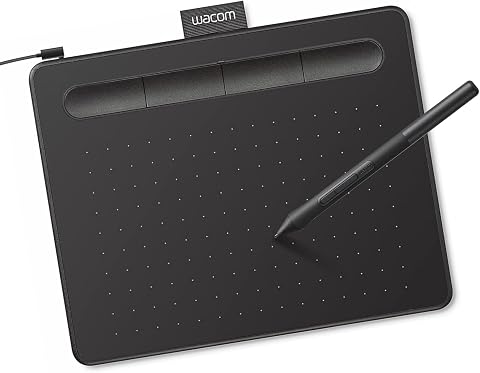 Wacom Intuos Small Wired Drawing Tablet with PenView on Amazon →
- 7
 HUION Inspiroy H1060P Graphics Drawing Tablet, 10 x 6.25 inView on Amazon →
- 8
 HUION Inspiroy H640P 6 × 4-Inch Drawing Tablet with Battery-Free StylusView on Amazon →
Choose a Setup That Fits Your Workflow
ThorstenMeyerAI.com’s comparison groups the eight products into three types of digital-art setup: draw on a connected screen, use a screenless tablet alongside a computer monitor, or work on a standalone device. The choice affects what equipment must be connected, which software may be available, how much desk space is used and how easily the setup travels.
The guide’s comparison can help readers narrow the category before checking specifications. A compact tablet may suit a small desk or travel, while a larger active area may better suit broad arm movements. A standalone option can reduce reliance on a computer, but its supported apps and workflow still need checking. These are practical tradeoffs described by the guide, not evidence that one product is best for every artist.
Popular right now

De'Longhi La Specialista Touch Semi-Automatic Espresso Machine with Grinder

Breville Barista Touch Espresso Machine, Brushed Stainless Steel

Samsung 65-Inch M70H Series 4K Mini LED Smart TV (2026)
As an affiliate, we earn on qualifying purchases.
Three Types of Drawing Tablet
In its guide, ThorstenMeyerAI.com distinguishes among three setups: a screen tablet, which displays the artwork beneath the pen; a screenless pen tablet, which sends pen input to a separate computer display; and a standalone tablet, which combines a display and computing functions for compatible creative tasks. Screenless models may suit people already comfortable drawing without looking at their hand, though that approach can take practice. A standalone tablet may offer less software choice than a desktop setup.
The guide cautions that advertised pen features are only part of the decision. It advises artists to check operating-system and app support, drivers, connection requirements and whether a display model needs an adapter or more than one cable. It also notes that shortcut keys and dials are most useful when they can be assigned to actions the artist uses regularly.
Specifications and Testing Details
The supplied ThorstenMeyerAI.com material does not state the guide’s publication date, prices, retailer availability or full specifications for each product. It also does not identify a testing protocol or provide measurable results for drawing accuracy, latency, screen quality or durability. The ranking therefore cannot establish which device performs best under a particular artist’s conditions.
The guide does not resolve the relationship between the two XP-Pen Artist 13.3 Pro V2 listings. It characterizes them as closely related but provides insufficient listing details to confirm whether they differ by package, revision or another feature. Compatibility and supported apps for the standalone models likewise need to be verified against a buyer’s intended software and region.
Verify Models Before Buying
Before ordering, shoppers should compare the exact product version and package, check current seller listings, and confirm compatibility with their computer, operating system and drawing applications. For a screen tablet, they should verify the required display connection and cable arrangement; for a standalone model, they should check that their preferred art apps are supported.
ThorstenMeyerAI.com’s guide offers a starting shortlist rather than a final purchasing verdict. Buyers can then compare up-to-date prices, return terms and detailed specifications from manufacturers and retailers. The supplied source material provides no later testing results or follow-up updates.
Key Questions
Which tablet does the guide rank first?
ThorstenMeyerAI.com names the HUION Kamvas 13 (Gen 3) its best overall pick, citing its display and dual-dial controls. It still requires a compatible computer and suitable connection.
Which option is recommended for a larger screenless work area?
ThorstenMeyerAI.com recommends the HUION Inspiroy H1060P for people who already use a computer and want more drawing area than the compact H640P or Wacom Intuos Small.
Which listed tablets can be used without a computer?
The source identifies the Frunsi RubensTab T11 Pro and PicassoTab A10 as standalone options. Buyers should check which drawing apps each device supports before choosing one.
Are the two XP-Pen listings different products?
ThorstenMeyerAI.com says the two Artist 13.3 Pro V2 listings appear closely related, but does not establish exactly how they differ. Compare the exact version, specifications and included accessories.
Does the guide include independent product test results?
The supplied material describes the ranking criteria but provides no controlled test results or measured performance comparisons. Its recommendations are ThorstenMeyerAI.com’s buying guidance, not independently verified findings.
Source: ThorstenMeyerAI.com